0

New Family iPad? A Dozen Educational Apps to Share with Young Children

Six FREE science apps – PEEP and the Big Wide World apps from WGBH, the producers of the animated series of the same name. Major funding for these educational apps is provided by the National Science Foundation. These apps are designed to teach science to preschoolers (3 – 5 years) in a cute, fun way! The games begin simply but become more challenging as kids are successful. Each app also includes a “Try This Anywhere Activity” for you and your children to do together based on the lesson in the app. Your child will LOVE learning with Peep and friends. And you will too!

PEEP - House Hunt

PEEP and the Big Wide World House Hunt: Kids turn over leaves to pair animals with their homes in a match game that demonstrates that some habitats are home to many different animals.

Download link: https://itunes.apple.com/us/app/peep-big-wide-world-house/id536554271?mt=8&uo=4

PEEP - Hide & peep

PEEP and the Big Wide World Hide and Peep: Peep and friends are hiding in the tool shed. This app helps kids practice their observation and memory skills.

Download link:https://itunes.apple.com/us/app/peep-big-wide-world-hide-peep/id536312346?mt=8&uo=4
Peep - Paint Splat

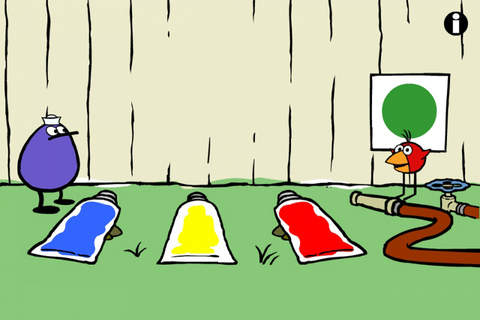
PEEP and the Big Wide World Paint Splat: Kids join two quirky characters named Quack & Chirp to experiment with mixing colors in a fun, silly way!

Download link: https://itunes.apple.com/us/app/peep-big-wide-world-paint/id536621786?mt=8&uo=4

Peep - Sounds

PEEP and the Big Wide World Sounds Like Fun!: Kids explore music and sounds as they mix and match sounds with this app. The characters represent different musical rhythms.

Download link: https://itunes.apple.com/us/app/peep-big-wide-world-sounds/id536623915?mt=8&uo=4
Peep - trash

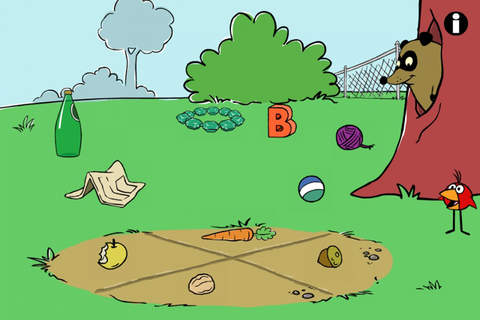
PEEP and the Big Wide World Trash Stash: Kids practice their categorization skills by sorting objects using increasingly sophisticated criteria.

Download link: https://itunes.apple.com/us/app/peep-big-wide-world-trash/id536624731?mt=8&uo=4

Peep - Quack's Apples

PEEP and the Big Wide World Quack’s Apples: Kids roll Quack’s apples into a pond – testing and tweaking the design of their route as often as needed. As they play, they are practicing the engineering design process!

Download link: https://itunes.apple.com/us/app/peep-big-wide-world-quacks/id536623428?mt=8&uo=4

Two FREE and fabulously creative apps from Lazoo – perfect for preschoolers. 🙂Miku's PicnicFREE  – Miku’s Picnic, an adorable interactive story designed to support creative thinking. Kids join Bobu, the monkey & Miku, the rabbit on a chase after some jumping beans. The two need help capturing the beans before they bounce away! Along the way kids learn about using their imaginations and creative problem solving as the Bobu & Moku use “Squiggles” to… make a car go faster, make springs to get to the top of a tree, make binoculars to look for the beans, make a rocket zoom to the moon, and more. This educational app has 2 reading modes – “Read to Me” and “Read it Myself” as well as an option to record your own voice as the narrator. The story ends with a link to the FREE Squiggles app for kids so kids can “take a turn” drawing. I love the way Miku’s Picnic encourages kids to use their imaginations to solve problems!

Download link: https://itunes.apple.com/us/app/lazoo-mikus-picnic/id652945863?mt=8&uo=4

Lazoo ZooAlso FREE – Lazoo Zoo, another fabulous educational appKIds help out with snack time at the zoo where there are 10 animals (lion, ape, chameleon, giraffe, hippo, whale, crocodile, crab, bird, & penguins) to feed. But Lazoo Zoo is not your ordinary zoo, so its animals react in extraordinary ways – the giraffe’s spots change according to what it’s fed, the ape tosses the food it doesn’t like to others, and more! Kids can even create their own foods to feed the animals. And, Lazoo Zoo has a photo booth where kids can snap their picture with their favorite animals. How cute is that?! 🙂 Check out the trailer at: http://www.youtube.com/watch?v=L564yPHM3No&feature=youtu.be

Download link: https://itunes.apple.com/us/app/lazoo-zoo/id727786503?mt=8&uo=4

Two FREE apps from PBS. 🙂

PBS Parents Play & LearnPBS Parents Play & Learn is a great FREE educational app that encourages families to learn together. PBS has designed this app specifically for parents and it can be used in English or Spanish. The app uses familiar locations (in the bathtub, in the kitchen, at the zoo, etc.) as themes then provides parents with meaningful activities/games for their children. I LOVE that the app includes ideas for different ages (baby, toddler, preschooler) and provides information for parents about the math & literacy skills embedded in the games. The app supports the fact that a child’s parents are his/her first and most important teacher – LOVE it!

Download link: https://itunes.apple.com/us/app/pbs-parents-play-learn-hd/id605542914?mt=8&uo=4

word friends

Learn with WordFriends is a FREE educational game from WordWorld, PBS’s Emmy winning show. Kids build and discover words with Dog, Duck, Sheep, Ant, Bear, Pig and Frog. Animal characters and word objects are formed from the words’ letters – a very cool feature! There are 3 puzzles to play: WordRain – grab letters as they rain from the sky to build the word, WordScramble – rearrange the scrambled letters to form the word, and WordMatch – a tile memory game. There is also a WordFriend Farms where kids can interact with the different animal characters. Dog is included with the app and the other animals are available as in-app purchases. Very cute, happy app!

Download link: https://itunes.apple.com/us/app/learn-with-wordfriends/id580328460?mt=8&uo=4

caillouKids learn about going to the doctor’s office with Caillou Check Up – Doctor’s Office, an adorable app for toddlers/preschoolers. This educational app has 11 mini-games that will teach your child about his/her next check-up. Four of the activities (check height & weight, tonsil check, follow the stick, & eye check) are included for FREE. The other 7 activities (thermometer, ear check, stethoscope, blood pressure, reflex check, medicine shot, & applying ointment) are available as in-app purchases. The app utilizes a variety of mechanics as kids tap and drag their way through the interactive mini-games. After completing each task, kids are rewarded with a colorful celebration. The app is sure to take the stress out of your child’s next visit to the doctor. No wonder it’s featured by Apple as one of the “Best New Apps & Games.” 🙂

Download link: https://itunes.apple.com/us/app/caillou-check-up-doctors-office/id772369925?mt=8&uo=4
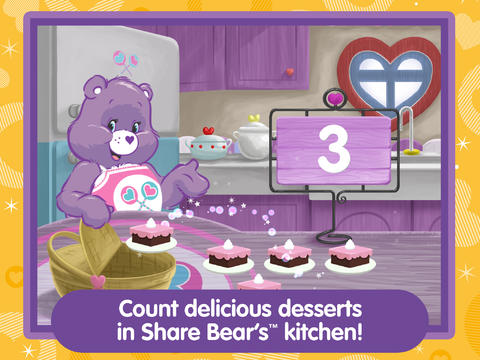
 

care bearsFrom American Greetings comes Care Bears Love to Learn, a FREE educational app for preschoolers. Kids join 7 of their favorite Care Bears to play a variety of games that are designed to help children count, build shapes, identify colors, learn beginning sounds, and more. After completing each activity, kids earn Care Bears stickers. These stickers can be saved and played with later. If you have a Care Bear fan in your house, check out this cute app!

Download link: https://itunes.apple.com/us/app/care-bears-love-to-learn/id884245655?mt=8&uo=
0

Labo Drawing Lessons

labo

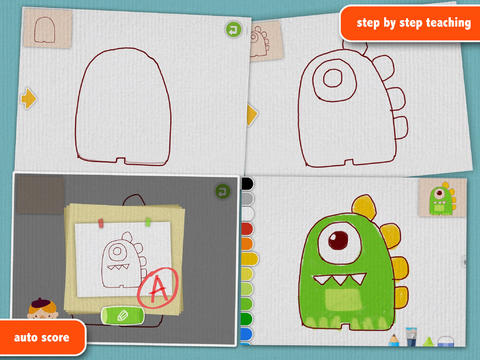
FREE for a limited time – Labo Drawing Lessons. This educational app has 3 different modes: drawing lessons, free drawing, and PK. In the lesson mode, your child will learn to draw 40 different things from 5 categories: animals, plants, vehicles, monsters, people. The app utilizes a step-by-step teaching method then scores the drawing after it has been completed. In the free drawing mode, kids work on a blank canvas and draw their own creations. They are not scored in this mode. They can choose from 3 tools (pencil, crayon, brush) and 18 different colors. They can also pull in photos from the camera roll to use as a background. In both modes, kids can take pictures of their drawings, redo them, or trash them. If they take a picture, the creation is stored in the photo gallery and saved to the device’s camera roll. Once a drawing is on the camera roll, it can be shared, printed, or pulled into other apps. Finally, there is a PK mode which permits a child to compete with their parents or friends to see who can draw faster. Check out this YouTube video to see how this app works: http://www.youtube.com/watch?

Download link: https://itunes.apple.com/us/app/labo-drawing-lessons-3y+/id879834557?mt=8&uo=4

0

Marco Polo Ocean

marco polo

This Parents’ Choice Gold Award winner is FREE for a limited time. Marco Polo Ocean is a fun & educational app for preschoolers. Kids learn about Earth’s oceans through build & explore activities (puzzles) or through free play. There are 5 build and explore activities: coral reef, killer whale, herring, boat, and submersible. As kids add parts to each puzzle, they build their vocabulary and learn fun facts. During free play, kids can: explore from the shore to the sea floor, steer their vehicles through ocean waters, add creatures to the water to see how they interact with each other, and more. Marco Polo Ocean uses self-directed discovery to expose kids to STEM education (science, technology, engineering, and math) in a fun, engaging way. Kids will learn about the ocean structure, the species that live there, characteristics of the fish/marine mammals, etc. It’s no wonder that Marco Polo Ocean was named App Store Editors’ Choice in 15 Countries!! Do not miss this one. It’s learning and fun rolled into one! 🙂

Download link: https://itunes.apple.com/us/app/marcopolo-ocean/id797157312?mt=8&uo=4

0

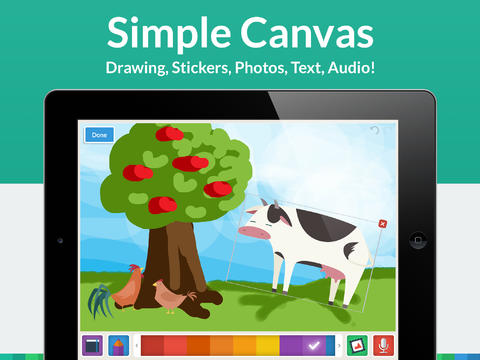
My Story Book Creator

story maker

One of my favorite writing apps just went FREE!!

FREE for a limited time – My Story Book Creator, a great writing app for the iPad. Kids can easily create then read an unlimited number of their own e-books using this app. The app’s design makes writing stories easy for kids of all ages. They create their books one page at a time by typing in their text and adding their artwork. They can use a variety of mediums for their art –  stickers, drawings (with pencils, paints or markers), camera photos, or pictures saved in the photo library. They can also record themselves reading their books. Finalized stories can read directly from the app, be published to iBooks, and/or shared via email with anyone who owns an iPhone or iPad.

What a great way for your child to save and/or share stories of his/her experiences. Take photos of your vacation or your day (at the zoo, in the park, etc.) then let your child narrate to share with grandparents. The voice recordings remain intact when the book is shared. And, the words can be typed in later so that kids can also read their stories.

My Story is perfect for the classroom because teachers can add multiple authors and sync it across multiple iPads! Kids can share their stories with friends through iBooks, write and present digital reports, keep ongoing vocabulary books and/or journals etc. What a fantastic tool to encourage writing! Don’t miss this one!!

My Story - Book Maker for Kids - HiDef Web Solutions

0

8 GREAT Apps for Teaching Fractions

Here are 8 great apps for teaching fractions and the first three on the list are FREE!

fractions

Currently FREE  – Fractions by Brainingcamp, an excellent educational app for teaching fractions. The app covers 7 topics: introduction to fractions, equivalent fractions, common denominators, comparing/ordering fractions, adding/subtracting fractions, multiplying fractions, and dividing fractions. Each topic includes: a narrated lesson (with visual models), virtual manipulatives for kids to explore, practice questions to check understanding, and a challenging game for additional practice. Kids earn badges as they work through the components of each topic.

WOW – I love everything about this app. The lessons are wonderful. The manipulatives are designed to promote understanding of the concepts presented. The practice questions give students and their teachers a check of their understanding. And, the challenging games helps kids further master the topic. It would be a fabulous for grades 3 and beyond!

Common Core State Standards met:

  • 3.NF.1. Understand a fraction 1/b as the quantity formed by 1 part when a whole is partitioned into b equal parts; understand a fraction a/b as the quantity formed by a parts of size 1/b.
  • 3.NF.3 – Explain equivalence of fractions and compare fractions by reasoning about their size. Understand two fractions as equivalent (equal) if they are the same size. Recognize and generate simple equivalent fractions, e.g., 1/2 = 2/4, 4/6 = 2/3).
  • 4.NF.3 – a. Understand addition and subtraction of fractions as joining and separating parts referring to the same whole.
  • 5.NF.3 – Interpret a fraction as division of the numerator by the denominator (a/b = a ÷ b).

Download link: https://itunes.apple.com/us/app/fractions-by-brainingcamp/id471353363?mt=8&uo=4

on no fractrionsUpdated again in March 2014 – Oh No, Fractions! This FREE app just keeps getting better and better because the developer encourages teacher input. How wonderful is that – a developer willing to listen to teachers’ needs!

Oh No Fractions! is a great FREE iPhone/iPad app for comparing and exploring fractions. The educational app is simple to use – kids just swipe to the right or the left to indicate whether one fraction is “greater than” or “less than” or “equal to” a second fraction. As they work, kids can tap above each fraction to see if it can be reduced/simplified – a great feature. But, one of the best features of this app is the “peek”/”prove it” feature. Kids can use a manipulative to “peek” at an answer before they commit to it or they can use the manipulative to “prove” their answer later. This feature is fabulous because it allows the child to visualize his/her answer. Kids can also use this app to practice finding the common denominator. Then they can use it for addition, subtraction, multiplication, and division of fractions. The app also generates corresponding decimals/percentages for each answer. What a great tool for helping kids to understand fractions!! It’s no wonder that it received the 2013 Children’s Technology Review Editor’s Choice Award.

Common Core Standards met:

  • 3.NF.3 – Explain equivalence of fractions and compare fractions by reasoning about their size. Understand two fractions as equivalent (equal) if they are the same size. Recognize and generate simple equivalent fractions, e.g., 1/2 = 2/4, 4/6 = 2/3).

Oh No Fractions! - Curious Hat Lab - Curious Hat

equivalent fractions

From the National Council of Teachers of Mathematics comes a FREE app called Equivalent Fractions. Kids create equivalent fractions by dividing and shading squares or circles. Circles can be divided into 24ths. Squares can be divided into 144ths. In the play mode, a fraction is shown and kids must create 2 additional fractions that are equivalent. All 3 fractions must have different denominators. The app also places the fractions on a number line – a great visual for comparing! There is also a “build your own” mode which would be fabulous to use for guided exploration & practice. Kids could also use this section as a virtual manipulative when working independently. This app is an excellent resource for the classroom!

Common Core Standards met:

  • 3.NF.3 – Explain equivalence of fractions and compare fractions by reasoning about their size. Understand two fractions as equivalent (equal) if they are the same size, or the same point on a number line. Recognize and generate simple equivalent fractions, e.g., 1/2 = 2/4, 4/6 = 2/3). Explain why the fractions are equivalent, e.g., by using a visual fraction model.

Equivalent Fractions - National Council of Teachers of Mathematics

tiny fractionsNow $4.99 but was FREE when it was released – Tiny Fractions. This educational app teaches identifying, comparing, ordering, finding equivalents, simplifying, adding, and subtracting fractions using vials of liquid. It starts out simple and gets more difficult as kids progress through the app. It also keeps track of the student’s progress – showing teachers/parents specifically which fractions were missed. Simply done and easy to use, this app does a great job helping kids visualize and learn fractions!

Common Core Standards met:

  • 3.NF.1. Understand a fraction 1/b as the quantity formed by 1 part when a whole is partitioned into b equal parts; understand a fraction a/b as the quantity formed by a parts of size 1/b.
  • 3.NF.3 – Explain equivalence of fractions and compare fractions by reasoning about their size. Understand two fractions as equivalent (equal) if they are the same size. Recognize and generate simple equivalent fractions, e.g., 1/2 = 2/4, 4/6 = 2/3).
  • 4.NF.3 – a. Understand addition and subtraction of fractions as joining and separating parts referring to the same whole.

Tiny Fractions - TapToLearn Software

slice fractions

Currently $3.99 – Slice Fractions was recently listed as one of Apple’s Best of 2014:Apps. Kids learn about fractions as they slice through ice and lava to clear a path for a cute mammoth. Along the way they collect silly hats for the mammoth to wear. As they solve the app’s 90+ physics puzzles, they are exposed to key concepts of fractions – partitioning, equivalent fraction, numerator/denominator notation, ordering, subtracting from a whole, etc. Kids will enjoy learning about fractions in this wordless environment that seems more like a game than math lessons. I love that the app encourages kids to be problem solvers. Its replay button permits them to try each puzzle again and again until they figure it out. Hints are only given when support is needed. The end result is that kids are learning through discovery! It’s no wonder that this app has received so many accolades: Apple Editor’s Choice, Editor’s Choice for Excellence in Design: Children’s Technology Review, Winner of a Parents’ Choice Gold Award 2014, Gold Medal Winner 2014: International Serious Play Awards, and Best Family Friendly Game 2014: Indie Prize Showcase Awards.

Common Core Standards met:

  • 2.G.2. Partition a rectangle into rows and columns of same-size squares and count to find the total number of them.
  • 2.G.3. Partition circles and rectangles into two, three, or four equal shares, describe the shares using the words halves, thirds, half of, a third of, etc., and describe the whole as two halves, three thirds, four fourths. Recognize that equal shares of identical wholes need not have the same shape.
  • 3.NF.1. Understand a fraction 1/b as the quantity formed by 1 part when a whole is partitioned into b equal parts; understand a fraction a/b as the quantity formed by a parts of size 1/b.
  • 3.NF.3 – Explain equivalence of fractions and compare fractions by reasoning about their size. Understand two fractions as equivalent (equal) if they are the same size. Recognize and generate simple equivalent fractions, e.g., 1/2 = 2/4, 4/6 = 2/3).
  • 4.NF.2. Compare two fractions with different numerators and different denominators, e.g., by creating common denominators or numerators, or by comparing to a benchmark fraction such as 1/2.
  • 4.NF.3b. Decompose a fraction into a sum of fractions with the same denominator in more than one way, recording each decomposition by an equation.

Download link: https://itunes.apple.com/us/app/slice-fractions/id794730213?mt=8&uo=4

squeebles

From England and currently $1.99 –  Squeebles Fractions, an app for the iPhone/iPad that is designed to teach fractions to 7 – 11 year olds. The Squeebles want to enter a cake making contest but their ingredients have been stolen by the Math Monster. By working on the app’s 4 games, kids help the Squeebles earn back their ingredients. In Piece of Cake, kids drag the fractional part of a cake to a Squeebles when he asks for it. The easy mode covers halves, fourths, thirds. The hard mode cover fractions to tenths. In Tricky Pairs, kids have to match pairs of equivalent fractions. In the easy mode they match 4 pairs and in the hard mode they match up to 9 pairs. Think Big has kids feeding cake to the Squeeble that calls out the biggest fraction. The easy mode covers halves, fourths, thirds. The hard mode cover fractions to twelfths. Super Sums requires kids to add fractions as quickly as they can and has three levels of difficulty. After earning ingredients, kids can create cakes and enter them in The Cake Show – fun! Another great thing about this app is that you can have more than one player. My only concern is that the easy mode of Piece of Cake requires kids to know some equivalent fractions – for example, it asked kids to pick 3/4 of a cake divided into 8 pieces, 1/3 of a cake divided into 6 pieces, etc. I wish it would have required a basic knowledge of fractions in the easy mode then moved on to equivalent fractions in the hard mode. This app is cute, fun, and provides great practice for a wide spectrum of kids.

Common Core Standards met:

  • 3.NF.3 – Explain equivalence of fractions and compare fractions by reasoning about their size. Understand two fractions as equivalent (equal) if they are the same size, or the same point on a number line. Recognize and generate simple equivalent fractions, e.g., 1/2 = 2/4, 4/6 = 2/3).
  • 4.NF.3 – a. Understand addition and subtraction of fractions as joining and separating parts referring to the same whole.

Download link: https://itunes.apple.com/us/app/squeebles-fractions/id557576867?mt=8&uo=4

equivalentCurrently $1.99 but often “goes free” – Everyday Mathematics® Equivalent Fractions™  for iPhone/iPad is fun easy way to reinforce fraction concepts. Note: the app uses a digital version of the fraction cards from the Everyday Math third grade book.

Common Core Standards met:

  • 3.NF.3 – Explain equivalence of fractions and compare fractions by reasoning about their size. Understand two fractions as equivalent (equal) if they are the same size, or the same point on a number line. Recognize and generate simple equivalent fractions, e.g., 1/2 = 2/4, 4/6 = 2/3). Explain why the fractions are equivalent, e.g., by using a visual fraction model.

Download link: https://itunes.apple.com/us/app/everyday-mathematics-equivalent/id417016316?mt=8&uo=4

Fraction Wall

Currently $1.99 – Fraction Wall, an app designed for small group or independent learning. This educational app has 4 sections: Teacher Tool, Complete the Wall, 2 Player Game, and Addition. The Teacher Tool can be used to show/discover equivalent fractions or it can be used to answer equivalent fraction problems. Complete the Wall has kids moving bricks on top of equivalent fractions. There are 4 levels: level 1 – halves and quarter; level 2 – halves, thirds, quarters and sixths; level 3 – halves, thirds; quarters fifths, sixths, tenths; level 4 – halves up to tenth. 2 Player Game has kids competing against each other to be the first to fill their wall of equivalent fractions. Addition has kids adding fractions to answer multiple choice questions. There is a clickable wall to help them visualize the answer if needed. This section also has 4 levels. The app can be customized to exclude more difficult fractions from the wall. This app would work well in the classroom – great for practicing and/or for using as a tool to visualize answers. Much more fun than a worksheet for practicing fractions!

Common Core Standards met:

  • 3.NF.3 – Explain equivalence of fractions and compare fractions by reasoning about their size. Understand two fractions as equivalent (equal) if they are the same size. Recognize and generate simple equivalent fractions, e.g., 1/2 = 2/4, 4/6 = 2/3).
0

Fishing with Grandpa

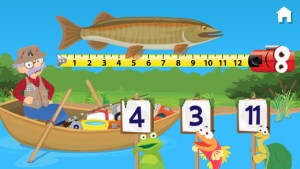
imageFREE for a limited time – Fishing with Grandpa, another adorable educational app for preschoolers from Fairlady Media. Kids join grandpa in his boat to learn about fishing. There they play 7 educational games such as Measure the Fish, Crabby Mazes, and Spot the Difference. They also watch short videos of real anglers in action. Kids will love helping grandpa fish and they will be learning basic skills in the process. Concepts addressed through the games are: colors, numbers, measuring, problem solving, and vocabulary. I love this app – it seamlessly integrates important educational content into fun games. And, little ones will learn all about fishing. I especially like the when Grandpa asks for a high-five – so cute!

Download link: https://itunes.apple.com/us/app/fishing-with-grandpa/id1003790491?mt=8

0

Poetics – create, write and share visual poetry

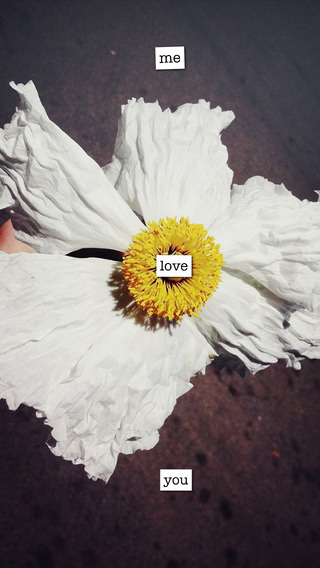
imagePoetics – create, write and share visual poetry is FREE again. Writing visual poetry is easy with Poetics. The app combines photographic imagery and moveable text. Just choose a picture from your camera roll and write how it makes you feel – a word, a caption, or a poem. Or you can write a poem then search for the perfect image to accompany it. Words can be scaled, rotated, etc. as they are placed on the page. The app saves each project as it is being created. Finished poetry can be shared on Instagram, Facebook, postcards, and more. Kids could use Poetics to create and share postcards or journal entries of their summer activities. How fun!!
Direct Link https://itunes.apple.com/us/app/poetics-create-write-share/id543995959?mt=8&uo=6&at=&ct=

0

9 Everyday Math® APPS are FREE!

FREE again!!!

9 educational apps from McGraw Hill’s Everyday Math® – If your school system uses this program to teach math, you may want to take advantage of this offer. 🙂

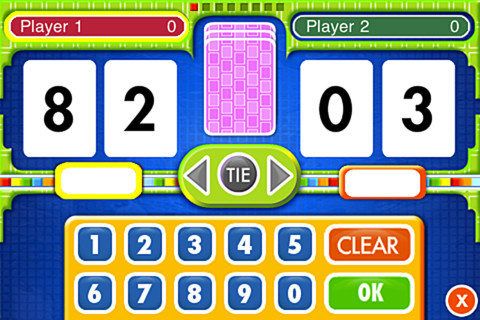
Everyday Math® Addition Top-It app for iPhone/iPad is a two player game. It is fun easy way for kids to practice basic addition facts from 1 – 10 and greater than/less than.

Common Core Standards met:

  • 1.OA.6 – Add and subtract within 20, demonstrating fluency for addition and subtraction within 10.
  • 2.OA.2 – Fluently add and subtract within 20 using mental strategies. By end of Grade 2, know from memory all sums of two one-digit numbers.

Everyday Mathematics® Addition Top It - McGraw-Hill School Education Group

Everyday Math® Beat the Computer app for iPhone/iPad is fun easy way for kids to practice basic multiplication facts. They race against the computer to score as many points as they can.

Common Core Standards met:

  • 3.OA.7 –  By the end of Grade 3, know from memory all products of two one-digit numbers.

Everyday Mathematics® Beat the Computer™ Multiplication - McGraw-Hill School Education GroupEveryday Math® Squeeze Monster app for iPhone/iPad is a two player game. Designed for younger students, it reinforces number line concepts and number comparisons.

Everyday Mathematics® Monster Squeeze™ - McGraw-Hill School Education Group
Everyday Math® Equivalent Fractions app for iPhone/iPad is fun easy way to reinforce fraction concepts. Note: the app uses a digital version of the fraction cards from the Everyday Math third grade book.

Common Core Standards met:

  • 3.NF.3 – Explain equivalence of fractions and compare fractions by reasoning about their size. Understand two fractions as equivalent (equal) if they are the same size, or the same point on a number line. Recognize and generate simple equivalent fractions, e.g., 1/2 = 2/4, 4/6 = 2/3). Explain why the fractions are equivalent, e.g., by using a visual fraction model.
Everyday Mathematics® Equivalent Fractions™ - McGraw-Hill School Education Group
Everyday Math® Divisibility Dash app for iPhone/iPad is fun easy way to practice recognizing multiples of a number and applying divisibility tests.

Common Core Standards met:

  •  4.OA.4 – Find all factor pairs for a whole number in the range 1–100. Recognize that a whole number is a multiple of each of its factors. Determine whether a given whole number in the range 1–100 is a multiple of a given one-digit number. Determine whether a given whole number in the range 1–100 is prime or composite.

Everyday Mathematics® Divisibility Dash™ - McGraw-Hill School Education GroupTric Trac

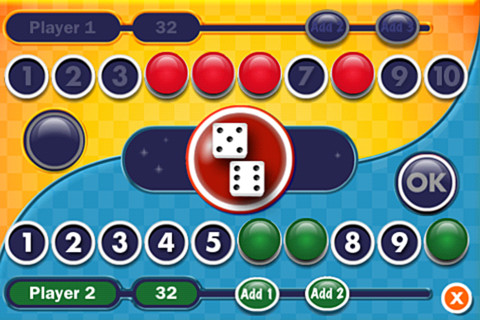
Everyday Math® Tric Trac is a 2 player game for kids to practice their addition facts. Players roll dice, find the sum, then match the sum to numbers in their hand. Every match eliminates that number or numbers from their hand and reduces their score. The player with the lowest score wins!

Direct Link: https://itunes.apple.com/us/app/everyday-mathematics-tric/id413520637?mt=8

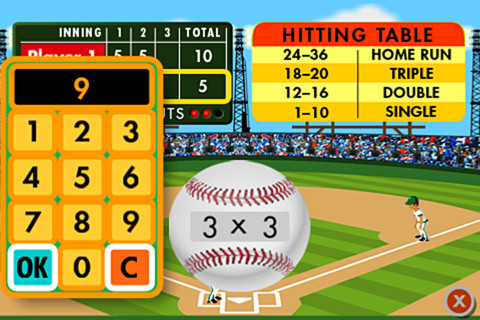
Baseball MultiplicationEveryday Math® Baseball Multiplication 1 – 6 AND Everyday Math® Baseball Multiplication 1 – 12 Facts. Two players play a 3 inning baseball game as they practice their facts.

Common Core Standards met:

  • 3.OA.7 – By the end of Grade 3, know from memory all products of two one-digit numbers.

Direct Link: https://itunes.apple.com/us/app/everyday-mathematics-baseball/id430854300?mt=8

Direct Link: https://itunes.apple.com/us/app/everyday-mathematics-baseball/id425201674?mt=8

name that number name that numberEveryday Math® Name That Number offers kids a fun way to practice computation and order of operations. Players must use five number tiles to reach a target number. They may add, subtract, multiply, and/or divide. One problem – the app does not have parentheses which restricts the types of number sentences that kids can make.

Direct Link: https://itunes.apple.com/us/app/everyday-mathematics-name/id414295469?mt=8

0

Brainy Bugs Preschool Games

bug gamesSinging crickets! Brainy Bugs Preschool Games is FREE for a limited time. This super cute educational app for preschoolers has 4 sections: Cricket Concert, Bee Word Builder, Ant Tunnel Builder, and Spider Dot-to-Dot. In the Cricket Concert section, kids can select a song to hear the crickets sing together or they can tap on each cricket to play the song on their own. In Bee Word Builder, kids hear the phonic pronunciation of individual letters as they use them to put words together. Ant Tunnel Builder requires kids to rotate puzzle pieces so that the ants can march through a completed tunnel. Spider Dot-to-Dot has kids connecting dots in numerical order. Kids collect sticker rewards along the way. This app has a nice combination of learning games for preschoolers – cute, fun, & engaging! Who knew playing with bugs could be so much fun. 🙂

Bug Games HD - by Busy Bee Studios - Busy Bee Studios

0

Toca Hair Salon Me

hair salon meOnly $.99 – Toca Hair Salon Me, the newest addition to the popular Toca Hair Salon apps. Using this app, kids can create a whole new look for themselves and/or their family & friends. They simply import a picture from the camera roll and “the styling” can begin. The salon is equipped with all the right tools to style hair. They can cut it, comb it, make it grow, shave it, color it, etc. They can also wash it, blow it dry, curl it or straighten it. Great sound effects add to the fun! After they finish the styling, they can add fun accessories – glasses, bow, mustaches, etc. They can even use their own photos for the background. Kids or parents can take a photo of the finished creation and save it to their camera roll. What a great springboard for creative writing – give yourself a whole new look and write a story to go with it. What a fun activity for a Wacky Hair Day!!

Download link: https://itunes.apple.com/us/app/toca-hair-salon-me/id730873197?mt=8&uo=4