0

More Halloween Apps

FREE today – Scrap It: Halloween HD for the iPad. You (or your child) can add a Halloween touch to your photos with this app. First take a photo or use an existing one. Using the photo editor, you can crop it and/or add an effect (about 40 filters available).  Then its time to get creative – add stickers, change the papers & tiles, add letters & numbers/ribbons/word art, and add & manipulate text using the text editor. Items can be resized, shadowed, sent to the back, sent to the front, etc. Creations are saved in My Scrap Pages. They can also be shared on Facebook, Twitter, Tumblr, via email. They can be saved to your camera roll or printed. I think kids would love decorating pictures of themselves, their family & friends, and the family pet 🙂 You could also create an electronic postcard or invitation with this app. Lots of possibilities!!

Scrap It: Halloween HD - Dirk Bost

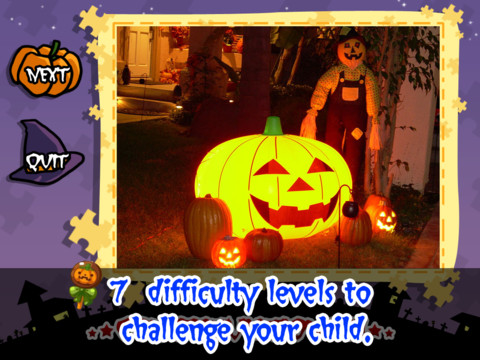
Halloween Jigsaw Puzzles is FREE for the iPad. It includes 18 puzzles with the option to purchase more. There are 7 levels of difficulty ranging from 4 to 49 pieces per puzzle. Most puzzle images are appropriate for younger kids but there are a few that are a bit iffy: scary-faced pumpkins, a few skeletons, and a witch in questionable attire. So if your child loves puzzles, check it out and be selective if your child scares easily.

Halloween Jigsaw Puzzles! - Toy Box

Dibu’s Monster Maker Lite is FREE for the iPhone/iPad. Dibu is a little boy who loves monsters so he created a machine to build them – I think this is how Dr. Frankenstein got started 🙂 The Monster Maker has hundreds of combinations of monsters waiting to be made. The lite version has 2 bodies to choose for the base.Then kids add hair, eyes, noses, mouths, hats & horns, tops, bottoms, and shoes. There is also a random monster generator which creates a monster with one tap. Finished monsters can be named then saved, printed, made into a puzzle, or emailed. This app also has a child lock that hides all promotional buttons and disables printing & emailing. And… there is a “parents only” button which gives written instructions for access to the app store. The developer does not want young children to end up there accidentally – how refreshing!

This app would be great to use with elementary aged kids. They could create a monster then write a descriptive paragraph about it. They could create two monsters and do a Venn diagram comparing and contrasting the monsters. Lots of possibilities!
Dibu's Monster Maker Lite - Playtend Apps LLP

0

Halloween Apps

Even though I am a retired teacher, I still find myself thinking in themes 🙂 So…. here is a list of some FREE Halloween apps (with one exception) that you may want to download this month for your kids.

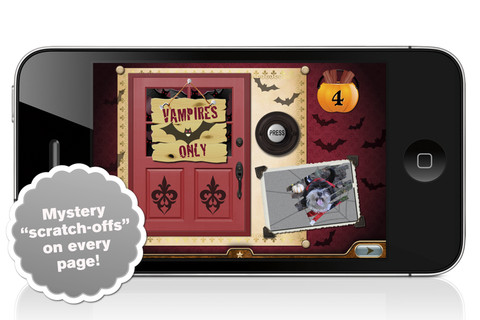
I am going to start with the exception – Millie’s Book of Tricks and Treats is currently $.99 (although I did get it on a FREE day). The Millie books feature a very cute, lovable dog and kids LOVE them! If you own the other two: Meet Millie and Millie and the Lost Key, you will probably want this one too. This book presents a series of silly tricks and treats featuring Millie – nothing scary for little ones. Every time you read it, the randomly generated video clips change so the book is always different.There is also scratch-off picture & hidden sticker on every page. Love this series!

Millie's Book of Tricks and Treats - Megapops LLC

Lego Halloween Creationary is FREE for the iPhone/iPad. Kids roll the dice to choose a category: nature, buildings, vehicles, or things. The app starts to build an object from that category. Kids have to guess what is being built by tapping one of 4 illustrations (found on the pumpkins). Points are awarded by how quickly one can guess correctly. The game becomes increasing difficult. This game is great for making kids think about how objects would be constructed – great for the Lego lovers in your life!

LEGO®  Halloween Creationary - The LEGO Group

Carve-a-Pumpkin from Parents Magazine is FREE for the iPhone/iPad. Kids first choose one of 5 pumpkins (orange, white, orange with green, black or orange & bumpy). They can “cut” it by hand or use premade eyes, noses, mouths, and faces. Instead of cutting the pumpkins, kids can choose to decorate them with stickers. In either mode, kids can manipulate the size and orientation of the objects that they add. There is an undo and redo button to change things easily. Once the pumpkins is complete, kids choose a background. The final project can be shared on Facebook. Twitter, & emailed, or saved as a photo. This app would be fun for kids to use as a planning tool for real pumpkin carving.

Carve-a-Pumpkin from Parents magazine - Resolute Digital, LLC

0

ABC Alphabet Phonics – Preschool Kids Game Free Lite

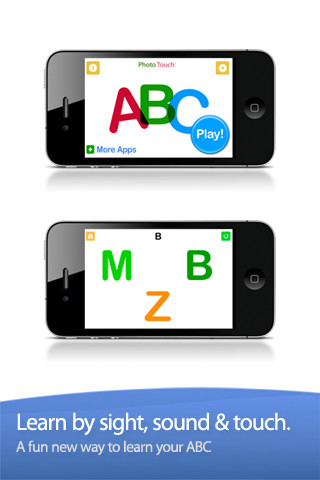
This FREE app is designed for the iPhone/iPad for 0 – 6 year olds. It gives kids practice in letter identification – both upper and lower case. Settings can be switched from plain letters to letters with animals, kids, monkeys, and sketches. With the letter/animal option, an animal that starts with the letter is next to it. You can add your voice or your child’s voice to customize the app. You can also turn letters on and off, mix and match upper and lower case, etc. I did find a glitch when mixing the upper and the lower case letters – the instructions said to touch the f, both F and f were displayed as possible answer but only F was correct. Needless to say, that could be very confusing to a child learning letter names. The other concern that I have with this app is the title – ABC Alphabet Phonics. Phonics is not part of the app at all. This app does not introduce any letter sounds. It simply gives kids practice differentiating between letters – touch the Q, touch the g, touch the H, etc. That is it – with plain letters or letters with illustrations. If your child would benefit from this kind of drill, you may want to download this app.

Common Core Standards met:

  • K.RF.1 – ….. Recognize and name all upper and lowercase letters of the alphabet.

ABC Alphabet Phonics - Preschool Kids Game Free Lite - GrasshopperApps.com

0

Who Stole the Moon? Lite

This Lite FREE version of the app is really only a preview of this interactive story – specifically the first 6 pages. It is the story of Bertie Brown who loves looking through his bedroom skylight to see the moon. He gets worried one night when he doesn’t see the moon and thinks that someone has stolen it. The full version continues the story from this point on. It also includes games and songs. The preview is beautifully done – great artwork, nice music. It seems like it would make a nice bedtime story – the cost is $4.99 to find out 🙂

1

ClassDojo

ClassDojo is a tool that helps teachers improve classroom behaviors. It is currently FREE because it is in beta form. It works with a smartphone, a laptop, or a tablet. Every student in your class gets their own cute little monster avatar. Kids earn points for positive behaviors and lose points for negative behaviors. As you use it, it automatically logs any data that you input. This data can be used to generate behavior reports to share with parents and administrators. It is very easy to set up and it is fully customizable – you can delete behaviors from the original list and add your own behaviors.Teachers are using it in different ways: to give feedback in real-time, to track behavior, and to generate reports.

If I were still in the classroom, I would enter my class list twice – once for data on work/study habits and the other for data on behaviors. I would make my habits/behaviors match exactly what was on my report cards. Then as I used the app, I would also be gathering data for my report cards. At the end of the grading period, I would just print out the date and enter it on the report cards – how easy!  I would also have the data (in a printed report) to be able to back up any grade on the card.  “As you can see Mrs. Doe, Jane only turned in her homework 56% of the time.”  Instant data would also be available for the RTI process, IEPs or any other team meeting on a child. Wow !!!!

Check out the website for more information: www.classdojo.com

Highly recommended !!

ClassDojo - Class Twist Inc

0

Bean Bag Kids present Little Red Riding Hood

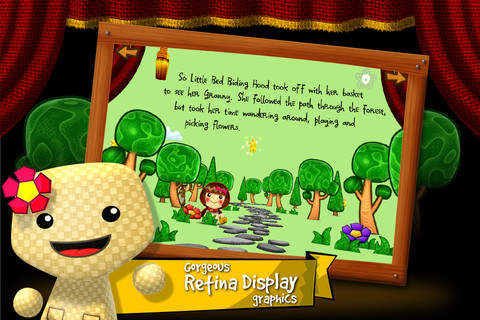
FREE for a limited time – an interactive fairy tale for the iPhone/iPad. Read along with this classic tale presented as a play by the Bean Bag Kids. Tapping the 3D characters, makes them act even better. The app has 3 modes – read to me, read alone or autoplay. Words are highlighted as the story is read so children can read along. Children collect hidden stars on each page to unlock the Bean Bag Kids’ bios. There are also simple 6 piece puzzles at the end of the play. One minor concern that I have is that the font may be difficult to read for little ones. Other than that, it’s definitely cute and worth downloading 🙂

Bean Bag Kids present Little Red Riding Hood - Mundomono

0

Starring You StoryBooks

JibJab has been around since 1999. During the 2004 presidential election their Flash movie, This Land, featured George Bush and John Kerry singing a parody of the Woodie Guthrie song, This Land is Your Land. It became a huge success, received millions of hits, and was featured on several major news channels. The company has continued to make videos but added a commercial site several years ago where you can find 1000+ Make & Share eCards and 500+Starring You videos. Their videos are made for adults so you will want to use the app for your kids rather than explore the website.

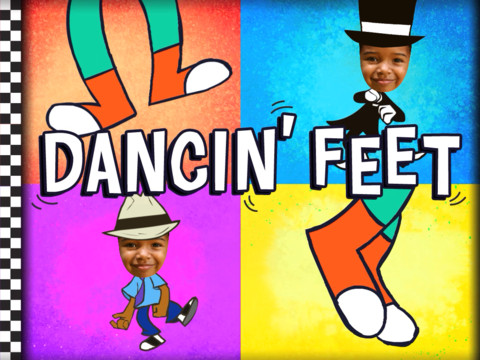
Four days ago, JibJab expanded into the children’s market with StoryBots. The initial launch included 5 products – one of them is a FREE iPad app that lets parents make their child the star of an animated book. The Starring You StoryBooks app is replacing JibJab Junior app that I reviewed on August 9. It is very easy to use. Just choose a picture of your child from the photo library, Facebook, or take one with your camera. Place your child’s face in the opening, adjust it to fit the space, and then add his/her name. Make sure you choose the correct gender so that the pronouns are correct. If you have more than one child, you can create books starring each of them. The book has animations on each page. There is not a read along option because your child’s name is inserted in the text. The first book, Dancin’ Feet, is free. After that you may purchase individual books ($7.99) or join the book of the month club ($3.99 a month until you cancel with additional books only $1.99 each). I have been a fan of JibJab for years so I am VERY excited to see them come out with products for kids – fun stuff!!

Learn more here: http://www.jibjab.com/kids

Check out the FREE preview of Monster Games which would be a cute Halloween gift for your child 🙂

Highly Recommended!

Starring You StoryBooks - JibJab Media Inc.

0

i Learn With Poko: Fun Counting & Addition

Toddlers and preschoolers (ages 3 – 6) learn how to count and add numbers with this app for the iPhone/iPad. There are 3 games included: Bowling (counting & adding to 6), Building Blocks (adding to 10), and Poko’s Toys (add toys up to 15). Each game is divided into 3 levels of increasing difficulty. All i Learn With apps have the option for children to register so that they can earn rewards to play with on Planet Boing (a FREE central app that goes with the i Learn With series). Registration also allows parents to track their child’s progress. Detailed reports are generated telling parents the number of attempts for each game as well as the rate of success. The report also allows a parent to compare their child’s progress with other children of the same age. The i LearnWith program is brought to you by the developers of PBS KIDS PLAY and CBC Wonderworld online learning programs.

Common Core Standards met:

  • K.OA.2  – Add and subtract within 10, e.g., by using objects or drawings to represent the problem.

This app is currently $1.99. Keep reading my blog to find out when it is offered for FREE.

Recommended.

i Learn With Poko: Fun Counting and Addition! - Tribal Nova

0

Super Stretch Yoga

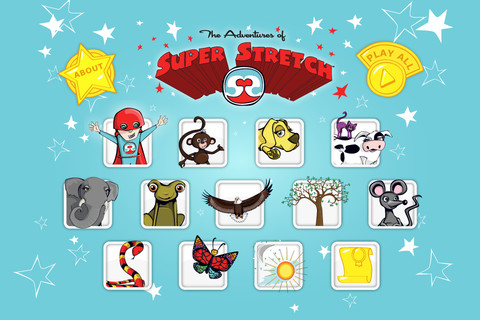
FREE today – This app for the iPhone/iPad was designed & created to teach 12 yoga poses to kids but the content can be used by everyone. Each lesson begins with an animated explanation of a pose by one of Super Stretch’s animal friends. Kids learn how movement and breathing make every day balanced. Following the explanation of each pose is a video clip of actual children demonstrating that pose so kids can see what it looks like. Once a child has gone through the 12 poses, he/she gets to share a favorite pose in a Super Stretch team photo. Kids are encouraged to “make NAMASTE part of their day” as they learn to find a balance in their lives. The Adventures of Super Stretch Code of Ethics uses NAMASTE is an acrostic for Nothing is impossible. Always be honest. Make the world a better place. Act with kindness. Share with others. Trust and belief in yourself. Enjoy and have fun. – what a fantastic message!  And… kids learn a healthy way to calm down & relieve stress while building self-awareness, self-esteem & respect for others. Wow!!

More and more teachers are bringing yoga into the schools because of its physical and emotional benefits. This app would be great to use on the Smartboard with the entire class.

Highly Recommended !

Super Stretch Yoga HD - The Adventures of Super Stretch, LLC English version          Super Stretch Yoga Spanish HD - The Adventures of Super Stretch, LLC Spanish version

0

Submarine Math Race

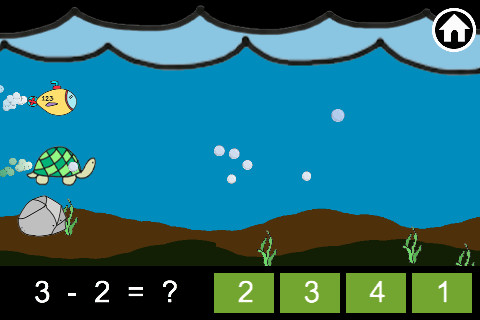
Submarine Math Race is FREE for a limited time. Kids can practice the 4 basic operations – addition, subtraction, multiplication, and division by racing their submarine against various sea animals. There are two modes in this app – play and practice. In the practice mode you can choose the operation and level of difficulty. The child taps the answer to advance the submarine and win the race. After completing 10 problems, a score is given followed by number right vs number wrong (which was not always accurate). Then there is the “try again” screen – sometimes that came up instead of number right vs number wrong, sometimes it came up instead of advancing to the next level of the game or as a new level was supposed to begin. Also, the app is connected to the Game Center so it constantly reminds you to log in – whether you want to or not. I had lots of problems using this app so I cannot recommend downloading at this time.