0

Colorific – drawing and coloring book

Colorific

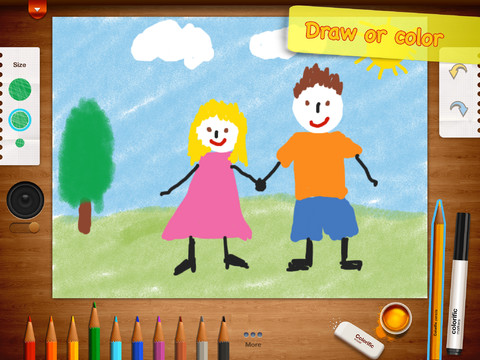
FREE for 3 days – the FULL version of Colorific, a digital coloring book. There are 60 picture for kids to color as well as a blank page for your child to make his/her own creation.  The app is very intuitive and easy to use. Kids first choose their medium – colored pencils or markers. Tools include – undo and redo buttons to make changes simple, a paint bucket for fill-in, an eraser, and 3 sizes of tool points. Creations can be printed, saved (in your photo library), or shared via email. Facebook, etc. Have kids illustrate their own cards or illustrate their own stories using this app. Unleash your little artist today!

Colorific - drawing and coloring book - Alexey Rashevskiy

0

ClickySticky Easter

Clicky

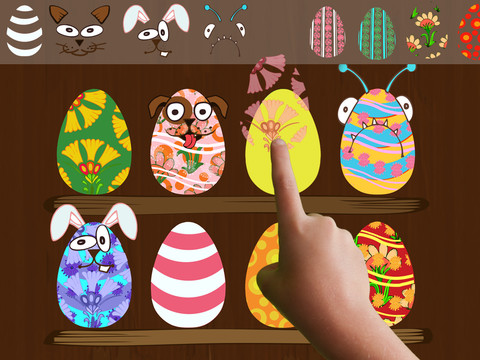
FREE – just in time for the holiday weekend – ClickySticky Easter!!  This creative app for kids lets them decorate eggs, fill Easter baskets, hide eggs in the yard, and more!

ClickySticky Easter - Merge Mobile

0

Snowflake Station

snowflake

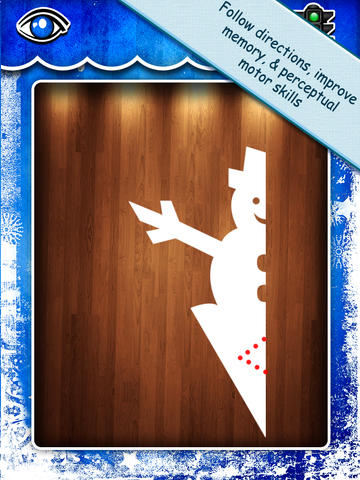
Purple glittery snowflakes !! FREE again for a limited time, Snowflake Station for the iPad helps kids discover the beauty of symmetry – a key concept in math, science, art, & architecture. The app has 3 sections: Trace a Flake, Creation Station, and Make it Snow. Trace a Flake includes step-by-step instructions for cutting 36 different snowflakes/other symmetrical shapes. In the Creation Station, kids create their own flakes/shapes. There are six different folds, 10 different colored paper, and 10 different colors of glitter to choose from. Kids make “cuts” with their fingers. The tape button works as an undo button. Kids can monitor their progress in the upper left hand corner of the cutting board. Creations can be saved to use in the Make it Snow section of the app which does exactly that! Kids use their creations to make it snow in a photo of their choosing. They can use the iPad’s camera to take a picture or use an already saved photo from the camera roll. There are also 10 winter scenes included in the app. Another option in this app is the ability to set up a Juddly (a safe, secure email) account for your child to share his/her creations with you. Very creative & very fun – all while learning about symmetry 🙂

Common Core Standards:

  • 1.G.3 – Partition a shape into four equal shares, describe the shares using the words halves, fourths, and quarters, and use the phrases half of, fourth of, and quarter of. Describe the whole as two of, or four of the shares. Understand for these examples that decomposing into more equal shares creates smaller shares.
  • 4.G.3. Recognize a line of symmetry for a two-dimensional figure as a line across the figure such that the figure can be folded along the line into matching parts. Identify line-symmetric figures and draw lines of symmetry.

Not only does this app meet CCSS in math, it can also be used in creative writing – The Day It Snowed Orange, Alien Invasion, etc. Awesome – highly recommended!

Snowflake Station - Mrs. Judd's Games, LLC

0

Artkive

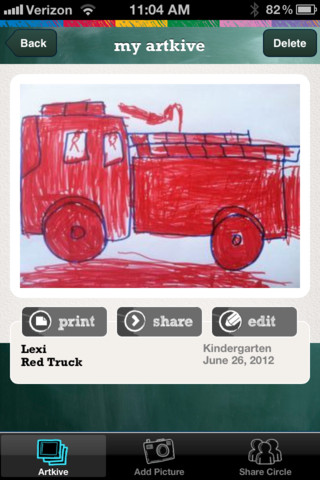
As featured on THE TODAY SHOW, Artkive makes it easy to digitally store, share, and print your children’s artwork/schoolwork.  Originally released on August 11, 2012  – this app for the iPhone/iPad is FREE again for a limited time. It is very easy to use…. First you create an account. Then enter the first names of your children. Take photos of their artwork/schoolwork or upload existing photos from your camera roll. Tag the photo with a child’s name, age or grade, the date, and a title. So simple! You can then share their art with family & friends. You will also be able to have Artkive create digital books & other products with your child’s artwork/schoolwork. Artkive makes it easy to collect and store your children’s artwork in one place.

What a great idea! As a parent, you can use it to create books for your children, of any age. I plans to make gift books for my adult children of their art/work that I have saved!  As a teacher, you could use it to create digital portfolios of children’s work. Lots of possibilities…. try it yourself while it is free 🙂

To learn more @ http://www.artkiveapp.com/

Recommended!

Artkive - The Kive Company

0

EyePaint MyDairy

eyepaint

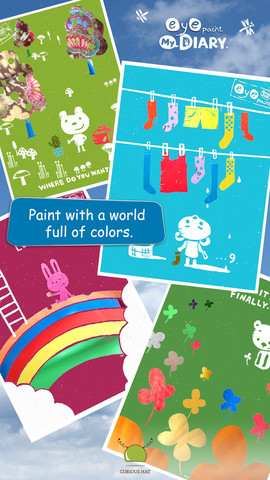
Eye Paint MyDairy is FREE for a limited time for iPhone/iPad. This app lets your child paint illustrations from Japanese artist, Mitsue Haya, in a very unique way. Kids”paint” using their cameras to capture the colors, textures, patterns around them. To begin, a child chooses one of the 10 included illustrations. He/she taps to select the area to be filled in and the creativity begins! Work can be saved to the photo library for sharing or printing. Easy, fun, and very creative!!

Also available from this developer are EyePaint Animals and EyePaint Monsters. EyePaint Monsters is also FREE right now. EyePaint Animals is $.99.

EyePaint MyDIARY - Curious Hat EyePaint MyDairy           EyePaint Monsters - Curious Hat EyePaint Monsters

0

Art ABC

art abc

FREE today, Art ABC for the iPhone/iPad. Like all alphabet books, this app teaches kids the names & sounds of each letter. What makes it unique is that it also incorporates famous works of art. Each letter of the alphabet is presented on a fine art background. There is also a hidden object (with the featured letter) in the background. Kids explore the page by tapping to reveal each object –  each in a different way! The app also contains a list of all the famous art included in the app – titles, artists, nationality, medium used, year, and location of the painting. This app could also be used with older students in art class. Nicely done!!

ART ABC - hwa pyung song

0

Snowflake Station

snowflake station

Purple glittery snowflakes !! FREE for a limited time, Snowflake Station for the iPad helps kids discover the beauty of symmetry – a key concept in math, science, art, & architecture. The app has 3 sections: Trace a Flake, Creation Station, and Make it Snow. Trace a Flake includes step-by-step instructions for cutting 36 different snowflakes/other symmetrical shapes. In the Creation Station, kids create their own flakes/shapes. There are six different folds, 10 different colored paper, and 10 different colors of glitter to choose from. Kids make “cuts” with their fingers. The tape button works as an undo button. Kids can monitor their progress in the upper left hand corner of the cutting board. Creations can be saved to use in the Make it Snow section of the app which does exactly that! Kids use their creations to make it snow in a photo of their choosing. They can use the iPad’s camera to take a picture or use an already saved photo from the camera roll. There are also 10 winter scenes included in the app. Another option in this app is the ability to set up a Juddly (a safe, secure email) account for your child to share his/her creations with you. Very creative & very fun – all while learning about symmetry 🙂

Common Core Standards:

  • 1.G.3 – Partition a shape into four equal shares, describe the shares using the words halves, fourths, and quarters, and use the phrases half of, fourth of, and quarter of. Describe the whole as two of, or four of the shares. Understand for these examples that decomposing into more equal shares creates smaller shares.
  • 4.G.3. Recognize a line of symmetry for a two-dimensional figure as a line across the figure such that the figure can be folded along the line into matching parts. Identify line-symmetric figures and draw lines of symmetry.

Not only does this app meet CCSS in math, it can also be used in creative writing – The Day It Snowed Orange, Alien Invasion, etc. Awesome – highly recommended!
Snowflake Station - Mrs. Judd's Games, LLC

0

SketchTime – Quick Sketching and Photo Tracing

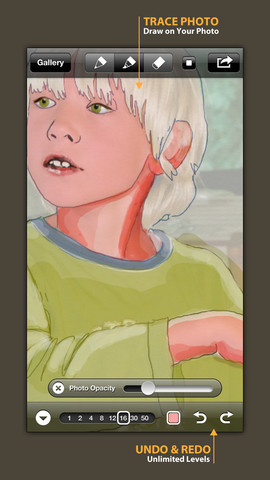
FREE today! SketchTime for the iPhone/iPad makes sketching and tracing simple – as they should be! Just open the sketch pad, pick your gel-like pen or marker, and go. This app is very simple to use with all the tools right at your fingertips. It’s also very quick to change from pen to marker and to change sizes & colors. Photos can be imported in color or black and white and the adjustable transparency makes them easy to trace. Finished sketches can be locked to prevent deleting/editing. There is also a playback option.

This app would be awesome to have in a classroom. Students could sketch out answers to math problems, sketch what they visualize as they read, illustrate the meanings of words, sketch to explain a concept in science, etc. The possibilities are endless. When a sketch is complete, it can easily be saved, emailed, tweeted, and/or duplicated. Kids would love having their sketches featured and as they explain their thinking to others. Great app that can be used across the curriculum with all ages – this one is a keeper!

Highly recommended!

SketchTime - Quick Sketching & Photo Tracing - Hansol Huh

0

Let’s Color

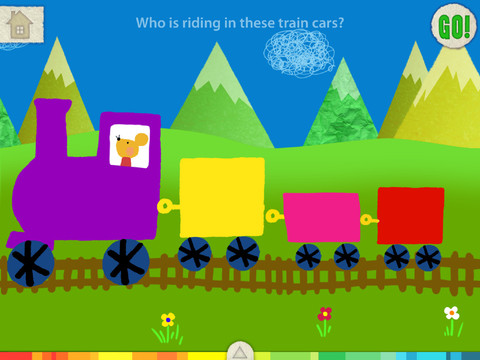
This FREE app for the iPad is from the makers of Squiggles (see Oct. 10 review) and it too is very cute & very creative. The app includes an animated short in which the characters – Bobu, the monkey  & Miku, the rabbit use their imaginations to turn triangles into a strawberry, a dog, a mountain, etc. Then kids are encouraged to color different things to complete a page: what is coming out of a hose, who is riding in the train, etc. Once the coloring is completed, they press GO and the drawings come alive. There are 17 coloring pages as well as a blank page for your child to create his/her own pictures. Additional coloring pages can be purchased within the app. Tools included are stickers, markers, paint, chalk, a ketchup bottle, as well as 10 colors & a mystery color wheel. Work can be saved into the gallery of the parents’ section by pressing the piggy bank. This app is super cute!! Just like Squiggles, it encourages children to be imaginative & creative 🙂

Highly recommended!

Let's Color! - Lazoo Worldwide, Inc

0

Squiggles

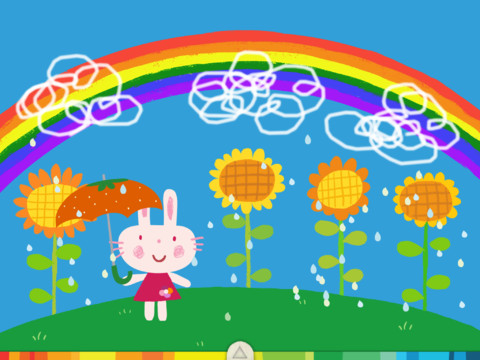
This FREE app for the iPad is adorable! Kids are encourages to draw squiggles to create: rain clouds (to water flowers), waves (to help fish swim), wool on sheep, cotton candy, etc. Once the squiggles are drawn, they press GO and the drawings come alive. The app includes an interactive storybook and an animated short which introduces the characters – Bobu, the monkey  & Miku, the rabbit. It also includes 14 drawing pages (just add the squiggles) as well as a blank page for your child to create his/her own pictures. Tools included are stickers, markers, paint, chalk, a ketchup bottle, as well as 10 colors & a mystery color wheel. Work can be saved into the gallery of the parents’ section by pressing the piggy bank. This app is super cute!! It encourages children to be imaginative & creative – it’s one of my new favorites 🙂

Highly recommended!

Squiggles! - Lazoo Worldwide, Inc