0

Paint My Wings

imageFREE for a limited time – Paint My Wings, a fun coloring app from Toca Boca. Kids paint the wings of three different butterflies. They start by choosing a color and a brush. They can finger paint or “tap” paint to add color and design to the butterfly. As one wing is painted, an identical pattern appears on the other wing – perfect for a lesson on symmetry. The butterflies have quite the personalities. They talk and sing as kids paint them. They name the colors and they giggle when tickled. Finished creations can be photographed and shared with others. Paint My Wings is another creatively fun app from Toca Boca!!

Download link: https://itunes.apple.com/us/app/paint-my-wings/id432858701?mt=8&uo=6
0

Drawing with Carl

drawing carl

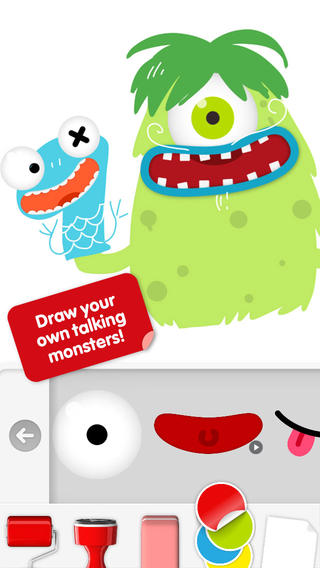
Do you have a child who LOVES to draw? FREE today – Drawing with Carl is a fantastic drawing app for kids. This educational app is very intuitive and easy to use. Kids create pictures using 8 kinds of tools – pencils, crayons, paint brushes, markers, paint tubes, rollers, stampers, erasers, and stickers. The sticker tool is particularly fun. It includes stickers of Carl and his friends, backgrounds (which includes access to your photos), facial features, the alphabet, dinosaurs, mustaches, and assorted shapes. Kids can create and play with talking stickers that repeat anything they say in a funny voice! How fun is that?? Draw a monster and add a talking mouth, import a picture and add a talking mouth, etc. The app also includes 14 colors with and the option to create new colors. Works of art can be shared – save them as photos, email them, or posted them to FB. It’s no wonder that this app has been featured by Apple. Hours of creative fun await your kids!!

0

Toca Mini

image

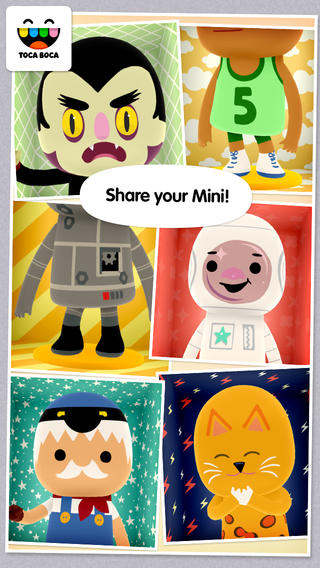
FREE for a limited time – Toca Mini, another creative app from Toca Boca. With this app kids can create silly monsters, imaginary animals, or playful friends. Toca Minis can become whatever you want them to be. To start, kids add colors to the mini’s body, arms, & legs. Then they add details using a wide variety of stamps – bows, hats, buttons, polka dots, etc. Next, kids add facial features which brings their minis to life – they, ooh, ah, sneeze, smile, blink, and more.  Kids can also add hair, eyebrows, beards, mustaches, etc. With 60 different colors and 78 different stamps, there are thousands of possible combinations. When kids finish creating their own unique mini, they can take a snapshot and save it to the camera roll. Then they can print it, share it, pull it into a story writing app, and more. Creating a mini could be a great springboard for creative writing – descriptive paragraphs, a story about their created character/creature. Toca Boca has created another open-ended, creative app!

Download link: https://itunes.apple.com/us/app/toca-mini/id718082838?mt=8&uo=4

0

Toca Hair Salon

FREE again today – Toca Hair Salon, one of my favorite educational apps for toddlers! Kids go into the salon to groom 6 different characters. They can use the tools in the salon to style their hair – cut it, comb it, make it grow, shave it, color it, etc. Great sound effects are also included in this fun app. Kids or parents can take a photo of the finished creation and save it to their camera roll. If parents wish, creations may be posted on the Toca Boca Facebook page. The developers have also built-in options to turn off sounds, pictures, and news. What a great springboard for creative writing – give a character a whole new look and write a story to go with it. What a fun writing activity for a Wacky Hair Day!!

Toca Hair Salon - Toca Boca AB

0

Musical Paint

Musical Paint

FREE for a limited time – Musical Paint a creative, multi-sensory app for the iPhone/iPad. Kids are welcomed into an art museum by a friendly blue walrus with a French accent. There is also an ensemble of lively musicians (underwater animals) at the museum. Kids are invited to paint a picture on a canvas. Each color is a musical tone so when the kids paint, they are painting music! If the child chooses to save his/her painting, it is hung in the museum – a very cute feature. They even get to sign their work. Kids can also share their paintings via email. What fun it would be for kids to send Grandma a picture of their masterpiece that is in a museum!! The app also has a lesson plan section for teachers & parents. Nicely done app for younger kids!!

Musical Paint - Building Blocks Media LLC

0

Snowflake Station

Snowflake Station

Happy Winter!!

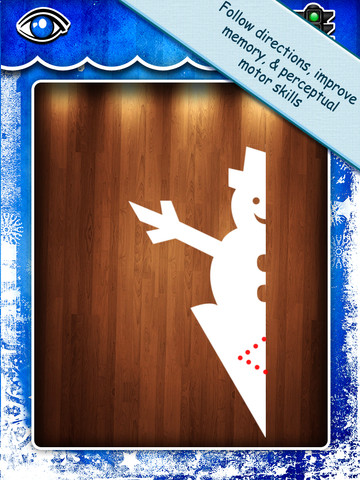
Purple glittery snowflakes – this great educational app is only $.99!! Snowflake Station for the iPad helps kids discover the beauty of symmetry – a key concept in math, science, art, & architecture. The app has 3 sections: Trace a Flake, Creation Station, and Make it Snow. Trace a Flake includes step-by-step instructions for cutting 36 different snowflakes/other symmetrical shapes. In the Creation Station, kids create their own flakes/shapes. There are six different folds, 10 different colored paper, and 10 different colors of glitter to choose from. Kids make “cuts” with their fingers. The tape button works as an undo button. Kids can monitor their progress in the upper left hand corner of the cutting board. Creations can be saved to use in the “Make it Snow” section of the app which does exactly that! Kids use their creations to make it snow in a photo of their choosing. They can use the iPad’s camera to take a picture or use an already saved photo from the camera roll. There are also 10 winter scenes included in the app. Another option in this app is the ability to set up a Juddly (a safe, secure email) account for your child to share his/her creations with you. Very creative & very fun – all while learning about symmetry. 🙂

Common Core Standards:

  • 1.G.3 – Partition a shape into four equal shares, describe the shares using the words halves, fourths, and quarters, and use the phrases half of, fourth of, and quarter of. Describe the whole as two of, or four of the shares. Understand for these examples that decomposing into more equal shares creates smaller shares.
  • 4.G.3. Recognize a line of symmetry for a two-dimensional figure as a line across the figure such that the figure can be folded along the line into matching parts. Identify line-symmetric figures and draw lines of symmetry.

Not only does this app meet CCSS in math, it can also be used in creative writing – The Day It Snowed Orange, Alien Invasion, etc. What a great educational app!

Snowflake Station - Mrs. Judd's Games, LLC

0

Paper Camera

Paper Camera

FREE again – Paper Camera, an app that permits you to add special effects to your photos as you are taking the picture. Just open the app, choose camera or video, then choose one of the 12 special effects – comic boom, sketch up, acquarello, old printer, con tours, neon cola, bleaching, gotham noir, half ton, granny’s paper, pastel perfect, andy pop, etc. The effects are applied to your photo as you make the shot! You can point you camera at a scene and toggle between effects to decide which one to use. The app also permits you to “paper-ize” existing photos from your photo library/camera roll. There have been a few updates since I originally reviewed the app. It looks like there are several in-app purchases and the developers have introduced an optional subscription service. Try the app while it’s free then decide if you want more features or to subscribe.

This app could be used in a variety of educational settings. Video your kids using the cartoon mode – instant cartoon! Add special effects to digital artwork. Create invitations using the andy mode. Make posters using the hope mode. The list goes on… get creative!

Paper Camera - JFDP Labs Limited

0

Snowflake Station

Snowflake Station

Happy Winter!!

Purple glittery snowflakes – this great educational app is only $.99!! Snowflake Station for the iPad helps kids discover the beauty of symmetry – a key concept in math, science, art, & architecture. The app has 3 sections: Trace a Flake, Creation Station, and Make it Snow. Trace a Flake includes step-by-step instructions for cutting 36 different snowflakes/other symmetrical shapes. In the Creation Station, kids create their own flakes/shapes. There are six different folds, 10 different colored paper, and 10 different colors of glitter to choose from. Kids make “cuts” with their fingers. The tape button works as an undo button. Kids can monitor their progress in the upper left hand corner of the cutting board. Creations can be saved to use in the “Make it Snow” section of the app which does exactly that! Kids use their creations to make it snow in a photo of their choosing. They can use the iPad’s camera to take a picture or use an already saved photo from the camera roll. There are also 10 winter scenes included in the app. Another option in this app is the ability to set up a Juddly (a safe, secure email) account for your child to share his/her creations with you. Very creative & very fun – all while learning about symmetry. 🙂

Common Core Standards:

  • 1.G.3 – Partition a shape into four equal shares, describe the shares using the words halves, fourths, and quarters, and use the phrases half of, fourth of, and quarter of. Describe the whole as two of, or four of the shares. Understand for these examples that decomposing into more equal shares creates smaller shares.
  • 4.G.3. Recognize a line of symmetry for a two-dimensional figure as a line across the figure such that the figure can be folded along the line into matching parts. Identify line-symmetric figures and draw lines of symmetry.

Not only does this app meet CCSS in math, it can also be used in creative writing – The Day It Snowed Orange, Alien Invasion, etc. What a great educational app!

Snowflake Station - Mrs. Judd's Games, LLC

0

Toca Mini

toca mini

FREE for a limited time – Toca Mini, another creative app from Toca Boca. With this app kids can create silly monsters, imaginary animals, or playful friends. Toca Minis can become whatever you want them to be. To start, kids add colors to the mini’s body, arms, & legs. Then they add details using a wide variety of stamps – bows, hats, buttons, polka dots, etc. Next, kids add facial features which brings their minis to life – they, ooh, ah, sneeze, smile, blink, and more.  Kids can also add hair, eyebrows, beards, mustaches, etc. With 60 different colors and 78 different stamps, there are thousands of possible combinations. When kids finish creating their own unique mini, they can take a snapshot and save it to the camera roll. Then they can print it, share it, pull it into a story writing app, and more. Creating a mini could be a great springboard for creative writing – descriptive paragraphs, a story about their created character/creature. Toca Boca has created another open-ended, creative app!

Download link: https://itunes.apple.com/us/app/toca-mini/id718082838?mt=8&uo=4

Toca Mini is available for Android on Google Play for $2.99.

0

Drawing with Carl

drawing carl

Do you have a child who LOVES to draw? FREE today – Drawing with Carl is a fantastic drawing app for kids. This educational app is very intuitive and easy to use. Kids create pictures using 8 kinds of tools – pencils, crayons, paint brushes, markers, paint tubes, rollers, stampers, erasers, and stickers. The sticker tool is particularly fun. It includes stickers of Carl and his friends, backgrounds (which includes access to your photos), facial features, the alphabet, dinosaurs, mustaches, and assorted shapes. Kids can create and play with talking stickers that repeat anything they say in a funny voice! How fun is that?? Draw a monster and add a talking mouth, import a picture and add a talking mouth, etc. The app also includes 14 colors with and the option to create new colors. Works of art can be shared – save them as photos, email them, or posted them to FB. It’s no wonder that this app has been featured by Apple. Hours of creative fun await your kids!!