0

Fingerpaint Magic II

fingerprint magic

FREE for a limited time  – Fingerpaint Magic II, a fingerpainting app for kids and adults. Creating a digital masterpiece with this app is easy and there’s no mess to clean up! Just tap on the screen and start painting… with one or all of your fingers. You can use randomly generated colors or choose your own colors. You can set the size, life, velocity, and tilt of your brush. There are ten neutral backgrounds included or you can choose one of your photos as a background. Another fun feature of the app is mirroring. Strokes can be mirrored diagonally or in all four corners. Use Fingerpaint Magic II to enhance your photos or create your own wallpapers. Or, just use it to create and share art with family and friends. This app would be fun for little ones and great for developing their fine motor skills. 🙂

Download link: https://itunes.apple.com/us/app/fingerpaint-magic-ii/id735937898?mt=8&uo=4

Also FREE – Fingerpaint Magic, the original version of this app.

Download link: https://itunes.apple.com/us/app/fingerpaint-magic/id586165483?mt=8&uo=4


0

Sago Mini Doodlecast

FREE for a limited time – Sago Mini Doodlecast, an adorable drawing app for kids. This educational app is unique in several ways. First of all, it features 30+ open-ended drawing prompts that inspire creativity. Kids draw pictures to answer questions such as: Who lives on this planet? What is wet? What makes you happy? As your child draws, short videos of the entire drawing process are created, with accompanying audio. The app encourages parent/child play – recording your child’s creation (stroke by stroke) along with your conversation about his/her drawing. And, the app supports more than 14 languages. Parents can use the app as a teaching tool or to encourage kids to express their feelings. Finished videos can be shared with friends and family – perfect for grandparents who live far away! Super sweet app!!

Download link: https://itunes.apple.com/us/app/sago-mini-doodlecast/id469487373?mt=8&uo=4

0

Squiggles, Let’s Color, Miku’s Picnic, and Lazoo Zoo

The FAB 4 (for young kids) – FREE and fabulously creative apps from Lazoo.

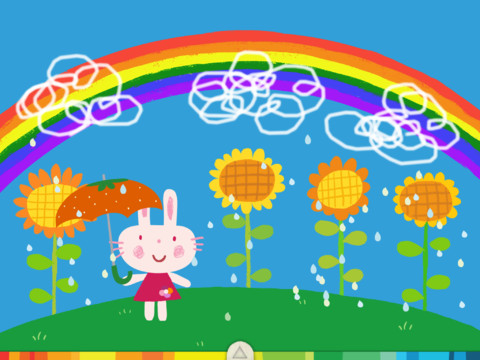
Squiggles is a FREE educational app for the iPad and it is ADORABLE!  Kids are encouraged to draw squiggles to create: rain clouds (to water flowers), waves (to help fish swim), wool (on sheep), cotton candy, etc. Once the squiggles are drawn, they press GO and the drawings come alive. The app includes an interactive storybook and an animated short which introduces the characters – Bobu, the monkey & Miku, the rabbit. It also includes 14 squiggle-ready drawing pages as well as a blank page for your child to create his/her own pictures. Tools included are stickers, markers, paint, chalk, a ketchup bottle, as well as 10 colors & a mystery color wheel. Work can be saved into the gallery of the parents’ section by pressing the piggy bank. This app is super cute!! It encourages children to be imaginative & creative – it’s one of my favorites! 🙂

Highly recommended!

Squiggles! - Lazoo Worldwide, Inc

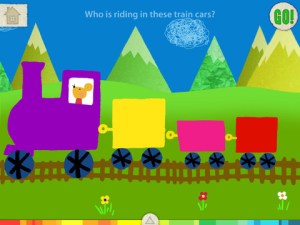
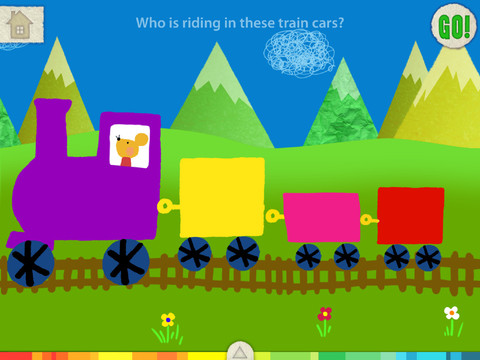
FREE for a limited time – Let’s Color, another educational app that encourages creativity! The app includes an animated short in which the characters – Bobu, the monkey & Miku, the rabbit use their imaginations to turn triangles into a strawberry, a dog, a mountain, etc. Then kids are encouraged to color different things to complete a page: what is coming out of a hose, who is riding in the train, etc. Once the coloring is completed, they press GO and the drawings come alive. There are 17 coloring pages as well as a blank page for your child to create his/her own pictures. Additional coloring pages can be purchased within the app. Tools included are stickers, markers, paint, chalk, a ketchup bottle, as well as 10 colors & a mystery color wheel. Work can be saved into the gallery of the parents’ section by pressing the piggy bank. Another super cute app from Lazoo, a developer that encourages imagination and creativity. :)

Highly recommended!

Let's Color! - Lazoo Worldwide, Inc

Miku's Picnic

Also FREE for a limited time – Miku’s Picnic, an adorable interactive story designed to support creative thinking. Kids join Bobu, the monkey & Miku, the rabbit on a chase after some jumping beans. The two need help capturing the beans before they bounce away! Along the way kids learn about using their imaginations and creative problem solving as the Bobu & Moku use “Squiggles” to… make a car go faster, make springs to get to the top of a tree, make binoculars to look for the beans, make a rocket zoom to the moon, and more. This educational app has 2 reading modes – “Read to Me” and “Read it Myself” as well as an option to record your own voice as the narrator. The story ends with a link to the FREE Squiggles app for kids so kids can “take a turn” drawing. I love the way Miku’s Picnic encourages kids to use their imaginations to solve problems!

Download link: https://itunes.apple.com/us/app/lazoo-mikus-picnic/id652945863?mt=8&uo=4
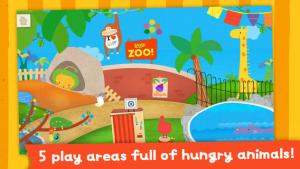
Lazoo ZooFREE for a limited time  – Lazoo Zoo, another fabulous educational app from the developers of Squiggles. KIds help out with snack time at the zoo where there are 10 animals (lion, ape, chameleon, giraffe, hippo, whale, crocodile, crab, bird, & penguins) to feed. But Lazoo Zoo is not your ordinary zoo, so its animals react in extraordinary ways – the giraffe’s spots change according to what it’s fed, the ape tosses the food it doesn’t like to others, and more! Kids can even create their own foods to feed the animals. And, Lazoo Zoo has a photo booth where kids can snap their picture with their favorite animals. How cute is that?! 🙂 Check out the trailer at: http://www.youtube.com/watch?v=L564yPHM3No&feature=youtu.be

Download link: https://itunes.apple.com/us/app/lazoo-zoo/id727786503?mt=8&uo=4

0

Sago Mini Doodlecast

On sale for $.99 – Sago Mini Doodlecast, an adorable drawing app for kids. This educational app is unique in several ways. First of all, it features 30+ open-ended drawing prompts that inspire creativity. Kids draw pictures to answer questions such as: Who lives on this planet? What is wet? What makes you happy? As your child draws, short videos of the entire drawing process are created, with accompanying audio. The app encourages parent/child play – recording your child’s creation (stroke by stroke) along with your conversation about his/her drawing. And, the app supports more than 14 languages. Parents can use the app as a teaching tool or to encourage kids to express their feelings. Finished videos can be shared with friends and family – perfect for grandparents who live far away! Super sweet app!!

Download link: https://itunes.apple.com/us/app/sago-mini-doodlecast/id469487373?mt=8&uo=4

0

Pic Collage

Pic Collage

Have kids create collages of their summer activities/vacations with Pic Collage!

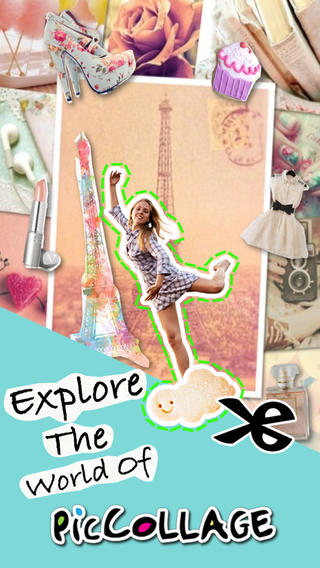
FREE with in-app purchases – Pic Collage, a fabulous app for creating collages! With Pic Collage you easily create creative collages with your pictures and/or pictures from the internet. You can change photos into backgrounds, clip them into cutouts, apply filters, add borders, and more! You can also add stickers and text.  So many fun uses of this app for education – have students make a Pic Collage to introduce themselves at the start of the year, send students on a scavenger hunt of geometric shapes then have them make a Pic Collage of what they found, add a PIc Collage to a science report, Make a Pic Collage representing the main character of a book, etc. The list is only limited by your imagination! I LOVE educational apps like this – open-ended with great potential for creativity! WOW!!

Download link: https://itunes.apple.com/us/app/pic-collage/id448639966?mt=8&uo=4

0

Musical Paint

Musical Paint

FREE for a limited time – Musical Paint a creative, multi-sensory app for the iPhone/iPad. Kids are welcomed into an art museum by a friendly blue walrus with a French accent. There is also an ensemble of  lively musicians (underwater animals) at the museum. Kids are invited to paint a picture on a canvas. Each color is a musical tone so when the kids paint, they are painting music! If the child chooses to save his/her painting, it is hung in the museum – a very cute feature. They even get to sign their work. Kids can also share their paintings via email. What fun it would be for kids to send Grandma a picture of their masterpiece that is in a museum!! The app also has a lesson plan section for teachers & parents. Nicely done app for younger kids!!

Musical Paint - Building Blocks Media LLC

0

Material

material

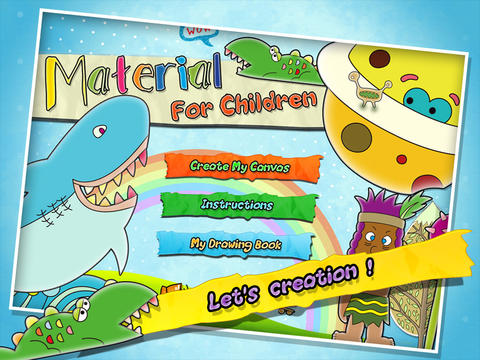
FREE for a limited time – Material, an educational app for creating 3D pictures with your kids! Start by choosing one of 40 backgrounds or use one of your photos as a background. Add stickers from the 4 sets (basic shapes, buildings, forests, ocean) included with the app. There are 6 additional sets of stickers available as in-app purchases. Add some color. When you are happy with your creation, save your work into the library or print it out to create a 3D scene. Watch the video on YouTube to see how it works: http://youtu.be/y-uB2b3DYTY. It might be fun to create a 3D scene of your vacation at the beach, create a 3D card for grandma & grandpa, or just create a silly scene on a rainy day. 🙂

Download link: https://itunes.apple.com/us/app/material/id767017751?mt=8&uo=4

0

Monki Animal Builder

animal builder

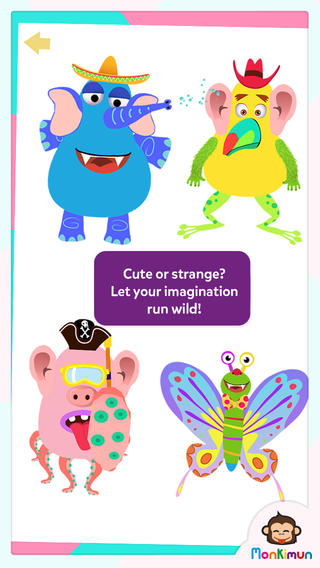
FREE again – Monki Animal Builder, a creative & fun app for kids. Kids use their imaginations to build unique animals. They start cracking open one of 6 eggs. Inside each egg is a different character – each having its own personality. There’s Hairy Ball who is grumpy, Pear who loves to be ticked, Slug who is dreamy, and 3 other interesting animals. Then kids add body parts (over 30 to choose from) and accessories (15 in all) such as a pirate hat, sunglasses, a sombrero. Animations bring everything to life. Kids can save their animals to play with later or share them with kids around the world. They can also save a picture to their device. Saved pictures can be printed and use for creative writing – descriptions, stories, compare/contrast, etc. Whether kids use this app to create, play, save, share, and/or write, it’s sure to bring smiles!

Download link: https://itunes.apple.com/us/app/monki-animal-builder/id836529548?mt=8&uo=4

0

Drawnimal

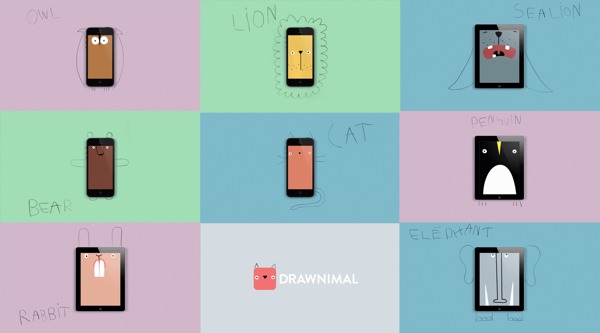
FREE again for a limited time – Drawnimal, an ABC app for kids that has them thinking (and drawing) outside the box. Kids begin by placing the device on a piece of paper or other drawing surface. Then they draw around the device (as shown above) to complete the drawing of an animal. When they press play, the app identifies the animal. Finally, they tap the animal for a delightful surprise! Kids will love the animal animations that they helped to create. It’s the perfect combination of an alphabet app and a drawing app for little ones. And, it’s in 5 languages – English, Spanish, Dutch, Italian, and French. It’s super cute and super fun!

Download link: https://itunes.apple.com/us/app/drawnimal/id586239095?mt=8&uo=4

0

ProCollage – Photo Collage Maker & Photo Stitch Creator

procollage

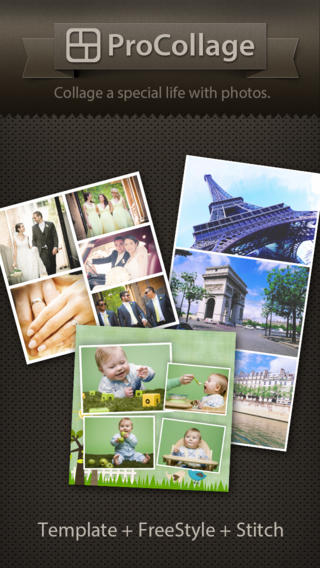
FREE today only – ProCollage – Photo Collage Maker & Photo Stitch Creator, a wonderful app for creating collages! With ProCollage you can easily make creative collages with your photos and/or pictures from the internet – basically, any images that you have saved in your camera roll/photo stream. This app is incredibly intuitive and easy to use. There are three collage modes to choose from – template collage, freestyle collage, and stitching photo. All modes support up to 9 photos. In all modes it’s easy to: flip and rotate photos, add/replace photos, add text (60 colors & patterns), customize borders, corners & backgrounds, and more.
There are SO many fun uses of this app for education. Teachers, use ProCollage to make a collage of a student’s work or a collage of the school year’s highlights. Add collages of what’s happening in your classroom to your class newsletter, website, or blog. Have students use ProCollage to introduce themselves at the start of the year. Send students on a scavenger hunt of geometric shapes then have them make a ProCollage of what they found. Add a ProCollage to a report or make a ProCollage representing the main character of a book, etc. The list is only limited by your imagination! I LOVE educational apps like this – open-ended with great potential for creativity! WOW!!

Download link: https://itunes.apple.com/us/app/procollage-photo-collage-maker/id593389475?mt=8&uo=4