0

Bord

bod

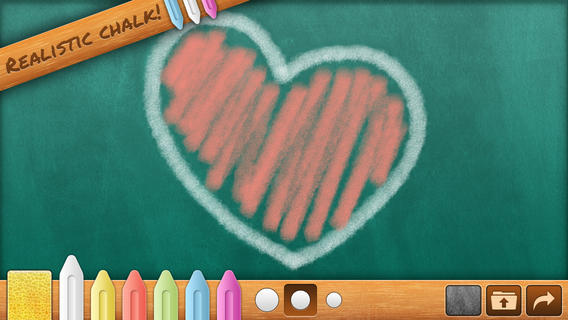
FREE for a limited time – Bord, a chalkboard simulator without the dust! Kids can take a chalkboard with them where ever they go – to practice letters/ numbers, math equations, spelling words, or to simply color/draw. They can create using six colors and three thicknesses of chalk. There is even a sponge for erasing which leaves subtle traces of chalk. Creations can be posted to social media (Facebook, Twitter), emailed, or saved to photos. There are some parental controls (for non-readers) that are built-in. When attempting to email or post to Facebook/Twitter, the app asks you to swipe right with two fingers. All in all, Bord is aesthetically pleasing  & simple to use. It would be great for a long ride in a car, waiting at the doctor’s office, in a restaurant, etc.

Download link: https://itunes.apple.com/us/app/bord/id398467374?mt=8&uo=4

0

Squiggles, Let’s Color, Miku’s Picnic, and Lazoo Zoo

The FAB 4 (for young kids) – FREE and fabulously creative apps from Lazoo.

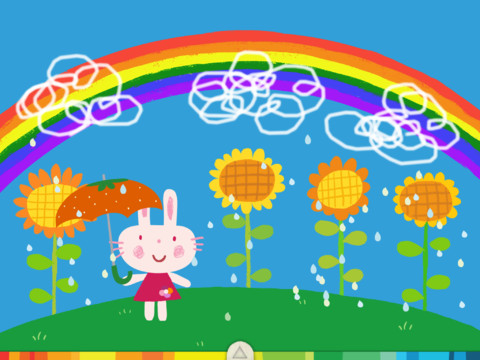
Squiggles is a FREE educational app for the iPad and it is ADORABLE!  Kids are encouraged to draw squiggles to create: rain clouds (to water flowers), waves (to help fish swim), wool (on sheep), cotton candy, etc. Once the squiggles are drawn, they press GO and the drawings come alive. The app includes an interactive storybook and an animated short which introduces the characters – Bobu, the monkey & Miku, the rabbit. It also includes 14 squiggle-ready drawing pages as well as a blank page for your child to create his/her own pictures. Tools included are stickers, markers, paint, chalk, a ketchup bottle, as well as 10 colors & a mystery color wheel. Work can be saved into the gallery of the parents’ section by pressing the piggy bank. This app is super cute!! It encourages children to be imaginative & creative – it’s one of my favorites! 🙂

Highly recommended!

Squiggles! - Lazoo Worldwide, Inc

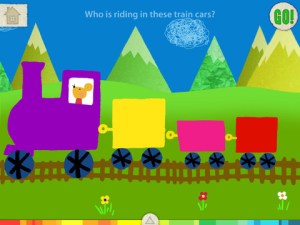
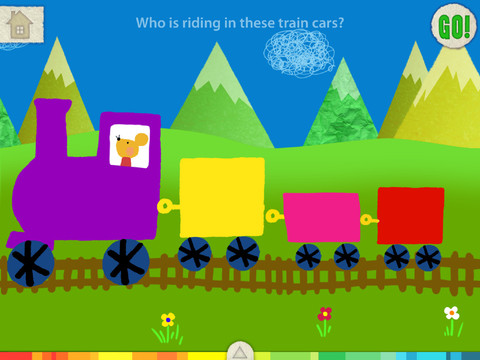
FREE for a limited time – Let’s Color, another educational app that encourages creativity! The app includes an animated short in which the characters – Bobu, the monkey & Miku, the rabbit use their imaginations to turn triangles into a strawberry, a dog, a mountain, etc. Then kids are encouraged to color different things to complete a page: what is coming out of a hose, who is riding in the train, etc. Once the coloring is completed, they press GO and the drawings come alive. There are 17 coloring pages as well as a blank page for your child to create his/her own pictures. Additional coloring pages can be purchased within the app. Tools included are stickers, markers, paint, chalk, a ketchup bottle, as well as 10 colors & a mystery color wheel. Work can be saved into the gallery of the parents’ section by pressing the piggy bank. Another super cute app from Lazoo, a developer that encourages imagination and creativity. :)

Highly recommended!

Let's Color! - Lazoo Worldwide, Inc

Miku's Picnic

Also FREE for a limited time – Miku’s Picnic, an adorable interactive story designed to support creative thinking. Kids join Bobu, the monkey & Miku, the rabbit on a chase after some jumping beans. The two need help capturing the beans before they bounce away! Along the way kids learn about using their imaginations and creative problem solving as the Bobu & Moku use “Squiggles” to… make a car go faster, make springs to get to the top of a tree, make binoculars to look for the beans, make a rocket zoom to the moon, and more. This educational app has 2 reading modes – “Read to Me” and “Read it Myself” as well as an option to record your own voice as the narrator. The story ends with a link to the FREE Squiggles app for kids so kids can “take a turn” drawing. I love the way Miku’s Picnic encourages kids to use their imaginations to solve problems!

Download link: https://itunes.apple.com/us/app/lazoo-mikus-picnic/id652945863?mt=8&uo=4
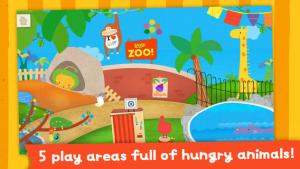
Lazoo ZooFREE for a limited time  – Lazoo Zoo, another fabulous educational app from the developers of Squiggles. KIds help out with snack time at the zoo where there are 10 animals (lion, ape, chameleon, giraffe, hippo, whale, crocodile, crab, bird, & penguins) to feed. But Lazoo Zoo is not your ordinary zoo, so its animals react in extraordinary ways – the giraffe’s spots change according to what it’s fed, the ape tosses the food it doesn’t like to others, and more! Kids can even create their own foods to feed the animals. And, Lazoo Zoo has a photo booth where kids can snap their picture with their favorite animals. How cute is that?! 🙂 Check out the trailer at: http://www.youtube.com/watch?v=L564yPHM3No&feature=youtu.be

Download link: https://itunes.apple.com/us/app/lazoo-zoo/id727786503?mt=8&uo=4

0

Sago Mini Doodlecast

On sale for $.99 – Sago Mini Doodlecast, an adorable drawing app for kids. This educational app is unique in several ways. First of all, it features 30+ open-ended drawing prompts that inspire creativity. Kids draw pictures to answer questions such as: Who lives on this planet? What is wet? What makes you happy? As your child draws, short videos of the entire drawing process are created, with accompanying audio. The app encourages parent/child play – recording your child’s creation (stroke by stroke) along with your conversation about his/her drawing. And, the app supports more than 14 languages. Parents can use the app as a teaching tool or to encourage kids to express their feelings. Finished videos can be shared with friends and family – perfect for grandparents who live far away! Super sweet app!!

Download link: https://itunes.apple.com/us/app/sago-mini-doodlecast/id469487373?mt=8&uo=4

0

Make-a-Mosaic

Make a mosaic

FREE for a limited time – Make-a-Mosaic, an educational app for creating beautiful mosaic pictures/patterns. The app has 3 modes: create a picture/pattern, vertical symmetry, horizontal symmetry. The “create a picture/pattern” mode is for free play. Both of “symmetry” modes display a line of symmetry on the board. As kids add tiles to one side of the board, the app automatically adds them to the other side to create perfectly symmetrical patterns. What a fabulous tool for teaching symmetry in the classroom! Kids can really see what it means to be symmetrical. All modes have kids placing tiles (14 different shapes/14 different colors) on a board to create their pictures/patterns. The user can also change the background color of the tiles to create more detailed pictures. Creations can be saved to the camera roll. Once they are in the camera roll, they can be pulled into other apps to write about them. Teachers can also use this app to teach kids about patterns. Nicely done!

Download link: https://itunes.apple.com/us/app/make-a-mosaic/id517593184?mt=8&uo=4

0

Imagination Box

FREE for a limited time – Imagination Box, a creative art app for kids. What child doesn’t love creating with play dough? Hours of creative play awaits your child and there is no mess to clean up! It’s perfect for a trip to the doctor, a ride in the car, etc. The app includes 62 pieces of play dough (in 9 colors) including uppercase letters, numbers, and shapes. There are 12 backgrounds available for your child’s creations. Or, you can use your own photos as a background. Make a hat for the family dog or a play dough mustache for grandpa – how fun! There are also 10 markers available in the app adding even more possibilities for creativity. The app could also be used as a take-along “design center” for play dough. Kids could design their creations on the iPad, then actually recreate it with the real stuff. So many possibilities… get it today! 🙂

Download link: https://itunes.apple.com/us/app/imagination-box-colors-shapes/id698092635?mt=8&uo=4

0

Easy Studio – Animate with Shapes!

Easy Studio

FREE today – Easy Studio – Animate with Shapes, an educational app that teaches kids how to animate! This app uses geometric shapes to explain and to teach kids about animation. The app has two levels – “easy” mode and “expert” mode. The “easy” mode starts with a step-by-step tutorial. There are 5 additional levels that contain predefined patterns to guide kids through the animation process. The “expert”mode also has a variety of shapes and pre-defined templates but there is no longer guidance provided. Older students will be able to create more sophisticated animations in this mode using their own imaginations. The app contains a library to store, view and edit saved animations. The library also has 4 examples of completed animations – very cool. The app can be set for 11 different languages: English, French, German, Italian, Dutch, Spanish, Japanese, Chinese, Portuguese, Russian, and Korean. What a GREAT app for the kids 6 and older – hours of creative fun await them!!

Easy Studio - Animate with Shapes! - Les Trois Elles Interactive

0

Drawing with Carl

drawing carl

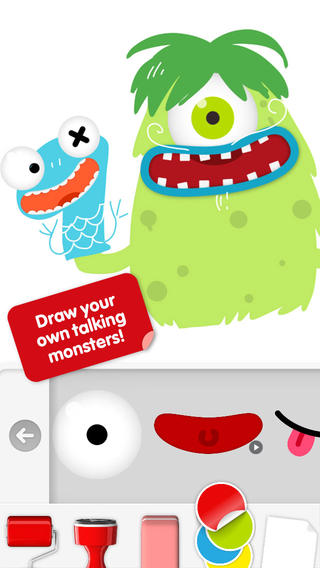
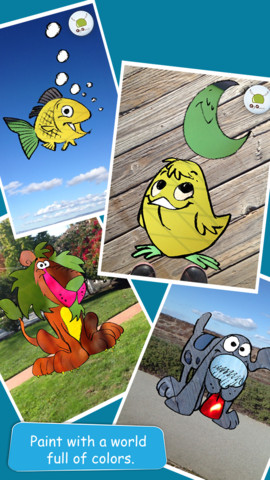
Do you have a child who LOVES to draw? FREE today – Drawing with Carl is a fantastic drawing app for kids. This educational app is very intuitive and easy to use. Kids create pictures using 8 kinds of tools – pencils, crayons, paint brushes, markers, paint tubes, rollers, stampers, erasers, and stickers. The sticker tool is particularly fun. It includes stickers of Carl and his friends, backgrounds (which includes access to your photos), facial features, the alphabet, dinosaurs, mustaches, and assorted shapes. Kids can create and play with talking stickers that repeat anything they say in a funny voice! How fun is that?? Draw a monster and add a talking mouth, import a picture and add a talking mouth, etc. The app also includes 14 colors with and the option to create new colors. Works of art can be shared – save them as photos, email them, or posted them to FB. It’s no wonder that this app has been featured by Apple. Hours of creative fun await your kids!!

0

EyePaint Animals

Eye Paint Animals

EyePaint Animals is FREE again for a limited time. This educational app let your child paint illustrations from Japanese artist, Mitsue Haya, in a very unique way. Kids “paint” using their cameras to capture the colors, textures, patterns around them. To begin, a child chooses one of the 10 included illustrations. He/she taps to select the area to be filled in and the creativity begins! Work can be saved to the photo library for sharing or printing. Easy, fun, and very creative!!

Eye Paint Animals - Curious Hat

0

Scribble My Story – A Fingerprint Network App

image

FREE for a limited time – Scribble My Story, a junior version of Scribble Press (named by Time as one of the top 25 apps of 2012.) Designed for the youngest authors and artists (ages 3 – 8), Scribble My Story provides a friendly, easy-to-use platform for kids to imagine, create, and share. Included are 6 story packs (with audio for non-readers) that can be customized by the child and a recordable blank book for open-ended creations. Created books are saved in the app. Kids can go back and reread their books, edit them, or share them on the Scribble Press website. All great features except for the share button. I wish there was an option to disable it for children. In my opinion, parents/teachers need to decide & control what kids share on the internet. Using the Fingerprint email platform, parents/teachers can view created books through a browser, pdf, or iBooks. Additional story packs are available as in-app purchases. What a wonderful way to encourage kids to become writers from an early age! Highly recommended!

Also, check out my review of Scribble Press – one of my favorites 🙂  When I originally reviewed it, it was FREE. It now costs $2.99 but it is well worth its cost.

Scribble My Story – A Fingerprint Network App - Fingerprint

1

Drawing for Kids (step by step)

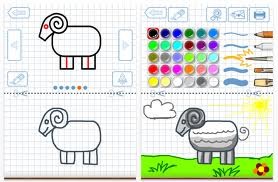
FREE for a limited time – Drawing for Kids, an educational app for the iPad. Kids learn to draw 30 different pictures (animals, sports, vehicles) by following the step-by-step instructions. Geared towards 3-8 year olds, each picture has 6 sequential steps with a tracing function – if extra support is needed. Once your little artist has complete his/her drawing, it can be colored using 6 different tools and 30 different colors. The final creation can be saved, printed, or shared via email or messaging. I love how that the tracing function is optional – it allows kids to be creative and add their own touches to their drawings. This app would be great for letting kids create drawings to add to thank-you cards, family albums, emails to grandparents, etc. Fun!!

Download link: https://itunes.apple.com/us/app/drawing-for-kids-step-by-step/id442410088?mt=8&uo=4