FREE again, Art ABC for the iPhone/iPad. Like all alphabet books, this educational app teaches kids the names & sounds of each letter. What makes it unique is that it also incorporates famous works of art. Each letter of the alphabet is presented on a fine art background. There is also a hidden object (with the featured letter) in the background. Kids explore the page by tapping to reveal each object – each in a different way! The app also contains a list of all the famous art included in the app – titles, artists, nationality, medium used, year, and location of the painting. This educational app could also be used with older students in art class. Nicely done!!
Category Archives: art apps
Monster Coloring Book
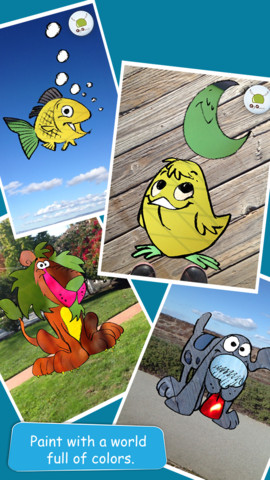
FREE for a limited time – Monster Coloring Book. Kids can paint 175 different monsters with no clean-up necessary! As they paint, they listen to classical music by Rachmaninov, Bach, Beethoven, and Brahms. Kids can paint with their fingers or use the “touch and fill” option. Enhancements include: stickers to accessorize the monsters and patterns to make the monsters unique. Once kids have designed their monster images, they can save them to their gallery. There they can turn their monster into a puzzle for use with Monster Puzzles – available in the App Store for $1.99. Creations can also be shared via email or they can be printed. This educational coloring app is well-designed!
Teachers – use this app to inspire creative writing! Kids could create their own monsters for a variety of language arts activities – a lesson on adjectives followed by descriptive paragraphs, conversation between two monsters, compare & contrast two monsters using Venn diagrams, creative stories, etc.
Download link: https://itunes.apple.com/us/app/monster-coloring-book/id435676573?mt=8&uo=4
Toca Hair Salon
FREE again today – Toca Hair Salon, one of my favorite educational apps for toddlers! Kids go into the salon to groom 6 different characters. They can use the tools in the salon to style their hair – cut it, comb it, make it grow, shave it, color it, etc. Great sound effects are also included in this fun app. Kids or parents can take a photo of the finished creation and save it to their camera roll. If parents wish, creations may be posted on the Toca Boca Facebook page. The developers have also built-in options to turn off sounds, pictures, and news. What a great springboard for creative writing – give a character a whole new look and write a story to go with it. What a fun writing activity for a Wacky Hair Day!!
EyePaint Animals
EyePaint Animals is FREE again for a limited time. This educational app let your child paint illustrations from Japanese artist, Mitsue Haya, in a very unique way. Kids”paint” using their cameras to capture the colors, textures, patterns around them. To begin, a child chooses one of the 10 included illustrations. He/she taps to select the area to be filled in and the creativity begins! Work can be saved to the photo library for sharing or printing. Easy, fun, and very creative!!
Let’s Color
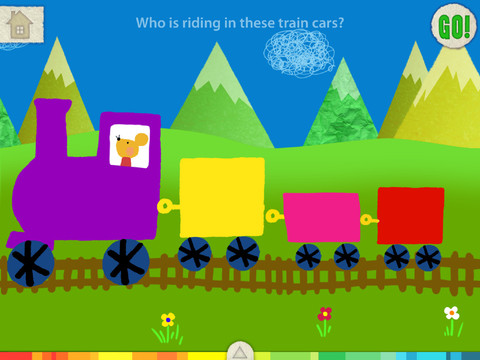
FREE for a limited time – another educational app from the makers of Squiggles. And just like Squiggles, Let’s Color encourages creativity! The app includes an animated short in which the characters – Bobu, the monkey & Miku, the rabbit use their imaginations to turn triangles into a strawberry, a dog, a mountain, etc. Then kids are encouraged to color different things to complete a page: what is coming out of a hose, who is riding in the train, etc. Once the coloring is completed, they press GO and the drawings come alive. There are 17 coloring pages as well as a blank page for your child to create his/her own pictures. Additional coloring pages can be purchased within the app. Tools included are stickers, markers, paint, chalk, a ketchup bottle, as well as 10 colors & a mystery color wheel. Work can be saved into the gallery of the parents’ section by pressing the piggy bank. This app is super cute!! Just like Squiggles, it encourages children to be imaginative & creative 🙂
Highly recommended!
Miku’s Picnic and Squiggles – apps by Lazoo
FREE for a limited time – Miku’s Picnic, an adorable interactive story designed to to support creative thinking. Kids join Bobu, the monkey & Miku, the rabbit on a chase after some jumping beans. The two need help capturing the beans before they bounce away! Along the way kids learn about using their imaginations and creative problem solving as the Bobu & Moku use “Squiggles” to… make a car go faster, make springs to get to the top of a tree, make binoculars to look for the beans, make a rocket zoom to the moon, and more. There are 2 reading modes – “Read to Me” and “Read it Myself” as well as an option to record your own voice as the narrator. The story ends with a link to the FREE Squiggles app for kids so kids can “take a turn” drawing. Super creative and super cute!
Download link for Miku’s Picnic: https://itunes.apple.com/us/app/lazoo-mikus-picnic/id652945863?mt=8&uo=4
Highly recommended!
Pic Collage
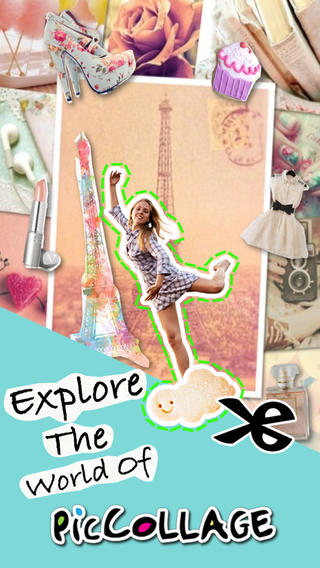
FREE with in-app purchases – Pic Collage, a fabulous app for creating collages! With PicCollage you easily create creative collages with your pictures and/or pictures from the internet. You can change photos into backgrounds, clip them into cutouts, apply filters, add borders, and more! You can also add stickers and text. So many fun uses of this app for education – have students make a Pic Collage to introduce themselves at the start of the year, send students on a scavenger hunt of geometric shapes then have them make a Pic Collage of what they found, add a PIc Collage to a science report, Make a Pic Collage representing the main character of a book, etc. The list is only limited by your imagination! I LOVE educational apps like this – open-ended with great potential for creativity! WOW!!
Download link: https://itunes.apple.com/us/app/pic-collage/id448639966?mt=8&uo=4
iLuv Drawing Vehicles HD
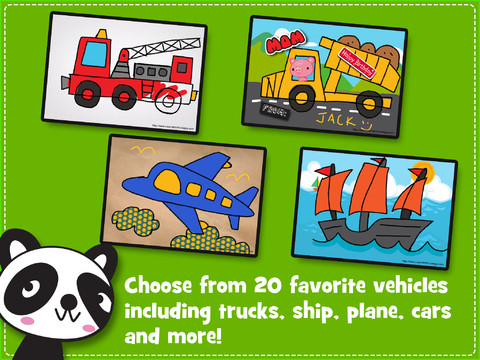
FREE for a limited time – iLuv Drawing Vehicles HD. Kids learn to draw 20 cartoon style vehicles by tracing over step-by-step templates. So many great choices for kids that love “things that go” – the app includes: car, race car, dump truck, cement truck, pick up truck, fire truck, crane truck, helicopter, airplane, fighter jet, ambulance, bicycle, tricycle, motorcycle, train engine, jeep, boat, and ship. After finishing the drawing, your child can color it, add a background, stickers, etc. The editing tools (eraser, undo, redo, start over) make this app easy to use! There are also blank pages so that your child can create his/her own drawings. Finished works can be saved, printed, or shared via email. Drawings saved into the drawing book can be edited later. Use this educational app to have your child create cards, greetings for loved ones!
Artkive
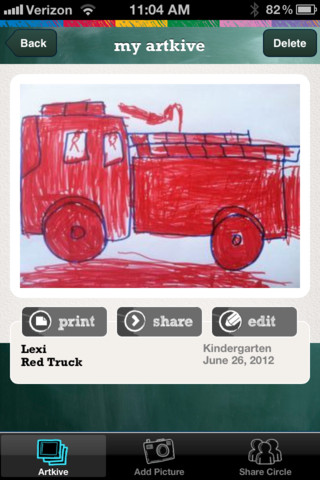
Now that it is summer, you may want to create a digital book of your child’s latest year in school. You can use Artkive, a productivity app, to do so. You may have heard of this app because it has been featured on THE TODAY SHOW and in Real Simple magazine.
Artkive makes it easy to digitally store, share, and print your children’s artwork/schoolwork. Originally released on August 11, 2012 – this app for the iPhone/iPad is FREE again. It is very easy to use…. First you create an account. Then enter the first names of your children. Take photos of their artwork/schoolwork or upload existing photos from your camera roll. Tag the photo with a child’s name, age or grade, the date, and a title. So simple! You can then share their art with family & friends. You will also be able to have Artkive create digital books & other products using your child’s artwork/schoolwork. You can even order a few holiday presents while you’re at it. 🙂 Artkive makes it easy to collect, store, and share your children’s artwork.
What a great idea! As a parent, you can use it to create books for your children, of any age. I plan to make gift books for my adult children of the art/work that I have saved for years – yay, no more clutter!! As a teacher, you could use it to create digital portfolios of children’s work. Lots of possibilities with this one…. try it yourself while it is free!
To learn more @ http://www.artkiveapp.com/
Recommended!
Art ABC
FREE again, Art ABC for the iPhone/iPad. Like all alphabet books, this educational app teaches kids the names & sounds of each letter. What makes it unique is that it also incorporates famous works of art. Each letter of the alphabet is presented on a fine art background. There is also a hidden object (with the featured letter) in the background. Kids explore the page by tapping to reveal each object – each in a different way! The app also contains a list of all the famous art included in the app – titles, artists, nationality, medium used, year, and location of the painting. This app could also be used with older students in art class. Nicely done!!