0

MyCQs (Test Maker)

test maker

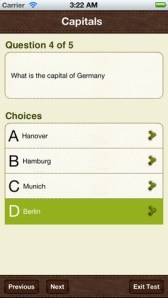
Create multiple choice questions with this app which is FREE for a limited time. Teachers/parents can create multiple choice tests for kids (with pictures  & explanations) to help them learn or review a variety of subject matter. Older students can create their own tests. Also included in this app are 6 lessons on how to write good multiple choice questions. After the test has been created, kids take the test and the app keeps track of their results over time. Tests can be shared with other members of the MyCQs community. LOTS of possibilities for using this app with every age-group of students!

MyCQs (Test Maker) - James Gupta

0

SketchTime – Quick Sketching and Photo Tracing

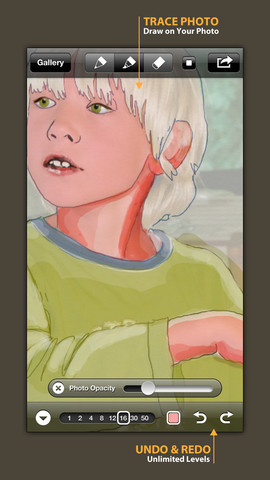
FREE today! SketchTime for the iPhone/iPad makes sketching and tracing simple – as they should be! Just open the sketch pad, pick your gel-like pen or marker, and go. This app is very simple to use with all the tools right at your fingertips. It’s also very quick to change from pen to marker and to change sizes & colors. Photos can be imported in color or black and white and the adjustable transparency makes them easy to trace. Finished sketches can be locked to prevent deleting/editing. There is also a playback option.

This app would be awesome to have in a classroom. Students could sketch out answers to math problems, sketch what they visualize as they read, illustrate the meanings of words, sketch to explain a concept in science, etc. The possibilities are endless. When a sketch is complete, it can easily be saved, emailed, tweeted, and/or duplicated. Kids would love having their sketches featured and as they explain their thinking to others. Great app that can be used across the curriculum with all ages – this one is a keeper!

Highly recommended!

SketchTime - Quick Sketching & Photo Tracing - Hansol Huh

0

Draw and Show

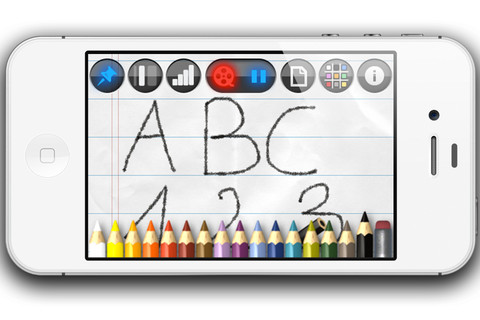
FREE for a limited time – Draw and Show for the Phone/iPad. With this app you can draw, sketch, take notes, etc. and have your work saved step by step into a time-lapsed video. First choose your background – plain, graph, or lined paper in 9 different colors. The choose a colored pencil – 35 colors available. You can vary the thickness of the lines and darkness of the colors. While you are drawing on the screen, the app instantly video encodes your actions so that you can share them when you are finished. The videos are available through your camera roll to be played & replayed. You can also send them to YouTube or in an email attachment.

LOTS of educational uses here – show kids how to print, write in cursive, draw a diagram, solve a math problem, etc. It can be played & replayed if needed. Have kids be the teacher – record their drawings, etc. to share with a friend. Awesome tool!

Recommended!

Draw and Show - Anton Gregorn

0

Too Noisy

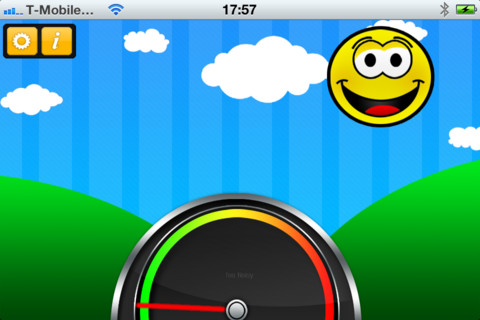
Too Noisy is a FREE noise meter for iPhone/iPad. It measures the level of noise in a room and graphically displays whether it is at an acceptable level or not. If the level is acceptable, a smiling face is displayed. If the noise level increases beyond a level of acceptability, the graphic changes to indicate that the noise level is NOT acceptable. In the settings, a teacher/adult can adjust the sensitivity of the meter to go with the activity. A testing situation could be set at a 99% sensitivity level and group work could be set at a much lower sensitivity level. The meter worked when I tried it but, I was not in a large room with a group of kids. I would think that the FREE version is worth a try to see if it works for your situation. There is also a PRO version available for $.99. By using an Apple Digital AV adapter or a VGA adapter, Too Noisy can be projected on a TV or monitor so kids can learn what noise level is acceptable – cool idea!

Too Noisy - Walsall Academy

0

Doodle Buddy – Paint, Draw, Scribble, Sketch – It’s Addictive

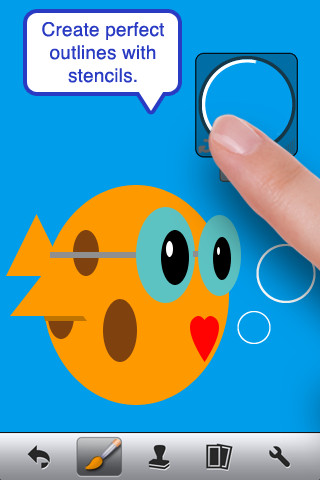
The FREE version of Doodle Buddy (for the iPhone/iPad) is great for drawing and creating pictures. It comes with five kinds of tools. The drawing tool has several options – a brush, chalk, glitter, smudge, an eraser, and a color picker with thousands of colors. The stamper tool includes 80+ stamps with the option of making them small or large. Each stamper makes a funny sound when used. The stencil tool comes 6 stencils (basic shapes) with the option to buy other sets as an in-app purchase. Sets available to purchase are theme-based such as fashion, beach, cars, princess, dinosaurs, Christmas, and more. The text tool has 4 fonts with the ability to resize them. Text can be written in any color you choose. The background tool has about 30 backgrounds to choose from or you have the ability to pull in your own photos. Armed with such great tools, you can only imagine the fun you or your child will have creating a works of art! And…. the finished masterpieces can be saved to your photo album and/or shared via email. Fun!!!

There are so many fun ways to use this app. Kids can use it to illustrate their stories because saved illustrations can easily be pulled into a story writing app such as My Story – see my review from June 27. Have kids draw pictures of their vacation then save into photos and use as additional pictures or backgrounds for a photo vacation booklet created on Snapfish, etc. Make a book for Father’s Day, Mother’s Day, a grandparent, etc. – incorporating your child’s drawings and family photos. If creating a family cookbook, have kids do the illustrations. The list goes on……

Highly recommended!

Doodle Buddy for iPad – Paint, Draw, Scribble, Sketch – It’s Addictive! - Pinger, Inc.

1

ClassDojo

ClassDojo is a tool that helps teachers improve classroom behaviors. It is currently FREE because it is in beta form. It works with a smartphone, a laptop, or a tablet. Every student in your class gets their own cute little monster avatar. Kids earn points for positive behaviors and lose points for negative behaviors. As you use it, it automatically logs any data that you input. This data can be used to generate behavior reports to share with parents and administrators. It is very easy to set up and it is fully customizable – you can delete behaviors from the original list and add your own behaviors.Teachers are using it in different ways: to give feedback in real-time, to track behavior, and to generate reports.

If I were still in the classroom, I would enter my class list twice – once for data on work/study habits and the other for data on behaviors. I would make my habits/behaviors match exactly what was on my report cards. Then as I used the app, I would also be gathering data for my report cards. At the end of the grading period, I would just print out the date and enter it on the report cards – how easy!  I would also have the data (in a printed report) to be able to back up any grade on the card.  “As you can see Mrs. Doe, Jane only turned in her homework 56% of the time.”  Instant data would also be available for the RTI process, IEPs or any other team meeting on a child. Wow !!!!

Check out the website for more information: www.classdojo.com

Highly recommended !!

ClassDojo - Class Twist Inc

0

Geoboard by Math Learning Center


From The Math Learning Center (a nonprofit organization dedicated to K – 12 education) comes this FREE app that turns your iPhone/iPad into a virtual geoboard. Geoboards can be used as tools to teach mathematical concepts such as polygons, perimeter, area, line segments, angles, congruent shapes, symmetry, fractions, etc. Shapes are created by stretching bands on the geoboard’s pegs. There are 5 colors of bands in the iPhone version and 8 in the iPad version. There is also a tool to fill in shapes. On the iPad version, you can switch from the standard 25 peg board to a 150 peg board to create more complex shapes. This is a great app with the potential to be used in so many ways.

Highly recommended for your virtual math tool kit!

Check out my August 12 review of Virtual Manipulatives for another great app to add to your virtual math tool kit.

Geoboard, by The Math Learning Center - Clarity Innovations

0

Teacher Clicker – Socrative / Student Clicker – Socrative

This website and app are unbelievably cool – they turn any device with a web browser (iPhone, iPad, laptops) into a student response clicker. If a teacher has access to any kind of wireless lab, he/she can engage the entire class in a game or quiz and watch the results in real-time. Teachers begin by using their teacher app or logging into t.socrative.com with their email and password. Once logged in, teachers are assigned a room number to share with their students. Students log in using their student app or at m.socrative.com and enter the “virtual room number” provided by the teacher. Teachers initiate an activity and students respond on their devices. Multiple choice and short answer quizzes are easy to create – types of questions can be mixed. Teachers can also choose to run the quiz as a Space Race game. The students’ responses are visible to the teacher in real-time. Teachers can see what each child answered individually as well as what the group answered collectively. And the best part is… the app grades, graphs the results, and generates a report as an Excel spreadsheet or an email.

What a powerful tool for teachers – a short quiz at the end of a lesson can pinpoint what students understand and what needs to be retaught. Hours of grading and analyzing test results are done immediately. Every student is involved – wow!

Highly recommended!

Teacher app Teacher Clicker - Socrative - Socrative           Student app Student Clicker - Socrative - Socrative

0

gFlash+ Flashcards & Tests

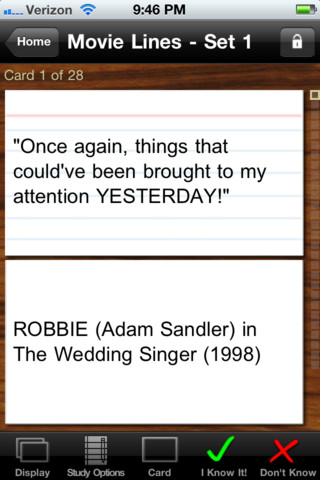
This iPod/iPad app was just updated today (8/26) and is currently FREE. It allows you to create, download, and manipulate flashcards for everything that you can imagine. You can create your cards in a Google docs spreadsheet and download it into the app or you can create your cards within the app. There is no limit on how many card sets you can have. Card sets created by leading educational publishers (Kaplan, Barron’s, McGraw-Hill, Wiley Publishing, etc.) are available as in-app purchases. You can also download and share sets from the gWhiz catalog. You must have an active wireless connection to download card sets or to use card sets with videos.

Once you have your cards ready, studying becomes simple. First choose box configuration or classic configuration. Both configurations keep track of the cards that are known & unknown. The box configuration has an unknown box, a known box, and a mastered box. As you go through the cards, the app keeps track of how many cards are in each box. In the classic mode, there is line of small cards on the right side of the screen. If you know a card, the little card turns green and if you do not know it, it turns read. It’s a nice visual for younger kids. A study score (percentage) is also given. Teachers of younger students could create the cards in Google docs for kids to download and study. This app is such a valuable tool for students of all ages to use in so many ways. I wish it would have been available when my kids were studying for the SAT and GRE. 🙂

Highly recommended!

gFlash+ Flashcards & Tests - gWhiz, LLC

0

Math Dictionary for Kids

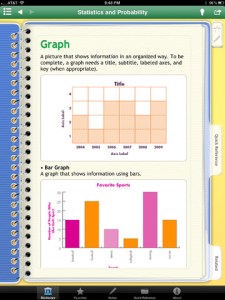
This iPad app normally sells for $2.99 but was available for FREE when I downloaded. It is an excellent resource for students in grades 3 – 9. There are more than 400 illustrated terms with definitions and examples. Subjects covered are measurement, algebra, geometry, fractions & decimals, statistics & probability, and problem solving. The Quick Reference Guide provides step-by-step instructions for solving problems with decimals, fractions, multiplication, division, and percents. This reference section also includes: formulas, measurement conversion tables, and charts & tables on factors, multiples, prime numbers, square roots. Kinds of math tools/equipment and learning with manipulatives are also explained  – giving parents a better understanding of how concepts are taught in the schools.

I looked at the operations guide for multiplication to get a feel for how that operation was being taught. There were 7 ways of multiplying presented with examples: algorithm multiplication (traditional), break apart (similar to partial products in Everyday Math), count by (multiples), crossed lines (similar to arrays), draw a picture, and window pane (like lattice in Everyday Math) – quite a thorough list!  Because this book is not connected to any specific program, there could be some different terms associated with a particular methodology. Regardless, this app would be a wonderful resource to have at home when kids need help with their homework.

Keep reading my blog to find out when apps are offered for FREE!

Recommended!

Math Dictionary for Kids - Prufrock Press, Inc.