0

Avokiddo Emotions – Playful learning for kids

Emotions

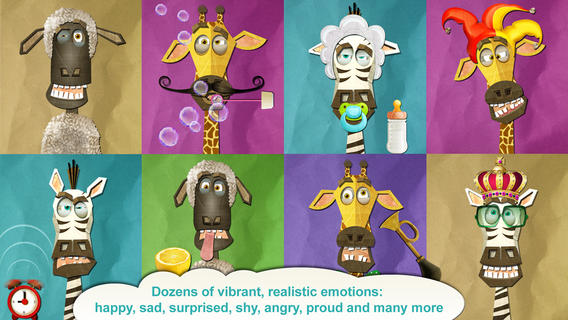
FREE for a limited time – Avokiddo Emotions – Playful learning for kid. This educational app for kids of all ages explores emotions in a playful way. The app features a zany zebra, a shy sheep, and a jolly giraffe. KIds dress them up, feed them, share toys with them, etc. using 100+ unique props – hats, glasses, clothing, toys, musical instruments, food & drinks. Educational benefits include: learning to read body language, developing empathy for the characters’ feelings, building spoken/written language to go with the emotions & physical reactions, exploring cause and effect relationships, making predictions, and more. Certain accessories trigger themed backgrounds and accompanying silliness that is sure to bring smiles! Kids can save their creations to the camera roll to share in a variety of ways. Older kids can use their creations for creative writing. This app is FABULOUS – fun for toddlers and beyond. Highly recommended!

Download link: https://itunes.apple.com/us/app/avokiddo-emotions-playful/id661758013?mt=8&uo=4

0

Play Lab

Paly LabPlay Lab is another educational app from the developers of Play 123, the #2 FREE educational app in the U.S. Kids 2+ learn about shapes, colors, and numbers in a playful way. The app includes 6 interactive games with the option to purchase 12 additional games. Kids will enjoy making a robot with shapes, blasting walls by tapping numbers, turning a wheel to create colored bubbles, and more! The language of the app can be set to English, Japanese, Korean, or simplified Chinese. Just go into your iPad’s settings > apps > Play Lab. The app is simple but appealing & engaging. It is definitely worth downloading – your little one will be delighted!

https://itunes.apple.com/us/app/play-lab/id520743222?mt=8&uo=4

0

MakeChange – Money counting math game for iPad

Make Change

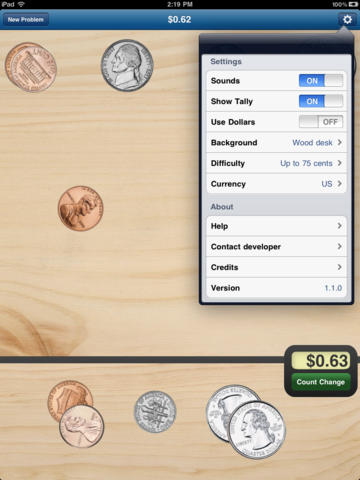
MakeChange – Money counting math game for iPad was FREE yesterday but is now back up to $1.99. This educational app provides great practice for kids learning to count money – U.S. dollars, Canadian dollars, or Euros. KIds are given an amount and they must count out money to reach that amount. They can use bills & coins or coins only. Coins can be flipped with a tap so that both sides can be learned. There is an option to have the amount tallied to guide kids who are just learning. The level of difficulty can also be set – from ‘Up to 10 cents” to “Up to 5 dollars.” There are 9 background choices. The piggy bank one is my favorite – really cute. 🙂 This educational app teaches counting money not making change (as the name implies). Regardless, it gives kids lots of much-needed practice!

Common Core Standard:

  • 2.MD.8 – Solve word problems involving dollar bills, quarters, dimes, nickels, and pennies, using $ and ¢ symbols appropriately.

Download link: https://itunes.apple.com/us/app/makechange-money-counting/id368509937?mt=8&uo=4

0

ScreenChomp

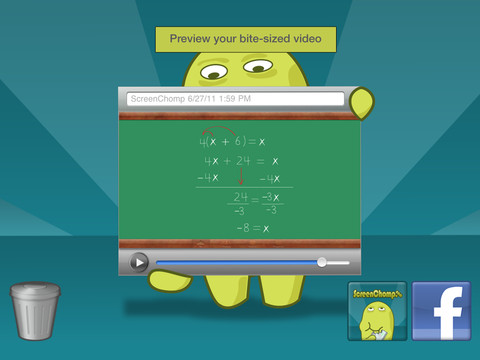
ScreenChomp is a powerful tool that can be used in so many ways and it’s FREE!! It is basically turns your iPad into a recordable whiteboard. You can use it to sketch out and record ideas for yourself or to share with others. Teachers can send tutorial videos home with kids. Kids can create videos to help each other. The possibilities for this educational app are only limited by one’s imagination.

Here is a link to a You Tube video that explains how it works: What is ScreenChomp? The iPad app to Record. Sketch. Share! – YouTube.

Highly recommended!

ScreenChomp - TechSmith Corporation

0

Art ABC

art abc

FREE again, Art ABC for the iPhone/iPad. Like all alphabet books, this educational app teaches kids the names & sounds of each letter. What makes it unique is that it also incorporates famous works of art. Each letter of the alphabet is presented on a fine art background. There is also a hidden object (with the featured letter) in the background. Kids explore the page by tapping to reveal each object – each in a different way! The app also contains a list of all the famous art included in the app – titles, artists, nationality, medium used, year, and location of the painting. This educational app could also be used with older students in art class. Nicely done!!

ART ABC - hwa pyung song

0

Tap A Tune

This educational app makes me smile!! It’s adorable and FREE again for a limited time. Kids 2+ can play their own nursery rhymes (7 included) & holiday tunes (9 included) by tapping the animals as they pop out of holes in the ground. The app has 3 modes: baby mode (plays the tune correctly no matter which animal is tapped), play mode (tap the animals in the order that they pop up), and freestyle mode (tap the animals in any order to create your own tune). There is an option of changing to a keyboard when you feel your child is ready to make that transition. There are also 9 instrument options – piano, accordion, clarinet, acoustic guitar, xylophone, drum, harmonica, harp, and animal noises! When a tune is completed, all of the animals pop out of their holes to dance as the tune replays. The result is sheer happiness!

Recommended!

Tap A Tune - Mindshapes Limited

0

Khan Academy

Khan 2

Khan Academy

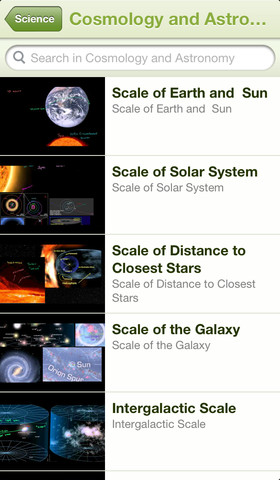
Khan Academy – an amazing FREE educational app! Whoever said the best things in life are FREE was absolutely correct. With Khan Academy you can learn almost anything and the app is completely FREE! It has a library of over 4,100 videos which covers a wide range of subjects such as K – 12 math, biology, chemistry, the humanities, and more. You can use the app to review a subject that you have already studied or to learn something completely new! You can watch the videos online or you can download  them to watch offline at your own pace. The videos are subtitled so that you can read along, skip ahead, or go back. If you log in with your Khan Academy account, you can track your progress. The app gives you credit for watching the videos and allows you to see your achievements. Badges and points are earned for learning. Teachers can access their students’ data – as a class or individually. Khan Academy is an incredible resource for all kinds of learners – students, teachers, principals, home-schoolers, adults returning to school, and anyone committed to be a lifelong learner. It is truly one of the best educational apps available – at any price!

Khan Academy - Khan Academy

0

The Opposites

FREE again – The Opposites for the iPhone/iPad. Designed for kids 7+, this educational app requires the matching of increasingly difficult pairs of opposite words. There are two sections of the app: dictionary and play. In the dictionary section, words are listed next to their opposites. To learn the meaning, students just tap on the word and a definition appears. There are 10 levels with 100+ words per level. In the play section, words are pronounced by a boy or a girl as they appear in bubbles and float towards the top of the screen  Kids are to tap pairs of opposites as they appear – which makes the words turn a color then pop. The goal is to match 12 sets of opposites  – which completes the level. A bonus round then appears in which the student has 20 seconds to match up an entire  board full of opposites. This app starts off simply but becomes quite challenging in the later levels. It could be used for differentiating a lesson and/or for helping students grow their understanding of antonyms.

Common Core Standards met:

  • 4.L.5 – Demonstrate understanding of figurative language, word relationships, and nuances in word meanings. c.Demonstrate understanding of words by relating them to their opposites (antonyms) and to words with similar but not identical meanings (synonyms).
  • 5.L.5 – Demonstrate understanding of figurative language, word relationships, and nuances in word meanings. c. Use the relationship between particular words (e.g., synonyms, antonyms, homographs) to better understand each of the words.

Recommended!

The Opposites - Mindshapes Limited

0

Bean Bag Kids Present Little Red Riding Hood

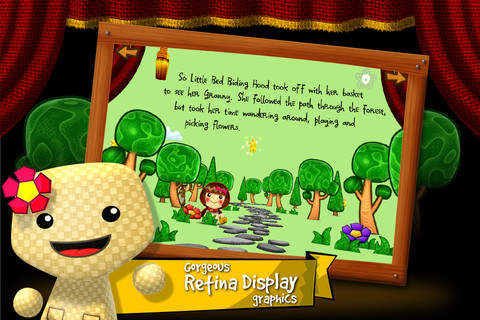
FREE again, for a limited time – Bean Bag Kids Present Little Red Riding Hood, an interactive fairy tale for the iPhone/iPad. Kids read along with this classic tale presented as a play by the Bean Bag Kids®  – Pea, Pinto, Cocoa, Jack, and Vanilla. This educational app has 3 modes – read to me, read alone, or autoplay. Words are highlighted as the story is read. Kids can interact with the characters while they explore each scene. Just tap the 3D characters and their acting becomes more lively. As a bonus, kids can collect hidden stars on each page to unlock the Bean Bag Kids’ bios. There are also 12 simple puzzles (only 6 pieces) at the end of the play. One minor concern that I have is that the font may be difficult for little ones to read. Other than that, it’s definitely cute and worth downloading. 🙂

Bean Bag Kids present Little Red Riding Hood - Mundomono

0

PEEP and the Big Wide World apps

FREE for a limited time – 6 PEEP and the Big Wide World apps from WGBH, the producers of the animated series of the same name. Major funding for these educational apps is provided by the National Science Foundation. These apps are designed to teach science to preschoolers (3 – 5 years) in a cute, fun way! The games begin simply but become more challenging as kids are successful. Each app also includes a “Try This Anywhere Activity” for you and your children to do together based on the lesson in the app. Your child will LOVE learning with Peep and friends. And you will too!

PEEP  - House Hunt

PEEP and the Big Wide World House Hunt: Kids turn over leaves to pair animals with their homes in a match game that demonstrates that some habitats are home to many different animals.

Download link: https://itunes.apple.com/us/app/peep-big-wide-world-house/id536554271?mt=8&uo=4

PEEP  - Hide & peep

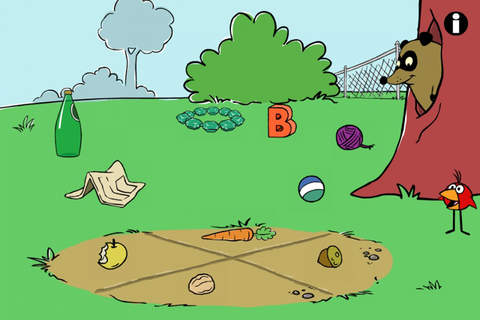
PEEP and the Big Wide World Hide and Peep: Peep and friends are hiding in the tool shed. This app helps kids practice their observation and memory skills.

Download link:https://itunes.apple.com/us/app/peep-big-wide-world-hide-peep/id536312346?mt=8&uo=4
Peep - Paint Splat

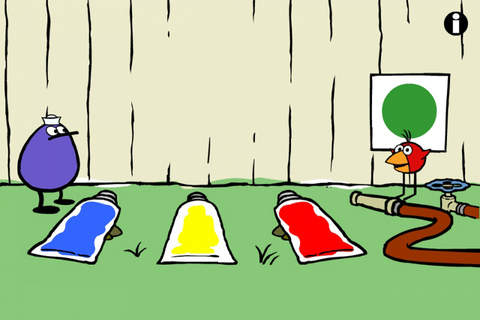
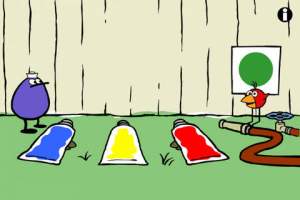
PEEP and the Big Wide World Paint Splat: Kids join two quirky characters named Quack & Chirp to experiment with mixing colors in a fun, silly way!

Download link: https://itunes.apple.com/us/app/peep-big-wide-world-paint/id536621786?mt=8&uo=4

Peep - Sounds

PEEP and the Big Wide World Sounds Like Fun!: Kids explore music and sounds as they mix and match sounds with this app. The characters represent different musical rhythms.

Download link: https://itunes.apple.com/us/app/peep-big-wide-world-sounds/id536623915?mt=8&uo=4

Peep - trash

PEEP and the Big Wide World Trash Stash: Kids practice their categorization skills by sorting objects using increasingly sophisticated criteria.

Download link: https://itunes.apple.com/us/app/peep-big-wide-world-trash/id536624731?mt=8&uo=4

Peep - Quack's Apples

PEEP and the Big Wide World Quack’s Apples: Kids roll Quack’s apples into a pond – testing and tweaking the design of their route as often as needed. As they play, they are practicing the engineering design process!

Download link: https://itunes.apple.com/us/app/peep-big-wide-world-quacks/id536623428?mt=8&uo=4