Hickory Dickory Dock, an educational app for the iPhone/iPad is FREE again for a limited time. Your child can learn to read a clock to the nearest hour while playing with an adorable, purple mouse. Kids begin by setting the time on the clock. For each hour there is an exploration that sends the lovable little mouse bouncing, springing and sleeping his way through the nursery rhyme accompanied by catchy music, sounds effects, and fun animations. The explorations in Hickory Dickory Dock simulate principles of physics – gravity, collision, friction, weight, etc. as kids play pinball with the mouse, balance weights on a set of scales, and bounce the mouse off the walls of the clock. Very cute for preschoolers – a fun way to learn how to tell time with some physics slipped in as a bonus 🙂
Category Archives: educational apps for kids
Let’s Color
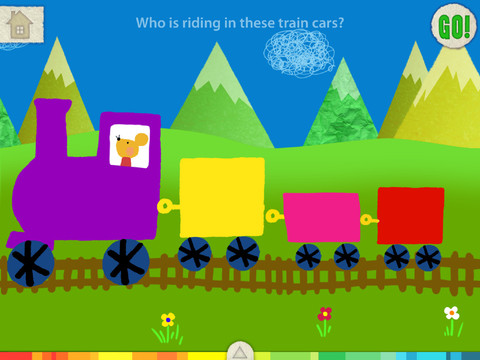
FREE for a limited time – another educational app from the makers of Squiggles. And just like Squiggles, Let’s Color encourages creativity! The app includes an animated short in which the characters – Bobu, the monkey & Miku, the rabbit use their imaginations to turn triangles into a strawberry, a dog, a mountain, etc. Then kids are encouraged to color different things to complete a page: what is coming out of a hose, who is riding in the train, etc. Once the coloring is completed, they press GO and the drawings come alive. There are 17 coloring pages as well as a blank page for your child to create his/her own pictures. Additional coloring pages can be purchased within the app. Tools included are stickers, markers, paint, chalk, a ketchup bottle, as well as 10 colors & a mystery color wheel. Work can be saved into the gallery of the parents’ section by pressing the piggy bank. This app is super cute!! Just like Squiggles, it encourages children to be imaginative & creative 🙂
Highly recommended!
Tap A Tune
This educational app makes me smile!! It’s an adorable (for the iPhone/iPad) and it’s FREE again for a limited time. Kids 2+ can play their own nursery rhymes (7 included) & holiday tunes (9 included) by tapping the animals as they pop out of holes in the ground. The app has 3 modes: baby mode (plays the tune correctly no matter which animal is tapped), play mode (tap the animals in the order that they pop up), and freestyle mode (tap the animals in any order to create your own tune). There is an option of changing to a keyboard when you feel your child is ready to make that transition. There are also 9 instrument options – piano, accordion, clarinet, acoustic guitar, xylophone, drum, harmonica, harp, and animal noises! When a tune is completed, all of the animals pop out of their holes to dance as the tune replays. The result is sheer happiness!
Recommended!
Mindshape Limited – Story Apps
Hold your hats – today is going to be a record-setting day for FREE educational apps thanks to Mindshapes Limited! They are offering 18 of their story apps for FREE!!
Many of these stories are classic fairy tales. They are nicely illustrated, professionally narrated, and can be enjoyed in four modes: read, watch, learn, and play. So here are links to 18 FREE e-books from the Mindshapes. Enjoy 🙂
Ali Babba and the Forty Thieves 
The Little Red Hen https://itunes.apple.com/us/app/the-story-of-the-little-red-hen/id583950594?mt=8&uo=4
The Tortoise and the Hare https://itunes.apple.com/us/app/the-tortoise-the-hare/id572867513?mt=8&uo=4
Sleeping Beauty https://itunes.apple.com/us/app/sleeping-beauty-a-fairy-story/id584847816?mt=8&uo=4
Brer Rabbit & the Prickly Patch https://itunes.apple.com/us/app/brer-rabbit-prickly-patch/id578074771?mt=8&uo=4
The Story of the Dog and His Reflection https://itunes.apple.com/us/app/story-dog-his-reflection/id578072856?mt=8&uo=4
The Opposites
FREE again – The Opposites for the iPhone/iPad. Designed for kids 7+, this educational app requires the matching of increasingly difficult pairs of opposite words. There are two sections of the app: dictionary and play. In the dictionary section, words are listed next to their opposites. To learn the meaning, students just tap on the word and a definition appears. There are 10 levels with 100+ words per level. In the play section, words are pronounced by a boy or a girl as they appear in bubbles and float towards the top of the screen Kids are to tap pairs of opposites as they appear – which makes the words turn a color then pop. The goal is to match 12 sets of opposites – which completes the level. A bonus round then appears in which the student has 20 seconds to match up an entire board full of opposites. This app starts off simply but becomes quite challenging in the later levels. It could be used for differentiating a lesson and/or for helping students grow their understanding of antonyms.
Common Core Standards met:
- 4.L.5 – Demonstrate understanding of figurative language, word relationships, and nuances in word meanings. c.Demonstrate understanding of words by relating them to their opposites (antonyms)
and to words with similar but not identical meanings (synonyms). - 5.L.5 – Demonstrate understanding of figurative language, word relationships, and nuances in word meanings. c. Use the relationship between particular words (e.g.,
synonyms,antonyms,homographs) to better understand each of the words.
Recommended!
Jack and the Beanstalk by Mindshapes
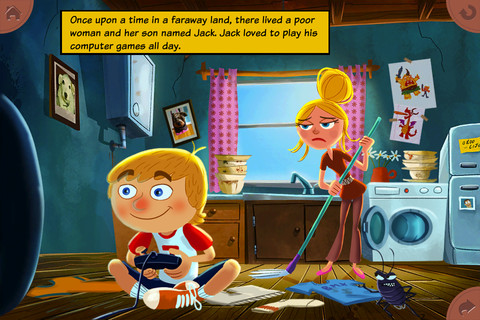
FREE again – Jack and the Beanstalk, an educational app for the iPhone/iPad. This interactive read-along is a humorous, modern version of a classic tale. The app has 2 options: Read by Myself or Read to Me. The words are highlighted as they are read to help the emerging reader. The animations & illustrations are delightful with interactivity on every page. Teachers could use this app to compare and contrast this modern version to the classic version! This app is really cute and definitely worth downloading!!
The National Parenting Publication Awards: Honors winner in the Children’s Media/Virtual category.
ClassDojo
Start out your school year with ClassDojo, a FREE & fabulous tool that helps improve classroom behaviors. Teachers are using it in different ways: to give feedback in real-time, to track behavior, and to generate reports. Reward good behavior in real-time – all it takes is a click. You need one device (computer, smartphone, a laptop, or a tablet) and an internet connection. It is very easy to set up with your class list. Each student is assigned a cute, monster-like avatar. Kids earn points for positive behaviors and lose points for negative behaviors. ClassDojo is also fully customizable so you can delete behaviors from the original list and/or add your own behaviors. As you use it, it automatically logs any data that you input. This data can be used to generate behavior reports to share with parents and administrators. How awesome is that? You can go into a meeting/conference with reports in hand!
If I were still in the classroom, I would enter my class list twice – once for data on work/study habits and the other for data on behaviors. I would make my habits/behaviors match exactly what was on my report cards. Then as I used the app, I would also be gathering data for my report cards. At the end of the grading period, I would just print out the date and enter it on the report cards – how easy! I would also have the data (in a printed report) to be able to back up any grade on the card. “As you can see Mrs. Doe, Jane only turned in her homework 56% of the time.” Instant data would also be available for the RTI process, IEPs or any other team meeting on a child. Wow – a fabulous educational app!!
Check out the website for more information: www.classdojo.com
Highly recommended !!
Apps for Shark Week!
It’s Shark Week – a week of TV programs dedicated to sharks on the Discovery Channel now broadcast in 70+ countries. Here are some FREE educational apps that I found about these creatures who capture the interest of so many people – young and old! Education is about teachable moments – take advantage of them when you can!
SeaWorld: Ruckus Reader presents – Shark Goes to the Doctor, an engaging story that follows a sand tiger shark as it is checked by vets. Kids learn interesting facts about sharks’ lives.
Download link for SeaWorld: Ruckus Reader: https://itunes.apple.com/us/app/seaworld-ruckus-reader/id515220048?mt=8&uo=4
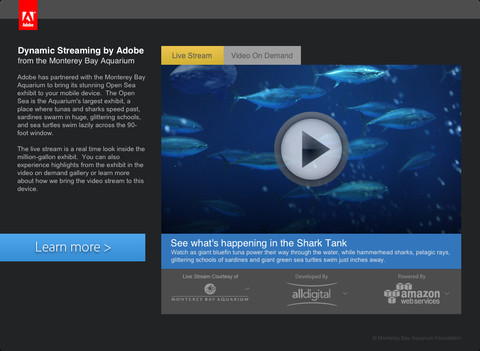
Sea TV is a collaborative effort between Adobe and Monterey Bay Aquarium (a highly ranked U.S. aquarium) to bring its Open Seas Exhibit to your mobile device! The Open Sea is a million gallon exhibit with a 90-foot window. You may see sharks speed past, sardines swimming in glittering schools, and/or sea turtles on the live video stream. You can also watch videos on demand.
Download link for Sea TV: https://itunes.apple.com/us/app/sea-tv/id530529039?mt=8&uo=4
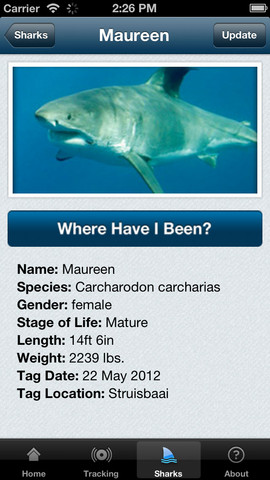
Global Shark Tracker lets you follow the navigational pattern of sharks that have been tagged with satellite tracking technology. The purpose of this tracking is for shark conservation and the collection of data on the health of sharks. Very cool!
Download link for Global Shark Tracker:https://itunes.apple.com/us/app/global-shark-tracker/id570772231?mt=8&uo=4
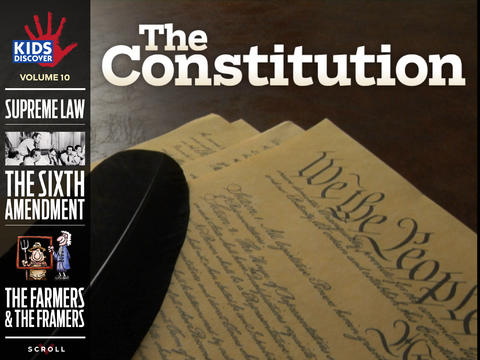
KIDS DISCOVER – Constitution and Galaxies
2 more Back to School Specials: Constitution by KIDS DISCOVER and Galaxies by KIDS DISCOVER are FREE for a limited time! KIDS DISCOVER has been creating award-winning content for kids for over 20 years. Get the interactive, digital versions of these books for FREE. 🙂
Download links:
Constitution https://itunes.apple.com/us/app/constitution-by-kids-discover/id668593395?mt=8&uo=4
Galaxies https://itunes.apple.com/us/app/galaxies-by-kids-discover/id593605368?mt=8&uo=4
Miku’s Picnic and Squiggles – apps by Lazoo
FREE for a limited time – Miku’s Picnic, an adorable interactive story designed to to support creative thinking. Kids join Bobu, the monkey & Miku, the rabbit on a chase after some jumping beans. The two need help capturing the beans before they bounce away! Along the way kids learn about using their imaginations and creative problem solving as the Bobu & Moku use “Squiggles” to… make a car go faster, make springs to get to the top of a tree, make binoculars to look for the beans, make a rocket zoom to the moon, and more. There are 2 reading modes – “Read to Me” and “Read it Myself” as well as an option to record your own voice as the narrator. The story ends with a link to the FREE Squiggles app for kids so kids can “take a turn” drawing. Super creative and super cute!
Download link for Miku’s Picnic: https://itunes.apple.com/us/app/lazoo-mikus-picnic/id652945863?mt=8&uo=4
Highly recommended!