FREE for a limited time – Musical Paint a creative, multi-sensory app for the iPhone/iPad. Kids are welcomed into an art museum by a friendly blue walrus with a French accent. There is also an ensemble of lively musicians (underwater animals) at the museum. Kids are invited to paint a picture on a canvas. Each color is a musical tone so when the kids paint, they are painting music! If the child chooses to save his/her painting, it is hung in the museum – a very cute feature. They even get to sign their work!! Kids can also share their paintings via email. What fun it would be for kids to send Grandma a picture of their masterpiece that is in a museum!! The app also has a lesson plan section for teachers & parents. Nicely done app for younger kids!!
Category Archives: educational apps for kids
Toontastic
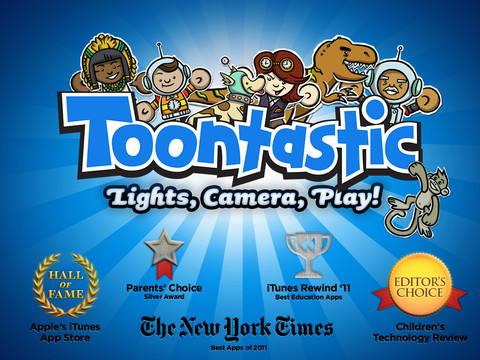
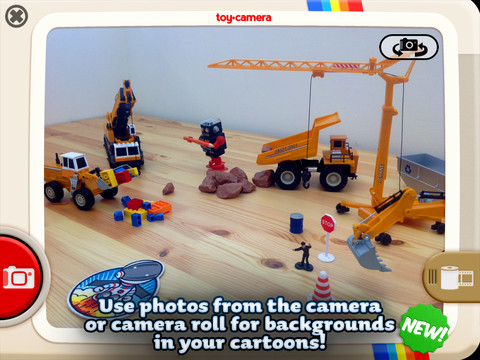
Parents and teachers love this app and kids can’t stop creating! Named by the NY Times as one of Top Ten iPad apps of 2011, Toontastic is a fabulously creative FREE app for kids. This app allows kids to draw, animate and share their own cartoons AND it teaches them the elements of a story! Kids are able to use backgrounds and characters from the app or create their own with the drawing tools that are provided. The basic app is FREE but there are several in-app purchases available. Final creations can be shared online via ToonTube, Toontastic’s global storytelling network. Over 2 million cartoons have been created in over 150 countries. Unleash your child’s creativity with this great app!!
Here is a link to more information: Toontastic: Play, Create, Learn on the iPad!.
Not only are the possibilities for using this app are endless but a child’s work can be shared with parents, grandparents, other classes, etc.
Rocket Speller
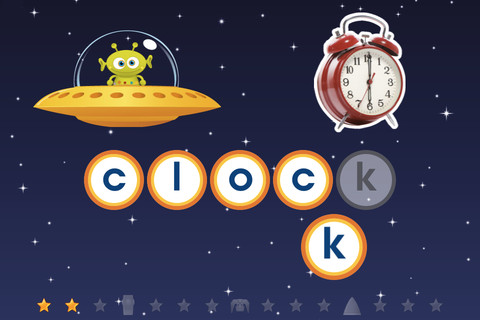
Rocket Speller is a FREE spelling app for the iPad and iPhone geared towards 3 – 7 year olds. Kids join Zip the alien on an adventure to build a new rocket. As the child successfully progresses through the levels he/she helps Zip choose the rocket pieces that he needs. Once Zip has collected everything, the rocket can be launched from the space pad. There are 4 levels. Level 1 allows you to match & place the letters in any order. In level 2, letters must be matched/placed in the correct order. Level 3 is spelling of simple words and level 4 is more complex words. This app promotes letter recognition, left to right order, awareness of how letters combine to make words, and vocabulary.
It’s cute, fun and you get the whole version for FREE.
Math Evolve
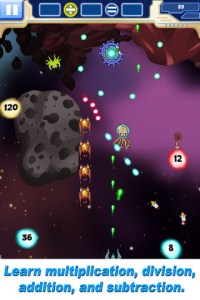
FREE for limited time – the full version of Math Evolve, an app that combines math practice (addition, subtraction, multiplication, division) with an arcade-style game that kids will enjoy playing. Math Evolve has 12 levels, 19 different enemies, and 6 challenging bosses that can be played on 3 difficulty settings. The app has 2 modes: practice mode and story mode. In practice mode, a parent or teacher can choose which math facts to practice and monitor a child’s progress. In the story mode, kids embark on math adventure across three environments: microscopic, ocean, and space. The difficulty of the math and the difficulty of the game can be set independently which makes the game fun for all ages. The app supports up to 5 players. Statistics are kept in the player history section so parent/teachers can evaluate how kids are progressing. This app would be great for independent practice in a classroom. It has customizable practice built into a fun game AND it collects statistical data – awesome!
For more information go to http://mathevolve.com.
Common Core Standards met:
- 1.OA.6 – Add and subtract within 20, demonstrating fluency for addition and subtraction within 10.
- 2.OA.2 – Fluently add and subtract within 20 using mental strategies. By end of Grade 2, know from memory all sums of two one-digit numbers.
- 3.OA.7 – Fluently multiply and divide within 100, using strategies such as the relationship between multiplication and division or properties of operations. By the end of Grade 3, know from memory all products of two one-digit numbers.

ABC Interactive Flash Cards
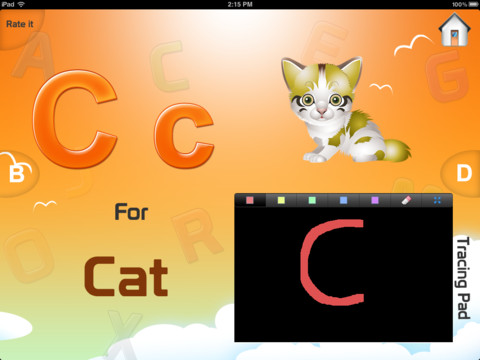
FREE for a limited time – ABC Interactive Flash Cards. Kids are introduced to the upper and lower case letters of the alphabet. The letter and a word starting with that letter are pronounced, for example…. A for apple. There is an animated picture to go with each word. The app also has a chalkboard for kids to practice writing the letters. If you are looking to “mix it up”, here is another alphabet app for toddlers. This one, however, does not have stroke-by-stroke instructions for letter formation.
Word Mic
FREE for a limited time – Word Mic, an app that can be used to chronicle your child’s progress as they learn to read! It video records your child reading any book in PDF format. Videos can then be shared/saved via Dropbox, Google Drive, Facebook, YouTube or email. This app is SO simple to use: import book in PDF format, type in your child’s name, record your child reading the book, create the video by hitting save when done, then share! The app also has an “Import a Book” section which has 28 beginning books and 5 sets of sight words in its Free Book List. There are so many uses for this app – to chronicle and evaluate reading progress, to share progress with family and friends, to create and record your own material, etc. But perhaps the best use for this app is to record your child’s voice when he/she first starts reading – so special!! And… grandmas & grandpas everywhere will be able to share the joy of your child learning to read. 🙂
Little Story Maker
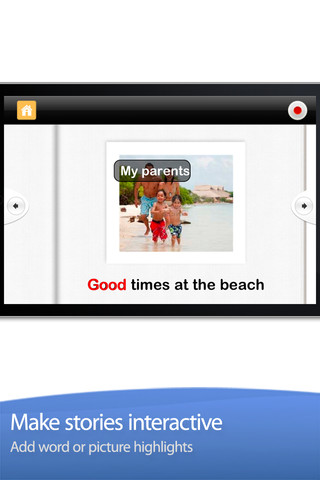
FREE – Little Story Maker, an app which you can use to turn your photos into quick little stories. 🙂 Have your kids write about their summer adventures. Just click the plus button to add a new story. Then name it, add a photo, and the text/recording. You’re done!! I love the idea of this app but there are some limitations & challenges: the text for each page is limited to about 40 characters, word highlighting is available but you have to line it up for it to work properly, and the app crashed frequently as I was testing it. Hopefully the developers will work out the kinks – there’s a lot of potential here!
Cutie Mini Monsters
FREE for a limited time – Cutie Mini Monsters, an iPhone/iPad app for preschoolers. This app introduces kids to number recognition and counting. Kids meet Blushy, Toothy, Golly, Taily, Blobby, Growly, and Snouty. They count the monsters’ body parts – tails, eyes, feet, spikes, etc. The app also includes 9 simple jigsaw puzzles featuring the same characters. Cute for little fans of monsters!
Leo and the Windy Day
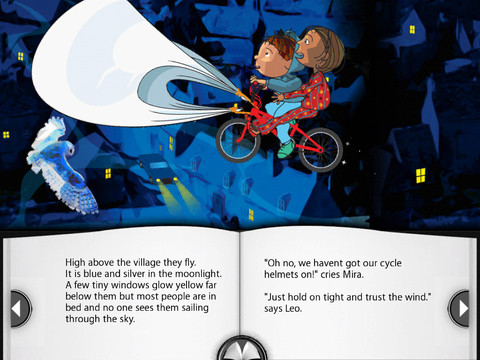
FREE for a limited time – Leo and the Windy Day, an interactive story for the iPad. Leo’s wish that his bike could fly comes true. Kids join Leo, his friend Mira, and his hamster Mr. Snibs on a midnight adventure to rescue Leo’s kite from the top of the church tower. Kids can use their fingertips to bring the animations in the scenes to life. Their fingertips also activate musical notes in the same musical key as the soundtrack. The app is professionally narrated by Lyndsay Abbott or it can be read alone. Nicely done!!
Herd the Words
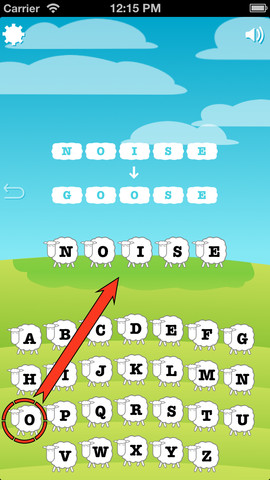
Herd the Words is a FREE word ladder game. Word ladders were invented by Lewis Carroll (author of Alice in Wonderland) in 1877. Players are given two words – a starting word and an ending word. They must change one letter at time to create a ladder of words between the two. Here is an example for changing blast to lease: blast – beast – least – lease. Players switch out letters (written on sheep) to create the word ladder. The app keeps track of how many steps it took to complete the puzzle. There are two modes of play – single player and multiplayer. In app purchases are available for unlimited play, hints, and to disable ads.
Games like this one are great for helping kids develop a sense of word structure. 🙂