0

Photo Mapo

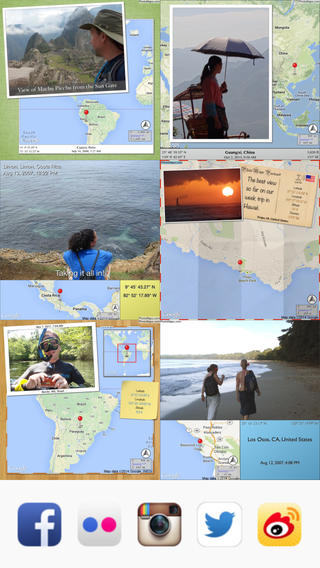
photo mapoFREE today – Photo Mapo, an easy-to-use photography app/fabulous tool for classroom projects. This app easily transforms any photo into a mapped masterpiece. The app features twenty-three styles. Projects can be customize by changing the background, map type, & zoom level. There is also an option to add a 180 character description. Finished projects can be shared by email or saved to the camera roll. How fabulous!! Kids can use this app to connect events (real or make-believe) to their settings. They can use it with: pictures of grandparents/great-grandparents to show their native countries, with scanned drawings of story scenes to show the setting, with pictures/drawing of animals to show their habitats, with historical photos to show locations, etc. Kids could also create virtual postcards with this app. Photo Mapo has loads of potential for classroom use!

Direct Link: https://itunes.apple.com/us/app/photo-mapo-add-map-to-your/id525258687?mt=8

0

Fiete

FieteOn sale for only $.99 – Fiete, an interactive picture book for 1 – 3 year olds. Kids help Fiete with his everyday tasks as they put tires on a car, pop a balloon with a pin, plant a seed, load a ship, etc. There are 17 interactive scenes and 3 memory games in this educational app. There are no written instructions which makes it suitable for a wide range of kids. The app is very intuitive – little ones can easily figure out how they are supposed to help Fiete. The cute, hand-drawn illustrations & animations are accompanied by relevant sound effects. The developers of this app created it for their own children so the app is ad-free and does not contain any in-app purchases or external links. It’s a perfect choice for the youngest iPhone/iPad users!!

Fiete - Wolfgang Schmitz

0

Wonderopolis

Wonderopolis

Happy Birthday Wonderopolis – Here’s to 5 great years of wondering. 🙂

FREE – Wonderopolis, a fabulous educational app. Now you can explore Wonderopolis (the website) with your mobile device.

Wonderopolis (Wonderopolis | Where the Wonders of Learning Never Cease) is a fantastic website that provides a daily Wonder of the Day®.  A fun & intriguing question is featured every day. The website/app includes a written explanation of the answer, vocabulary words, and a gallery of images & videos – all to foster learning and inspire curiosity about the Wonder of the Day®. Other daily features include a “Try It Out” section which suggests activities based on the day’s question, a “Still Wondering” section which gives additional/related information, and a quiz. There is even a section for teachers/parents called the “Educator Sandbox” with additional resources and opportunities to connect with the Wonderopolis community. It’s such a fascinating and wonderful resource – I enjoy reading it myself!

Using this website/app would be a fabulous addition to a daily classroom routine. Kids could read (or listen to) the daily Wonder of the Day® as part of their independent work time. They could journal about what they learned and/or what they are still wondering about. A class discussion could be scheduled for later. What a great way to encourage THINKING! Wonderopolis is a fabulous resource to ignite the natural curiosity and imagination of kids!

Download link: https://itunes.apple.com/us/app/wonderopolis/id505247028?mt=8&uo=4

0

Sago Mini Friends

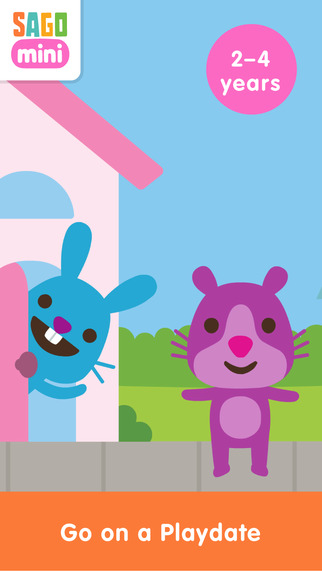
minifriendsSago Mini Friends is currently FREE! Toddlers (ages 2 – 4) can go on a playdate with their favorite Sago friends in this cute educational app. They begin by choosing a character then walking that character to a friend’s house. Once they get there, the fun begins. There are 10+ activities to do with their friends – helping Robin the bird fix a birdhouse, playing dress-up with Jinja the cat, washing dishes with Harvey the dog, etc. Kids will love the sweet characters and the app’s silly surprises. Parents can encourage language development as they help kids make up stories to go with the actions. It’s no wonder Sago Mini Friends was picked as an Editor’s Choice by Apple. 🙂

Direct link: https://itunes.apple.com/us/app/sago-mini-friends/id874425722?mt=8

0

FunSlides – Make HD videos from photos

image

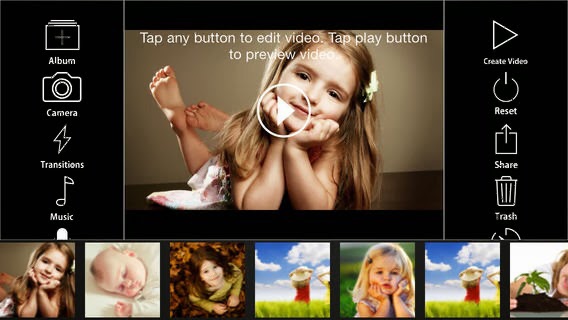
FREE for a limited time… FunSlides – Make HD videos from photos, an easy-to-use photography app which could be a fabulous tool for the classroom. Photos from your camera roll are easily arranged into sequence. Then customized text can be added – a variety of fonts, colors, and sizes are available. The app also includes seven transitions and thirteen built-in musical themes. You can also add music from your personal music library or record a voice over to go with your slideshow. Completed slideshows are easily saved to videos in your photo library. From there they can be shared in a variety of ways. Kids could use this app to create timelines, document a field trip, record science experiments, retell a story, etc. There are so many creative uses for this fabulous educational tool!

Download link: https://itunes.apple.com/us/app/funslides-hd-make-hd-video/id590225705?mt=8&uo=4

0

Audubon Birds is FREE!!

Two million downloads and counting… Audubon mobile field guides are exceptional. These guides are developed by Green Mountain Digital in alliance with the National Audubon Society. 8% of every sale goes directly to Audubon to support its mission to conserve and protect nature’s at-risk birds and wildlife.

Each guide features descriptions of hundreds of species, thousands of photographs, detailed range maps, multiple search options, and the option to create a Personal Nature Account and/or join the NatureShare community.

audubonAudubon Birds features 821 species of North American birds. It also includes over 3,200 images and 8 hours of bird sounds. If you are a bird watcher, you don’t want to miss downloading this fabulous guide!!

Download link: https://itunes.apple.com/us/app/audubon-birds-pro/id333227386?mt=8&uo=4

Other field guides are $4.99.

Audubon Trees features 728 species of North American trees. It also includes over 3,000 images. Download link: https://itunes.apple.com/us/app/audubon-trees/id334843956?mt=8&uo=4

Audubon Insects and Spiders features 507 species of North American insects & spiders. Download link: https://itunes.apple.com/us/app/audubon-insects-spiders-field/id367683509?mt=8&uo=4

Audubon Wildflowers identifies over 1,703 species of North American Wildflowers. It also includes over 3,000 images. Download link: https://itunes.apple.com/us/app/audubon-wildflowers/id334844148?mt=8&uo=4

Audubon Reptiles and Amphibians identifies 437 species of North American reptiles and amphibians. It also includes fifty-nine frog and toad sounds. Download link: https://itunes.apple.com/us/app/audubon-reptiles-amphibians/id367368443?mt=8&uo=4

Audubon Butterflies features 627 butterflies of the United States and Canada. Download link: https://itunes.apple.com/us/app/audubon-butterflies-field/id382669597?mt=8&uo=4

Audubon Mushrooms covers 570 common species of North American mushrooms, other fungi and slime molds. Download link: https://itunes.apple.com/us/app/audubon-mushrooms-field-guide/id402237176?mt=8&uo=4

Audubon Mammals features information on 273 species on North American mammals. The app also includes 575 photographs with zoom-in capability and fifty mammal sounds. Download link: https://itunes.apple.com/us/app/audubon-mammals-field-guide/id334843541?mt=8&uo=4

Audubon Fishes features information about 675 species of North American fish. Download link: https://itunes.apple.com/us/app/audubon-fishes-field-guide/id368753140?mt=8&uo=4


0

TeleStory

telestory

FREE for a limited time – Telestory, another fabulously creative app from Launchpad Toys, the creators of Toontastic. Kids can write, direct, and star in their own TV shows with this educational app. Kids choose a theme to start: The News, Star Adventure, Eye Spy, or their own creation. Then they mix and match scenes to create their story. Next they craft a script using the prompts within the app or their own ideas. Then it’s time for the show! Kids choose one of fifty digital costumes for their performance.They perform and record their show which includes animated scenes and special effects. Recordings can be saved to the camera roll to be shared with classmates, family, and friends. How fun!!

Teachers, check out “The News” theme for use in your classroom. Kids can choose to be different types of reporters: The Beat, The Sports Roundup, The News Desk, The Weather, The Critic, or The Eye in the Sky. Then the learning begins. They read, summarize and report about current events. Or, they can learn the science behind the weather and explain it to their viewers. Or they can write reviews of the literature that they are reading. Telestory’s News is a great tool for getting kids excited about non-fiction. Make it a part of your weekly routine. Kids could produce a new show every Friday. 🙂

Download link: https://itunes.apple.com/us/app/telestory/id915378506?mt=8&uo=4

0

Universal Zoom: All About Sizes and Distances

image

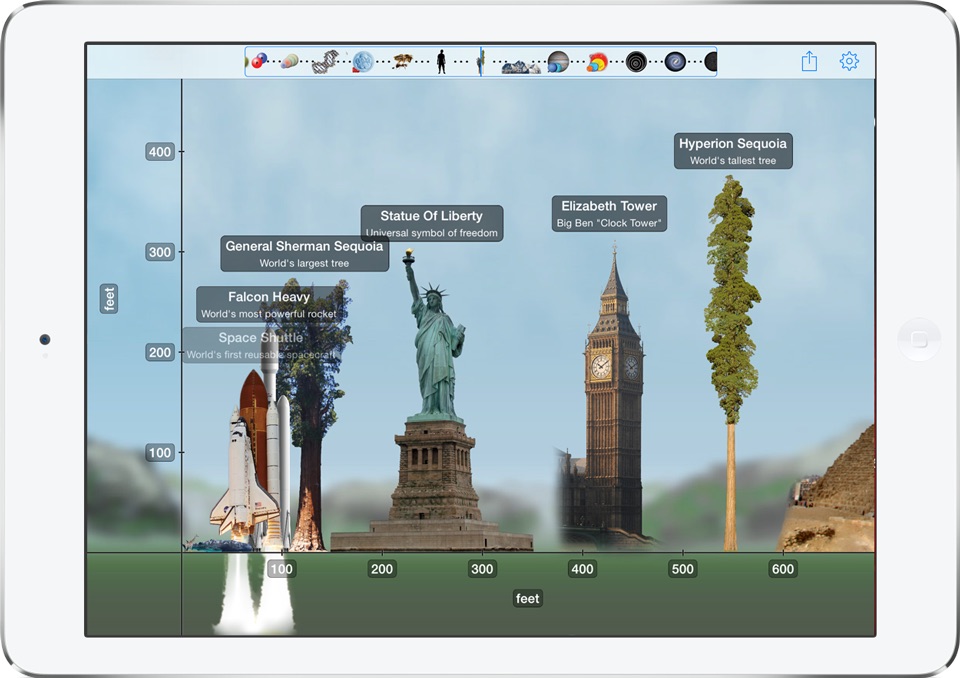
FREE for a limited time – Universal Zoom: All About Sizes and Distances, a very cool scientific app. Teachers and parents can use this educational app to help kids compare and contrast the size of natural and man-made objects in our universe. The app features about 200 objects presented to scale. Included are things like the world’s tallest buildings, the largest trees, animals, mountains, the planets of our Solar System. Kids can compare the size of a man to an ostrich, the size of a whale to an airplane, the size of the planets and more. And, there are also interesting facts about each object. VERY cool!

Direct link: https://itunes.apple.com/us/app/universal-zoom-all-about-sizes/id807673066?mt=8

0

FlowPlus: Add, Subtract, Enter the Flow

multiflowFREE for a limited time – FlowPlus: Add, Subtract, Enter the Flow, an educational app to help strengthen basic math skillsThe app has four sections: Enter the Flow, Mad Minute, Reversals, and Pick’Em. In the Enter the Flow section, kids can choose a beginner setting which allows ten seconds per question or a normal setting which allows five seconds per question. The Flow adapts the level of practice to the child’s performance. The Mad Minute section has two levels: easy (numbers 1-12) or hard (numbers 6-20). Kids have one minute to answer as many questions as possible. The Reversal section changes things – giving students the answer then they have to choose the question. The Pick’Em section lets kids choose the range of tables that they would like to practice. It has three levels: easy (numbers 1-12), hard (numbers 6-20), or all. If you are looking for an electronic version of flashcards, look no further. Go with the FLOW….

Download Link:

Flow Plus: Add, Subtract, Enter the Flow: https://itunes.apple.com/us/app/flowplus-add.-subtract.-enter/id554731577?mt=8&uo=4

Also FREE with the same format:

Division Flow:Division Re-envisioned: https://itunes.apple.com/us/app/divisionflow-division-re-envisioned./id566078565?mt=8&uo=4


0

Everyday Math® APPS: Addition Top – It, Beat the Computer, Squeeze Monster, Equivalent Fractions, Divisibility Dash

FREE again!!!

5 educational apps from McGraw Hill’s Everyday Math® – If your school system uses this program to teach math, you may want to take advantage of these offers. 🙂

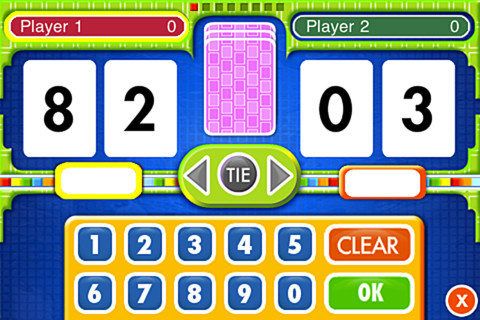
Everyday Math’s Addition Top-It app for iPhone/iPad is a two player game. It is fun easy way for kids to practice basic addition facts from 1 – 10 and greater than/less than.

Common Core Standards met:

  • 1.OA.6 – Add and subtract within 20, demonstrating fluency for addition and subtraction within 10.
  • 2.OA.2 – Fluently add and subtract within 20 using mental strategies. By end of Grade 2, know from memory all sums of two one-digit numbers.

Everyday Mathematics® Addition Top It - McGraw-Hill School Education Group

Everyday Math’s Beat the Computer app for iPhone/iPad is fun easy way for kids to practice basic multiplication facts. They race against the computer to score as many points as they can.

Common Core Standards met:

  • 3.OA.7 –  By the end of Grade 3, know from memory all products of two one-digit numbers.

Everyday Mathematics® Beat the Computer™ Multiplication - McGraw-Hill School Education Group

Everyday Math’s Squeeze Monster app for iPhone/iPad is a two player game. Designed for younger students, it reinforces number line concepts and number comparisons.

Everyday Mathematics® Monster Squeeze™ - McGraw-Hill School Education Group
Everyday Math’s Equivalent Fractions app for iPhone/iPad is fun easy way to reinforce fraction concepts. Note: the app uses a digital version of the fraction cards from the Everyday Math third grade book.

Common Core Standards met:

  • 3.NF.3 – Explain equivalence of fractions and compare fractions by reasoning about their size. Understand two fractions as equivalent (equal) if they are the same size, or the same point on a number line. Recognize and generate simple equivalent fractions, e.g., 1/2 = 2/4, 4/6 = 2/3). Explain why the fractions are equivalent, e.g., by using a visual fraction model.
Everyday Mathematics® Equivalent Fractions™ - McGraw-Hill School Education Group
Everyday Math’s Divisibility Dash app for iPhone/iPad is fun easy way to practice recognizing multiples of a number and applying divisibility tests.

Common Core Standards met:

  •  4.OA.4 – Find all factor pairs for a whole number in the range 1–100. Recognize that a whole number is a multiple of each of its factors. Determine whether a given whole number in the range 1–100 is a multiple of a given one-digit number. Determine whether a given whole number in the range 1–100 is prime or composite.

Everyday Mathematics® Divisibility Dash™ - McGraw-Hill School Education Group