
Six FREE science apps – PEEP and the Big Wide World apps from WGBH, the producers of the animated series of the same name. Major funding for these educational apps is provided by the National Science Foundation. These apps are designed to teach science to preschoolers (3 – 5 years) in a cute, fun way! The games begin simply but become more challenging as kids are successful. Each app also includes a “Try This Anywhere Activity” for you and your children to do together based on the lesson in the app. Your child will LOVE learning with Peep and friends. And you will too! PEEP and the Big Wide World House Hunt: Kids turn over leaves to pair animals with their homes in a match game that demonstrates that some habitats are home to many different animals.
Download link: https://itunes.apple.com/us/app/peep-big-wide-world-house/id536554271?mt=8&uo=4 PEEP and the Big Wide World Hide and Peep: Peep and friends are hiding in the tool shed. This app helps kids practice their observation and memory skills.
Download link:https://itunes.apple.com/us/app/peep-big-wide-world-hide-peep/id536312346?mt=8&uo=4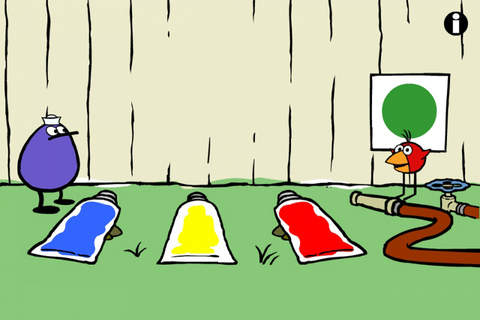 PEEP and the Big Wide World Paint Splat: Kids join two quirky characters named Quack & Chirp to experiment with mixing colors in a fun, silly way!
Download link: https://itunes.apple.com/us/app/peep-big-wide-world-paint/id536621786?mt=8&uo=4 PEEP and the Big Wide World Sounds Like Fun!: Kids explore music and sounds as they mix and match sounds with this app. The characters represent different musical rhythms.
Download link: https://itunes.apple.com/us/app/peep-big-wide-world-sounds/id536623915?mt=8&uo=4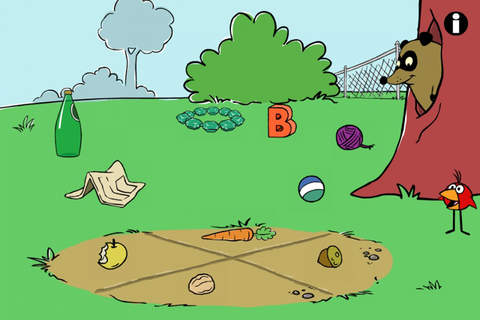 PEEP and the Big Wide World Trash Stash: Kids practice their categorization skills by sorting objects using increasingly sophisticated criteria.
Download link: https://itunes.apple.com/us/app/peep-big-wide-world-trash/id536624731?mt=8&uo=4 PEEP and the Big Wide World Quack’s Apples: Kids roll Quack’s apples into a pond – testing and tweaking the design of their route as often as needed. As they play, they are practicing the engineering design process!
Download link: https://itunes.apple.com/us/app/peep-big-wide-world-quacks/id536623428?mt=8&uo=4
Two FREE and fabulously creative apps from Lazoo – perfect for preschoolers. 🙂 FREE – Miku’s Picnic, an adorable interactive story designed to support creative thinking. Kids join Bobu, the monkey & Miku, the rabbit on a chase after some jumping beans. The two need help capturing the beans before they bounce away! Along the way kids learn about using their imaginations and creative problem solving as the Bobu & Moku use “Squiggles” to… make a car go faster, make springs to get to the top of a tree, make binoculars to look for the beans, make a rocket zoom to the moon, and more. This educational app has 2 reading modes – “Read to Me” and “Read it Myself” as well as an option to record your own voice as the narrator. The story ends with a link to the FREE Squiggles app for kids so kids can “take a turn” drawing. I love the way Miku’s Picnic encourages kids to use their imaginations to solve problems!
Download link: https://itunes.apple.com/us/app/lazoo-mikus-picnic/id652945863?mt=8&uo=4
 Lazoo Zoo is another fun educational app. KIds help out with snack time at the zoo where there are 10 animals (lion, ape, chameleon, giraffe, hippo, whale, crocodile, crab, bird, & penguins) to feed. But Lazoo Zoo is not your ordinary zoo, so its animals react in extraordinary ways – the giraffe’s spots change according to what it’s fed, the ape tosses the food it doesn’t like to others, and more! Kids can even create their own foods to feed the animals. And, Lazoo Zoo has a photo booth where kids can snap their picture with their favorite animals. How cute is that?! 🙂 Check out the trailer at: http://www.youtube.com/watch?v=L564yPHM3No&feature=youtu.be
Download link: https://itunes.apple.com/us/app/lazoo-zoo/id727786503?mt=8&uo=4
From ABCMouse.com…. FREE – A to Z Music Videos. This app has 26 animated videos – one for each letter of the alphabet. As kids watch the videos, they earn tickets to unlock other videos. There is also an option to purchase tickets to unlock videos more quickly. The videos are top-notch! They help children learn letter names and sounds AND develop vocabulary. Every video is produced in a different musical style, so kids are also introduced to a wide variety of musical genres. This app is a must-have for preschool, kindergarten, and first grade teachers – a perfect introduction to the letters of the alphabet!
Common Core Standards met:
- K. RF.3 – Know and apply grade-level phonics and word analysis skills in decoding words. Demonstrate basic knowledge of one-to-one letter-sound correspondences by producing the primary sound or many of the most frequent sounds for each consonant. Associate the short sounds with common spellings (graphemes) for the five major vowels.
Download link: https://itunes.apple.com/us/app/to-z-music-videos-from-abcmouse.com/id586100697?mt=8&uo=4
Two FREE apps from PBS. 🙂 PBS Parents Play & Learn is a great FREE educational app that encourages families to learn together. PBS has designed this app specifically for parents and it can be used in English or Spanish. The app uses familiar locations (in the bathtub, in the kitchen, at the zoo, etc.) as themes then provides parents with meaningful activities/games for their children. I LOVE that the app includes ideas for different ages (baby, toddler, preschooler) and provides information for parents about the math & literacy skills embedded in the games. The app supports the fact that a child’s parents are his/her first and most important teacher – LOVE it!
Download link: https://itunes.apple.com/us/app/pbs-parents-play-learn-hd/id605542914?mt=8&uo=4
Learn with WordFriends is a FREE educational game from WordWorld, PBS’s Emmy winning show. Kids build and discover words with Dog, Duck, Sheep, Ant, Bear, Pig and Frog. Animal characters and word objects are formed from the words’ letters – a very cool feature! There are 3 puzzles to play: WordRain – grab letters as they rain from the sky to build the word, WordScramble – rearrange the scrambled letters to form the word, and WordMatch – a tile memory game. There is also a WordFriend Farms where kids can interact with the different animal characters. Dog is included with the app and the other animals are available as in-app purchases. Very cute, happy app!
Download link: https://itunes.apple.com/us/app/learn-with-wordfriends/id580328460?mt=8&uo=4
From Budge Studios comes this FREE app (with in-app purchases).
 Kids learn about going to the doctor’s office with Caillou Check Up – Doctor’s Office, an adorable app for toddlers/preschoolers. This educational app has 11 mini-games that will teach your child about his/her next check-up. Four of the activities (check height & weight, tonsil check, follow the stick, & eye check) are included for FREE. The other 7 activities (thermometer, ear check, stethoscope, blood pressure, reflex check, medicine shot, & applying ointment) are available as in-app purchases. The app utilizes a variety of mechanics as kids tap and drag their way through the interactive mini-games. After completing each task, kids are rewarded with a colorful celebration. The app is sure to take the stress out of your child’s next visit to the doctor. No wonder it’s featured by Apple as one of the “Best New Apps & Games.” 🙂
Download link: https://itunes.apple.com/us/app/caillou-check-up-doctors-office/id772369925?mt=8&uo=4
From a variety of developers… Guess How Much I Love You – Interactive Episodes is only $.99. This wonderful educational app from Australia is based on the book Guess How Much I Love You by Sam McBratney and inspired by the animated TV series created by SLR Productions Pty Ltd. Guess How Much I Love You is a beautiful story about the love between a parent and a child – one of my all time favorites. Originally published in the UK in 1994, it has sold more than 20 million copies in 37 languages. It was the first book I purchased for my granddaughter – truly a book not to be missed!! That being said, this app conveys the same sweetness that makes the original story so special.
Kids join Little Nutbrown Hare in 2 interactive episodes – “Can You Touch the Stars” and “Snow White Hare.” Designed for 3 – 5 year children to explore with their parents, the episodes are integrated with simple games & puzzles. At the end of each episode, Big NutBrown Hare and Little NutBrown Hare express their love for each other. Don’t miss this one – it is SO sweet!
Download link: https://itunes.apple.com/us/app/guess-how-much-i-love-you/id572817746?mt=8&uo=4
 Singing crickets! Brainy Bugs Preschool Games is only $.99. This super cute educational app for preschoolers has 4 sections: Cricket Concert, Bee Word Builder, Ant Tunnel Builder, and Spider Dot-to-Dot. In the Cricket Concert section, kids can select a song to hear the crickets sing together or they can tap on each cricket to play the song on their own. In Bee Word Builder, kids hear the phonic pronunciation of individual letters as they use them to put words together. Ant Tunnel Builder requires kids to rotate puzzle pieces so that the ants can march through a completed tunnel. Spider Dot-to-Dot has kids connecting dots in numerical order. Kids collect sticker rewards along the way. This app has a nice combination of learning games for preschoolers – cute, fun, & engaging! Who knew playing with bugs could be so much fun. 🙂
Direct Link: https://geo.itunes.apple.com/us/app/brainy-bugs-preschool-games/id497840635?mt=8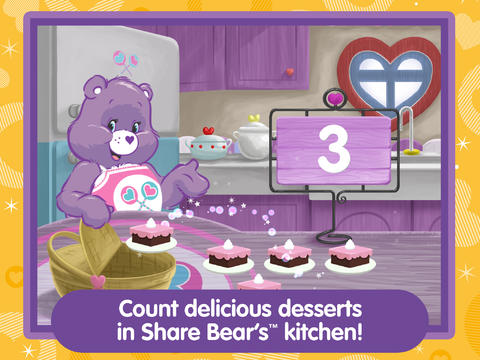 From American Greetings comes Care Bears Love to Learn, a FREE educational app for preschoolers. Kids join 7 of their favorite Care Bears to play a variety of games that are designed to help children count, build shapes, identify colors, learn beginning sounds, and more. After completing each activity, kids earn Care Bears stickers. These stickers can be saved and played with later. If you have a Care Bear fan in your house, check out this cute app!
Download link: https://itunes.apple.com/us/app/care-bears-love-to-learn/id884245655?mt=8&uo=
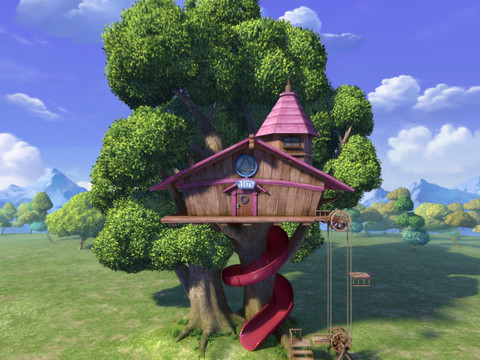 Question: What do you get when Stanford education experts collaborate with award-winning storytellers and animators? Answer: Leo’s Pad Enrichment Program for Preschoolers – an interactive series of “appisodes” designed for preschoolers and the first “appisode” is FREE. Kids join 8-year-old Leonardo daVinci and Galileo on an aesthetically appealing adventure called Gally’s Birthday. Interactive games that teach shapes, colors, number sense, drawing, letter identification, etc. are seamlessly woven into the story. They include a mixture of exploratory, creative, and problem-solving activities. Songs are also included which adds to the app’s Pixar-movie-like feel. I love this app for so many reasons – great story, beautiful animations, meaningful interaction, positive messages, catchy songs, age-appropriate skills, the list goes on….
Direct Link: https://itunes.apple.com/us/app/leos-pad-enrichment-program/id566773525?mt=8
And finally… 5 GREAT preschool apps from Piikea Street LLC.

Only $.99 – Kids lead bees to flowers and learn to count (to 20) using Counting Bees, an educational app for preschoolers. Counting is taught in ranges of increasing difficulty: 1-5, 1-10, 1-15, and 1-20. Using this app, kids also can learn to count in multiple languages – English, Spanish, French, Italian, German, Mandarin Chinese, Cantonese Chinese, and Japanese. Simple to use and nicely done!
Download link: https://itunes.apple.com/us/app/counting-bees/id481053635?mt=8&uo=4
 Only $.99 – Memory Train is fun game of concentration for preschoolers and primary students. Kids hop on the train with Spacey the elephant to help him remember what he sees on his way to the circus. They earn stars, badges, and peanuts (of course) as they advance through 10 different levels. This educational app includes slots for 4 players so that friends & family can join the fun. There are no words spoken (just music) so this app can be used by children of all languages. Another excellent educational app from Pi’ikea!
Download Link: https://itunes.apple.com/us/app/memory-train/id465224643?mt=8&uo=4
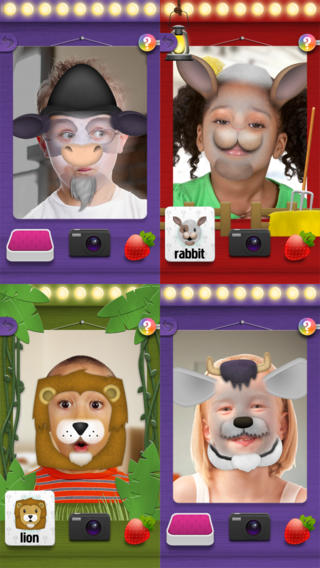 Mask Jumbled Animals is a FREE and fun educational app for kids. It turns their faces into animal faces! Kids look into the app’s mirror and animal parts will appear on their faces. They tap to match the ears, nose, chin, and hair in order to complete 1 of 20 different animal masks. When the mask is complete, kids catch strawberries in their mouths to unlock a new mask. The mask puzzles are really cute for preschoolers who will be delighted to be an elephant, a lion, a panda, etc. But… the best part of this app is the ability to take pictures of kids in their masks which makes this app a fabulous resource for creative writing! Pull those pictures into a story writing app and off you go. 🙂
Download link: https://itunes.apple.com/us/app/mask-jumble-animals/id548763608?mt=8&uo=4
Also available is Mask Jumble Halloween. It works the same way as Mask Jumbled Animals but with 10 Halloween masks.
Download link: https://itunes.apple.com/us/app/mask-jumble-halloween/id564777575?mt=8&uo=4

Only $.99 – Photo Bobo is an adorable photo browsing app for babies & toddlers. Bobo the monkey swings in and out of photos, drops bananas, and plays funny tricks as little ones browse through pictures. It is safe to let kids browse through camera roll pictures with this app because there is no edit, share, or delete button. That being said, young kids can still tap out of the app so it’s best to supervise. 🙂 When Bobo adds sunglasses, a hat, or a mustache to a pic, they seem to end up in the correct spot which is pretty amazing. Really cute – check it out!!
Download link: https://itunes.apple.com/us/app/photo-bobo/id722364512?mt=8&uo=4
 And last but not least… Xylophone, a toddler friendly xylophone that helps kids play nine different songs: Twinkle Twinkle Little Star, Doe a Deer, Happy Birthday, Ode to Joy, Old MacDonald, Row your Boat, Mary Had a Little Lamb, Jingle Bells, and Rudolph the Red Nosed Reindeer. Kids just follow the helping hand to play – how fun!
Download link: https://itunes.apple.com/us/app/xylophone-from-interactive/id486202429?mt=8&uo=4










 appydazeblog