WOW!! Spinlight Studio’s apps are on sale for only $.99.

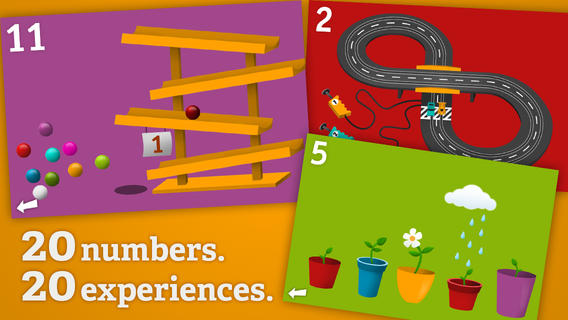
Tally Tots Counting is an educational app that teaches kids to count to 20. The app features 20 interactive mini-games that make learning numbers and counting fun. Kids race 2 cars, make bubbles in 6 colors, place 10 shapes into a puzzle, feed a chipmunk 19 acorns, etc. The app features something unique for each number with lots of positive verbal encouragement along the way. Tally Tots Counting is the perfect choice for young kids learning to count!
Download link: https://itunes.apple.com/us/app/tallytots/id424070269?mt=8&uo=4
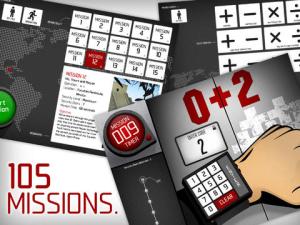 Operation Math is a great educational app from Spinlight Studio. Kids will have fun practicing basic addition, subtraction, multiplication, & division tables in this interactive “spy” game. The object of the game is to stop Dr. Odd’s quest to eliminate the world’s even numbers. In order to do so, kids must complete 105 missions by solving equations. Missions can be selected based on a child’s skill level and/or the operation (+, -, +/-, x, ÷, x/÷ or +/-/x/÷). Of course, time is of the essence so kids have to answer problems in 60 seconds or less. By doing so, they lock doors along their escape routes. And as they complete missions, they earn the gear of a seasoned spy. What a great game – I love how the app integrates math practice into a really cool game for kids. I especially like the modes which permit kids to practice multiple operations at a time. It makes kids pay attention to operation signs and quickly switch their thinking. What a fun way for kids to practice facts and meet CCSS! No wonder Operation Math was given a 2012 Parents’ Choice Award. Get it today – kids will LOVE it!
Common Core State Standards met:
- 1.OA.6 – Add and subtract within 20, demonstrating fluency for addition and subtraction within 10.
- 2.OA.2 – Fluently add and subtract within 20 using mental strategies. By end of Grade 2, know from memory all sums of two one-digit numbers.
- 3.OA.7 – Fluently multiply and divide within 100, using strategies such as the relationship between multiplication and division or properties of operations. By the end of Grade 3, know from memory all products of two one-digit numbers.
Download link: https://itunes.apple.com/us/app/operation-math/id487387270?mt=8&uo=4

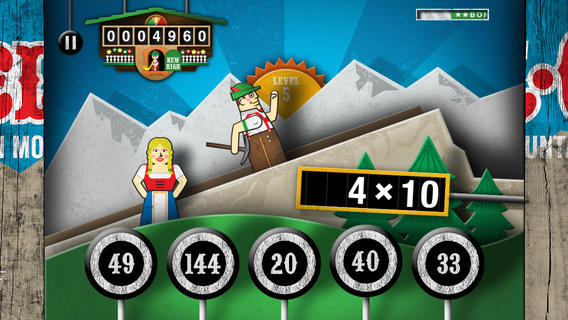
Kids will have fun learning basic addition, subtraction, multiplication, and division math tables with YodelOh™ Math Mountain. The object of the game is to score enough points to keep Hans from falling off the cliff. In order to do so, kids have to answer problems quickly and avoid the crazy charging sheep. And as kids score points, the questions get harder. The app also includes high-score charts that track the best 15 games for all 5 modes. I especially like the mode which permits kids to practice all 4 operations at a time. It makes kids pay attention to operation signs and quickly switch their thinking. What a fun way for kids to practice facts and it meets CCSS! Get it today. 🙂
Common Core State Standards met:
- 1.OA.6 – Add and subtract within 20, demonstrating fluency for addition and subtraction within 10.
- 2.OA.2 – Fluently add and subtract within 20 using mental strategies. By end of Grade 2, know from memory all sums of two one-digit numbers.
- 3.OA.7 – Fluently multiply and divide within 100, using strategies such as the relationship between multiplication and division or properties of operations. By the end of Grade 3, know from memory all products of two one-digit numbers.
Download math: https://itunes.apple.com/us/app/yodeloh-math-mountain/id634946225?mt=8&uo=4
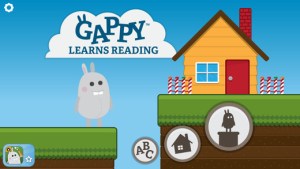
Gappy Learns Reading has beginning readers constructing 200+ three-letter words – 174 of the words following the cvc pattern. There are also 37 three-letter sight words included. Kids start with basic letter and sound identification then progress to making words. As they work through the app, kids earn parts to redesign Gappy’s house – with over 700 possible combinations. Parents can disable the music, change letters from upper case to lower case, and control the number of word lists used in the settings. I like that the app varies which letters (beginning, middle, end) of the words are missing in the easy levels. In the medium level, two letters are missing and in the hard level, all letters are missing. Kids are gradually learning to spell – nicely done for little readers. 🙂
Download link: https://itunes.apple.com/us/app/gappy-learns-reading/id614840334?mt=8&uo=6
Also $.99 – Gappy Learns Writing
Download link: https://itunes.apple.com/us/app/gappy-learns-writing/id691260469?mt=8&uo=6
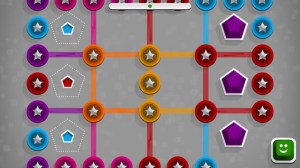
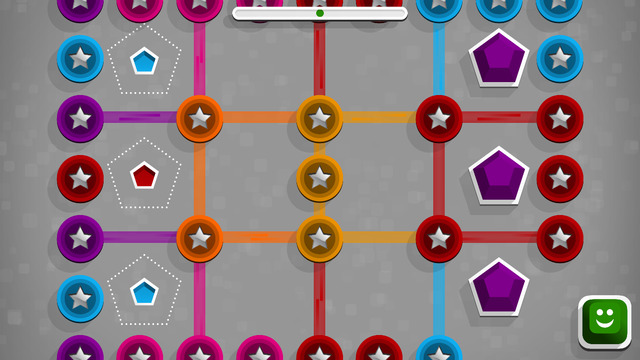
Winky Think Logic Puzzles by Spinlight Studio feature 180 different puzzles. Kids slide shapes and match colors through three levels of puzzles that become increasingly more difficult. As they play, kids must use reasoning, observation, and spacial cognition to advance to the next level. Winky Think is a fun app that makes kids think!
Download link: https://itunes.apple.com/us/app/winky-think-logic-puzzles/id923072172?mt=8&uo=4
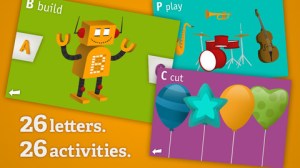 AlphaTots Alphabet is a GREAT ABC app for kids! What makes this educational app unique is that it uses 26 action words to teach the alphabet. Kids are asked to complete 26 interactive tasks, for example: b – build a robot, p – play instruments, z – zap alien spaceships, etc. This app has been featured on The Today Show and has received a lot of positive press. It is a VERY fun app for toddlers/preschoolers who are learning their alphabet!!
Download link: https://itunes.apple.com/us/app/alphatots-alphabet-learning/id436142340?mt=8&uo=4
 Swapsies Jobs is a cute educational app for toddlers. The app features 10 community helpers – baker, pilot, mail carrier, doctor, police officer, firefighter, builder, astronaut, engineer, and rancher. There are two different modes: a dress-up game and an interactive quiz. In the dress-up game mode, kids mix-and-match hats, tops, & bottoms to find the correct combination. Once the clothes are properly matched, a fun activity is unlocked for each occupation. The quiz mode is age-appropriate. Kids are asked to make connections, reason, and classify – find 3 things that fly, find 2 things that are round, find 5 things a baker uses, etc. Additional information is available in the parents’ section where you can download the Swapsies Occupations App Guide. This app was featured in Apple’s Apps for Preschool and Kindergarten. It’s also a Parents Choice Award winner. Nicely done!!
Download link: https://itunes.apple.com/us/app/swapsies-jobs/id416577459?mt=8&uo=6
Also on sale – Swapsies Sports
Download link: https://itunes.apple.com/us/app/swapsies-sports/id716848871?mt=8&uo=4
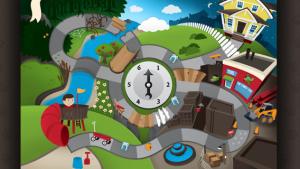 Also only $.99 – Pixel and Parker, an educational app that puts a new spin on storytelling – literally! Parker and Pixel (his cat) are best friends. One day Pixel is missing so Parker sets out to find him. Kids use a game spinner to determine the order of the story’s events in this cute tale. The story is never the same twice. The app also features 30+ activities that engage readers while advancing the plot of the story. This app would be great for a lesson on the elements of story. The characters, setting, problem, and conclusion are the same but the order of events can be changed! Cute colorful illustrations also add to the appeal of this story. Pixel and Parker is the first in a planned series of adventures. 🙂 Great idea!
Download link: https://itunes.apple.com/us/app/pixel-and-parker/id548751986?mt=8&uo=4
 Geography Drive USA™ is a fabulous geography app for up to 3 players. This educational app teaches kids about the 50 U.S. states – their shapes, capitals, nicknames, postal abbreviations, flags, key symbols and more. As kids travel on a cross-county adventure, they stop in each state to answer trivia questions about national rivers, mountains, parks and time zones, important trails and railroads, major U.S. cities, landmarks, and attractions. When they answer questions correctly, they unlock airports and fuel stations – essential to stay in the game. The more you know, the further you go. 🙂
Additional fun features include: a visitor center with state brochures and regional & national maps, a game-based newspaper with headlines that recognize player achievements, trophies waiting to be claimed & displayed, and the ability to customize and upgrade the players’ cars. There are also 4 bonus games included. Love this app – it’s the perfect blend of fun and learning!
2013 Gold Parents’ Choice Award, 2013 Children’s Technology Review Editor’s Choice Award, and featured on Fox News.
Download link: https://itunes.apple.com/us/app/geography-drive-usa/id579100969?mt=8&uo=4

 FREE for a limited time – Dr. Panda Mailman, another great app for preschoolers from Dr. Panda Ltd. Kids become mail carriers and deliver mail in a fun-filled interactive world. There are four areas for kids to explore – the mountains, a village, a forests, and fields. First they create their own postcards or wrap their own packages. Then it’s time to deliver their creations. The recipients are different animals, each with his or her own unique personality. As they ride down the road delivering the mail, kids are free go off the beaten path and explore.This app is great for developing vocabulary and creating stories. It’s a big fun world with no rules, points, timers, etc. – just open-ended exploration.




 Educreations is great FREE app that turns your iPad into a recordable whiteboard. You can create tutorial videos for a variety of purposes: teach a lesson, create example math problems, explain a diagram, add commentary to your photos, etc. This educational app records & replays your voice, handwriting and/or drawings. Educreations is simple to use and permits you to build lessons with multiple pages. The editing tools allow you to: add text to any page, add photos, resize and move images, easily erase drawing mistakes, create “animated playback” by dragging objects as you record, and more.








 appydazeblog