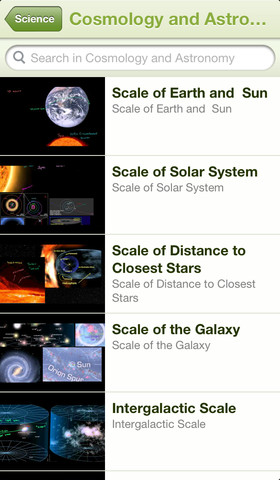
Khan Academy – an amazing FREE educational app! Whoever said the best things in life are FREE was absolutely correct. With Khan Academy you can learn almost anything and the app is completely FREE! It has a library of over 4,200 videos which covers a wide range of subjects such as K – 12 math, biology, chemistry, the humanities, and more. You can use the app to review a subject that you have already studied or to learn something completely new! You can watch the videos online or you can download them to watch offline at your own pace. The videos are subtitled so that you can read along, skip ahead, or go back. If you log in with your Khan Academy account, you can track your progress. The app gives you credit for watching the videos and allows you to see your achievements. Badges and points are earned for learning. Teachers can access their students’ data – as a class or individually. Khan Academy is an incredible resource for all kinds of learners – students, teachers, principals, home-schoolers, adults returning to school, and anyone committed to be a lifelong learner. It is truly one of the best educational apps available – at any price!
Category Archives: educational apps for kids
ZipGrade – Grade Paper Tests and Exit Tickets
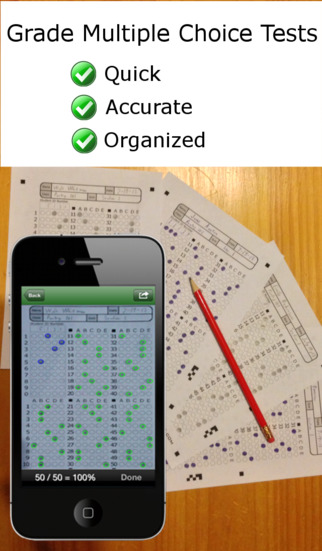
FREE to try – ZipGrade, a slick app that grades multiple choice tests & quizzes instantly by using your device’s camera as a scanner. It’s very easy to use. First go to ZipGrade.com to download an answer sheet for any size test – 1 to 100 questions. Print as many as you need. A 100 scan demo is FREE with the download. Click new quiz and enter your answer key. Start scanning/grading. ZipGrade can scan up to 20 tests per minute. The app can be set up to use student ID numbers or student names. Results are organized for reporting/exporting via PDF and Excel. They can also be synced between devices. Students will love the instant feedback and teachers will love the item analysis. This app would be especially great for high school/college teachers who have overwhelming numbers of test/quizzes to grade. Check out the FREE version today! The full version of the app is $1.99 for 2 months or $6.99 for 1 year.
Download link: https://itunes.apple.com/us/app/zipgrade-grade-paper-tests/id635077270?mt=8&uo=4
12 Fun Apps for Learning Math Facts
Let’s face it – getting kids to learn their math facts can be a challenge. But once they know them, they know them forever. The process of “doing math” becomes more efficient and less frustrating when kids know their facts. Luckily there are plenty of fun apps that can help kids become “math fact” proficient. All of these apps are FREE or were “FREE for a limited time” when I reviewed them. Check them out – they’re all great!
You can follow my blog appydazeblog | educational apps for kids and the adults in their lives to find out if/when they become FREE again. Enjoy!! 🙂
Sushi Monster is a FREE educational app for the iPhone/iPad developed by Scholastic. It helps kids practice, reinforce, and extend their knowledge of math facts. There are 12 levels of play – 7 addition levels and 5 multiplication levels. A chef places numbered plates of sushi on the counter. Kids have to combine the numbers on the plates to reach the target number (worn by the sushi monster). If the combination is correct, the monster gobbles up the sushi. If it is wrong, the monster throw a tantrum. Each round has 14 target numbers. Successfully completing one level unlocks the next. As kids progress through the levels they are expected to extend their thinking beyond the basic facts. At each level a strategy is provided to help kids succeed. This educational app provides a lot of practice and kids will love the silly sushi chef!
Common Core Standards met:
- 3.OA.7 – By the end of Grade 3, know from memory all products of two one-digit numbers.
- 3.NTB.3 – Multiply one-digit whole numbers by multiples of 10 in the range 10–90 (e.g., 9 × 80, 5 × 60) using strategies based on place value and properties of operations.
This app was FREE, now $.99. It helps kids practice their basic facts for addition, subtraction, multiplication, and division. First kids choose numbers (1-12) to work with, then the math operation/operations. The app generates practice in 2 modes: answer mode (enter the answers & get feedback) or flashcards mode (answer verbally then check). The game has no built-in sounds but there is positive reinforcement written at the top of the page. If a child misses a problem, it shows the correct answer. What I really like about this app is the ability to choose specific numbers to work on. Facts can be practiced in the order they are taught. I also like the ability to choose more than one operation to practice – it makes kids pay attention to the signs of operation and see the relationships between operations. This app is simple but effective – if you loaded this app on your iPhone, kids could easily practice flashcards on their way to after school activities. 🙂
Common Core Standards met:
- 1.OA.6 – Add and subtract within 20, demonstrating fluency for addition and subtraction within 10.
- 2.OA.2 – Fluently add and subtract within 20 using mental strategies. By end of Grade 2, know from memory all sums of two one-digit numbers.
- 3.OA.7 – Fluently multiply and divide within 100, using strategies such as the relationship between multiplication and division or properties of operations. By the end of Grade 3, know from memory all products of two one-digit numbers.
Ahoy there!! Sail through Math from McGraw Hill is currently $1.99 but it “goes FREE” periodically. This educational app provides a fun way for students to practice their math facts/skills. There are 3 levels of play for addition, subtraction, multiplication, and division facts. Other areas covered are addition equations. subtraction equations, multiplication equations, two-step equations, names for numbers, patterns/factors/multiples, and compare numbers. This app provides of great practice built around a pirate theme – complete with music and firing cannonballs! At the end of each game, the child can see what problems he/she missed as well as a percentage score. What a fun way to learn basic facts – in the classroom, at home, in the car on a way to an evening activity. I used to tell my students to practice during commercials – 10 to 15 minutes a day works wonders. This app provides a fun way to accomplish that goal 🙂
Common Core Standards met:
- 1.OA.6 – Add and subtract within 20, demonstrating fluency for addition and subtraction within 10.
- 2.OA.2 – Fluently add and subtract within 20 using mental strategies. By end of Grade 2, know from memory all sums of two one-digit numbers.
- 3.OA.7 – Fluently multiply and divide within 100, using strategies such as the relationship between multiplication and division or properties of operations. By the end of Grade 3, know from memory all products of two one-digit numbers.
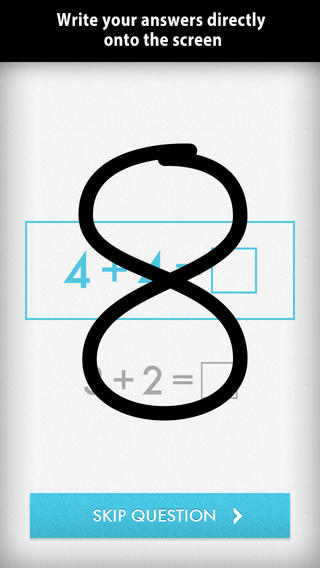
Was FREE for a limited time, currently $1.99 – Quick Math – Arithmetic & Times Tables, an educational app that encourages math fluency in addition, subtraction, multiplication, division, & mixed operations. Kids race against the clock to improve their scores. Handwriting recognition allows the players to write the answers directly on the screen – a very slick feature. There are 4 game levels: beginner, intermediate, advance, and extreme. This app features LOTS of great practice for multiple levels of math students. It can be shared among students and it tracks each student’s progress – perfect for the classroom. The math gets progressively harder as students improve their skills. I love how the app encourages self-improvement and legible writing! Teachers could assign 10 minutes of practice each day for their students. I am sure the results would be significant. What a fabulous tool for the classroom – perfect for a daily warm-up, at a math center, or for fluency practice after completing an assignment.
Common Core Standards met:
- 1.OA.6 – Add and subtract within 20, demonstrating fluency for addition and subtraction within 10.
- 2.OA.2 – Fluently add and subtract within 20 using mental strategies. By end of Grade 2, know from memory all sums of two one-digit numbers.
- 3.OA.7 – Fluently multiply and divide within 100, using strategies such as the relationship between multiplication and division or properties of operations. By the end of Grade 3, know from memory all products of two one-digit numbers.
Download link: https://itunes.apple.com/us/app/quick-math-arithmetic-times/id537802071?mt=8&uo=4
Was FREE for limited time, currently $1.99 – Math Evolve, an app that combines math practice (addition, subtraction, multiplication, division) with an arcade-style game that kids will enjoy playing. Math Evolve has 12 levels, 19 different enemies, and 6 challenging bosses that can be played on 3 difficulty settings. The app has 2 modes: practice mode and story mode. In practice mode, a parent or teacher can choose which math facts to practice and monitor a child’s progress. In the story mode, kids embark on math adventure across three environments: microscopic, ocean, and space. The difficulty of the math and the difficulty of the game can be set independently which makes the game fun for all ages. The app supports up to 5 players. Statistics are kept in the player history section so parent/teachers can evaluate how kids are progressing. This app would be great for independent practice in a classroom. It has customizable practice built into a fun game AND it collects statistical data – awesome!
For more information go to http://mathevolve.com.
Common Core Standards met:
- 1.OA.6 – Add and subtract within 20, demonstrating fluency for addition and subtraction within 10.
- 2.OA.2 – Fluently add and subtract within 20 using mental strategies. By end of Grade 2, know from memory all sums of two one-digit numbers.
- 3.OA.7 – Fluently multiply and divide within 100, using strategies such as the relationship between multiplication and division or properties of operations. By the end of Grade 3, know from memory all products of two one-digit numbers.
Was FREE for limited time, currently $.99 – Math Splat, a really fun mental math game. Kids are challenged to answer 21 math questions as fast as they can. A colorful paint splat covers each correct answer. Each game is timed and limited to 3 incorrect answers. Each incorrect answer adds a 3 second penalty to the final time. Kids will love trying to beat their best time! The student can choose between easy, medium, and hard questions which makes this game great for differentiating instruction. Have kids graph their scores so that they can see themselves improve and in the process they will also learn to collect data. This educational app is perfect for getting kids to practice their facts in a fun way!
Common Core Standards met:
- 1.OA.6 – Add and subtract within 20, demonstrating fluency for addition and subtraction within 10.
- 2.OA.2 – Fluently add and subtract within 20 using mental strategies. By end of Grade 2, know from memory all sums of two one-digit numbers.
- 3.OA.7 – Fluently multiply and divide within 100, using strategies such as the relationship between multiplication and division or properties of operations. By the end of Grade 3, know from memory all products of two one-digit numbers.
Download link: https://itunes.apple.com/us/app/math-splat/id495477324?mt=8&uo=4
Was FREE for a limited time, currently $2.99 – Operation Math, a great educational app from Spinlight Studio. Kids will have fun practicing basic addition, subtraction, multiplication, & division tables in this interactive “spy” game. The object of the game is to stop Dr. Odd’s quest to eliminate the world’s even numbers. In order to do so, kids must complete 105 missions by solving equations. Missions can be selected based on a child’s skill level and/or the operation (+, -, +/-, x, ÷, x/÷ or +/-/x/÷). Of course, time is of the essence so kids have to answer problems in 60 seconds or less. By doing so, they lock doors along their escape routes. And as they complete missions, they earn the gear of a seasoned spy. What a great game – I love how the app integrates math practice into a really cool game for kids. I especially like the modes which permit kids to practice multiple operations at a time. It makes kids pay attention to operation signs and quickly switch their thinking. What a fun way for kids to practice facts and meet CCSS! No wonderOperation Math was given a 2012 Parents’ Choice Award. Get it today – kids will LOVE it!
Common Core State Standards met:
- 1.OA.6 – Add and subtract within 20, demonstrating fluency for addition and subtraction within 10.
- 2.OA.2 – Fluently add and subtract within 20 using mental strategies. By end of Grade 2, know from memory all sums of two one-digit numbers.
- 3.OA.7 – Fluently multiply and divide within 100, using strategies such as the relationship between multiplication and division or properties of operations. By the end of Grade 3, know from memory all products of two one-digit numbers.
Download link: https://itunes.apple.com/us/app/operation-math/id487387270?mt=8&uo=4
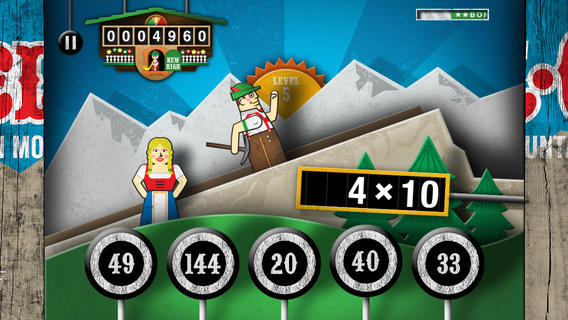
Was FREE for a limited time, currently $2.99 – YodelOh™ Math Mountain. Kids will have fun learning basic addition, subtraction, multiplication, and division math tables with this game. The object of the game is to score enough points to keep Hans from falling off the cliff. In order to do so, kids have to answer problems quickly and avoid the crazy charging sheep. And as kids score points, the questions get harder. The app also includes high-score charts that track the best 15 games for all 5 modes. I especially like the mode which permits kids to practice all 4 operations at a time. It makes kids pay attention to operation signs and quickly switch their thinking. What a fun way for kids to practice facts and it meets CCSS! Get it today. 🙂
Common Core State Standards met:
- 1.OA.6 – Add and subtract within 20, demonstrating fluency for addition and subtraction within 10.
- 2.OA.2 – Fluently add and subtract within 20 using mental strategies. By end of Grade 2, know from memory all sums of two one-digit numbers.
- 3.OA.7 – Fluently multiply and divide within 100, using strategies such as the relationship between multiplication and division or properties of operations. By the end of Grade 3, know from memory all products of two one-digit numbers.
Download math: https://itunes.apple.com/us/app/yodeloh-math-mountain/id634946225?mt=8&uo=4
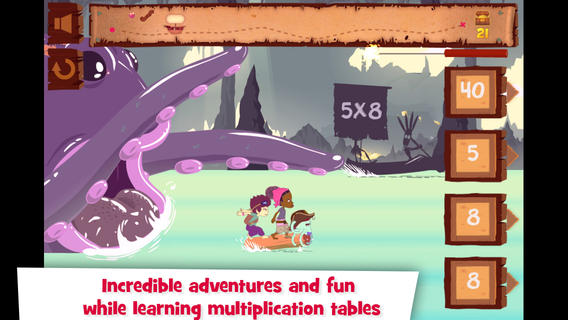
Was FREE for a limited time, currently $2.99 – Multiplications with Math Matthews, a great new app for studying multiplication facts. Kids join Math Mathews and his crew on a high seas adventure to find treasure and break the curse that turned him into an octopus. There are so many great things about this app that make it perfect for the classroom. The app includes a diary (ship’s log) that gives the back story to this adventure that kids are about to join. I envision teachers using this narrative as a group activity to get kids excited about joining the crew. Then the app is divided into 3 mini-games with each game using a different method of practice. Kids earn badges and collect gold as they practice facts. The app allows you to set which facts it will review. This feature makes this game particularly valuable in the classroom. Teachers can start with ones & twos, add fives, then three & fours – adapting their students’ practice to their teaching. And…the app can be used with 7 different players – perfect for small group practice, centers, etc. It keeps track of the progress for each individual – another plus for teachers. If I was still teaching, I would definitely use this educational app in my third grade classroom – it meet a CCSS for third grade multiplication. What a fabulous & fun learning tool for kids!!
Common Core State Standards met:
- 3.OA.7 – By the end of Grade 3, know from memory all products of two one-digit numbers.
Download link: https://itunes.apple.com/us/app/multiplications-math-mathews/id611130011?mt=8&uo=4
Was FREE for a limited time, currently $4.99 – Math Racer, an educational app that times how fast kids can answer 10, 20, 50 or 100 problems in 7 different games: addition, subtraction, multiplication, division, add/subtract, multiply/divide, or all operations. I like kids being able to practice related operations together – it makes them pay attention to operational signs & see connections. The app keeps high scores for all areas. It shows which problems were missed and how long it took to answer each question (to the hundredth of a second). Teachers and parents can use this tracking system to document kids’ progress.
This app provides a simple but fun way for kids to practice their facts. I can’t imagine that they won’t love racing the clock to improve their scores. If it is loaded on an iPhone, kids could easily practice their facts in the car on their way to after-school lessons. 🙂
Common Core Standards met:
- 1.OA.6 – Add and subtract within 20, demonstrating fluency for addition and subtraction within 10.
- 2.OA.2 – Fluently add and subtract within 20 using mental strategies. By end of Grade 2, know from memory all sums of two one-digit numbers.
- 3.OA.7 – Fluently multiply and divide within 100, using strategies such as the relationship between multiplication and division or properties of operations. By the end of Grade 3, know from memory all products of two one-digit numbers.
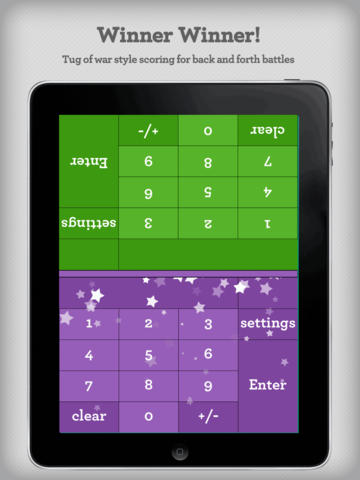
Was FREE for a limited time, currently $2.99 – Math Duel-2 Player Mathematical Game.This educational app pits two players against each other on the same device which makes it perfect for sharing iPads in the classroom. The app has a split screen interface – students sit facing each other on either end of the iPad. As kids answer math equations, the app keeps separate scores for each student. The best thing about this app is that it is fully customizable (on both sides) which makes it a fabulous tool for individualizing instruction for a wide range of students. Equations can be set with 1 – 5 terms. Largest numbers possible can be from 1 – 100. Negative numbers can be turned on/off. Kids can practice addition, subtraction, multiplication, division or any combination of these operations. Fabulous and fun for daily classroom math practice in multiple grades!
Common Core Standards met:
- 1.OA.6 – Add and subtract within 20, demonstrating fluency for addition and subtraction within 10.
- 2.OA.2 – Fluently add and subtract within 20 using mental strategies. By end of Grade 2, know from memory all sums of two one-digit numbers.
- 3.OA.7 – Fluently multiply and divide within 100, using strategies such as the relationship between multiplication and division or properties of operations. By the end of Grade 3, know from memory all products of two one-digit numbers.
Download link: https://itunes.apple.com/us/app/math-duel-2-player-mathematical/id495077699?mt=8&uo=4
Was FREE for a limited time, currently $1.99 – Bubbling Math, an educational app for the iPad helps students in grades 1 – 4 become proficient in basic math skills – addition, subtraction, multiplication, division. In the Task Configuration section of the app, parents/teachers choose the operations & the levels of difficulty (easy, medium, hard, expert). Descriptions tell specifically what kinds of problems are included in each level. The ability to customize what a child needs to practice makes this app very powerful. Another plus is that the levels can be set differently for each operation. The other powerful section of this app is the “parents section” where a child’s progress is reported by the date, the operations and levels practiced, the number right & wrong, the specific problems missed, and percent correct.
As for the actual game – there are 9 levels that unlock as the child makes progress. There are trophies awarded for doing well. The graphics and music are nicely done. The speed of the game can be adjusted – slow, normal, fast. But…what makes this app stand out is the ability to truly personalize it. Unfortunately, I don’t think the app tracks more than one child’s data. The data can be reset but the results for the first child would be lost. Regardless, this app is great!
Common Core Standards met:
- 1.OA.6 – Add and subtract within 20, demonstrating fluency for addition and subtraction within 10.
- 2.OA.2 – Fluently add and subtract within 20 using mental strategies. By end of Grade 2, know from memory all sums of two one-digit numbers.
- 3.OA.7 – Fluently multiply and divide within 100, using strategies such as the relationship between multiplication and division or properties of operations. By the end of Grade 3, know from memory all products of two one-digit numbers.
Thumbpire – The Funny Story Of A Little Monster’s Big Problem
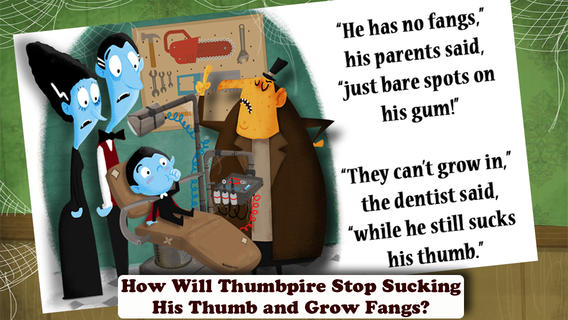
FREE today – Thumbpire – The Funny Story Of A Little Monster’s Big Problem, a cute e-book for young kids. The little vampire’s fangs will not come in because he sucks his thumb. Kids read along to find out how his problem is solved. The story would be great for a quick lesson on the elements of a story – setting, characters, problem, events, & solution. It is written by children’s author Stephen White of “Barney & Friends™ and Sarah G. White. Other features of the app include: “vampire” narration or read it myself, sound effects/music, and activity pages. Cute and just in time for Halloween!
Download link: https://itunes.apple.com/us/app/thumbpire-funny-story-little/id725671602?mt=8&uo=4
Doodle Critter Math: Shapes
FREE today only – Doodle Critter Math: Shapes, a cute learning game for 3 – 5 year olds. Kids learn six basic shapes (circle, triangle, rectangle, square, pentagon, and hexagon) through creative play. There are six activities (modes) within the app: learn, sort, match, remember, make, and find. In the learn mode, kids learn the names of the shapes and draw them by connecting dots. In the sort mode, kids feed their doodle friends shapes that match. Then they match shapes to real objects in the match mode. In the remember mode, kids are encouraged to look carefully at shapes before the shapes are hidden. The last two modes are especially fun. The make mode has kids putting puzzle shapes together to make animals. Vehicle puzzles are also offered as an in-app purchase. Finally, the find mode has kids looking for shapes in a scene from the fable, Fox and the Stork. If your child loves this mode, two other fables are offered as in-app purchases. This app is visually appealing and well-organized – great for little ones learning their shapes. After using it, kids can begin to create their own pictures using shapes with paper, puzzle pieces, or in another app. 🙂
Download link: https://itunes.apple.com/us/app/doodle-critter-math-shapes/id819125623?mt=8&uo=4
Here’s information and a link to an app for kids 6+ that will extend what they learned using Doodle Critter Math: Shapes.
Easy Studio – Animate with Shapes ($3.99) is an educational app that teaches kids how to animate! This app uses geometric shapes to explain and to teach kids about animation. The app has two levels – “easy” mode and “expert” mode. The “easy” mode starts with a step-by-step tutorial. There are 5 additional levels that contain predefined patterns to guide kids through the animation process. The “expert”mode also has a variety of shapes and pre-defined templates but there is no longer guidance provided. Older students will be able to create more sophisticated animations in this mode using their own imaginations. The app contains a library to store, view and edit saved animations. The library also has 4 examples of completed animations – very cool. The app can be set for 11 different languages: English, French, German, Italian, Dutch, Spanish, Japanese, Chinese, Portuguese, Russian, and Korean. What a GREAT app for the kids 6 and older – hours of creative fun await them!!
Download link: https://itunes.apple.com/us/app/easy-studio-animate-shapes!/id593847174?mt=8&uo=4
Toca Boca Apps – $.99 sale
I LOVE Toca Boca apps!! They make learning what it should be – fun, creative, and joyful! 11 of their apps are on sale for $.99 each. These apps are usually $2.99.
Toca Hair Salon, one of my favorite educational apps for toddlers! Kids go into the salon to groom 6 different characters. They can use the tools in the salon to style their hair – cut it, comb it, make it grow, shave it, color it, etc. Great sound effects are also included in this fun app. Kids or parents can take a photo of the finished creation and save it to their camera roll. If parents wish, creations may be posted on the Toca Boca Facebook page. The developers have also built-in options to turn off sounds, pictures, and news. What a great springboard for creative writing – give a character a whole new look and write a story to go with it. What a fun writing activity for a Wacky Hair Day!! Download link: https://itunes.apple.com/us/app/toca-hair-salon/id426382105?mt=8&uo=4 
Rock on… with Toca Band. This educational app for the iPhone/iPad encourages kids to explore music as they mix beats & sounds together to produce a hit song. The 16 characters in this app each have their own sound and rhythm. Kids drag different combinations of performers on stage to create their own musical band. How a character plays depends on where he/she is placed on the stage. Characters can also be chosen to give a solo performance. Even the names of the characters are fun: Bang Bang Chef on the drums, Dancy Nancy on the piano, Shaky McBones on the maracas,etc. Another great educational app from a developer that makes learning what it should be – fun, creative, and joyful!
Download link: https://itunes.apple.com/us/app/toca-band/id521640648?mt=8&uo=4
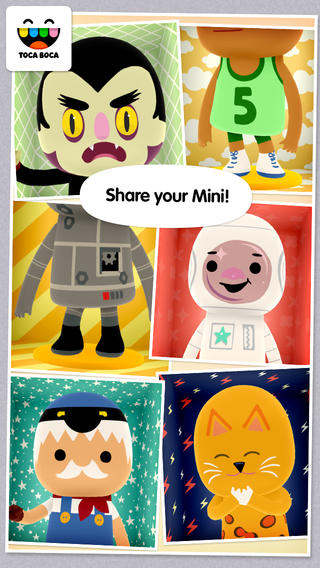
Toca Mini, another creative app from Toca Boca. With this app kids can create silly monsters, imaginary animals, or playful friends. Toca Minis can become whatever you want them to be. To start, kids add colors to the mini’s body, arms, & legs. Then they add details using a wide variety of stamps – bows, hats, buttons, polka dots, etc. Next, kids add facial features which brings their minis to life – they, ooh, ah, sneeze, smile, blink, and more. Kids can also add hair, eyebrows, beards, mustaches, etc. With 60 different colors and 78 different stamps, there are thousands of possible combinations. When kids finish creating their own unique mini, they can take a snapshot and save it to the camera roll. Then they can print it, share it, pull it into a story writing app, and more. Creating a mini could be a great springboard for creative writing – descriptive paragraphs, a story about their created character/creature. Toca Boca has created another open-ended, creative app!
Download link: https://itunes.apple.com/us/app/toca-mini/id718082838?mt=8&uo=4
Toca House, another fantastic app for toddlers from Toca Boca. Kids help 5 friends do household chores – iron, sweep, sort mail, plant the garden, etc. There are 19 mini games in all. Kids will love the fun sounds that accompany the tasks! If your child likes the other Toca Boca apps, you’ll want to add this one to your collection today because these apps do not go on sale or free that often. This is another great app from a developer that makes learning fun. Download link: https://itunes.apple.com/us/app/toca-house/id495680460?mt=8&uo=4
On sale – Toca Kitchen, another fun educational app from Toca Boca. Kids take to the kitchen to cook for four lovable characters. In the frig they will find 12 different foods that they can prepare 180 different ways. They can slice, blend, boil, fry, microwave, and/or mix the foods together. They can also add seasoning to the food; but they need to be careful not to add too much. Once the food is prepared they plate it up, serve it to the character, and wait for a reaction. Kids will learn which foods each character prefers in a fun creative way. I love the questions and conversations that Toca Boca apps inspire. It’s no wonder that this app was a Gold Winner of the Parent’s Choice Awards in 2012. Teachers – use this app to inspire creative writing. Write stories or poems about being a cook and the preferences of your consumers. Or, you could have kids compare and contrast the food preferences of the different characters on a graphic organizer. This app also inspires conversation about healthy eating. There are lots of possibilities for learning while having fun!
Download link: https://itunes.apple.com/us/app/toca-kitchen/id476553281?mt=8&uo=4
Toca Store turns your iPhone or iPad into play store for your preschooler and a friend with this app. This app permits your child to choose which items to sell (34 choices), set prices for the items, invite a friend to shop, count money, bag the items, etc. It’s a very cute simulation that teaches: taking turns, cooperation, and basic counting. Toca Boca apps are very popular and usually sell for $1.99 – 2.99. Toca Store is on sale today. 🙂
Download link: https://itunes.apple.com/us/app/toca-store/id442705759?mt=8&uo=4
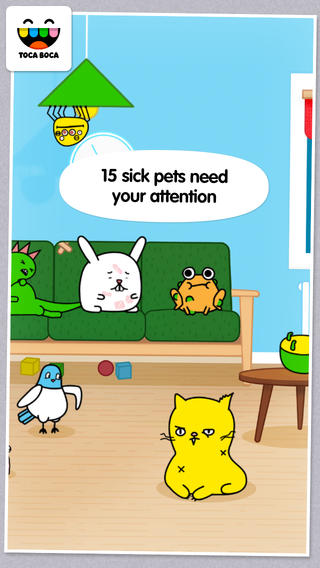
Toca Pet Doctor is another creative app for preschoolers from Toca Boca. The app guides kids (ages 2 – 6) through activities that teach them to care and feel for animals. Fifteen animals need some tender loving care. Kids come to their rescue in a variety of ways. They help to clean & medicate Rascal’s ear, flip over Tarzan the upside down turtle, untie the knotted worm, and more. After the animals are cured, kids feed them and they go back to sleep. If your child likes the other Toca Boca apps, you’ll want to add this one to your collection today. These apps do not go on sale or free that often. Another great app from a developer that makes learning fun. 🙂 Download link: https://itunes.apple.com/us/app/toca-pet-doctor/id808108897?mt=8&uo=4
Also $.99 – Toca Builders, another wonderfully creative app from Toca Boca. Kids (ages 5+) create things with the help of 6 builder friends: Blox, Cooper, Vex, Stretch, Connie, and Jum-Jum. Each builder has unique skills which kids can control with simple gestures. The builders help move, stack, drop, spray, smash, paint, & lift blocks as kids create/construct new objects.The educational app also has a snapshot feature and an autosave feature to share & save the world that your child has created. If your child can imagine it, he/she can build it with the help of the Toca Builders – creative fun for your budding engineer/builder!
Download link: https://itunes.apple.com/us/app/toca-builders/id652077009?mt=8&uo=4
Also on sale: Toca Train: https://itunes.apple.com/us/app/toca-train/id521640355?mt=8&uo=4
Toca Cars: https://itunes.apple.com/us/app/toca-cars/id689936776?mt=8&uo=4
Toca Tailor: https://itunes.apple.com/us/app/toca-tailor/id556430416?mt=8&uo=4 Enjoy!!
Appy Halloween – 24 Educational Apps for Howliday Fun!
Only 3 days until Halloween!
Here are 24 educational Halloween apps with links so that you can download them. They were all FREE when I downloaded them – which is why you should follow my blog. 🙂
Several of them are FREE again. Enjoy and Happy Halloween!!
FREE for a limited time – Grandmas Loves Bugs, another adorable educational app for preschoolers by Fairlady Media. Kids join dancing grandma in her garden to learn all about bugs. The app features 10 educational games – all thematically linked. Kids will love helping grandma in her garden and they will be learning math & reading as they do. The app also features short videos of real bugs in action. Some of the educational content in the games include: colors, observation (spot the difference), numbers (recognition & counting), letters (upper & lower case), memory, problem solving, and vocabulary. This app is nicely done for little ones – educational content covered in a fun way with a dancing Grandma to celebrate a job well-done!
Download link: https://itunes.apple.com/us/app/grandma-loves-bugs/id666526099?mt=8&uo=4
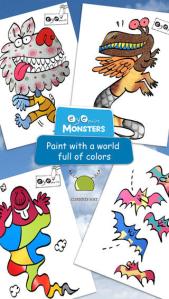
WARNING! Do no install this version of EyePaint Monsters on iOS 8.x devices! The developers are working to fix a problem that produces a black camera signal.
Eye Paint Monsters is FREE again for a limited time for iPhone/iPad. This educational apps lets your child paint illustrations by Japanese artist, Mitsue Haya, in a very unique way. Kids”paint” using their cameras to capture the colors, textures, patterns around them. To begin, a child chooses one of the 10 included illustrations. He/she taps to select the area to be filled in and the creativity begins! Work can be saved to the photo library for sharing or printing. Easy, fun, and very creative!!
Download link: https://itunes.apple.com/us/app/eyepaint-monsters/id569067561?mt=8&uo=4
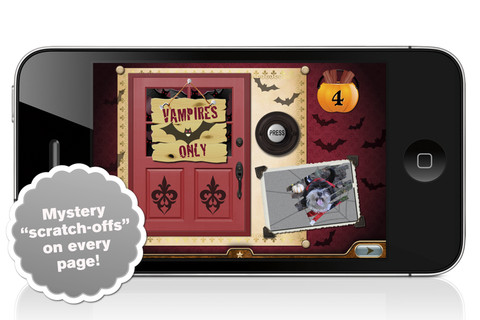
Millie’s Book of Tricks and Treats is currently $.99. The Millie books feature a very cute, lovable dog and kids absolutely LOVE them! If you own some of Millie’s other books: Meet Millie and Millie and the Lost Key, you will want to download this one too. This book presents a series of silly tricks & treats featuring Millie – nothing scary for little ones. Every time you read it, the randomly generated video clips change so the book is always different.There is also a scratch-off picture & hidden sticker on every page. Love this series!

Also $.99 – Millie’s Book of Tricks and Treats, Volume 2, featuring more dog tricks and/or dog treats. LOVE these books!
Download link: https://itunes.apple.com/us/app/millies-book-tricks-treats/id569720229?mt=8&uo=4

FREE – Toca Kitchen Monsters, another fun educational app from Toca Boca. Kids take to the kitchen to cook for two lovable monsters. In the frig they will find eight different foods that they can slice, blend, boil, fry, or microwave. They can also add seasoning to the food but they need to be careful not to add too much. Once the food is prepared they plate it up, serve it to the monster and wait for a reaction. Kids will learn which foods each monster prefers – fun creative play!!
Teachers – use this app to inspire creative writing. Write stories or poems about each monster. It would also be fun to compare and contrast the food preferences of the monsters on a graphic organizer. Fun learning activities for Halloween!
Download link: https://itunes.apple.com/us/app/toca-kitchen-monsters/id510301841?mt=8&uo=4
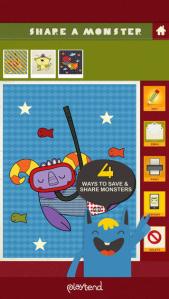
FREE for a limited time – Monster Coloring Book. Kids can paint 175 different monsters with no clean-up necessary! As they paint, they listen to classical music by Rachmaninov, Bach, Beethoven, and Brahms. Kids can paint with their fingers or use the “touch and fill” option. Enhancements include: stickers to accessorize the monsters and patterns to make the monsters unique. Once kids have designed their monster images, they can save them to their gallery. There they can turn their monster into a puzzle for use with Monster Puzzles – available in the App Store for $1.99. Creations can also be shared via email or they can be printed. This educational coloring app is well-designed!
Teachers – use this app to inspire creative writing! Kids could create their own monsters for a variety of language arts activities – a lesson on adjectives followed by descriptive paragraphs, conversation between two monsters, compare & contrast two monsters using Venn diagrams, creative stories, etc.
Download link: https://itunes.apple.com/us/app/monster-coloring-book/id435676573?mt=8&uo=4
Carve-a-Pumpkin from Parents Magazine is FREE for the iPhone/iPad. Kids first choose one of five pumpkins (orange, white, orange with green, black or orange & bumpy). They can “cut” it by hand or use premade eyes, noses, mouths, and faces. Instead of cutting the pumpkins, kids can choose to decorate them with stickers. In either mode, kids can manipulate the size and orientation of the objects that they add. There is an undo and redo button to change things easily. Once the pumpkins is complete, kids choose a background. The final project can be shared on Facebook. Twitter, & emailed, or saved as a photo. This app would be fun for kids to use as a planning tool for real pumpkin carving.

Currently $1.99 – Hiding Monsters is an interactive book for kids 2+ for the iPhone/iPad. Kids play hide and seek with a group of friendly monsters in this interactive e-book. Narrated by Tom Kenny (the voice of SpongeBob SquarePants) and illustrated by Melanie McCall, this book is adorable! Your child will love reading through the story and finding where the monsters are hidden. And the best part is that the hiding places change every time you read the story. Really cute!!
Download link: https://itunes.apple.com/us/app/hiding-monsters/id527412776?mt=8&uo=4
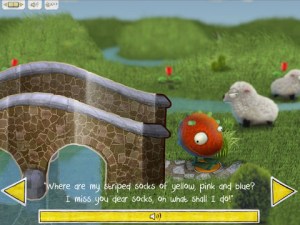
Currently $2.99 – Monster’s Socks is a darling interactive tale about a little monster who goes in search of his lost socks. Kids join Monster on his journey and help him cross streams, sail across the sea, and blast into outer space to find the lost socks. The story advances in a unique way – as Monster travels page by page through the book, he stops on the yellow dots and the text appears. The animation and interactivity are done in a meaningful way that enhances the story. This educational app is a great example of what an interactive book should be – don’t miss it!!
Download link: https://itunes.apple.com/us/app/monsters-socks/id521546698?mt=8&uo=4
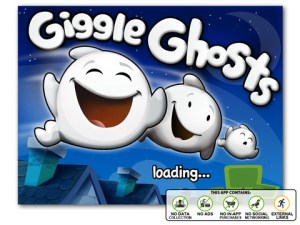
Giggle Ghosts, a counting app for toddlers currently $.99. The giggle ghosts are very cute – kids will love to hear them laugh. Kids help twenty ghosts get the party by bouncing them across rooftops. In the first level the sky is clear and they have to bounce five ghosts. The app counts to five and shows the written numbers. The second level is the same but there are leaves blowing in the sky. In the third level there are clouds in the sky and in the fourth level it is raining – both provide additional practice counting from one to five. At the end, all twenty ghosts at the party are counted. This educational app is great for little ones at Halloween – nothing scary, just fun & friendly ghosts going to a party 🙂
Currently $.99 – Monsters: Videos, Games, Photos, Books & Interactive Activities for Kids by Playrific. This digital activity pack features monster-themed books, songs, and activities for kids – just in time for Halloween! Read Where the Wild Things Are, sing songs with the Happy Monster Band, make monster cupcakes, watch monster cartoons. All content has been prescreened by the developer.
Download link: https://itunes.apple.com/us/app/monsters-videos-games-photos/id667015095?mt=8&uo=4
Math vs Zombies is currently full price – $4.99. Kids become highly trained scientists with the mission of saving the world from zombies. Using their math skills, they transform the zombies back into humans. The app has four worlds – addition, subtraction, multiplication, and division. Each world has 7 levels which can be set to easy, medium, or hard – making this app suitable for multiple grade levels. Kids will love the “spooky” music, howling wind, and “scary” zombies. The combination turns math practice into a Halloween treat!
Download link: https://itunes.apple.com/us/app/math-vs-zombies-math-games/id470896560?mt=8&uo=4
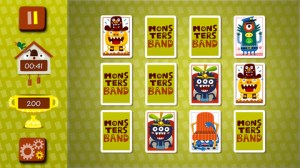
The memory game section of the Monsters Band app for the iPhone/iPad is currently FREE. Kids can choose their level of difficulty – 12, 20, or 30 cards to match. Points are awarded based on what level is being played. There are also time bonuses. Kids may register to build points and earn stickers but it is not necessary to do so in order to play. Very cute card memory game – love the silly monsters! Also available as in-app purchases are 3 levels of jigsaw puzzles and 3 levels of quizzes.
Download link: https://itunes.apple.com/us/app/board-games-free-educational/id568840477?mt=8&uo=4
FREE for a limited time – My Monster Mayhem, an interactive e-book for the iPhone/iPad which normally sells for $4.99. It is the story of a little girl and all of the monsters in her house (imagination) that prevent her from doing what her mother asks her to do – turn off lights, not waste dental floss, etc. What her mother doesn’t seem to understand is that she is really a hero!
The storyline is cute and there are animations/interactivity found on almost every page – kids pop bubbles from the bathtub, play tug of war with the Broncus Dentus, etc. Kids also collect hidden monsters on almost every page to unlock puzzles at the end of the story. The “existence” of the monsters is left open for discussion/interpretation – perfect for kids that are a bit older. Thanks for another great story, Digital Leaf!
Download link: https://itunes.apple.com/us/app/my-monster-mayhem/id568428630?mt=8&uo=4
My Beastly ABCs (featured in USA Today’s Top 10 iPad Apps for Kids) is currently $2.99. Kids join a young boy (who is reluctant to get out of bed) on a magical adventure through a not-so-ordinary day. Told in rhyme, the story recounts the boy’s day as he encounters 26 friendly monsters (one for each letter of the alphabet) from all over the world. Kids join in this interactive tale as they play hide & seek with a Boogey Monster, learn how to floss from a Vampire, uproot a Mandrake family, and much more. The app is narrated by Jim Dale with whimsical background music & great sound effects. It has 3 play modes: with narration, without narration, or auto-play. Everything about this educational app is top quality – beautifully illustrated with the perfect amount of animation & interactivity. There is also an index that gives kids monster facts & descriptions. Kids can read and learn about each of the beasts’ unique characteristics and place of origin. Lots of fun!!
Download link: https://itunes.apple.com/us/app/my-beastly-abcs/id578158826?mt=8&uo=4
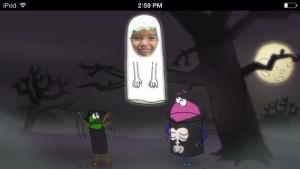
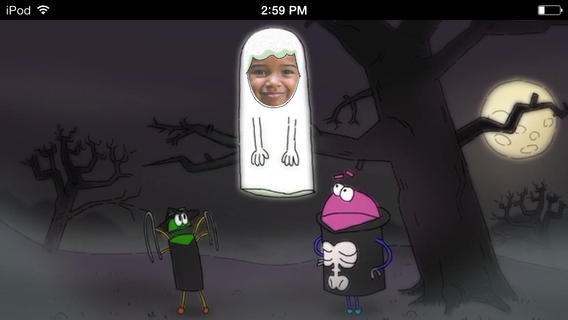
A StoryBots Halloween is currently FREE! Cast up to 5 members of your family in this cute & catchy animated Starring You® Video. It’s easy to cast your family members as a vampire, a ghost, a werewolf, a mummy, or Frankenstein’s monster. Just take or upload a photo, position the face, then name your character. In no time you and your kids will be dancing with the StoryBots like the “Boogie” Man! If you’d like, you may share your final creation via email, Facebook or Twitter. VERY cute and fun!
Download link: https://itunes.apple.com/us/app/storybots-halloween-starring/id701184040?mt=8&uo=4
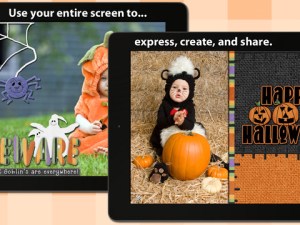
FREE again – Scrap It: Halloween HD for the iPad. You (or your child) can add a Halloween touch to your photos with this app. First take a photo or use an existing one. Using the photo editor, you can crop it and/or add an effect (about 40 filters available). Then its time to get creative – add stickers, change the papers & tiles, add letters & numbers/ribbons/word art, and add & manipulate text using the text editor. Items can be resized, shadowed, sent to the back, sent to the front, etc. Creations are saved in My Scrap Pages. They can also be shared on Facebook, Twitter, Tumblr, via email. They can be saved to your camera roll or printed. I think kids would love decorating pictures of themselves, their family & friends, and the family pet. 🙂 You could also create an electronic postcard or invitation with this app. Lots of possibilities!!
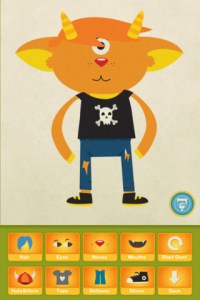
Dibu’s Monster Maker Lite is FREE for the iPhone/iPad. Dibu is a little boy who loves monsters so he created a machine to build them – I think this is how Dr. Frankenstein got started 🙂 The Monster Maker has hundreds of combinations of monsters waiting to be made. The lite version has 2 bodies to choose for the base.Then kids add hair, eyes, noses, mouths, hats & horns, tops, bottoms, and shoes. There is also a random monster generator which creates a monster with one tap. Finished monsters can be named then saved, printed, made into a puzzle, or emailed. This app also has a child lock that hides all promotional buttons and disables printing & emailing. And… there is a “parents only” button which gives written instructions for access to the app store. The developer does not want young children to end up there accidentally – how refreshing!
This app would be great to use with elementary aged kids. They could create a monster then write a descriptive paragraph about it. They could create two monsters and do a Venn diagram comparing and contrasting the monsters. Lots of possibilities!
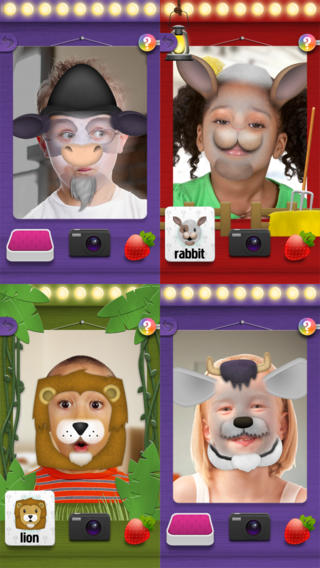
Mask Jumbled Animals is a fun educational game for kids. It turns their faces into animal faces! Kids look into the app’s mirror and animal parts will appear on their faces. They tap to match the ears, nose, chin, and hair in order to complete 1 of 20 different animal masks. When the mask is complete, kids catch strawberries in their mouths to unlock a new mask. The mask puzzles are really cute for preschoolers who will be delighted to be an elephant, a lion, a panda, etc. But… the best part of this app is the ability to take pictures of kids in their masks which makes this app a fabulous resource for creative writing! Pull those pictures into a story writing app and off you go.
Download link: https://itunes.apple.com/us/app/mask-jumble-animals/id548763608?mt=8&uo=4
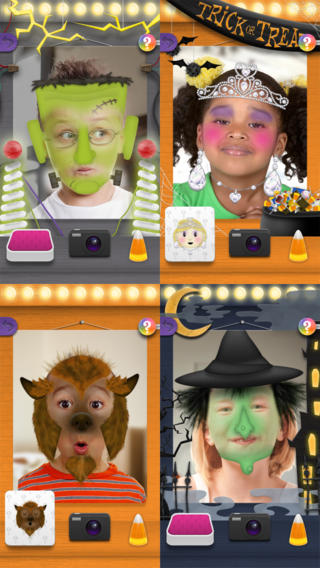
Also FREE from the same developer – Mask Jumble Halloween. This app works just like Mask Jumbled Animals. 🙂
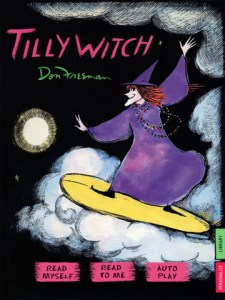
Tilly Witch by Don Freeman (author of Corduroy) is Currently $1.99. The story is a Halloween classic about a witch who forgets how to be mean! Check out this great story from a well-known author of children’s books.
Like other titles from Auryn Apps, this story can be personalized by having your child narrate it – a super option for kids who are learning to become more fluent readers.
The Scariest Halloween Story Ever is currently $1.99. Kids follow Candy Corn Man on an interactive Halloween adventure. I taught third grade for MANY years and I think this book would be enjoyed by most kids 8+. Younger students may be a bit scared by the bugs, bats and/or the monster eyeballs (which turn out to only be meatballs) so make sure you know your audience. It’s a cute story. 🙂
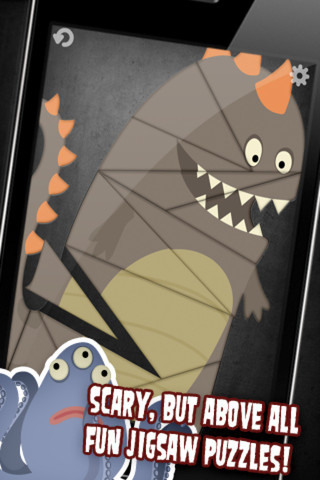
Jigsaw Puzzle with Monsters is currently $2.99. It includes 12 “scary” monster puzzles for kids 4+. To begin, kids click on one of the 12 monsters shown on the desktop. The puzzle pieces disperse and kids are supposed to drag each piece to its proper place. When the puzzle is completed, the monster makes a sound. Very cute !
Download link: https://itunes.apple.com/us/app/jigsaw-puzzle-with-monsters/id432517324?mt=8&uo=4

Only $.99 – Cutie Mini Monsters is an iPhone/iPad app for preschoolers. This educational app introduces kids to number recognition and counting. Kids meet Blushy, Toothy, Golly, Taily, Blobby, Growly, and Snouty. They count the monsters’ body parts – tails, eyes, feet, spikes, etc. The app also includes 9 simple jigsaw puzzles featuring the same characters. Cute for little fans of monsters!
Download link: https://itunes.apple.com/us/app/cutie-mini-monsters/id585384521?mt=8&uo=4
Also only $.99 – Cutie Monsters – Jigsaw Puzzles, another interactive counting app for your little ones. This app was featured by Apple as a best app for 5 and under.
Download link: https://itunes.apple.com/us/app/cutie-monsters-jigsaw-puzzles/id585378286?mt=8&uo=4
Dino-Store Storybook
FREE for a limited time – Dino-Store, a funny interactive story for early readers. Leo and his father go to the store to get eggs and chose a carton of HUGE ones. 12 baby dinosaurs hatch out and that’s where the fun begins! Kids can choose to follow along or read on their own as they enjoy the cute illustrations and fun interactions. And…the story line leaves it open for a sequel! This book would be great for teaching story sequence or as a springboard to writing about the dinosaurs’ further adventures.
Grandmas Loves Bugs
FREE for a limited time – Grandmas Loves Bugs, another adorable educational app for preschoolers by Fairlady Media. Kids join dancing grandma in her garden to learn all about bugs. The app features 10 educational games – all thematically linked. Kids will love helping grandma in her garden and they will be learning math & reading as they do. The app also features short videos of real bugs in action. Some of the educational content in the games include: colors, observation (spot the difference), numbers (recognition & counting), letters (upper & lower case), memory, problem solving, and vocabulary. This app is nicely done for little ones – educational content covered in a fun way with a dancing Grandma to celebrate a job well-done!
Download link: https://itunes.apple.com/us/app/grandma-loves-bugs/id666526099?mt=8&uo=4
Musical Paint
FREE for a limited time – Musical Paint a creative, multi-sensory app for the iPhone/iPad. Kids are welcomed into an art museum by a friendly blue walrus with a French accent. There is also an ensemble of lively musicians (underwater animals) at the museum. Kids are invited to paint a picture on a canvas. Each color is a musical tone so when the kids paint, they are painting music! If the child chooses to save his/her painting, it is hung in the museum – a very cute feature. They even get to sign their work. Kids can also share their paintings via email. What fun it would be for kids to send Grandma a picture of their masterpiece that is in a museum!! The app also has a lesson plan section for teachers & parents. Nicely done app for younger kids!!