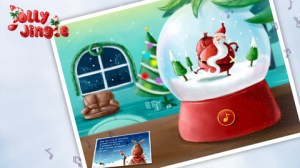
FREE again – Christmas Carols for Kids, Sing Along Songs – Jolly Jingle, a super cute Christmas app. The app includes 5 animated songs: ♪ Jingle Bells, ♪ Rudolph the Red-Nosed Reindeer, ♪ Frosty the Snowman, ♪ Up on the Housetop, and ♪ We Wish You a Merry Christmas. It opens up to a snow globe which has 5 different scenes to represent the songs within the app. Lyrics can be turned on or off. Songs can be enjoyed 4 different ways: as an instrumental, as a piano solo, or sung by a female soloist or by children. Each song also includes fun interactive surprises – a very cute, MUST-have for the holidays!
Category Archives: educational apps for kids
YodelOh™ Math Mountain
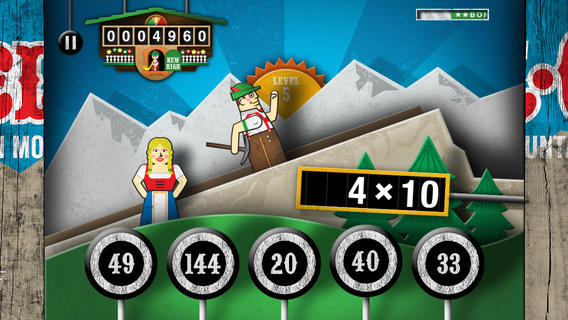
Spinlight Studio is celebrating the 12 Days of Christmas by giving away an app each day! Thank you, Spinlight Studio. Today’s FREE educational app is YodelOh™ Math Mountain. Kids will have fun learning basic addition, subtraction, multiplication, and division math tables with this game. The object of the game is to score enough points to keep Hans from falling off the cliff. In order to do so, kids have to answer problems quickly and avoid the crazy charging sheep. And as kids score points, the questions get harder. The app also includes high-score charts that track the best 15 games for all 5 modes. I especially like the mode which permits kids to practice all 4 operations at a time. It makes kids pay attention to operation signs and quickly switch their thinking. What a fun way for kids to practice facts and it meets CCSS! Get it today. 🙂
Common Core State Standards met:
- 1.OA.6 – Add and subtract within 20, demonstrating fluency for addition and subtraction within 10.
- 2.OA.2 – Fluently add and subtract within 20 using mental strategies. By end of Grade 2, know from memory all sums of two one-digit numbers.
- 3.OA.7 – Fluently multiply and divide within 100, using strategies such as the relationship between multiplication and division or properties of operations. By the end of Grade 3, know from memory all products of two one-digit numbers.
Download math: https://itunes.apple.com/us/app/yodeloh-math-mountain/id634946225?mt=8&uo=4
Drawing with Carl
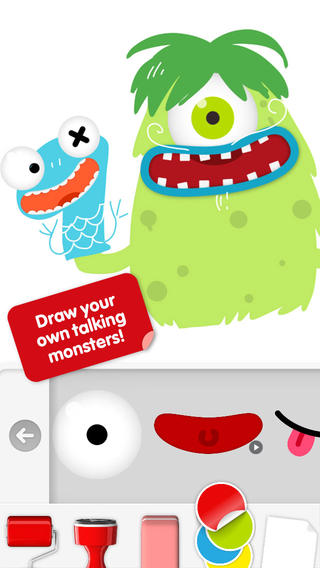
Do you have a child who LOVES to draw? FREE today – Drawing with Carl is a fantastic drawing app for kids. This educational app is very intuitive and easy to use. Kids create pictures using 8 kinds of tools – pencils, crayons, paint brushes, markers, paint tubes, rollers, stampers, erasers, and stickers. The sticker tool is particularly fun. It includes stickers of Carl and his friends, backgrounds (which includes access to your photos), facial features, the alphabet, dinosaurs, mustaches, and assorted shapes. Kids can create and play with talking stickers that repeat anything they say in a funny voice! How fun is that?? Draw a monster and add a talking mouth, import a picture and add a talking mouth, etc. The app also includes 14 colors with and the option to create new colors. Works of art can be shared – save them as photos, email them, or posted them to FB. It’s no wonder that this app has been featured by Apple. Hours of creative fun await your kids!!
Swapsies Occupations
FREE today – Swapsies Occupations, a cute educational app for toddlers. The app features 10 community helpers – baker, pilot, mail carrier, doctor, police officer, firefighter, builder, astronaut, engineer, and rancher. There are two different modes: a dress-up game and an interactive quiz. In the dress-up game mode, kids mix-and-match hats, tops, & bottoms to find the correct combination. Once the clothes are properly matched, a fun activity is unlocked for each occupation. The quiz mode is age-appropriate. Kids are asked to make connections, reason, and classify – find 3 things that fly, find 2 things that are round, find 5 things a baker uses, etc. Additional information is available in the parents’ section where you can download the Swapsies Occupations App Guide. This app was featured in Apple’s Apps for Preschool and Kindergarten. It’s also a Parents Choice Award winner. Nicely done!!
Download link: https://itunes.apple.com/us/app/swapsies-occupations/id416577459?mt=8&uo=4
Toontastic
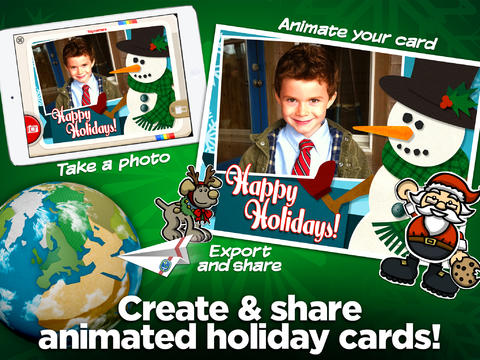
Kids can create and share holiday greetings with two new features released today: Toy Camera Cards and Winter Playsets.
Parents and teachers love Toontastic and kids can’t stop creating! Named by the NY Times as one of Top Ten iPad apps of 2011, Toontastic is a fabulously creative FREE app for kids. This educational app allows kids to draw, animate and share their own cartoons AND at the same time, it teaches them the elements of a story – an extra added educational bonus. 🙂 Kids are able to use backgrounds and characters from the app or create their own with the drawing tools that are provided. The basic app is FREE with several in-app purchases available. Final creations can be shared online via ToonTube, Toontastic’s global storytelling network. Over 7 million cartoons have been created in over 200 countries. Unleash your child’s creativity with this great app!!
Here is a link to more information: Toontastic: Play, Create, Learn on the iPad!.
Not only are the possibilities for using this app are endless but a child’s work can be shared with parents, grandparents, other classes, etc.
Toca Kitchen
FREE for a limited time – Toca Kitchen, another fun educational app from Toca Boca. Kids take to the kitchen to cook for four lovable characters. In the frig they will find 12 different foods that they can prepare 180 different ways. They can slice, blend, boil, fry, microwave, and/or mix the foods together. They can also add seasoning to the food; but they need to be careful not to add too much. Once the food is prepared they plate it up, serve it to the character, and wait for a reaction. Kids will learn which foods each character prefers in a fun creative way. I love the questions and conversations that Toca Boca apps inspire. It’s no wonder that this app was a Gold Winner of the Parent’s Choice Awards in 2012.
Teachers – use this app to inspire creative writing. Write stories or poems about being a cook and the preferences of your consumers. Or, you could have kids compare and contrast the food preferences of the different characters on a graphic organizer. This app also inspires conversation about healthy eating. There are lots of possibilities for learning while having fun!
Download link: https://itunes.apple.com/us/app/toca-kitchen/id476553281?mt=8&uo=4
gFlash+ Flashcards & Tests
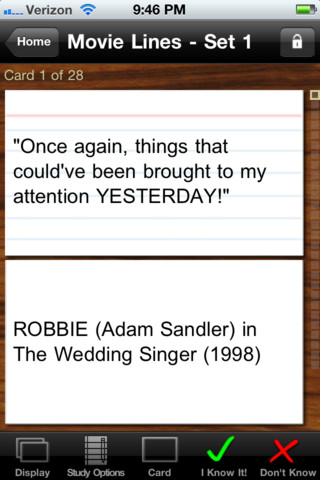
GFlash+ Flashcards & Tests is currently FREE. This educational app allows you to create, download, and manipulate flashcards for everything that you can imagine. You can create your cards in a Google docs spreadsheet and download it into the app or you can create your cards within the app. There is no limit on how many card sets you can have. Card sets created by leading educational publishers (Kaplan, Barron’s, McGraw-Hill, Wiley Publishing, etc.) are available as in-app purchases. You can also download and share sets from the gWhiz catalog. You must have an active wireless connection to download card sets or to use card sets with videos.
Once you have your cards ready, studying becomes simple. First choose box configuration or classic configuration. Both configurations keep track of the cards that are known & unknown. The box configuration has an unknown box, a known box, and a mastered box. As you go through the cards, the app keeps track of how many cards are in each box. In the classic mode, there is line of small cards on the right side of the screen. If you know a card, the little card turns green and if you do not know it, it turns read. It’s a nice visual for younger kids. A study score (percentage) is also given. Teachers of younger students could create the cards in Google docs for kids to download and study. This app is such a valuable tool for students of all ages to use in so many ways. I wish it would have been available when my kids were studying for the SAT and GRE. 🙂
Highly recommended!
World’s Worst Pet – Vocabulary
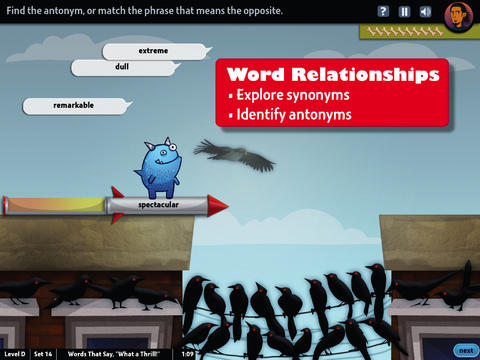
FREE educational app – World’s Worst Pet – Vocabulary. Snargg, a cute blue pet needs kids to use their vocabulary skills to get him out of trouble. The app’s four games teach context, word sorts, synonyms, & antonyms as they expose kids to over 1000 words across 5 levels: grades 4 – 8. Words are taught in sets – 10 conceptually related words per set. Kids are encouraged to replay each word set to improve their scores. Other features of the app include: clearly explained definitions with examples of how the word is used, multiple exposures to words, writing prompts, and… a really fun narrative with rewards. The app allows multiple players making it perfect for use in the classroom. Teachers can use it to differentiate instruction, as part of a center, for individual or group assignments, as homework, etc. There are so many great things about this app – meaningful content, a fun interface, and it meets CCSS. Fabulous!
Common Core Standards met:
4.L.5 – Demonstrate understanding of figurative language, word relationships, and nuances in word meanings. c.Demonstrate understanding of words by relating them to their opposites (antonyms) and to words with similar but not identical meanings (synonyms).
5.L.5 – Demonstrate understanding of figurative language, word relationships, and nuances in word meanings. c. Use the relationship between particular words (e.g., synonyms, antonyms, homographs) to better understand each of the words.
Download link: https://itunes.apple.com/us/app/worlds-worst-pet-vocabulary/id730540095?mt=8&uo=4
AlphaTots
FREE again for a limited time – AlphaTots, a GREAT ABC app for kids! What makes this app unique is that it uses 26 action words to teach the alphabet. Kids are asked to complete 26 interactive tasks, for example: b – build a robot, p – play instruments, z – zap alien spaceships, etc. This app has been featured on The Today Show and has received a lot of positive press. It is a VERY fun app for toddlers/preschoolers who are learning their alphabet!!
Resources for Computer Science Education Week: Dec. 9 – 15
There is a lot of excitement building up about Computer Science Education week which begins tomorrow. Check out the csedweek website @ The Hour of Code 2013 | The Hour of Code 2013 for lots of ideas.
The purpose of this week is to show kids the importance of computer science by getting them involved in an Hour of Code. Learning to code can turn anyone into a creator or innovator. How? Start by watching this video for inspiration – The Hour of Code is coming – YouTube. Try coding yourself. Then try it with your students. We are living in creative, exciting times – be part of it!! 🙂
Here are two fabulous resources to use:
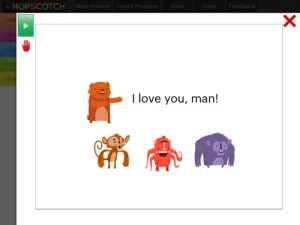
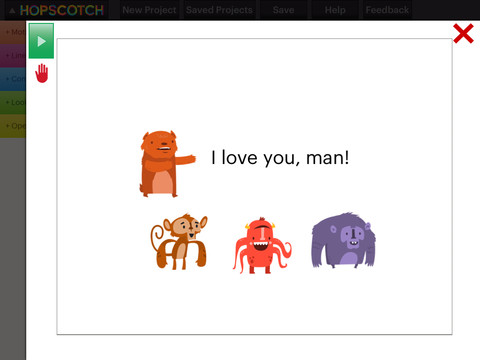
Hopscotch HD is an educational app that teaches kids how to program their own games and animations! Introduce kids to computer science with this app. 🙂 Kids drag and drop “method blocks” into scripts. When they are done, they can press play to see their code in action! Why teach kids coding? According to the developer – there will be about 1.4 million computer jobs by 2020 and only 400,000 computer science students. Many coders first fell in love with coding when they were 8-12 year old children. Hopscotch is based on a visual programming language named Scratch which was developed by MIT. It promotes STEM education (science, technology, engineering and math) in a fun way – by making coding kid-friendly! LOVE it!!

Khan Academy has a special activity for Hour of Code. Here is the link: Welcome to our Hour of Code! | Hour of Code | Khan Academy
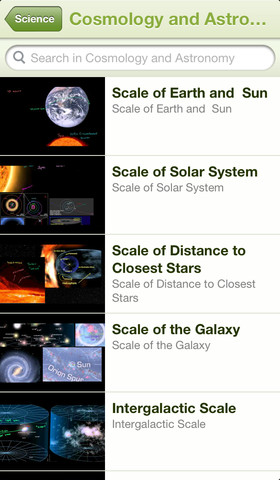
Khan Academy – an amazing FREE educational app! Whoever said the best things in life are FREE was absolutely correct. With Khan Academy you can learn almost anything and the app is completely FREE! It has a library of over 4,100 videos which covers a wide range of subjects such as K – 12 math, biology, chemistry, the humanities, and more. You can use the app to review a subject that you have already studied or to learn something completely new! You can watch the videos online or you can download them to watch offline at your own pace. The videos are subtitled so that you can read along, skip ahead, or go back. If you log in with your Khan Academy account, you can track your progress. The app gives you credit for watching the videos and allows you to see your achievements. Badges and points are earned for learning. Teachers can access their students’ data – as a class or individually. Khan Academy is an incredible resource for all kinds of learners – students, teachers, principals, home-schoolers, adults returning to school, and anyone committed to be a lifelong learner. It is truly one of the best educational apps available – at any price!