0

American History Time Line

FREE again for a limited time from McGraw Hill – American History Timeline. Kids can navigate the timeline to read about the hundreds of important people, places, and events that have shaped American history. When kids tap on a thumbnail photo, this educational app brings up a larger image and an explanation of the person, place, or event. The majority  of the drawings/photos used are from Library of Congress. There are 7 categories (such as women, inventors, constitution, etc.) that can be turned on and off so kids can see figures and/or events specific to that category. World events are also included on a parallel timeline. Two games are included: Time Line Scramble and Memory. Kids sequence events in the correct order with the Time Line Scramble Game. In the Memory Game, they match the correct date with the correct event or person.

I really like the design of the app – the ability to customize what categories you want to look at, the authenticity of the drawings/photos, the parallel world history timeline for comparison. It would be great for teaching kids read or create timelines.

American History Time Line - McGraw-Hill School Education Group

0

World’s Worst Pet – Vocabulary

1384969712.jpg

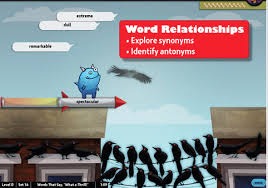
FREE educational app – World’s Worst Pet – Vocabulary. Snargg, a cute blue pet needs kids to use their vocabulary skills to get him out of trouble. The app’s four games teach context, word sorts, synonyms, & antonyms as they expose kids to over 1000 words across 5 levels: grades 4 – 8. Words are taught in sets of 10 conceptually related words per set. Kids are encouraged to replay each word set to improve their scores. Other features of the app include: clearly explained definitions with examples of how the word is used, multiple exposures to words, writing prompts, and… a really fun narrative with rewards. The app allows multiple players making it perfect for use in the classroom. Teachers can use it to differentiate instruction, as part of a center, for individual or group assignments, as homework, etc. There are so many great things about this app – meaningful content, a fun interface, and it meets CCSS. Fabulous!

Common Core Standards met:
4.L.5 – Demonstrate understanding of figurative language, word relationships, and nuances in word meanings. c.Demonstrate understanding of words by relating them to their opposites (antonyms) and to words with similar but not identical meanings (synonyms).
5.L.5 – Demonstrate understanding of figurative language, word relationships, and nuances in word meanings. c. Use the relationship between particular words (e.g., synonyms, antonyms, homographs) to better understand each of the words.

https://itunes.apple.com/us/app/worlds-worst-pet-vocabulary/id730540095?mt=8&uo=4

0

The Purple Frog

Purple Frog2Purple Frog

The Purple Frog is FREE again today. This educational app is a beautiful story about friendship and acceptance. No one wants to play with Purple Frog because he is purple. He is sad until a little green frog becomes his friend. Kids can choose to read the story on their own or have the story read to them. They can also tap individual words in the story to have the word read and spelled for them. The app is nicely done – a beautifully illustrated tale story with an important message!

The Purple Frog - i4software

1

Drawing for Kids (step by step)

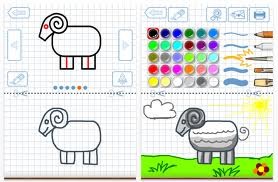
FREE for a limited time – Drawing for Kids, an educational app for the iPad. Kids learn to draw 30 different pictures (animals, sports, vehicles) by following the step-by-step instructions. Geared towards 3-8 year olds, each picture has 6 sequential steps with a tracing function – if extra support is needed. Once your little artist has complete his/her drawing, it can be colored using 6 different tools and 30 different colors. The final creation can be saved, printed, or shared via email or messaging. I love how that the tracing function is optional – it allows kids to be creative and add their own touches to their drawings. This app would be great for letting kids create drawings to add to thank-you cards, family albums, emails to grandparents, etc. Fun!!

Download link: https://itunes.apple.com/us/app/drawing-for-kids-step-by-step/id442410088?mt=8&uo=4

0

Friendly Shapes and Friendly Christmas

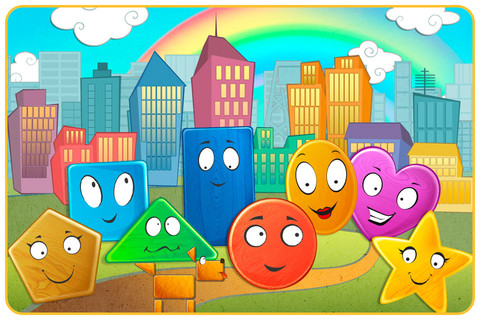
FREE app for the iPad and iPhone – Friendly Shapes. This cute little story for toddlers/preschoolers starts as Circle goes looking for his friend, Star. Along the way he meets other shapes: Triangle, Square, Rectangle, Pentagon, Heart, and Oval. As each shape joins the search, the group morphs into more complicated vehicles. There are three modes: auto-play, read-it-to-myself and play. There is also an option to record your own voice as you read. Each page also has fun animations, and/or puzzles in addition to the story. All in all, this is a nicely done app for little ones to learn shapes, colors, left/right, etc. So how can it be FREE? Well, this app that gives you the option of removing the ads for $.99. The ads are placed at the bottom of each page between the backward and the forward arrows. I think little fingers would end up hitting the ad bar somewhat regularly which could be frustrating. Check it out and decide for yourself. Recommended!

Friendly Shapes - funny interactive adventure HD. - TabTale LTD

Also FREE – Friendly Christmas.

Download link: https://itunes.apple.com/us/app/friendly-christmas-funny-shape/id562847602?mt=8&uo=4

0

Doodle Buddy – Paint, Draw, Scribble, Sketch – It’s Addictive

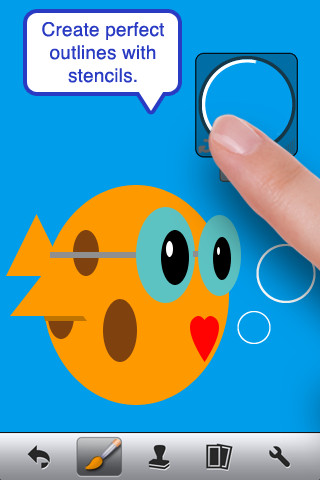
FREE – Doodle Buddy (for the iPhone/iPad), a great educational app for drawing and creating pictures. It comes with five kinds of tools. The drawing tool has several options – a brush, chalk, glitter, smudge, an eraser, and a color picker with thousands of colors. The stamper tool includes 80+ stamps with the option of making them small or large. Each stamper makes a funny sound when used. The stencil tool comes 6 stencils (basic shapes) with the option to buy other sets as an in-app purchase. Sets available to purchase are theme-based such as fashion, beach, cars, princess, dinosaurs, Christmas, and more. The text tool has 4 fonts with the ability to resize them. Text can be written in any color you choose. The background tool has about 30 backgrounds to choose from or you have the ability to pull in your own photos. Armed with such great tools, you can only imagine the fun you or your child will have creating a works of art! And…. the finished masterpieces can be saved to your photo album and/or shared via email. Fun!!!

There are so many fun ways to use this app. Kids can use it to illustrate their stories because saved illustrations can easily be pulled into a story writing app such as My Story – see my review from June 27. Have kids draw pictures of their vacation then save into photos and use as additional pictures or backgrounds for a photo vacation booklet created on Snapfish, etc. Make a book for Father’s Day, Mother’s Day, a grandparent, etc. – incorporating your child’s drawings and family photos. If creating a family cookbook, have kids do the illustrations. The list goes on……

Highly recommended!

Doodle Buddy for iPad – Paint, Draw, Scribble, Sketch – It’s Addictive! - Pinger, Inc.

0

Reading Rainbow

Reading Rainbow is a library of over 200 books and videos for kids ages 3 – 9. This educational app is FREE to download but requires a subscription ($9.99 per month or $29.99 for 6 months) for full access. Once you subscribe, your children (up to 5 per family) will have unlimited access to the interactive books and video trips. This app is similar to the award-winning Reading Rainbow television series that was on PBS from 1983 – 2006. It even features the same host – Grammy winner, LeVar Burton. In less than a year, over 2.5 million books/video field trips have been viewed with this app!

After installing the app, kids fill out their profile (name, age, kinds of stories they like to read) and may choose one free book from one of the 6 themed island in the sky. The books are professionally read and feature “Read to Me” or “Read on My Own” options. They are lightly animated and include interactive activities that add to the story. A sticker rewards program motivates kids to read. There is also an individualized tracking system so parents can see books selected and minutes read for each child.

I must admit, I downloaded this app because of nostalgia. My kids grew up watching Reading Rainbow and we all loved it. I am happy to say that the appeal of Reading Rainbow today is the same as it was almost 30 years ago – Reading Rainbow provides kids with quality authentic literature. If I had a child/ grandchild (ages 3-9) or if I were still in the classroom, I would subscribe without hesitation. What a fabulous resource!

Highly Recommended!

Reading Rainbow - Reading Rainbow

0

ABC Go

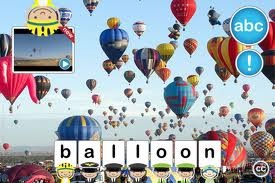
image FREE for a limited time – ABC Go for the iPhone/iPad introduces your toddler (3 – 5) to 60+ things that go through sight, sound, and touch. The app opens to a grid arranged in ABC order. Kids can tap on a letter to find objects that begin with that letter or they can tap on a specific object to learn about it. As an object’s photo appears, a child’s voice says the initial letter then reads the name of the object (which appears in writing at the bottom of the screen). A little cartoon person drops down on  the left hand side of the screen with a link to a video clip or an interactive scene. The child can scroll to the left for additional pictures and videos about each object.

This app needs an internet connection to work because the 100+ videos are actually links from You Tube. They are chosen by Peapod Labs and checked to be interesting and safe for kids. Kids cannot link from this app into other You Tube content. This app is nicely done  – great for building vocabulary and beginning to read/spell words. Recommended!

Download link: https://itunes.apple.com/us/app/abc-go/id410111251?mt=8&uo=4

0

1 2 3 Genius

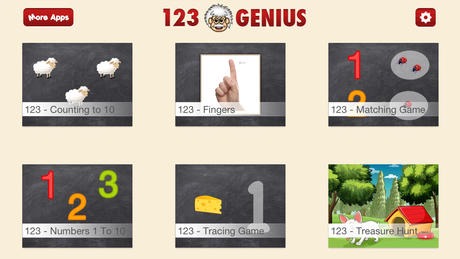
FREE for a limited time – 1 2 3 Genius, an educational app for preschoolers. This app helps little ones learn to recognize numbers and count them. Included in this version are 4 games (counting to 10, fingers, numbers 1-10 and tracing game) with 6 additional games available as in-app purchases. Simple to use and visually appealing, this app is nicely done for kids learning to recognize, count, and write numbers. 🙂

https://itunes.apple.com/us/app/123-genius-first-numbers-counting/id717296618?mt=8&uo=4

0

Guess How Much I Love You – Interactive Episodes

Guess How Much I Love You

FREE a limited time – Guess How Much I Love You – Interactive Episodes. From Australia comes this wonderful app based on the book Guess How Much I Love You by Sam McBratney and inspired by the animated TV series created by SLR Productions Pty Ltd. The book is beautiful – one of my all time favorites. Originally published in 1994 in the UK, it has sold more than 20 million copies in 37 languages. It is truly a book not to be missed!! That being said, this app conveys the same sweetness that makes the original story so special.

Kids join Little Nutbrown Hare in 2 interactive episodes – Can You Touch the Stars and Snow White Hare. Designed for 3 – 5 year children to explore with their parents, the episodes are integrated with simple games & puzzles. At the end of each episode, Big NutBrown Hare and Little NutBrown Hare express their love for each other. Don’t miss this one – it is SO sweet!

Guess How Much I Love You - Interactive Episodes - SLR Productions Pty Ltd