0

Sharing With Duckie Deck

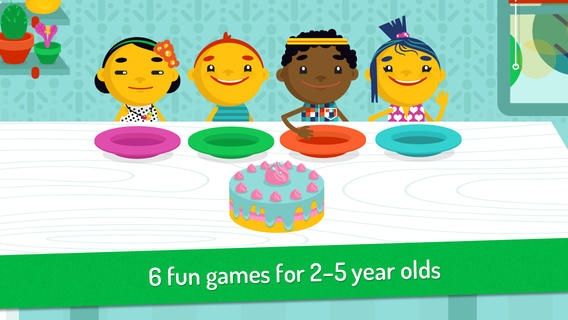
Duckie DeckFREE for a limited time – Sharing With Duckie Deck. This happy & colorful app features six educational activities for preschoolers: food sharing, toy sharing, matching, deductive reasoning, cake decorating, and drawing. As they play the games, kids collects stickers and badges in their special drawer – adding to the fun! The games focus on the positive feelings that are associated with sharing. A cheerful, developmentally appropriate app with a great lesson on sharing – how perfect!

Download link: https://itunes.apple.com/us/app/sharing-duckie-deck-6-in-1/id574861323?mt=8&uo=4

0

Hopscotch HD

Hopscotch HD

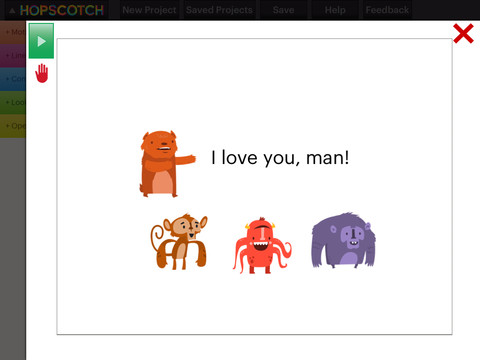
FREE – Hopscotch HD, an educational app that teaches kids how to program their own games and animations! Introduce kids to computer science with this app. 🙂 Kids drag and drop “method blocks” into scripts. When they are done, they can press play to see their code in action! Why teach kids coding? According to the developer – there will be about 1.4 million computer jobs by 2020 and only 400,000 computer science students. Many coders first fell in love with coding when they were  8-12 year old children. Hopscotch is based on a visual programming language named Scratch which was developed by MIT. It promotes STEM education (science, technology, engineering and math) in a fun way – by making coding kid-friendly! LOVE it! And apparently so do others… Hopscotch was featured by Apple in the App Store, won a 2013 Parents’ Choice Gold Award, and was featured in 2014 Children’s Technology Review: Best Educational Technology. 

Hopscotch HD - Hopscotch Technologies

And, as an extra added bonus… here is a link to an iBook called Hopscotch Lesson Ideas. Thanks Apple. 🙂

Download link: https://itunes.apple.com/us/book/hopscotch-lesson-ideas/id939801491?mt=11&uo=4

0

Toca Hair Salon 2

Toca Hair 2

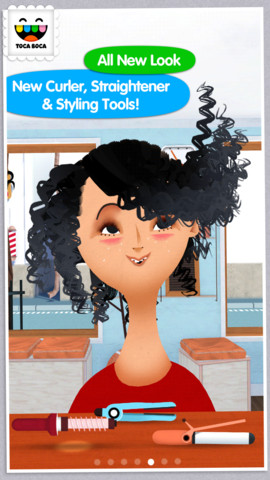
22,198 reviews can’t be wrong so you don’t want to miss this one. Toca Hair Salon 2, a creative educational app, is FREE for a limited time. This app is the sequel to the original – Toca Hair Salon. In this app, kids go back into the salon to groom NEW characters in this app. Using the tools in the salon, they cut hair, comb it, curl it, straighten it, make it grow, shave it, color it, etc. Great sound effects are also included in this fantastically fun app. Kids or parents can take a photo of the finished creation and save it to the camera roll. If parents wish, creations may be posted on the Toca Boca Facebook page. The developers have also built-in options to turn off sounds, pictures, and news. What a great springboard for creative writing – give a character a whole new look and write a story to go with it. Use this app to inspire creative writing on Wacky Hair Day!!

Toca Hair Salon 2 - Toca Boca AB

0

Santa’s Merry Band

Ho, ho, ho – “Did That Crazy Santa Claus” and 7 more fun tunes!! FREE for a limited time – Santa’s Merry Band, from the creators of Mibblio. Just like Mibblio, this app is an interactive musical/storybook app for kids. Children read the illustrated story-songs called “mibblets” as they listen to the catchy songs. They can also jam along on a wide variety of instruments. The app has a keyboard along the bottom of the screen with a choice of 8 different instruments. They can also use a tambourine or cowbell to tap along to the beat of the song. Kids will enjoy the 8 different Christmas “mibblets” included in this app. Fun for the holidays!!

Download link: https://itunes.apple.com/us/app/santas-merry-band/id738881884?mt=8&uo=4

0

Mr. Sandman

mr sandmanFREE for a limited time – Mr. Sandman is a beautiful, interactive bedtime story for the iPad/iPhone. The story does a nice job of addressing a common fear of childhood. It is about a young boy who is afraid of the dark. The sandman appears and the boy drifts off to sleep. In his dream, he meets an owl who shows him wonderful & magical things about the dark. The app features incredibly beautiful artwork and dreamy music – perfect to set the mood for the story. But the most wonderful thing about this app is the way that it transitions from page to page. Kids move the story forward in a variety of unique ways. They help the sandman sprinkle the sand, say “Shhh” to calm the frogs, scratch the owl’s belly, touch the moon, and more. Each page transitions to the next page in a uniquely delightful way. And, the app can be switched different languages – nine in all. Mr. Sandman is wonderful – don’t miss it! 🙂

Download link: https://itunes.apple.com/us/app/mr.-sandman/id511273529?mt=8&uo=4

0

More Everyday Math ® APPS: Baseball Multiplication 1-6, Baseball Multiplication 1-12, Top It Subtraction, Tric Trac,

FREE for a limited time – 4 different apps from McGraw Hill Everyday Math ®. If your school system uses this program to teach math, you may want to take advantage of this offer. These apps normally sell for $1.99 each.

Baseball Multiplication

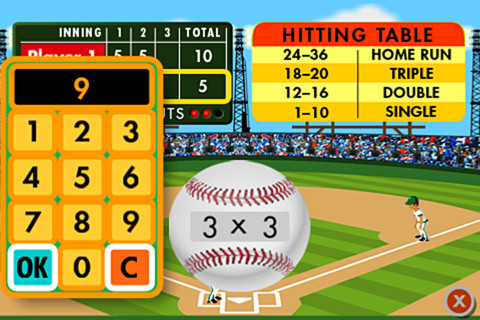
Everyday Math’s Baseball Multiplication comes in 2 versions (1 – 6 facts and 1 – 12 facts) and both versions work the same way. Two players play a 3 inning baseball game as they practice their facts.

Common Core Standards met:

  • 3.OA.7 –  By the end of Grade 3, know from memory all products of two one-digit numbers.

Everyday Mathematics® Baseball Multiplication™ 1–6 Facts - McGraw-Hill School Education Group Baseball Multiplication 1 – 6

Everyday Mathematics® Baseball Multiplication™ 1-12 Facts - McGraw-Hill School Education Group Baseball Multiplication 1 – 12

Top It

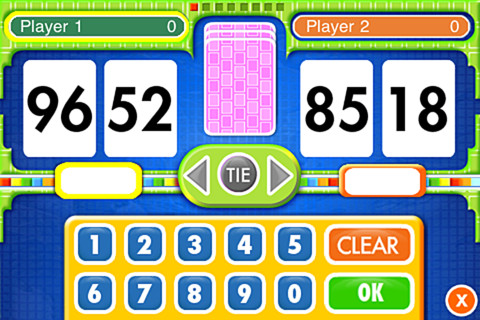
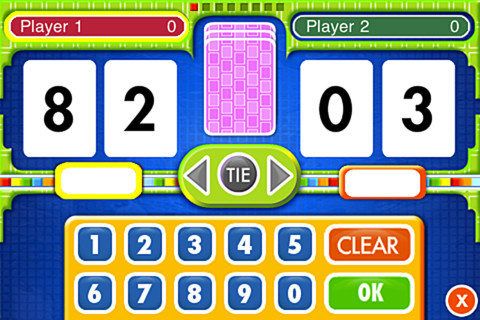
Everyday Math’s Top-It Subtraction for iPhone/iPad is a two player game. It is fun easy way for kids to practice reinforce 2-digit subtraction computation and number comparisons.

Everyday Mathematics® Subtraction Top-It™ - McGraw-Hill School Education Group

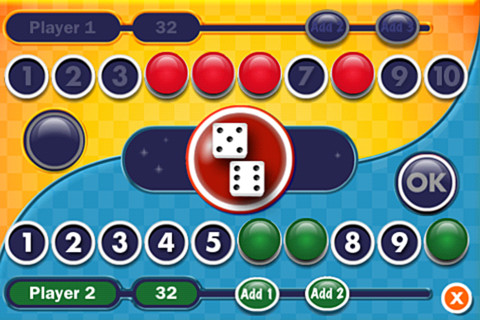
Tric TracEveryday Math’s Tric Trac is a 2 player game for kids to practice their addition facts. Players roll dice, find the sum, then match the sum to numbers in their hand. Every match eliminates that number or numbers from their hand and reduces their score. The player with the lowest score wins!

Common Core Standards met:

  • 1.OA.6 – Add and subtract within 20, demonstrating fluency for addition and subtraction within 10.

Everyday Mathematics® Tric-Trac™ - McGraw-Hill School Education Group

0

Everyday Math® APPS: Addition Top – It, Beat the Computer, Squeeze Monster, Equivalent Fractions, Divisibility Dash

FREE again!!!

5 educational apps from McGraw Hill’s Everyday Math® – If your school system uses this program to teach math, you may want to take advantage of these offers. 🙂

Everyday Math’s Addition Top-It app for iPhone/iPad is a two player game. It is fun easy way for kids to practice basic addition facts from 1 – 10 and greater than/less than.

Common Core Standards met:

  • 1.OA.6 – Add and subtract within 20, demonstrating fluency for addition and subtraction within 10.
  • 2.OA.2 – Fluently add and subtract within 20 using mental strategies. By end of Grade 2, know from memory all sums of two one-digit numbers.

Everyday Mathematics® Addition Top It - McGraw-Hill School Education Group

Everyday Math’s Beat the Computer app for iPhone/iPad is fun easy way for kids to practice basic multiplication facts. They race against the computer to score as many points as they can.

Common Core Standards met:

  • 3.OA.7 –  By the end of Grade 3, know from memory all products of two one-digit numbers.

Everyday Mathematics® Beat the Computer™ Multiplication - McGraw-Hill School Education Group

Everyday Math’s Squeeze Monster app for iPhone/iPad is a two player game. Designed for younger students, it reinforces number line concepts and number comparisons.

Everyday Mathematics® Monster Squeeze™ - McGraw-Hill School Education Group
Everyday Math’s Equivalent Fractions app for iPhone/iPad is fun easy way to reinforce fraction concepts. Note: the app uses a digital version of the fraction cards from the Everyday Math third grade book.

Common Core Standards met:

  • 3.NF.3 – Explain equivalence of fractions and compare fractions by reasoning about their size. Understand two fractions as equivalent (equal) if they are the same size, or the same point on a number line. Recognize and generate simple equivalent fractions, e.g., 1/2 = 2/4, 4/6 = 2/3). Explain why the fractions are equivalent, e.g., by using a visual fraction model.
Everyday Mathematics® Equivalent Fractions™ - McGraw-Hill School Education Group
Everyday Math’s Divisibility Dash app for iPhone/iPad is fun easy way to practice recognizing multiples of a number and applying divisibility tests.

Common Core Standards met:

  •  4.OA.4 – Find all factor pairs for a whole number in the range 1–100. Recognize that a whole number is a multiple of each of its factors. Determine whether a given whole number in the range 1–100 is a multiple of a given one-digit number. Determine whether a given whole number in the range 1–100 is prime or composite.

Everyday Mathematics® Divisibility Dash™ - McGraw-Hill School Education Group

0

Spelling Star

spelling star

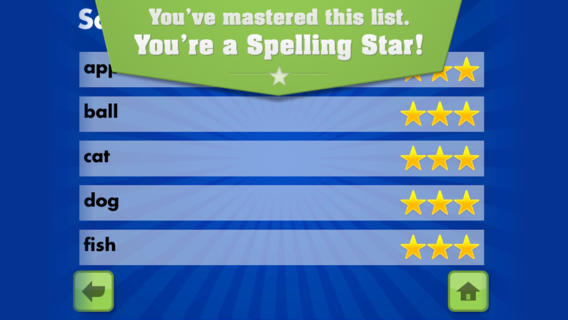
FREE for  limited time – Spelling Star, an educational app for practicing spelling lists. The app is simple to use – just type in and record the words. You may also include sentences to clarify the words’ meanings. Kids must spell each word correctly three times to become a Spelling Star.  Words are presented in random order. As kids practice, they can get a hint – a quick look at the word spelled correctly. When they spell a word without a hint, they earn a star. Spelling Star provides feedback after each word is spelled with the option to “try again” when an error is made. This educational app is great for home and/or school. Parents can use it to input spelling lists for multiple kids. Kids may enjoy inputting their own lists at the beginning of the week which would be GREAT practice! Teachers can create lists on one device and share those lists with anyone who has the Spelling Star app. Simple to use, effective, and tracks progress – what more do you need? 🙂

Download link: https://itunes.apple.com/us/app/spelling-star/id557070660?mt=8&uo=4

0

Walter’s Flying Bus

Walter's Flying Bus

FREE for a limited time – Walter’s Flying Bus, a story inspired by the real-life dreams of Walter and his friends (orphaned, special needs children in Uganda.) Walter finds an abandoned bus. With his friends and a little work, the engine soon roars to life! This e-book is inspirational – a celebration of the talents & beauty of every child. It is narrated in English, Spanish and Luganda (a primary language of Uganda). The educational app also includes mini-documentaries of the real-life children featured in the book. According to the developer  – “ONE HUNDRED PERCENT of after-tax profits from App sales go to efforts helping orphans with special needs, including advocacy, care, and adoption assistance grants.” Nice story with a great message!

Walter's Flying Bus - Chosen and Dearly Loved, LLC

0

What Time is is Mr. Wolf?

What Time

What Time is it Mr. Wolf? (by Teacher’s Pet) is FREE for a limited time. Make sure you get the correct one – there is another app by the same name by Joy Preschool. This educational app features a Wilfred the Wolf who spins the clock on the face of the moon 10 times. Kids have to choose the correct answer and drag it under the moon. The wolf giggles and says “well done” if the answer is correct. The app’s setting allows you to choose what interval of time you would like your child to work on – hours, half hours (half past), quarter hours, 10 minutes, or 5 minutes. Answers can be displayed in words, digitally, or mixed. You can also set the number of answers per question.

The Common Core Standards expect first graders to tell time to the 1/2 hour, second graders to tell time in 5 minute intervals (AM and PM), and third graders to tell time to the minute. So, this app would work well for first and second graders but not third graders. I like that this app includes practice with the words  – half past, quarter after, quarter to. It is a difficult concept for some kids to understand. Nicely done!!

Common Core Standards met:

  • 1.MD.3 – Tell and write time in hours and half-hours using analog and digital clocks.
  • 2.MD.7 – Tell and write time from analog and digital clocks to the nearest five minutes, using a.m. and p.m.

What Time is it Mr. Wolf? - by Teacher's Pet - Teacher's Pet