1

Penelope HD

Penelope

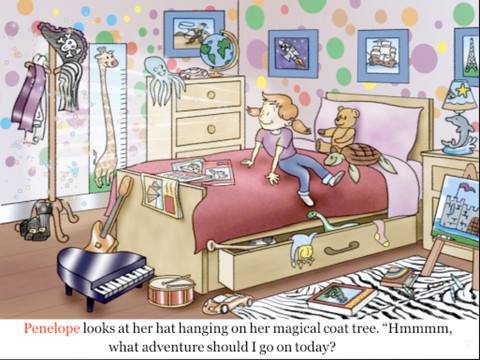
FREE for a limited time – Penelope HD, a delightful story for 4 – 8 year olds. It’s Penelope’s nap time but instead of napping she puts on a pirate hat and a magical thing happens. Her bedroom is transformed into a gigantic pirate ship and she becomes Penelope the Purple Pirate! She goes in search of treasure with her three friends: Daphne the dolphin, Teddy the sea turtle, and Oliver the octopus. This cute story also has a nice message about sharing. 🙂 After reading, there are 13 questions for discussion or to test your child’s recall. There are also suggested activities for the classroom/home. Ideas such as – have a treasure hunt or make a treasure test. The app also included fun facts about the featured animals and pirates. Nicely done!

Penelope HD - PicPocket Books

0

Hiding Hannah

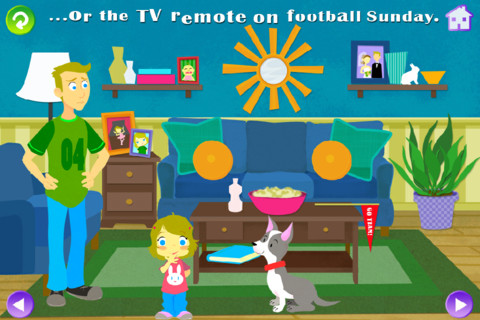
FREE today – Hiding Hannah is an interactive book for kids 2+ for the iPhone/iPad. Hannah LOVES to hide everything, including herself. Narrated by Tom Kenny (the voice of SpongeBob SquarePants) and illustrated by Melanie McCall, this book is adorable! Your child will love reading through the story and finding where Hannah has hidden things. And the best part is that the hiding places change every time you read the story. Really cute!!

Hiding Hannah - Squeaky Frog

0

Animal Game Show – Whose Toes are Those? – Matching Fun for Kids and Family – Ultimate Edition

toesFREE again – the full version of Whose Toes are Those, a very cute app for preschoolers. The app has a game show host, music, and an audience. Kids (contestants) have to identify which animal/person is behind the curtain by their toes. If the child chooses correctly, the animal/person does a silly dance – really cute and sure to bring some giggles! Little ones will have fun building their matching skills with this app!!

Animal Game Show - Whose Toes are Those? - Matching Fun for Kids and Family - Ultimate Edition - Eggroll Games LLC

1

Math Duel

Math Duel

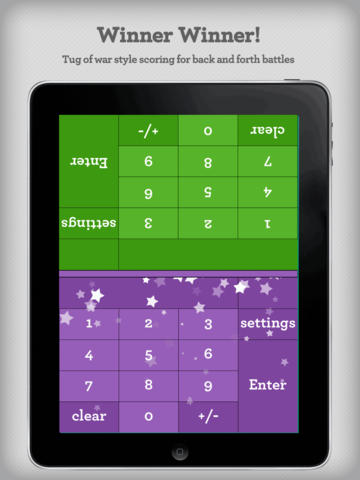
FREE for a limited time – Math Duel-2 Player Mathematical Game.This educational app pits two players against each other on the same device which makes it perfect for sharing iPads in the classroom. The app has a split screen interface – students sit facing each other on either end of the iPad. As kids answer math equations, the app keeps separate scores for each student. The best thing about this app is that it is fully customizable (on both sides) which makes it a fabulous tool for individualizing instruction for a wide range of students. Equations can be set with 1 – 5 terms. Largest numbers possible can be from 1 – 100. Negative numbers can be turned on/off. Kids can practice addition, subtraction, multiplication, division or any combination of these operations. Fabulous and fun for daily classroom math practice in multiple grades!

Common Core Standards met:

  • 1.OA.6 – Add and subtract within 20, demonstrating fluency for addition and subtraction within 10.
  • 2.OA.2 – Fluently add and subtract within 20 using mental strategies. By end of Grade 2, know from memory all sums of two one-digit numbers.
  • 3.OA.7 – Fluently multiply and divide within 100, using strategies such as the relationship between multiplication and division or properties of operations. By the end of Grade 3, know from memory all products of two one-digit numbers.

Download link: https://itunes.apple.com/us/app/math-duel-2-player-mathematical/id495077699?mt=8&uo=4

0

Ocean – Animal Adventures for Kids

ocean

FREE for a limited time – Ocean – Animal Adventures for Kids, an educational app for preschoolers. Kids will become sea life experts as they explore 3 ocean scenes – a coral reef, a shark reef, and the deep-sea. The app has two modes – one for tapping/interacting with the creatures and the other for listening to/learning facts about them. Kids will learn fun facts about 30+ animals and they will be delighted with the 60+ animations. The app is narrated in 12 languages – English, German, French, Spanish, Russian, Swedish, Japanese, Chinese, Portuguese (Brazilian), Turkish, Dutch and Italian. Check out this cute interactive book for your preschooler today. 🙂

Download link: https://itunes.apple.com/us/app/ocean-animal-adventures-for/id819165012?mt=8&uo=4

0

Grid Diary

grid diary

FREE for a limited time – Grid Diary – Questionnaire Diary, Gratitude Journal, Private, Secret and Simple. This educational app was featured by Apple in New & Noteworthy and What’s Hot. Grid Diary is a unique way of keeping a learning journal, health journal, gratitude journal, etc. The app is made up questions/prompts that are arranged in a grid. You can customize the number of questions/prompts and the content of those questions/prompts. Students can use Grid Diary to reflect on their thoughts or on their learning. They could jot down what they know, what they want to know, what they learned – a personal KWL chart! They could reflect on their understanding of the day’s lessons. They could ask questions that they still have. Teachers could use this app to get feedback from their students on what they learned each day – a daily grid of exit slips. 🙂  Students can email or print their entries one at a time. They can also screen shot their grid to email or print all of their entries at once. Teachers could also use this app as a teaching journal about their lessons, students, etc. Grid Diary could be used in the classroom in so many ways. Check it out this FREE version today.

Download link: https://itunes.apple.com/us/app/grid-diary-questionnaire-diary/id597077261?mt=8&uo=4

1

TED – TED conferences and TEDiSUB – Enjoy TED videos with Subtitles!

Parents/Teachers – here is an app for you and the kids!

TED started in 1984 as a conference bringing together people from three worlds: Technology, Entertainment, and Design. It is now a nonprofit devoted to ideas worth spreading. Here is information on 2 apps that will bring the world of TED to the device of your choice!

TED - originalRiveting talks by remarkable people and FREE to the world. Connect with the official TED app for iPhone/iPad. Access more than 1,700 TEDTalk videos with more added every week! When you open the app, you will see a wide variety of featured talks – Where is Google going next? by Larry Page, A new way to grow bone by Molly Steven, Teach teachers how to create magic by Christopher Emdin, and so on. There are about 60 talks to choose from. Click on a title that interests you to get additional information about that talk: the length of the talk, a short synopsis, related talks, and related tags. Then you can watch the talk, save it, bookmark it, or share it. The app permits you to browse the entire library at any time – even when you are offline. You can browse by tag or by language. TEDTalks are subtitled in over 100 languages! You can create your own playlist or the app can create one for you based on your mood and how much time you have to listen. A fabulous resource for lifelong learners!!

TED - TED Conferences

Ted

FREE for a limited time – TEDiSUB – Enjoy TED videos with Subtitles!  This app enhances the TED experience with added control features. It also allows you to see two subtitles at once – great for a language classes. 

TEDiSUB - Enjoy TED videos with Subtitles! - semix2

0

Cursive Writing Wizard – Trace Letters & Words

handwriting

FREE today – Cursive Writing Wizard – Trace Letters & Words, a fabulous app for teaching kids how to write in cursive. Start by choosing one of the 4 available fonts: Zaner Bloser, D’Nealian, French Cursive, or French Cursive 2. Then kids are ready to start tracing using animated stickers with fun sound effects. They can trace shapes, upper case letters, lower case letters, numerals, or words. The app has two modes: free or 5 stars. In free mode, kids trace the letters with all of the parameters selected. By selecting the “gear” button, the app’s parameters can be  customized to fit each child’s needs – letter size, difficulty, style (stickers or pen), show/hide model, allow to stop between key points, tracing speed, etc. In the 5 star mode, kids trace each letter 5 times – each step is more challenging. Detailed reports are provided showing what kids have completed. Teachers/parents can replay and export tracings to view a chid’s progress – wow! And, the app permits unlimited users – perfect for the classroom.

After teaching cursive writing for 30 years, I know that the biggest challenge is teaching kids to properly connect the letters. This app does a fabulous job!! There is a list of 3-letter words and often confused letters for kids to practice. But the best part of this app is the ability to add new lists. Kids’ names can be added. Lists of words with difficult connections can be added. Weekly spelling lists can be added. There are so many possibilities for meaningful practice of cursive writing. Don’t miss out on this one – it’s the best cursive writing app that I have seen to date!

Download link: https://itunes.apple.com/us/app/cursive-writing-wizard-trace/id757843896?mt=8&uo=4

0

Labo Drawing Lessons

labo

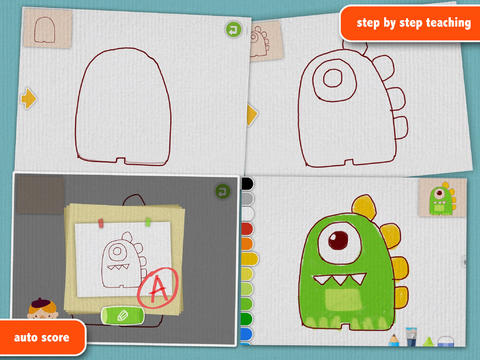
FREE for a limited time – Labo Drawing Lessons. This educational app has 3 different modes: drawing lessons, free drawing, and PK. In the lesson mode, your child will learn to draw 40 different things from 5 categories: animals, plants, vehicles, monsters, people. The app utilizes a step-by-step teaching method then scores (from A+ to D-) the drawing after it has been completed. In the free drawing mode, kids work on a blank canvas and draw their own creations. They are not scored in this mode. They can choose from 3 tools (pencil, crayon, brush) and 18 different colors. They can also pull in photos from the camera roll to use as a background. In both modes, kids can take pictures of their drawings, redo them, or trash them. If they take a picture, the creation is stored in the photo gallery and saved to the device’s camera roll. Once a drawing is on the camera roll, it can be shared, printed, or pulled into other apps. Finally, there is a PK mode which permits a child to compete with their parents or friends to see who can draw faster. Check out this YouTube video to see how this app works: http://www.youtube.com/watch?

Download link: https://itunes.apple.com/us/app/labo-drawing-lessons-3y+/id879834557?mt=8&uo=4

0

My Story – Book Maker for Kids

story maker

One of my favorite writing apps – FREE today.

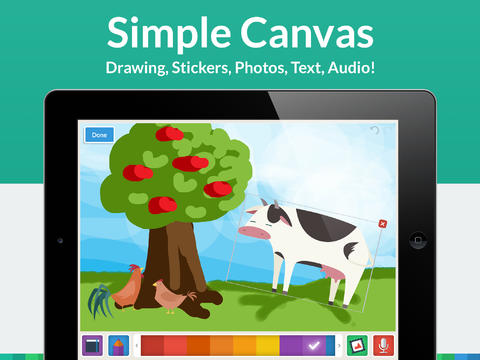
My Story – Book Maker for Kids is a great writing app for the iPad. The cost is normally $3.99 but it Is currently FREE. Kids can easily create then read an unlimited number of their own e-books using this app. Upgraded in March, the design has been simplified to make it easier for writers of all ages. Kids create their books one page at a time by typing in their text and adding their artwork. They can use a variety of mediums for their art –  stickers, drawings (with pencils, paints or markers), camera photos, or pictures saved in the photo library. They can also record themselves reading their books. Finalized stories can read directly from the app, be published to iBooks, and/or shared via email with anyone who owns an iPhone or iPad.

Watch the video and learn more about this app here: My Story – Book Maker for Kids.

What a great medium for your child to share his/her life experiences with grandparents and other loved ones – take photos of your day (at the zoo, in the park, etc.) and let your child narrate the experience! The voice recordings remain intact when the book is shared. The words can be typed in after your child has provided the narration so that kids learn that the words in books are really just “talk written down.”

My Story is perfect for the classroom because teachers can add multiple authors and sync it across multiple iPads! Kids can share their stories with friends through iBooks, write and present digital reports, keep ongoing vocabulary books and/or journals etc. What a fantastic tool to encourage writing! Don’t miss this one!!

My Story - Book Maker for Kids - HiDef Web Solutions