0

Peekaboo: Find Hidden Fun UFO Characters

peekaboo

FREE today for your iPad – Peekaboo has kids looking for 7 cute little aliens who have come to explore our planet and play hide-and-seek! There are 10 colorful & beautifully illustrated scenes for kids to explore. There is a hint mode to help find the characters if needed. Each alien makes its own unique sound when it is located. And… the aliens hiding spots change each time the game is played. Very cute and sure to delight little ones. 🙂

Peekaboo: Find Hidden Fun UFO Characters - PopAppFactory

0

Grammar Wonderland (Primary) & Grammar Wonderland (Elementary)

grammar primary

grammar

FREE again – the full version of Grammar Wonderland (Elementary). Also available for $2.99 is Grammar Wonderland (Primary). In both games kids lead their characters through different adventures as they practice  nouns, verbs, adjectives, and more. The primary version is for younger children – the words are read and some levels include pictures. The app does not teach the parts of speech but it provides lots of practice for kids in a fun game-like environment. After teaching a lesson about parts of speech, teachers can have kids show what they know with this app. Practice is provided for the following: common nouns, proper, nouns, concrete nouns, abstract nouns, singular nouns, plural nouns, possessive nouns, pronouns, action verbs, present-tense verbs, past-tense verbs, future-tense verbs, linking verbs, adjectives, articles, comparative/superlative adjectives, and more! Many parts of speech are taught in both of theses educational apps – perfect for differentiating your instruction for a variety of reading levels. Both apps also permit multiple players – great for the classroom!

Recommended!!  – Download them today 🙂

Grammar Wonderland Primary       Grammar Wonderland (Primary) - McGraw-Hill School Education Group

Grammar Wonderland Elementary       Grammar Wonderland (Elementary) - McGraw-Hill School Education Group

0

American History Time Line

FREE again for a limited time from McGraw Hill – American History Timeline. Kids can navigate the timeline to read about the hundreds of important people, places, and events that have shaped American history. When kids tap on a thumbnail photo, this educational app brings up a larger image and an explanation of the person, place, or event. The majority  of the drawings/photos used are from Library of Congress. There are 7 categories (such as women, inventors, constitution, etc.) that can be turned on and off so kids can see figures and/or events specific to that category. World events are also included on a parallel timeline. Two games are included: Time Line Scramble and Memory. Kids sequence events in the correct order with the Time Line Scramble Game. In the Memory Game, they match the correct date with the correct event or person.

I really like the design of the app – the ability to customize what categories you want to look at, the authenticity of the drawings/photos, the parallel world history timeline for comparison. It would be great for teaching kids read or create timelines.

American History Time Line - McGraw-Hill School Education Group

0

Sail Through Math

sail through math

Ahoy there!! FREE again (normally $1.99), Sail through Math from McGraw Hill – a fun way for students to practice their math facts/skills. There are 3 levels of play for addition, subtraction, multiplication, and division facts. Other areas covered are addition equations. subtraction equations, multiplication equations, two-step equations, names for numbers, patterns/factors/multiples, and compare numbers. This app provides of great practice built around a pirate theme – complete with music and firing cannonballs! At the end of each game, the child can see what problems he/she missed as well as a percentage score. What a fun way to learn basic facts – in the classroom, at home, in the car on a way to an evening activity. I used to tell my students to practice during commercials – 10 to 15 minutes a day works wonders. This app provides a fun way to accomplish that goal 🙂

Common Core Standards met:

  • 1.OA.6 – Add and subtract within 20, demonstrating fluency for addition and subtraction within 10.
  • 2.OA.2 – Fluently add and subtract within 20 using mental strategies. By end of Grade 2, know from memory all sums of two one-digit numbers.
  • 3.OA.7 – Fluently multiply and divide within 100, using strategies such as the relationship between multiplication and division or properties of operations. By the end of Grade 3, know from memory all products of two one-digit numbers.

Sail Through Math - McGraw-Hill School Education Group

0

Geography Drive USAâ„¢

geography

FREE for a limited time – Geography Drive USAâ„¢, a fabulous geography app for up to 3 players. This educational app teaches kids about the 50 U.S. states – their shapes, capitals, nicknames, postal abbreviations, flags, key symbols and more. As kids travel on a cross-county adventure, they stop in each state to answer trivia questions about national rivers, mountains, parks and time zones, important trails and railroads, major U.S. cities, landmarks, and attractions. When they answer questions correctly, they unlock airports and fuel stations – essential to stay in the game. The more you know, the further you go. 🙂

Additional fun features include: a visitor center with state brochures and regional & national maps, a game-based newspaper with headlines that recognize player achievements, trophies waiting to be claimed & displayed, and the ability to customize and upgrade the players’ cars. There are also 4 bonus games included. Love this app – it’s the perfect blend of fun and learning!

2013 Gold Parents’ Choice Award, 2013 Children’s Technology Review Editor’s Choice Award, and featured on Fox News.

Download link: https://itunes.apple.com/us/app/geography-drive-usa/id579100969?mt=8&uo=4

0

Fractions – by Brainingcamp

fractions

FREE again – Fractions by Brainingcamp, an excellent educational app for teaching fractions. The app covers 7 topics: introduction to fractions, equivalent fractions, common denominators, comparing/ordering fractions, adding/subtracting fractions, multiplying fractions, and dividing fractions. Each topic includes: a narrated lesson (with visual models), virtual manipulatives for kids to explore, practice questions to check understanding, and a challenging game for additional practice. Kids earn badges as they work through the components of each topic.

WOW – I love everything about this app. The lessons are wonderful. The manipulatives are designed to promote understanding of the concepts presented. The practice questions give students and their teachers a check of their understanding. And, the challenging games helps kids further master the topic. It would be a fabulous for grades 3 and beyond!

Common Core State Standards met:

  • 3.NF.1. Understand a fraction 1/b as the quantity formed by 1 part when a whole is partitioned into b equal parts; understand a fraction a/b as the quantity formed by a parts of size 1/b.
  • 3.NF.3 – Explain equivalence of fractions and compare fractions by reasoning about their size. Understand two fractions as equivalent (equal) if they are the same size. Recognize and generate simple equivalent fractions, e.g., 1/2 = 2/4, 4/6 = 2/3).
  • 4.NF.3 – a. Understand addition and subtraction of fractions as joining and separating parts referring to the same whole.
  • 5.NF.3 – Interpret a fraction as division of the numerator by the denominator (a/b = a ÷ b).

Highly Recommended!

Download link: https://itunes.apple.com/us/app/fractions-by-brainingcamp/id471353363?mt=8&uo=4

0

Imagination Box

FREE for a limited time – Imagination Box, a creative art app for kids. What child doesn’t love creating with play dough? Hours of creative play awaits your child and there is no mess to clean up! It’s perfect for a trip to the doctor, a ride in the car, etc. The app includes 62 pieces of play dough (in 9 colors) including uppercase letters, numbers, and shapes. There are 12 backgrounds available for your child’s creations. Or, you can use your own photos as a background. Make a hat for the family dog or a play dough mustache for grandpa – how fun! There are also 10 markers available in the app adding even more possibilities for creativity. The app could also be used as a take-along “design center” for play dough. Kids could design their creations on the iPad, then actually recreate it with the real stuff. So many possibilities… get it today! 🙂

Download link: https://itunes.apple.com/us/app/imagination-box-colors-shapes/id698092635?mt=8&uo=4

0

My A – Z

My A - Z 1

My A - Z 2

FREE for a limited time – My A – Z, a fully customizable alphabet app. Using this educational app, you can easily create alphabet flashcards for your kids with personal pictures and personal recordings of up to 30 seconds! The app comes with words & pictures for each letter of the alphabet but you have the ability to edit those and/or add your own. Just use already existing photos from your photo albums or use your device’s camera to take new photos. Easy!!

There are so many fun uses for this app. You can help kids make alphabet cards of their family, friends, or a family vacation. They can include recorded greetings from the people pictured! The app can also be used to make alphabet cards for another language, to teach math terms, or make holiday editions of alphabet cards. Obviously, the audience for this app is not just limited to toddlers. It would be fun for older kids to create their own ABC flashcards in any subject area. The possibilities are endless!

My A-Z - Night & Day Studios, Inc.

0

PJ’s PJs -Giraffe!

FREE today – PJ’s PJs- Giraffe!, an adorable app from Ink Robin Inc. From England comes the story of Percival Jenkins, a little boy with approximately 329 pairs of pyjamas. Choosing the ones to wear is the most important decision of his day. When he puts them on, his adventures begin. In this interactive tale, he chooses to wear his giraffe pyjamas. Kids learn what it’s like to be a giraffe as they travel to Africa with Percival. Cute illustrations add to the appeal of this educational app – a fun addition to your digital library! Other titles are also available in this series.

Download link: https://itunes.apple.com/us/app/pjs-pjs-giraffes!/id776058142?mt=8&uo=4

0

Toca Hair Salon 2

Toca Hair 2

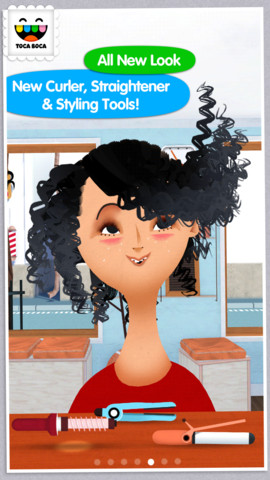
5,905 reviews can’t be wrong so you don’t want to miss this one. Toca Hair Salon 2, a creative educational app, is on sale for only $.99. This app is the sequel to the original – Toca Hair Salon. In this app, kids go back into the salon to groom NEW characters in this app. Using the tools in the salon, they cut hair, comb it, curl it, straighten it, make it grow, shave it, color it, etc. Great sound effects are also included in this fantastically fun app. Kids or parents can take a photo of the finished creation and save it to the camera roll. If parents wish, creations may be posted on the Toca Boca Facebook page. The developers have also built-in options to turn off sounds, pictures, and news. What a great springboard for creative writing – give a character a whole new look and write a story to go with it. Use this app to inspire creative writing on Wacky Hair Day!!

Toca Hair Salon 2 - Toca Boca AB