0

Avatar Books: Cinderella, PeterPan, Alice in Wonderland,and 5 more!

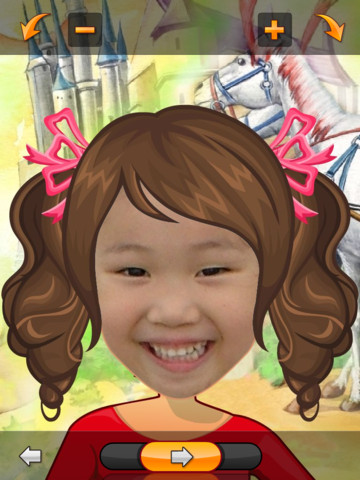
These books from the AvatarBook collection for the iPad are currently FREE (until May 12): Alice in Wonderland, Peter Pan, Cinderella, The Frog Prince, Pinocchio, Jack & the Beanstalk, Little Red Riding Hood, The Wizard of Oz. Using these apps, it is really simple to make your child the star of a fairy tale. Just take your child’s picture/use an existing photo, adjust the photo to fit the face line, then watch as your child’s avatar becomes the main character of the fairy tale. The brightly illustrated story is read aloud by a narrator. There is no option to read the story on your own so it feels more like you are watching a movie than reading a book. I also wish the words were highlighted so that kids could follow along as the story is being narrated. That being said, the real appeal of these apps is that they use your child as the main character of a well-loved tales. I think most kids would enjoy seeing themselves in those roles. 🙂

Cinderella   New AvatarBook Cinderella - JDF

PeterPan   New AvatarBook Peter Pan - JDF

Alice in Wonderland   New AvatarBook Alice in Wonderland - JDF

The Frog Prince   New AvatarBook The Frog Prince - JDF

Pinocchio   New AvatarBook Pinocchio - JDF

Jack & the Beanstalk   New AvatarBook Jack and the Beanstalk - JDF

Little Red Riding Hood   New AvatarBook Red Riding Hood - JDF

The Wizard of Oz   New AvatarBook The Wizard of Oz - JDF

0

Counting Dots

Counting Dots

FREE again today – Counting Dots, a counting app for young iPad users. Kids learn to recognize/count numbers by popping colorful dots in this simple but visually appealing game. The app has three settings – counting by one, fives, or tens. There are also settings for sound, hinting, and enabling vibrations (iPhone only). The app is advertised as helping kids count from one to a million. I counted by ones to 20 and by tens to 100  – didn’t quite make it to a million. 🙂 This app is by the same developer that did Rain Dots (see my March 1 review). Recommended!

Counting Dots - Helping kids count from one to one million! - Ellie's Games, LLC

0

What Will I Be?

What Will I Be?

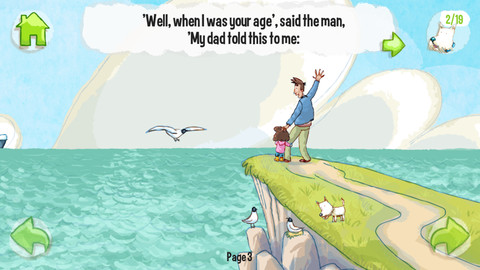
FREE again for a limited time What Will I Be? is another delightful story from Digital Leaf. A father answers his child’s questions about the future in a story that encourages children to dream big! Before the story starts, the app permits you to choose the gender of the child. The story is cute and written in rhyme. There is interactivity throughout  – sounds and things to move. Kids are encouraged to find “the dog” hidden in 19 places throughout the story. If they do, a bonus game is unlocked. This app is a perfect example of  what a digital story should be – a great story with interactivity that enhances the overall reading experience. And… as an extra added bonus, the story send a positive message to kids! Don’t miss out on this one – perfect to read in the classroom when talking/writing about careers or the future!

What Will I Be? - Digital Leaf

0

Animal Origami

Animal Origami

Animal Origami FREE for a limited time. Origami is the art of Japanese paper-folding. This app shows kids and/or adults how to fold paper into 16 different animal heads. It is nicely done with easy-to-follow, step-by-step directions – a fun activity to help kids learn how to follow directions!

Animal Origami HD - Centerwave Inc.

0

More Everyday Math ® APPS: Baseball Multiplication 1-6, Baseball Multiplication 1-12, Top It Subtraction, Tric Trac,

FREE for a limited time – 4 different apps from McGraw Hill Everyday Math ®. If your school system uses this program to teach math, you may want to take advantage of this offer. These apps normally sell for $1.99 each.

Baseball Multiplication

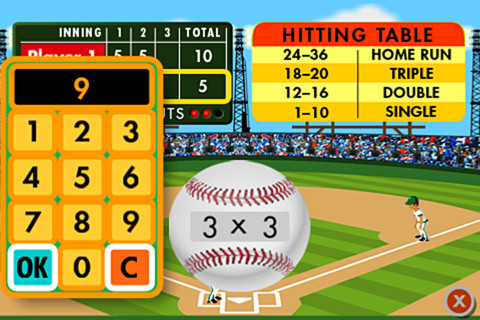
Everyday Math’s Baseball Multiplication comes in 2 versions (1 – 6 facts and 1 – 12 facts) and both versions work the same way. Two players play a 3 inning baseball game as they practice their facts.

Common Core Standards met:

  • 3.OA.7 –  By the end of Grade 3, know from memory all products of two one-digit numbers.

Everyday Mathematics® Baseball Multiplication™ 1–6 Facts - McGraw-Hill School Education Group Baseball Multiplication 1 – 6

Everyday Mathematics® Baseball Multiplication™ 1-12 Facts - McGraw-Hill School Education Group Baseball Multiplication 1 – 12

Top It

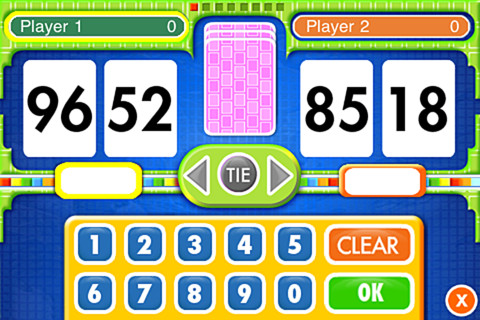
Everyday Math’s Top-It Subtraction for iPhone/iPad is a two player game. It is fun easy way for kids to practice reinforce 2-digit subtraction computation and number comparisons.

Everyday Mathematics® Subtraction Top-It™ - McGraw-Hill School Education Group

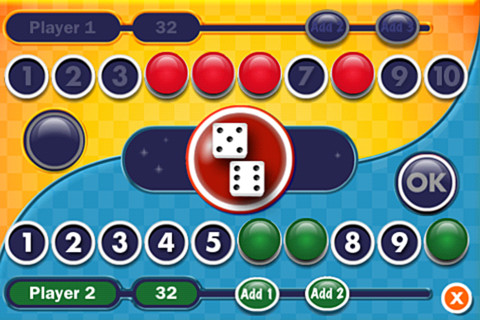
Tric TracEveryday Math’s Tric Trac is a 2 player game for kids to practice their addition facts. Players roll dice, find the sum, then match the sum to numbers in their hand. Every match eliminates that number or numbers from their hand and reduces their score. The player with the lowest score wins!

Common Core Standards met:

  • 1.OA.6 – Add and subtract within 20, demonstrating fluency for addition and subtraction within 10.

Everyday Mathematics® Tric-Trac™ - McGraw-Hill School Education Group

0

Buildo Museum Sticker Book

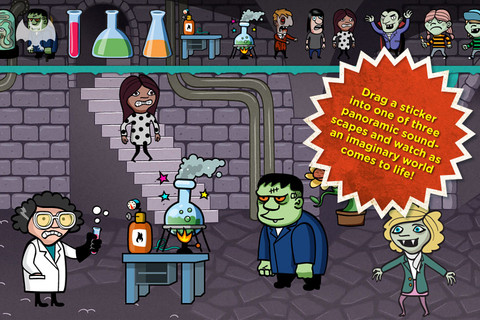
FREE again – Buildo Museum is a spooky sticker book for kids. The goal of the Buildo series is to get  kids to thinking about creative story telling. Included in the app are 3 scenes inspired by ancient museums with 100 + stickers. Kids can scale, rotate and flip stickers to create a scene for their oral stories. This iPhone/iPad app is FREE for a limited time.

Buildo Museum Sticker Book - JAJDO AB
0

McGraw Hill books: Little Red Hen, Jack & the Beanstalk, Why the Sea is Salty, Country Mouse & City Mouse, Little Red Riding Hood

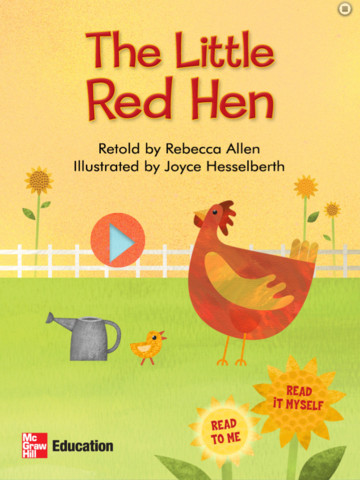
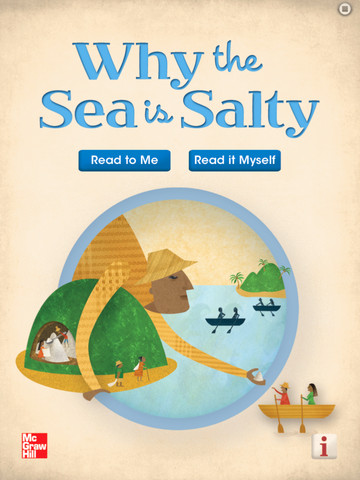
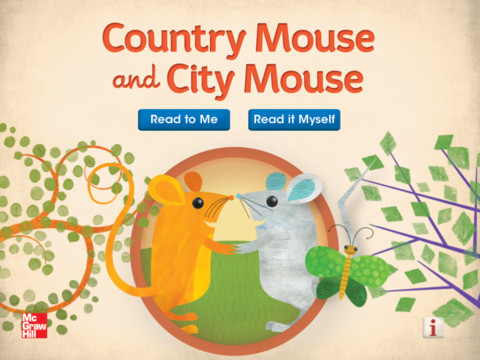
FREE again today – five interactive readers for your iPad from McGraw Hill. All of these titles usually sell for $1.99. These classic children’s tales can be read in two ways: read aloud or read to myself. All five books are nicely illustrated and have animations/interactivity on each page. Sound effects and music are also included – both of  these features can be turned on or off. The stories are all great but I especially enjoyed the Little Red Hen. Download them today  – there is no reason to pass these up.  🙂


Little Red Hen - Interactive Reader - McGraw-Hill School Education Group  Little Red Hen      Jack and the Beanstalk from McGraw-Hill Education - McGraw-Hill School Education Group  Jack and the Beanstalk     Why the Sea Is Salty - McGraw-Hill School Education Group Why the Sea is Salty

Little Red Riding Hood from McGraw-Hill Education - McGraw-Hill School Education GroupLittle Red Riding Hood    Country Mouse and City Mouse - McGraw-Hill School Education Group Country Mouse/City Mouse

0

The Rocket Book

Rocket Book

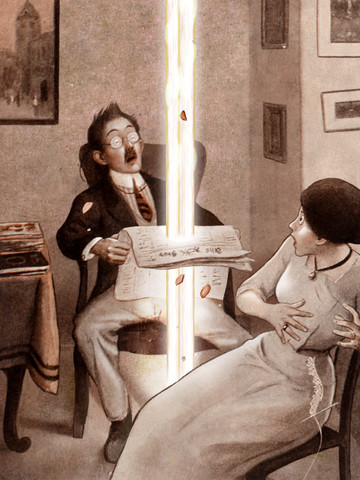
FREE for a limited time – The Rocket Book is an interactive version of a book by Peter Newell. The book was originally published in 1912 and it is written in rhyme. It tells the tale of Fritz (the janitor’s son) who lights a rocket in the basement of an apartment building. The book follows the rocket’s path as it travels upward through 20 flats causing some havoc along the way.  The 3D technology used in the scenes makes the old-fashioned pictures come alive. Ragtime piano music and a great narrator add to the charm of this app. Lots of great opportunities for comparing and contrasting using this story – 1912 vs now. This book is also rich in language and would also be great for a lesson on context clues. Very cool app to use in a one iPad classroom!

Rocket Book - Third Bird Party!

0

Vocabulary Apps

There are several good vocabulary apps on the market to use in the classroom. They can also be used for students who trying to boost their vocabularies. I wish some of them would have been around when my kids were studying for the SATs. 🙂

Words to Learn By

Words to Learn By by McGraw Hill has 300 words to study. It was offered for FREE when I downloaded it but it is currently $.99. The words are grouped into 3 levels – building, expanding and advancing. Each word includes a definition, an audio pronunciation, and a synonym. There are 4 options in the quiz mode – flashcards, definitions, fill-in-the-blanks (GREAT for teaching context clues), and a synonym shuffle game. This app is not too difficult and could be used with upper elementary and junior high students.

Words to Learn By - McGraw-Hill School Education GroupWord a Day

Word a Day was offered for FREE when I downloaded it but it is currently $1.99. This app takes a fun approach to expanding your vocabulary – one day/one word at a time! This app features a new word every day – each word has a humorous illustration and a narrated audio which pronounces the word, defines it, and uses it in context. If you feature a vocabulary word of the day in your classroom, you may want to look at this app – it’s a cute one!

Word A Day Pictures & Audios by VocabAhead - Lafazi, Inc

Vocabology

Vocabology – Word of the Day was offered FREE the day I downloaded it but is currently $.99.  It offers words of the day from several sources on the internet: foreign language words (Spanish, Portuguese, German, Italian, French, Latin), Dictionary.com, Wiktionary, Merriam-Webster, TheFreeDictionary.com, Yahoo  Education, Common SAT words, Urban Dictionary, and WordSmith.org. The app also includes a quizzes. In-app purchases are available for SAT words, Latin words, and more. BEWARE – some of the words from the urban dictionary are explicit and NOT suitable for the classroom. You have the option of disabling this word source within the app. You need to do so before you put this app in the hands of kids! I appreciate that the developer has included this option.

Vocabology - Word of the Day - ThatWith.Me, LLC

0

Sight Words & Spelling with Pixopop HD

Pixopo Sight Words & Spelling

FREE for  limited time – another sight words app, Sight Words & Spelling with Pixopop. In this app kids join Stitch Bunny and friends to learn 240 sight words arranged in 24 lists of 10. The app also permits you to create and record your own lists!

There are several things I really like about this app. 🙂 This app has 3 modes – flashcard, word challenge, and spelling.In the flashcard mode, I like that the word is shown but not immediately pronounced. This permits the child to read it then check his/her answer. In the word challenge mode, a word is pronounced and the child has to pick it from a list of 4 words. As the child picks the correct word, a character is constructed on the left side of the screen. I like that all words can be set to begin with the same letter so that the child has to look carefully. In the spelling mode, kids have to spell words using a keyboard. I like that it can be set to be arranged like a computer keyboard rather than an a – z keyboard. And the BEST thing about this app is that is keeps track of the child’s progress. It shows a score for each list, the date passed, and the time spent. AWESOME!!

Sight Words & Spelling with Pixopop HD - Marcel Widarto