0

Sakura Quick Math

Sakura Quick Math

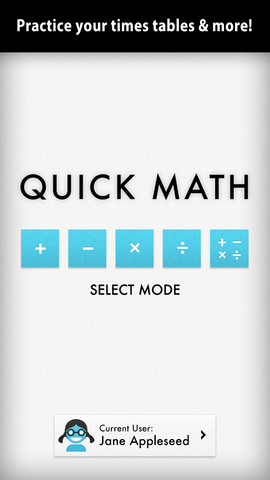
FREE today – Sakura Quick Math. Kids practice basic math (addition, subtraction, multiplication, division, and mixed operations) while racing against the clock. Three problems appear on the screen. Kids use their fingers to write the answers as quickly as they can. The app uses handwriting recognition to check the answers – very slick! If the number is not written neatly, the app does not recognize it and in my opinion that is a bonus. I spent 30+ years telling kids that part of their job was to write legible answers :). This app helps to reinforce that message! As a child’s skills grow, the app can be made more challenging because there are 3 levels of difficulty. You can create multiple users in this app and the app keeps track of each user’s progress in bar graph form. Very cool way for kids to practice their facts!

Common Core Standards met:

  • 1.OA.6 – Add and subtract within 20, demonstrating fluency for addition and subtraction within 10.
  • 2.OA.2 – Fluently add and subtract within 20 using mental strategies. By end of Grade 2, know from memory all sums of two one-digit numbers.
  • 3.OA.7 – Fluently multiply and divide within 100, using strategies such as the relationship between multiplication and division or properties of operations. By the end of Grade 3, know from memory all products of two one-digit numbers.

Sakura Quick Math - Shiny Things

0

SimpleSort

SimpleSort

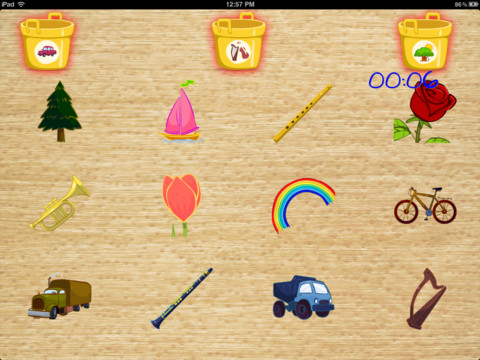
FREE today – SimpleSort for the iPad. The Clever Clouds have knocked over buckets full of items and everything is mixed up! Kids return the items to the correct bucket in this simple game that teaches kids the beginning math skills of sorting & categorizing. The game can be made more difficult (by adding more buckets) as a young child’s skills improve. It can be played in 2 languages – English or Spanish. So… it could also be used as a tool to teach older kids vocabulary in a second language. Check it out while it is FREE  🙂

SimpleSort - KidsAndBeyond, LLC.

0

My A – Z

My A - Z 1

My A - Z 2

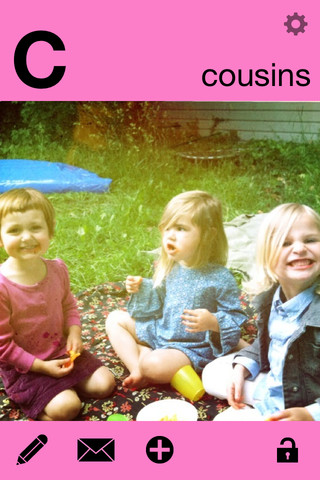
FREE for a limited time – My A – Z, a fully customizable alphabet app. Using this app, you can easily create your own alphabet flashcards with personal pictures and personal recordings (up to 30 seconds)! The app comes with words & pictures for each letter of the alphabet but you have the ability to edit those and/or add your own. Just use already existing photos from your albums or use your device’s camera to take new photos. Easy!!

There are so many fun uses for this app. Make alphabet  cards of your family or your family vacation. You can include greetings from the relatives pictured! Make alphabet cards to teach words in another language. Make alphabet cards that teach math terms. Make holiday editions of alphabet cards. Obviously, the audience for this app is not just limited to toddlers. It would be fun for older kids to create their own ABC flashcards in any subject area. The possibilities are endless!

My A-Z - Night & Day Studios, Inc.

0

Bo’s Dinnertime

Bo's Dinnertime

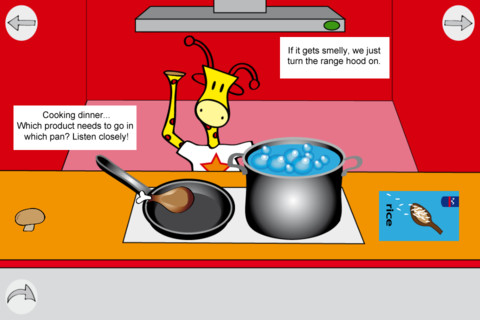
FREE for a limited time – Bo’s Dinnertime, a cute app for 2 – 6 year olds. This app is one of a series featuring a friendly giraffe named Bo. By helping Bo, kids learn about all aspects of dinnertime – buying groceries & putting them away, cooking, setting the table, serving, eating, and cleaning up. Kids are also developing important skills – listening, matching, sorting, & counting. The app is available in English & Dutch. Bo’s Dinnertime is a fun way for little ones to learn about dinnertime routines!

Bo's Dinnertime - Heppi

2

Millie Was Here

FREE again…. This award-winning interactive book for kids has been one of my favorites since I started my blog. The story follows Millie on her first adventure. Millie (a lovable dog) has super powers, loves bacon, and is a master of disguise. I love everything about this app – the narration, music, interactivity, and Millie – the super cute star of the book. The story is available in 11 languages. The app automatically sets to the language of your device – how cool is that!

Other adventures in the series are: Millie and the Lost Key and Millie’s Book of Tricks and Treats. All of the Millie’s apps are VERY cute and kids love them!

After looking at 600+ apps, this app is STILL one of my favorites!!

Highly recommended!

Millie Was Here, Book 1: Meet Millie - Megapops LLC

0

Speech/Communication Apps

April is Autism Awareness Month so many developers are offering their speech/communication apps for FREE or at a discounted rate.

Many of these apps are costly – you may want to download them TODAY while they are FREE to see if they will meet the needs of your child/students.

urTalker Pro

FREE for a limited time (maybe only today) – urTalker Pro – normally $99.00. urTalker Pro - Nolan Technology LLC

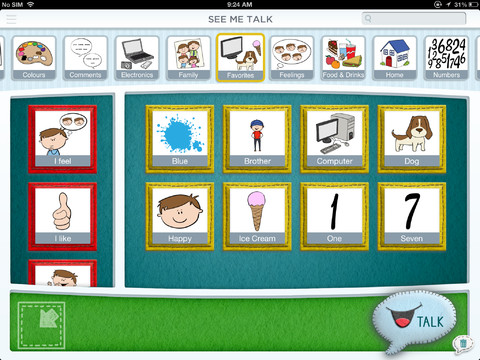
See Me Talk

FREE for a limited time (maybe only today)  – See Me Talk  – normally $59.99. See Me Talk - Kevin Hanasyk

0

Leo’s Pad: Preschool Kids Learning Series

leo's pad

Question: What do you get when Stanford education experts collaborate with award-winning storytellers and animators? Answer: Leo’s Pad – an interactive series of “appisodes” designed for preschoolers. The first story in this series was released in December. Kids join 8-year-old Leonardo daVinci and Galileo on an aesthetically appealing adventure called Gally’s Birthday. Interactive games that teach shapes, colors, number sense, drawing, letter identification, etc. are seamlessly woven into the story. They include a mixture of exploratory, creative, and problem-solving activities. Songs are also included which adds to the app’s Pixar-movie-like feel. Coming soon is a For Grown-ups section designed to give parents details about their children’s progress. Love this app for so many reasons – great story, beautiful animations, meaningful interaction, positive messages, catchy songs, age-appropriate skills, the list goes on…. Previews of “appisodes” 2 & 3 are available through this app.

Highly recommended!

Leo's Pad Appisode 1 - Kidaptive Inc.

0

Family Puzzles

Family Puzzles

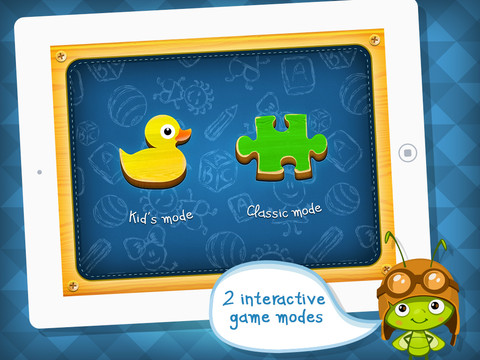
FREE again for limited time  – Family Puzzles. This app has jigsaw puzzles in two modes – kids’ mode and classic mode. Kids’ mode has 36 simple “wooden” puzzles for little ones to put together. Classic mode has 6 puzzles that can be cut into 12, 30, or 56 pieces. But… the BEST part of this app is the ability to make your own puzzles. Using the camera on your device or your photo library you can literally make “family puzzles” – sorry, couldn’t resist that one :)  How fun would it be to create puzzles of your family vacation photos and work them with your little one!?!
Family Puzzles - Arsidian LLC

0

Cursive Writing HD

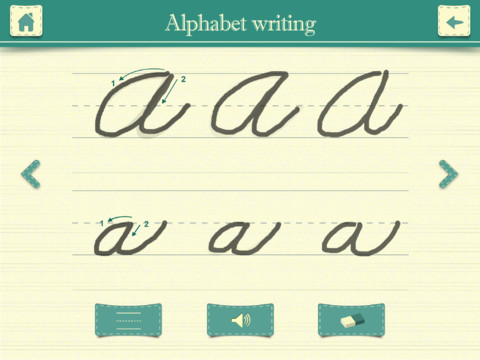
FREE again – Cursive Writing HD normally sells for $.99. It shows kids how to write in cursive utilizing three modes. In the abc mode, both upper case and lower case letters are taught. Kids are shown how to trace each letter using the proper stroke sequence. This section of the app is very well-done.

In the word mode, kids are shown how letters combine to form 234 words. Then in the sentence mode kids can practice writing one of the 3 sentences provided. Or, they can type in their own sentence which is converted to cursive. What a great idea! But… the letter style (in both the word mode and the sentence mode) is not the same as the letter style of the abc mode. For example, the lower case o and b become very loopy. Many of the upper case letters are formed in completely different way than they were taught in the abc mode. Many words are not started on the base line.

After teaching cursive writing for 30 years, I know that the biggest challenge is teaching kids to properly connect the letters. This app does a nice job of teaching the individual letters in the abc mode but I would be hesitant to recommend/use it in the word mode or sentence mode.

Cursive Writing HD - Jiwoo Studio

0

Puppet Workshop

Puppet Workshop

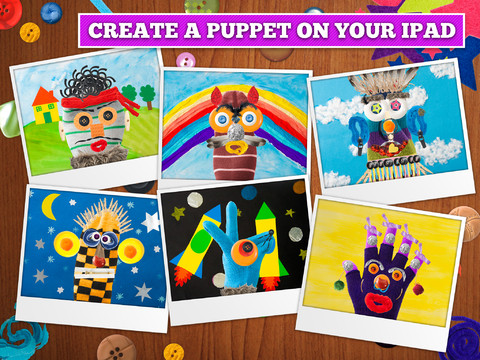
FREE for a limited time (normally $2.99) –  Puppet Workshop. Kids use their creativity to turn a sock or a glove into a virtual puppet using this app. They first choose their sock or glove. Then they create the puppet’s eyes, nose, mouth, & hair from an assortment of buttons, ribbons, strings, etc. The puppet can be placed on a background from the app or a background from your camera roll. Or… your child can also create his/her own background! You can also save a picture of your child’s puppet to your camera roll or it ca be stored in the application. The app includes 20 different socks & gloves, 150+ enhancements, and 18 different backgrounds – enough “stuff” for a whole lot of creating!! Very fun 🙂

Puppet Workshop - Creativity App for Kids - Sebastian Bachorzewski