0

Count Money FREE

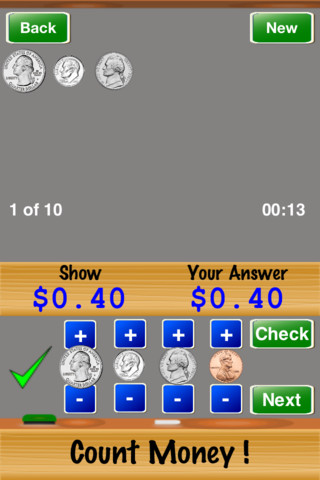
FREE iPhone/iPad app for counting money. This FREE version has two levels – easy and medium. The full version has two additional levels and a quiz mode. This app is simple to use. Kids count quarters, dimes, nickels and pennies to show an amount of money. They press + and – buttons to add coins to their work area until they are ready to check their answer. The app tallies the number correct out of 10, 25, or 50. A concern – the app only shows the heads of the coins. Kids need to see heads, tails, and different kinds of quarters, etc. It would also be more challenging to require kids to come up with the least number of coins for the amount of money. When I was teaching, I found that some kids avoided using quarters and nickels because it was more difficult. This app provides good basic practice for kids but eventually kids will need more of a challenge before they master counting money – perhaps that is available in the full version.

This app provides some of the background knowledge that kids will need to meet this second grade standard.

Common Core Standard:

  • 2.MD.8 – Solve word problems involving dollar bills, quarters, dimes, nickels, and pennies, using $ and ¢ symbols appropriately.

Count Money ! - Horizon Business, Inc.

0

Vocabulicious Kinder

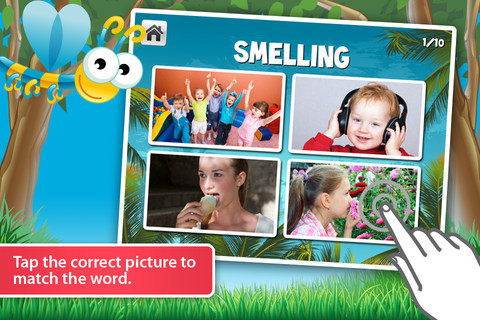
Vocabulicious Kinder for the iPhone/iPad is a flashcard app designed to help preschoolers and kindergartners increase their vocabulary. The FREE version includes 4 categories: animals, more animals, fruit, and plants. 14 additional categories are available as in-app purchases. Children earn stars by correctly tapping on the named/written object. The images on the flashcards are high quality photographs. There is an option to show either 2 or 4 cards at a time which permits adults to adjust the level to meet their child’s needs. There is also an option to set the type to be all caps or lowercase letters. The settings permit you to have up to 4 players. This app could be used with toddlers, students with language delays, or ESL students. Check out the FREE version if your child needs to work on vocabulary development.

Vocabulicious Kinder - Brainster Apps

0

All About Pumpkins

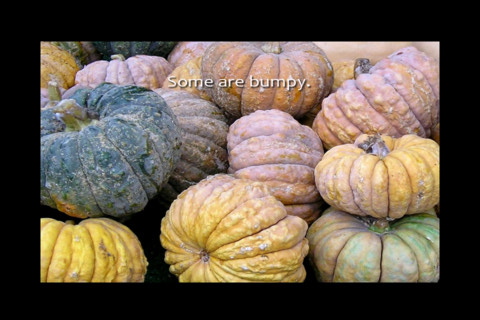
All About Pumpkins is a nonfiction e-book for the iPhone/iPad. Using simple text and photographs, it explains how pumpkins are grown and how they are used in the fall. The app is simple to use – kids just tap on the page to advance the narrative. This book would be great to read to younger children before/after visiting a pumpkin patch – short, but nicely done.

All About Pumpkins - Cindy Bracken

0

Squiggles

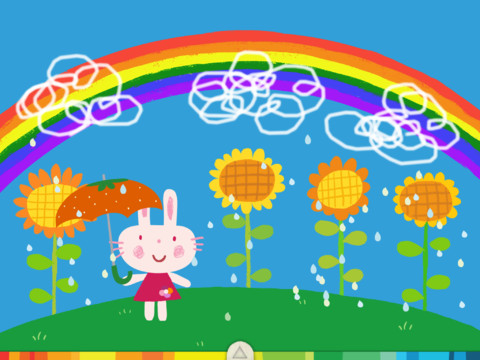
This FREE app for the iPad is adorable! Kids are encourages to draw squiggles to create: rain clouds (to water flowers), waves (to help fish swim), wool on sheep, cotton candy, etc. Once the squiggles are drawn, they press GO and the drawings come alive. The app includes an interactive storybook and an animated short which introduces the characters – Bobu, the monkey  & Miku, the rabbit. It also includes 14 drawing pages (just add the squiggles) as well as a blank page for your child to create his/her own pictures. Tools included are stickers, markers, paint, chalk, a ketchup bottle, as well as 10 colors & a mystery color wheel. Work can be saved into the gallery of the parents’ section by pressing the piggy bank. This app is super cute!! It encourages children to be imaginative & creative – it’s one of my new favorites 🙂

Highly recommended!

Squiggles! - Lazoo Worldwide, Inc

0

Doodle Buddy – Paint, Draw, Scribble, Sketch – It’s Addictive

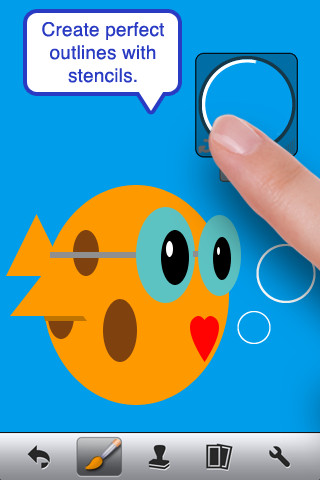
The FREE version of Doodle Buddy (for the iPhone/iPad) is great for drawing and creating pictures. It comes with five kinds of tools. The drawing tool has several options – a brush, chalk, glitter, smudge, an eraser, and a color picker with thousands of colors. The stamper tool includes 80+ stamps with the option of making them small or large. Each stamper makes a funny sound when used. The stencil tool comes 6 stencils (basic shapes) with the option to buy other sets as an in-app purchase. Sets available to purchase are theme-based such as fashion, beach, cars, princess, dinosaurs, Christmas, and more. The text tool has 4 fonts with the ability to resize them. Text can be written in any color you choose. The background tool has about 30 backgrounds to choose from or you have the ability to pull in your own photos. Armed with such great tools, you can only imagine the fun you or your child will have creating a works of art! And…. the finished masterpieces can be saved to your photo album and/or shared via email. Fun!!!

There are so many fun ways to use this app. Kids can use it to illustrate their stories because saved illustrations can easily be pulled into a story writing app such as My Story – see my review from June 27. Have kids draw pictures of their vacation then save into photos and use as additional pictures or backgrounds for a photo vacation booklet created on Snapfish, etc. Make a book for Father’s Day, Mother’s Day, a grandparent, etc. – incorporating your child’s drawings and family photos. If creating a family cookbook, have kids do the illustrations. The list goes on……

Highly recommended!

Doodle Buddy for iPad – Paint, Draw, Scribble, Sketch – It’s Addictive! - Pinger, Inc.

0

Moon Secrets – Interactive Children’s Book HD

FREE for the iPhone/iPad, Moon Secrets is a sweet, beautifully illustrated story about the moon told through the eyes of a child. All pages include animations that become interactive when tapped. The story can be enjoyed in three modes: autoplay, read to me, and read by myself. There are also three games at the end of the story – coloring, find the difference, and find hidden objects. The only thing I don’t like about the app is the placement of the pop-up ad for PlayTales Gold Bookstore. It’s right smack in the middle of the story and it ruins the flow and the mood of the story. Other than that, I think this story would be a great bedtime read.

Moon Secrets - Interactive Children´s Book HD - Genera Kids

0

ABC Alphabet Phonics – Preschool Kids Game Free Lite

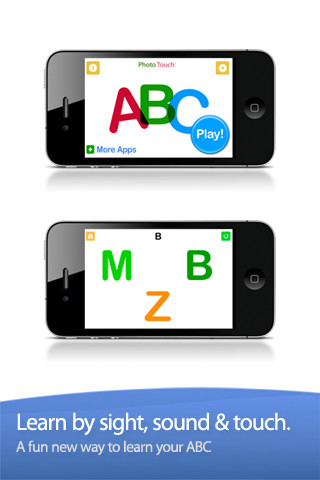
This FREE app is designed for the iPhone/iPad for 0 – 6 year olds. It gives kids practice in letter identification – both upper and lower case. Settings can be switched from plain letters to letters with animals, kids, monkeys, and sketches. With the letter/animal option, an animal that starts with the letter is next to it. You can add your voice or your child’s voice to customize the app. You can also turn letters on and off, mix and match upper and lower case, etc. I did find a glitch when mixing the upper and the lower case letters – the instructions said to touch the f, both F and f were displayed as possible answer but only F was correct. Needless to say, that could be very confusing to a child learning letter names. The other concern that I have with this app is the title – ABC Alphabet Phonics. Phonics is not part of the app at all. This app does not introduce any letter sounds. It simply gives kids practice differentiating between letters – touch the Q, touch the g, touch the H, etc. That is it – with plain letters or letters with illustrations. If your child would benefit from this kind of drill, you may want to download this app.

Common Core Standards met:

  • K.RF.1 – ….. Recognize and name all upper and lowercase letters of the alphabet.

ABC Alphabet Phonics - Preschool Kids Game Free Lite - GrasshopperApps.com

0

Who Stole the Moon? Lite

This Lite FREE version of the app is really only a preview of this interactive story – specifically the first 6 pages. It is the story of Bertie Brown who loves looking through his bedroom skylight to see the moon. He gets worried one night when he doesn’t see the moon and thinks that someone has stolen it. The full version continues the story from this point on. It also includes games and songs. The preview is beautifully done – great artwork, nice music. It seems like it would make a nice bedtime story – the cost is $4.99 to find out 🙂

1

ClassDojo

ClassDojo is a tool that helps teachers improve classroom behaviors. It is currently FREE because it is in beta form. It works with a smartphone, a laptop, or a tablet. Every student in your class gets their own cute little monster avatar. Kids earn points for positive behaviors and lose points for negative behaviors. As you use it, it automatically logs any data that you input. This data can be used to generate behavior reports to share with parents and administrators. It is very easy to set up and it is fully customizable – you can delete behaviors from the original list and add your own behaviors.Teachers are using it in different ways: to give feedback in real-time, to track behavior, and to generate reports.

If I were still in the classroom, I would enter my class list twice – once for data on work/study habits and the other for data on behaviors. I would make my habits/behaviors match exactly what was on my report cards. Then as I used the app, I would also be gathering data for my report cards. At the end of the grading period, I would just print out the date and enter it on the report cards – how easy!  I would also have the data (in a printed report) to be able to back up any grade on the card.  “As you can see Mrs. Doe, Jane only turned in her homework 56% of the time.”  Instant data would also be available for the RTI process, IEPs or any other team meeting on a child. Wow !!!!

Check out the website for more information: www.classdojo.com

Highly recommended !!

ClassDojo - Class Twist Inc

0

Starring You StoryBooks

JibJab has been around since 1999. During the 2004 presidential election their Flash movie, This Land, featured George Bush and John Kerry singing a parody of the Woodie Guthrie song, This Land is Your Land. It became a huge success, received millions of hits, and was featured on several major news channels. The company has continued to make videos but added a commercial site several years ago where you can find 1000+ Make & Share eCards and 500+Starring You videos. Their videos are made for adults so you will want to use the app for your kids rather than explore the website.

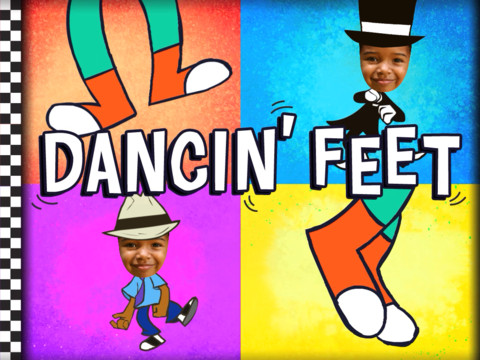
Four days ago, JibJab expanded into the children’s market with StoryBots. The initial launch included 5 products – one of them is a FREE iPad app that lets parents make their child the star of an animated book. The Starring You StoryBooks app is replacing JibJab Junior app that I reviewed on August 9. It is very easy to use. Just choose a picture of your child from the photo library, Facebook, or take one with your camera. Place your child’s face in the opening, adjust it to fit the space, and then add his/her name. Make sure you choose the correct gender so that the pronouns are correct. If you have more than one child, you can create books starring each of them. The book has animations on each page. There is not a read along option because your child’s name is inserted in the text. The first book, Dancin’ Feet, is free. After that you may purchase individual books ($7.99) or join the book of the month club ($3.99 a month until you cancel with additional books only $1.99 each). I have been a fan of JibJab for years so I am VERY excited to see them come out with products for kids – fun stuff!!

Learn more here: http://www.jibjab.com/kids

Check out the FREE preview of Monster Games which would be a cute Halloween gift for your child 🙂

Highly Recommended!

Starring You StoryBooks - JibJab Media Inc.