1

10 FREE Science Apps for Kids

sunFREE science app – DIY Sun Science teaches kids about the science of the sun. Funded by the NASA and developed by Berkeley’s Lawrence Science Hall, this educational app is the second in a series of FREE science apps. It includes 12+ hands-on activities, live images of the sun from NASA’s satellite, videos of the sun, and more. Each activity starts with a summary which gives an overview of the activity, the time it will take to complete (prep – clean-up), and the suggested age group. Next, there is a materials list. All items are inexpensive and widely available. Then there is a series of step-by-step directions – with pictures. Finally, there is an explanation of “what’s going on” in the activity. Related videos are at the bottom of the page so that your child can learn more. This app is very well-organized, easy to use, and provides a wonderful introduction to sun science. The best part about the app is that it gives kids and adults the opportunity to learn something new together which is fabulous!

Download link: https://itunes.apple.com/us/app/diy-sun-science/id836712493?mt=8&uo=4

DIY Nano

Recently updated to include 3 new hands-on activities and 8 new nanotechnology videos is another FREE science app – DIY Nano.  This educational app teaches kids (and their adults) about the nanoscale. Funded by the National Science Foundation and developed by Berkeley’s Lawrence Science Hall, this educational app provides a series of activities and videos about nanoscale science, engineering, and technology. There are 12 hands-on activities in this app. Each one starts with a summary which gives an overview of the activity, the time it will take to complete (prep – clean-up), and the suggested age group. Next, there is a materials list. All items are inexpensive and widely available. Then there is a series of step-by-step directions – with pictures. Finally, there is an explanation of “what’s going on” in the activity. Related videos are at the bottom of the page so that your child can learn more. This app is very well-organized, easy to use, and provides a wonderful introduction to the world of nanoscale science. The best part about the app is that it gives kids and adults the opportunity to learn something new together. How exciting is that?!?

DIY Nano HD - The Lawrence Hall of Science

Science 360FREE from the National Science Foundation comes Science 360 for iPad – scientific images and videos from around the world. This educational app covers a range of topics and breaking news from NSF-funded institutions. New content is added weekly. Users can browse the app’s unique 360 display board to learn about something new or they can find specific content by searching keywords. It’s easy to save images and videos for later use right within the app – perfect for teachers who are gathering resources for a unit. The quality of the images is spectacular and they are available in HD for download to your iPad. Keep abreast of the latest scientific discoveries with this app – a great resource!!

Download link: https://itunes.apple.com/us/app/science360-for-ipad/id439928181?mt=8&uo=4

Bill Nye The Science GuyGreat FREE educational app – Bill Nye The Science Guy. 2013 was Bill Nye’s 20th Anniversary and Disney celebrated with the release of this educational app. Kids scan their thumbs to gain entrance to Nye Labs – a scientifically fascinating place. There they can play games, watch clips from their favorite shows, try some experiments, and more. When I was still teaching, I frequently used Bill Nye’s materials. My students loved his energetic, fun videos and often begged to watch them again! It’s no wonder he is the winner of 38 Emmys. This app takes kids to a place where science rules!!

Download link: https://itunes.apple.com/us/app/bill-nye-the-science-guy/id652548755?mt=8&uo=4

Color UncoveredTwo FABULOUS & FREE educational apps from the Exploratorium!! Both interactive books contain illusions, articles, and videos. These apps make science fun by answering questions like – What color is a whisper? Are there secret messages in music played backward? Kids will love the illusions and you won’t believe these apps are FREE! Very interesting – for kids AND their parents/teachers.

Color Uncovered: https://itunes.apple.com/us/app/color-uncovered/id470299591?mt=8&uo=4

Sound Uncovered: https://itunes.apple.com/us/app/sound-uncovered/id598835017?mt=8&uo=4
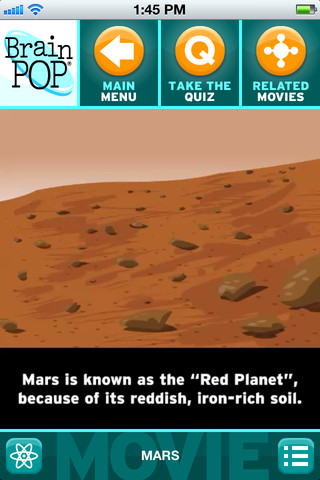
brain popBrainPOP has been around for more than a decade as an educational website. The site features short animated movies – 750+ lessons covering science, social studies, math, art & music, etc. The content is geared for grades 4 and above but I found that many movies were also suitable for third graders. When I was in the classroom, it was one of my favorite online resources.

Now you can download the BrainPOP Featured Movie, the educational app for FREE! Your child can learn something new every day. After watching the daily movie there is a short interactive quiz. And… if your child can’t get enough of this app, there are two subscription options: $1.99 per month/ 4 movies & quizzes a day OR $6.99 per month/full access.

Teachers could add the BrainPOP movie of the day to their daily routine. Watch it at a transition time – right before lunch, after lunch, while waiting for buses to called, etc. Interesting and educational!!

Download link: https://itunes.apple.com/us/app/brainpop-featured-movie/id364894352?mt=8&uo=4

brain pop jr

Also available for FREE is BrainPOP Jr. Movie of the Week, another educational app. Every week Annie and Moby (two lovable characters) help 5 to 9 year olds learn about a different subject. There is also a quiz and activities to accompany each animated movie. BrainPOP Jr. has been on the web since 2006 delivering content for younger students in science, social studies, reading, writing, math, and more.

Again, teachers could add the BrainPOP Jr. Movie of the Week to their routine. Start your Monday off with the “Movie of the Week” or use it on Friday. BrainPOP gives teachers another way spark kids interest in learning!

Download link: https://itunes.apple.com/us/app/brainpop-jr.-movie-of-the-week/id536371867?mt=8&uo=4

Zachy the RobotFREE again for limited time – Zachy the Robot: The Leaning Tower of Robocity, episode 1 of an interactive cartoon series for kids ages 3-7. The series was developed and tested in cooperation with Carnegie Mellon University Children’s School. It introduces basic STEM (science, technology, engineering, math) concepts to kids. In this first episode, kids are introduces to basic engineering concepts when Zachy and his friends, the Repairbots, are called in to fix a skyscraper that is leaning. Kids will love watching this animated adventure and helping the Repairbots solve the problem. This educational app was a winner of a Parents’ Choice Recommended Award in 2011 – a well-deserved honor! It exposes kids to STEM concepts in a fun & engaging way!

Download link: https://itunes.apple.com/us/app/zachy-robot-leaning-tower/id441107189?mt=8&uo=4

Robots for iPadWho doesn’t love robots? Robots for iPad is FREE for a limited time. This educational app was listed as “New & Noteworthy” by Apple. It was also reviewed or mentioned in the NY Times, Mashable, Wired, CNET and more! Kids (and adults) can explore real-world robots with this fun app which is chock full of interactivity, animations, photos, videos, & articles. The app introduces over 150 robots from 19 countries. Kids can swipe each robot for a 360° view then tap the robot to interact with it. There are also hundreds of videos and 500+ pictures. The app has information about all kinds of robots (drones, androids, etc.) as well as information about some famous robots – Honda’s humanoid Asimo, a NASA Mars rover, and Google’s self-driving car. VERY cool and very informative!

Teachers, there are lots of possibilities for using this app in your classroom. After exploring, use it for writing activities – descriptive paragraphs, write about a robot you would invent, pick a robot and write a story, etc. The app’s ratings section could be used for graphing activities. There is also a great timeline included as well as a section on how to get started in robotics. I can see how kids will love this app. 🙂

Download link: https://itunes.apple.com/us/app/robots-for-ipad/id566581906?mt=8&uo=4
 

0

Hanx Writer

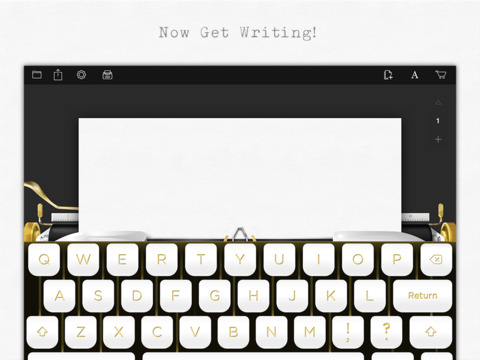
hanxLooking for a fun way to get your students to write? Try Hanx Writer, a FREE app created by Tom Hanks. Hanx Writer recreates the experience of typing on a manual typewriter – without the hassle! Students can enjoy the look, feel, and sound of a good old-fashioned typewriter coupled with the ease and speed of an iPad. Created documents can be messaged, emailed or printed. This app would also be great for teaching students how to keyboard. With in-app purchases, you can add ribbon colors, background colors, and more. Check out the FREE version. If you grew up using a typewriter, you’ll feel quite nostalgic as you “type” your documents. 🙂

Download link: https://itunes.apple.com/us/app/hanx-writer/id868326899?mt=8&uo=4

0

SparkleFish

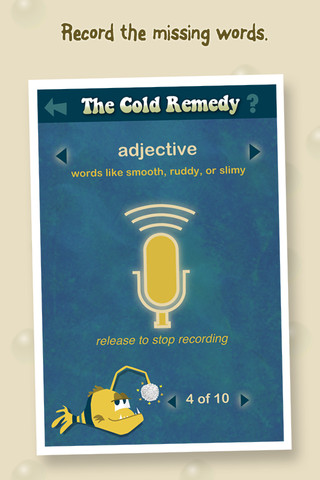
SparkleFish is a FREE educational app for iPhone/iPad that works like a digital version of Mad Libs. Five stories are included in the app with others available as in-app purchases. Kids are asked to provide words from a specific category (animal, body part, etc.) or a specific part of speech (adjectives, nouns, adverbs, past tense verbs, etc.). If the child cannot think of a good word, he/she can get suggestions from SparkleFish by touching the word. Instead of writing the words, kids record their choices in their own voice. Their words are played back in the reading of the story. Kids can save their recordings and listen to them later. This app allows kids to practice parts of speech in a fun way. Kids love Mad Libs because the results can be hilarious. I am sure they will feel the same way about SparkleFish. 🙂

SparkleFish - Whosagoodboy Partners

0

Pattern Shapes

pattern shapes

pattern shapes 2

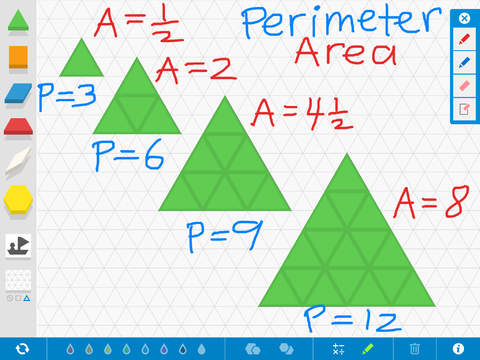
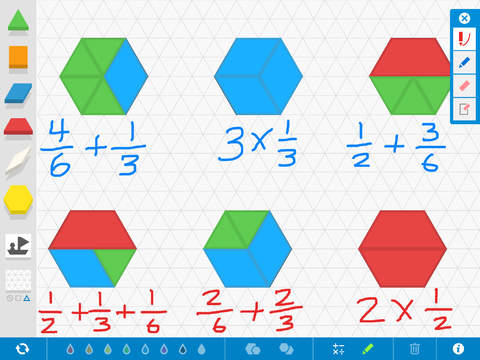
FREE educational app – Pattern Shapes is another great math manipulative from the Math Learning Center. The app features three backgrounds: blank, square grid, or triangular grid. Younger students can use Pattern Shapes to fill in outlines and/or create their own designs. Older students can use the app to explore a variety of math concepts: geometric relationships, fractions, perimeter & area, angles, symmetry, etc. The app has plenty of flexibility. Shapes can be rotated in 15 degree increments. Their color and size can be changed and/or duplicated. There are drawing tools & text tools available so students can explain their work. After using the app to show their understanding, students can screen shot their work to email to their teacher. Or, how about creating a digital math portfolio in a writing/diary app? Then students could add their work to their portfolios. Another fantastic tool for your digital math toolkit!

Download link: https://itunes.apple.com/us/app/pattern-shapes-by-math-learning/id908511013?mt=8&uo=4

0

MathLands – Kids Logic Game & Brain Builder for Math and Critical Thinking

MathLands

All I can say is WOW! MathLands is a completely FREE educational math app that makes kids THINK! Kids have to use logic, problem solving skills, and critical thinking to solve multiple levels of 6 different puzzles. Each puzzle is timed, has hints available, and has a section that tells the history of the puzzle. Kids can choose to start over. They can try again to get a better score or they can try again to get the BEST score. The app reveals the best possible score for each puzzle and challenges kids to achieve at that level. There is also a Math Comics section – problems are written in comic strip form. Kids solve the word problems by using the interactive manipulatives on the page. In a word full of math apps that stress practice and drill, this app is like a breath of fresh air. LOVE it!!!!

MathLands - Kids Logic Game & Brain Builder for Math and Critical Thinking - Mamanijo

0

Sparky & The Case of the Missing Smoke Alarms

sparky

FREE – Sparky & The Case of the Missing Smoke Alarms, an interactive book from Cupcake Digital. This educational app is perfect for Fire Prevention Week (October 5 – 11) because this year’s theme is Working Smoke Alarms Save Lives. Kids read along to help Sparky the Fire Dog® and his friends solve the mystery of Aunt Dottie’s smoke alarm. As they read, they will learn about the importance of working smoke alarms, what to do when a smoke alarm sounds, and how to plan an escape. There are also fire safety tips and fun interactions woven through the story. The story is narrated with highlighted text for emerging readers. The narration can be muted for kids who want to read the story on their own. The app also includes a game and a sing-along music video.

At the end of the story, there are resources for adults. There are two sets of questions about the story. The “Let’s Talk About” questions address literal understanding of the story. The “Let’s Think About” questions address extended meaning. The Parents’ Page connects adults to a collection of fire safety resources. The Teacher Page gives suggestions for using the app in the classroom. There is a page with information about the Common Core Standards addressed by the app. Print-outs and activities to supplement the story are available online at Sparky Home | Sparky The Fire DogWhat is not to love about this educational app? It seems to have it all – a cute story packed with interactivity, a great message about fire safety, a game, a sing-along video, connections to CCSS, and a guide for adults!

Download link: https://itunes.apple.com/us/app/sparky-case-missing-smoke/id869373998?mt=8&uo=4

0

5 Math Manipulatives for your Digital Toolkit

Five FREE apps for your virtual math toolkit. 
Geoboard by The Math Learning Center (a nonprofit organization dedicated to K – 12 education) is a FREE app that turns your iPhone/iPad into a virtual geoboard. Geoboards can be used as tools to teach mathematical concepts such as polygons, perimeter, area, line segments, angles, congruent shapes, symmetry, fractions, etc. Shapes are created by stretching bands on the geoboard’s pegs. There are 5 colors of bands in the iPhone version and 8 in the iPad version. There is also a tool to fill in shapes. On the iPad version, you can switch from the standard 25 peg board to a 150 peg board to create more complex shapes. This is a great app with the potential to be used in so many ways.

Geoboard, by The Math Learning Center - Clarity Innovations

FREE for the iPad, Virtual Manipulatives contains math manipulatives for teaching fractions, decimals, and percents. Included are tiles/circles divided into halves, thirds, fourth, fifths, sixths, eighths, tenths, and 12ths AND their corresponding decimals and percentages! The manipulatives are color coded across the settings so that 1/2 is blue as is .50 and 50%. Kids drag tile pieces onto the work area to compare fractions/decimals/percentages. In the settings you can change from tiles to circles, make the pieces transparent, and hide the numbers on the pieces. Completed work can be easily saved to photos. Finding equivalent fractions has never been so slick – WOW!!

Common Core Standards

  • 3.NF.3 – Explain equivalence of fractions in special cases, and compare fractions by reasoning about their size. Understand two fractions as equivalent (equal) if they are the same size, or the same point on a number line.
  • 4.NF.1 – Explain why a fraction a/b is equivalent to a fraction (n × a)/(n × b) by using visual fraction models, with attention to how the number and size of the parts differ even though the two fractions themselves are the same size. Use this principle to recognize and generate equivalent fractions.

Virtual Manipulatives! - ABCya.com

equivalent fractions

From the National Council of Teachers of Mathematics comes a FREE app called Equivalent Fractions. Kids create equivalent fractions by dividing and shading squares or circles. Circles can be divided into 24ths. Squares can be divided into 144ths. In the play mode, a fraction is shown and kids must create 2 additional fractions that are equivalent. All 3 fractions must have different denominators. The app also places the fractions on a number line – a great visual for comparing! There is also a “build your own” mode which would be fabulous to use for guided exploration & practice. Kids could also use this section as a virtual manipulative when working independently. This app is an excellent resource for the classroom !!

Common Core Standards met:

  • 3.NF.3 – Explain equivalence of fractions and compare fractions by reasoning about their size. Understand two fractions as equivalent (equal) if they are the same size, or the same point on a number line. Recognize and generate simple equivalent fractions, e.g., 1/2 = 2/4, 4/6 = 2/3). Explain why the fractions are equivalent, e.g., by using a visual fraction model.

Equivalent Fractions - National Council of Teachers of Mathematics

counting board

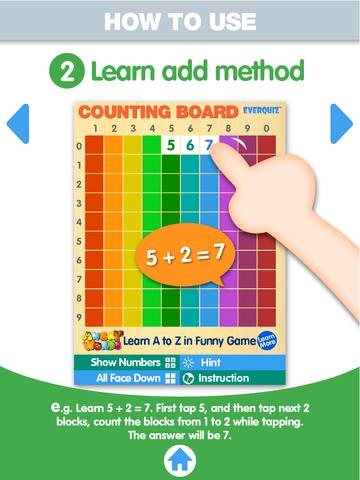
Another FREE app is Counting Board HD, a colorful number grid that can be used to help kids learn basic number concepts. The app is advertised as being suitable for 2 to 4 year olds but it can also used with older students. I frequently used number grids with third graders. Number grids help kids see patterns and visualize math concepts. With younger children, the app can be used for counting to 100 – by ones, fives, tens. Younger kids can also learn basic addition and subtraction by using the app to count up or count back. With older kids, number grids can be used to teach: greater than and less than, how to find missing addends, place value concepts, skip counting, and more! The app can be used with the numbers showing or hidden and the pronunciation can be on or off. The app simple to use, visually appealing, and useful for so many math lessons. I love this app! It’s so much easier than dragging out the laminated number grids and counters. 🙂

Common Core Standards met:

  • K.CC.1. Count to 100 by ones and by tens.
  • K.CC.2. Count forward beginning from a given number within the known sequence (instead of having to begin at 1).
  • 1.NBT.5. Given a two-digit number, mentally find 10 more or 10 less than the number, without having to count; explain the reasoning used.
  • 1.NBT.6. Subtract multiples of 10 in the range 10-90 from multiples of 10 in the range 10-90 (positive or zero differences), using concrete models or drawings and strategies based on place value, properties of operations, and/or the relationship between addition and subtraction; relate the strategy to a written method and explain the reasoning used.
  • 3.OA. 9. Identify arithmetic patterns (including patterns in the addition table or multiplication table), and explain them using properties of operations.

Download link: https://itunes.apple.com/us/app/counting-board/id450751745?mt=8&uo=4

number lineNumber Line, by the Math Learning Center is a fantastic FREE app that will help kids visualize number patterns and understand number operations. The app is well-designed with several useful features. The number line can be set by ones, twos, fives, tens, twenty-fives, and hundreds. It can also be customized to show multiples of any whole number from 1 to 100. This feature is perfect for skip counting and/or for visualizing multiplication. The app permits kids to add and manipulate forward & backward jumps – a great feature for teaching addition & subtraction. This feature also helps kids visualize multiplication as repeated addition of the same number and division as repeated subtraction of the same number. Teachers are able to hide or reveal numbers on the number line. This feature can be used to challenge kids to apply what they know in order to figure out the missing number/numbers. Teachers can also use this feature to teach kids how to solve more difficult patterns that are missing several numbers; such as 4, __, __, 16.  Kids can use the drawing tools to show what they know. They can write equations and expressions with the text tool. They can screen shot their work and use it as an exit slip after a lesson. Add this one to your virtual toolkit today – “seeing math” helps kids understand it. 🙂

Download Link: https://itunes.apple.com/us/app/number-line-by-math-learning/id751816884?mt=8&uo=4

1

TED – TED conferences and TEDiSUB – Enjoy TED videos with Subtitles!

Parents/Teachers – here is an app for you and the kids!

TED started in 1984 as a conference bringing together people from three worlds: Technology, Entertainment, and Design. It is now a nonprofit devoted to ideas worth spreading. Here is information on 2 apps that will bring the world of TED to the device of your choice!

TED - originalRiveting talks by remarkable people and FREE to the world. Connect with the official TED app for iPhone/iPad. Access more than 1,700 TEDTalk videos with more added every week! When you open the app, you will see a wide variety of featured talks – Where is Google going next? by Larry Page, A new way to grow bone by Molly Steven, Teach teachers how to create magic by Christopher Emdin, and so on. There are about 60 talks to choose from. Click on a title that interests you to get additional information about that talk: the length of the talk, a short synopsis, related talks, and related tags. Then you can watch the talk, save it, bookmark it, or share it. The app permits you to browse the entire library at any time – even when you are offline. You can browse by tag or by language. TEDTalks are subtitled in over 100 languages! You can create your own playlist or the app can create one for you based on your mood and how much time you have to listen. A fabulous resource for lifelong learners!!

TED - TED Conferences

Ted

FREE for a limited time – TEDiSUB – Enjoy TED videos with Subtitles!  This app enhances the TED experience with added control features. It also allows you to see two subtitles at once – great for a language classes. 

TEDiSUB - Enjoy TED videos with Subtitles! - semix2

0

3 FREE Poetry Apps from the International Reading Association

Planning a poetry unit? The International Reading Association has some apps that may help.

Here are three.
They are FREE. 🙂

acrosticAcrostic Poem helps kids learn about and write acrostic poetry. An acrostic poem uses a word as its subject. The word is written vertically so that each letter begins a line of the poem. All lines of the poem describe or relate to the subject word. The poem does not have to rhyme. Acrostic poems are easy to write and great for having kids introduce themselves, Mother’s Day, Father’s Day, etc.

The app is perfect for a classroom where devices are shared because each student creates his/her own profile. The app explains an acrostic poem and gives an example. Then the student enters his/her topic word. The app advances to a brainstorming page where the student can enter ideas to help write the poem. Then the app advances to a “write your poem” page. The brainstormed words are displayed to help. Work can be saved in progress – reinforcing the elements of the writing process. Finished poems can be saved to the device’s camera roll or emailed. This app mirrors ReadWriteThink’s popular acrostic poem web-based interactive: http://www.readwritethink.org/classroom-resources/student-interactives/acrostic-poems-30045.html. Students can send their editable poems to an email address and then open them in the online tool!

Download link: https://itunes.apple.com/us/app/acrostic-poem/id724841119?mt=8&uo=4

diamanteDiamante Poem helps kids learn about and write diamante poetry. Diamante poems can be written about one central topic or two opposing topics such as day/night. A diamante poem has seven lines and is written in the shape of a diamond. The first and last lines are just one word – nouns. The second and sixth line are two words – adjectives. The third and fifth lines are three words – “ing” words. And the middle line has four+ words – nouns or prepositional phrases. Diamante poems are great for teaching parts of speech and synonyms/antonyms.

The app is perfect for a classroom where devices are shared because each student creates his/her own profile. The app explains a diamante poem and gives two examples – a synonym poem and an antonym poem. Then the student enters his/her beginning and ending topic words. The app advances to a “write your poem” page where the student enters his/her words. The app reminds students which kids of words should be used on each line. Work can be saved in progress – reinforcing the elements of the writing process. Finished poems can be saved to the device’s camera roll or emailed. This app mirrors ReadWriteThink’s popular diamante poem web-based interactive: http://www.readwritethink.org/classroom-resources/student-interactives/diamante-poems-30053.html. Students can send their editable poems to an email address and then open them in the online tool!

Download link: https://itunes.apple.com/us/app/diamante-poem/id724953313?mt=8&uo=4

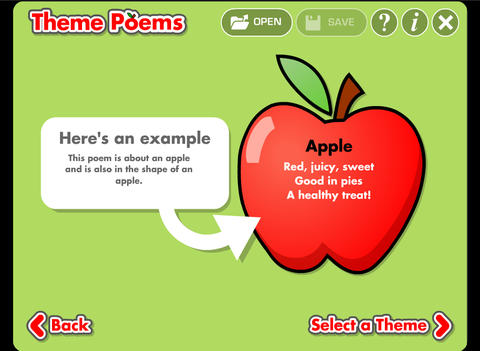
theme poemTheme Poem helps kids learn about and write theme poetry. A theme poem is sometimes called a shape poem. It is written in the shape of what the poem is about. For example, the apple poem is written in the shape of an apple.

Again, this app is perfect for a classroom where devices are shared because each student creates his/her own profile. The app gives an example of a theme poem. Then the student selects one of 5 themed files – nature, school, sports, celebrations, shapes. Each themed file has 5 – 8 shapes for students to choose. Once a shape is chosen, the app advances to a “think of words” page for the student to brainstorm his/her ideas. Then the app advances to a “write your poem” page. The brainstormed words are displayed to help. Work can be saved in progress – reinforcing the elements of the writing process. Finished poems can be saved to the device’s camera roll or emailed. This app mirrors ReadWriteThink’s popular theme poem web-based interactive: http://www.readwritethink.org/files/resources/interactives/theme_poems/. Students can send their editable poems to an email address and then open them in the online tool!

Download link: https://itunes.apple.com/us/app/theme-poem/id724978211?mt=8&uo=4

0

Number Line, by the Math Learning Center

number lineNumber Line, by the Math Learning Center is a fantastic FREE app that will help kids visualize number patterns and understand number operations. The app is well-designed with several useful features. The number line can be set by ones, twos, fives, tens, twenty-fives, and hundreds. It can also be customized to show multiples of any whole number from 1 to 100. This feature is perfect for skip counting and/or for visualizing multiplication. The app permits kids to add and manipulate forward & backward jumps – a great feature for teaching addition & subtraction. This feature also helps kids visualize multiplication as repeated addition of the same number and division as repeated subtraction of the same number. Teachers are able to hide or reveal numbers on the number line. This feature can be used to challenge kids to apply what they know in order to figure out the missing number/numbers. Teachers can also use this feature to teach kids how to solve more difficult patterns that are missing several numbers; such as 4, __, __, 16.  Kids can use the drawing tools to show what they know. They can write equations and expressions with the text tool. They can screen shot their work and use it as an exit slip after a lesson. Add this one to your virtual toolkit today – “seeing math” helps kids understand it. 🙂

Download Link: https://itunes.apple.com/us/app/number-line-by-math-learning/id751816884?mt=8&uo=4