0

Grandma’s Garden

grandmas gardenFREE for a limited time – Grandma’s Garden, an adorable educational app for preschoolers. Kids join dancing grandma in her garden to learn about nature. The app features 8 educational games – all thematically linked. Kids will love helping grandma around the garden and they will be learning important math & reading skills as they help. The app also features short videos of real-life gardening. The following concepts are integrated into the games: initial letters, colors, numeral recognition, group recognition, counting, vocabulary, shapes, matching, and more!

I love this app – it seamlessly integrates important educational content into fun thematic games. And, little ones will learn about gardening. I especially like the when Grandma asks for a kiss on the cheek – so cute! Highly recommended.

Download: https://itunes.apple.com/us/app/grandmas-garden/id492583468?mt=8&uo=4

0

14 Vocabulary Apps for Kids

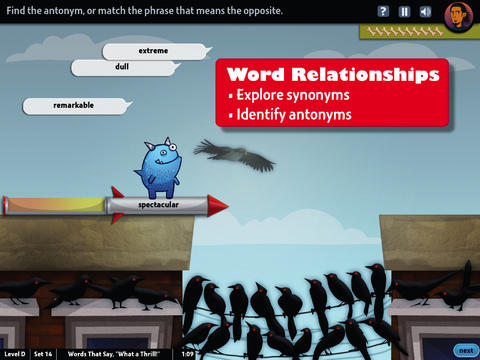
world's worst petFREE & fabulous – World’s Worst Pet-Vocabulary, an educational app for kids in grades 4 – 8. Snargg, a cute blue pet needs kids to use their vocabulary skills to get him out of trouble. The app’s four games teach context, word sorts, synonyms, & antonyms as they expose kids to over 1000 words across 5 levels: grades 4 – 8. Words are taught in sets – 10 conceptually related words per set. Kids are encouraged to replay each word set to improve their scores. Other features of the app include: clearly explained definitions with examples of how the word is used, multiple exposures to words, writing prompts, and… a really fun narrative with rewards. The app allows multiple players which makes it perfect for the classroom. Teachers can use it to differentiate instruction, as part of a center, for individual or group assignments, as homework, etc. There are so many great things about this app – meaningful content, a fun interface, and it meets CCSS. It’s fantastic, wonderful, remarkable, tremendous, amazing … 🙂

Common Core Standards met:

  • 4.L.5 – Demonstrate understanding of figurative language, word relationships, and nuances in word meanings. c.Demonstrate understanding of words by relating them to their opposites (antonyms) and to words with similar but not identical meanings (synonyms).
  • 5.L.5 – Demonstrate understanding of figurative language, word relationships, and nuances in word meanings. c. Use the relationship between particular words (e.g., synonyms, antonyms, homographs) to better understand each of the words.

Download link: https://itunes.apple.com/us/app/worlds-worst-pet-vocabulary/id730540095?mt=8&uo=4

blusterRecently updated, Bluster is a FREE app for the iPad developed by McGraw-Hill. This educational app was designed to teach vocabulary and word development to students in grades 2 – 4. Topics covered are rhyming, prefixes & suffixes, word roots, synonyms, homophones, and adjectives. There are 3 modes of play – single, team, and versus. Team mode permits collaboration with a friend. Versus mode allows head-to-head play with the ability to disrupt your opponent by causing weather related attacks. Kids start by choosing their mode of play, grade level, and word match type. They then swipe through the list to match 3 words with the same meaning, rhyme, prefix, suffix, or word root. There are 10 groups of 3 to match in each round of play. Bluster presents 800+ vocabulary words in a fun way!

Common Core Standards met:

  • 2.L.4 – Determine the meaning of the new word formed when a known prefix is added to a known word (e.g., happy/unhappy, tell/retell). Use a known root word as a clue to the meaning of an unknown word with the same root (e.g., addition, additional).
  • 3.L.4 – Determine the meaning of the new word formed when a known affix is added to a known word (e.g., agreeable/disagreeable, comfortable/uncomfortable, care/careless, heat/preheat). Use a known root word as a clue to the meaning of an unknown word with the same root (e.g., company, companion).
  • 4.L.4 – Use common, grade-appropriate Greek and Latin affixes and roots as clues to the meaning of a word (e.g., telegraph, photograph, autograph).
  • 4.L.5. Demonstrate understanding of words by relating them to their opposites (antonyms) and to words with similar but not identical meanings (synonyms).

Download link: https://itunes.apple.com/us/app/bluster!/id416160693?mt=8&uo=4Word a DayWord a Day was offered for FREE when I downloaded it but it is currently $1.99. This app takes a fun approach to expanding your vocabulary – one day/one word at a time! This app features a new word every day – each word has a humorous illustration and a narrated audio which pronounces the word, defines it, and uses it in context. If you feature a vocabulary word of the day in your classroom, you may want to look at this app – it’s a cute one!

Word A Day Pictures & Audios by VocabAhead - Lafazi, IncVocabologyVocabology – Word of the Day was offered FREE the day I downloaded it but is currently $.99.  It offers words of the day from several sources on the internet: foreign language words (Spanish, Portuguese, German, Italian, French, Latin), Dictionary.com, Wiktionary, Merriam-Webster, TheFreeDictionary.com, Yahoo  Education, Common SAT words, Urban Dictionary, and WordSmith.org. The app also includes a quizzes. In-app purchases are available for SAT words, Latin words, and more. BEWARE – some of the words from the urban dictionary are explicit and NOT suitable for the classroom. You have the option of disabling this word source within the app. You need to do so before you put this app in the hands of kids! I appreciate that the developer has included this option.

Vocabology - Word of the Day - ThatWith.Me, LLCCultiwordsCurrently $.99 – Cultiwords, an educational app for systematically building your vocabulary. The app comes with a 40-words set which includes definitions, anecdotes, and review questions. There are 3 additional sets of words available as in-app purchases. The app introduces each new word by posing a multiple-choice question with 3 possible answers. After you answer, it tells you if you were correct, gives the word’s definition, and provides additional clarifying information about that word. Words are then added to your personal dictionary. The review mode quizzes you on words in your dictionary. Review questions test a deeper understanding of the word – synonyms/antonyms, contextual settings, etc. Once you answer 3/3 questions about a word correctly, that word moves to the Acquired List. Well-organized and simple to use – this app would be great for kids in upper elementary and beyond. My only wish is that it had more words!!

Download link: https://itunes.apple.com/us/app/cultiwords/id585437267?mt=8&uo=4

vocab

Was FREE but now $3.99 – 3rd Grade Vocabulary Prep, an educational app designed to improve children’s vocabulary. Teachers enter an administrative password before entering their students’ names. This administrative feature permits teachers to review their students’ scores and track individual student improvement. The app also generates a “most difficult words for this student” list so teachers can see where individuals are having difficulty. Once the students’ names have been entered, kids can begin to study. There are 10 words to study at each level. Kids click on each word to hear its pronunciation, meaning, and a sample sentence. I love that the words are used in context! They can go through the lesson as often as needed to learn the words. There are 2 quizzes to take to make sure that students are making progress. If a student misses a word on one of the practice quizzes, the word goes back in the deck for further review. A test must be passed (90%) in order to move to the next level. Teachers can send emails to parents that provide specific test results or that recap the child’s progress to date. Nicely done!

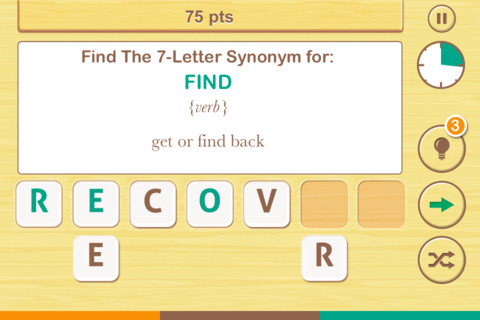
FREE  – Find the Synonym, an app designed for the iPhone/iPad. This app is listed as a game rather than an educational app but it would be great for kids in upper elementary school/junior high. A word is shown with its part of speech and definition. Kids are challenged to create a 4 – 7 letter synonym of that word using the letters provided. Points are awarded based on the length of the word, the time involved, whether clues are used, and/or if any mistakes are made. Badges are earned as the game is played. It’s simply designed  – not a lot of bell & whistles but it is heavy on content. There are a total of 1600 synonyms in the app. After you find 250 of them, the antonyms are unlocked. There are 700 antonyms in the app.

I realize that this app was not necessarily designed for students but it could easily be used for educational purposes. More flexibility in the settings would make it more suitable for classroom use. I could not find a way to restart the game. The game picks up where it left off & points are cumulative, so only one person can play. Also, having access to both synonyms and antonyms would be a plus. Regardless, I am sure that teachers will come up with creative ways to use this resource. 🙂

Find The Synonym - FreshLogoOnly $.99 – The Opposites for the iPhone/iPad. Designed for kids 7+, this educational app requires the matching of increasingly difficult pairs of opposite words. There are two sections of the app: dictionary and play. In the dictionary section, words are listed next to their opposites. To learn the meaning, students just tap on the word and a definition appears. There are 10 levels with 100+ words per level. In the play section, words are pronounced by a boy or a girl as they appear in bubbles and float towards the top of the screen  Kids are to tap pairs of opposites as they appear – which makes the words turn a color then pop. The goal is to match 12 sets of opposites  – which completes the level. A bonus round then appears in which the student has 20 seconds to match up an entire  board full of opposites. This app starts off simply but becomes quite challenging in the later levels. It could be used for differentiating a lesson and/or for helping students grow their understanding of antonyms.

Common Core Standards met:

  • 4.L.5 – Demonstrate understanding of figurative language, word relationships, and nuances in word meanings. c.Demonstrate understanding of words by relating them to their opposites (antonyms) and to words with similar but not identical meanings (synonyms).
  • 5.L.5 – Demonstrate understanding of figurative language, word relationships, and nuances in word meanings. c. Use the relationship between particular words (e.g.,synonyms, antonyms, homographs) to better understand each of the words.

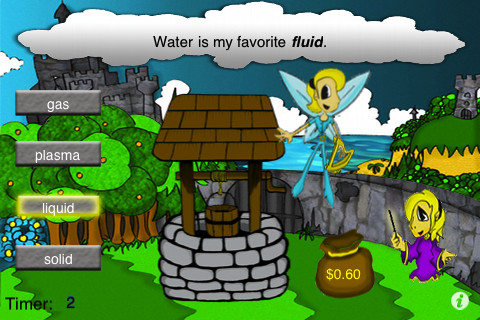
The Opposites - Mindshapes Limitedsame meaningSame Meaning Magic  – The day I downloaded this iPhone/ iPad app it was FREE. It is now $.99. In this word game, kids help two young magicians named Leo & Luna by choosing a synonym for the bolded word in the sentence. Kids earn coins for choosing the correct answers. At the end of each level, you are shown the number of questions answered, the amount of money collected, and a percentage score for that level. There are 5 levels of play from very easy to very hard. Although I found some overlap in the earlier levels, the difficulty of the sentences definitely increased. Lots of good practice…  This game could be used in a one iPad classroom to teach using context clues. The app could also be used as an independent or buddy activity. Also available is Same Meaning Magic Part II for an additional $.99.

Common Core Standards met:

  • 4.L.5 – Demonstrate understanding of figurative language, word relationships, and nuances in word meanings. c.Demonstrate understanding of words by relating themto their opposites (antonyms) and to words with similar but not identical meanings (synonyms).
 Same Meaning Magic (Synonyms) - NRCC Games
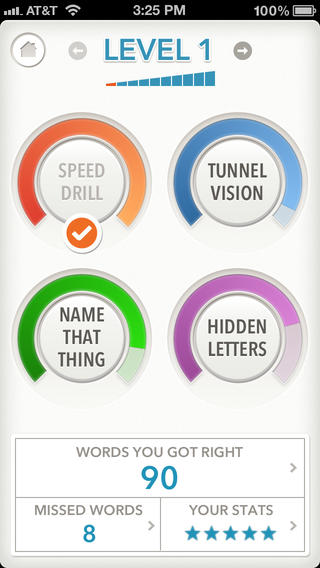
quizzitiveFREE (with in-app purchase to complete) – Quizzitive, a vocabulary game that helps you master “1000 Words Worth Knowing” – chosen by Merriam-Webster editors. The app has ten levels of difficulty. The first two levels (100 words each) are free. An in-app purchase of $1.99 unlocks the full game. The game features four kinds of vocabulary quizzes: Speed Drill, Name That Thing, Tunnel Vision, and Hidden Letters. After playing each game, there is the option to review your answers. You can replay each level as many times as you want – without resetting the game. The app tracks your achievements as you master the words and try to beat your personal best. It also compares your scores to other players’ scores. Try the FREE levels to see if this app is for you. 🙂

Download link: https://itunes.apple.com/us/app/quizzitive-merriam-webster/id645814720?mt=8&uo=4

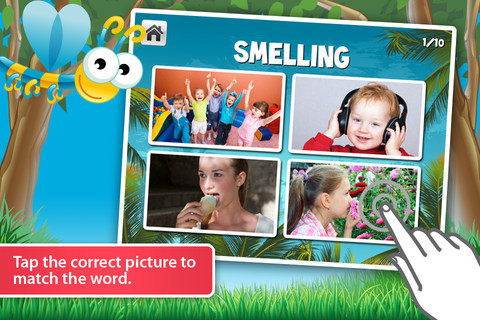
Vocabulicious Kinder for the iPhone/iPad is a flashcard app designed to help preschoolers and kindergartners increase their vocabulary. The FREE version includes 4 categories: animals, more animals, fruit, and plants. 14 additional categories are available as in-app purchases. Children earn stars by correctly tapping on the named/written object. The images on the flashcards are high quality photographs. There is an option to show either 2 or 4 cards at a time which permits adults to adjust the level to meet their child’s needs. There is also an option to set the type to be all caps or lowercase letters. The settings permit you to have up to 4 players. This app could be used with toddlers, students with language delays, or ESL students. Check out the FREE version if your child needs to work on vocabulary development.

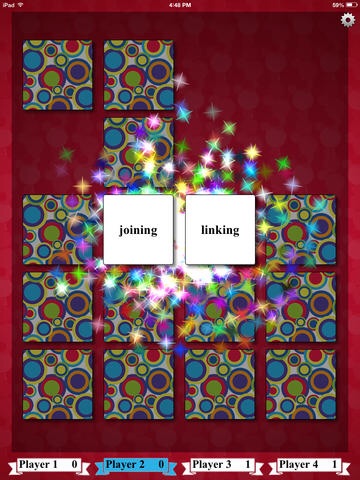
Vocabulicious Kinder - Brainster AppsimageFREE for a limited time – Synonym Match and Antonym Match.  These educational apps each feature a classic card matching game that helps kids with vocabulary development. Each matching game can be played by one to four people. Players can choose to match twelve, sixteen, twenty, or twenty-four cards. There are three levels of difficulty – easy, medium and difficult. When a match is made, fireworks appear. These apps would be great in a shared iPad classroom setting because they support multiple players and multiple student levels. Check them out while they are FREE!!

Direct Link: https://itunes.apple.com/us/app/synonym-match/id778611894?mt=8

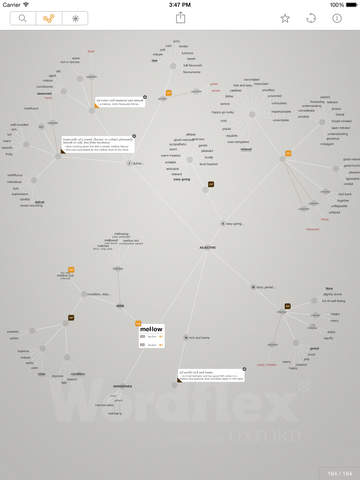
Direct Link: https://itunes.apple.com/us/app/antonym-match/id786868905?mt=8wordflexFREE for basic use – Wordflex Touch Dictionary, a very unique dictionary. This educational app was developed exclusively for iPad with content from the Oxford University Press. Word lovers of all ages will love this tool which makes the study of words an interactive adventure. With the FREE “basic use” version, you can explore/share mind maps of up to 20 words per day. This app would be a fabulous tool for the any classroom. It helps students visualize the multiple meanings of words. It also shows students how words are related to other words, used in phrases and more. Check out this FABULOUS resource!

For more information or to see a demo go to: http://wordflex.com

Download link: https://itunes.apple.com/us/app/wordflex-touch-dictionary/id488540344?mt=8&uo=4

0

Grandma’s Preschool

image

FREE for a limited time – Grandma’s Preschool, another adorable educational app for preschoolers by Fairlady Media. Kids join dancing grandma in her preschool to learn about school readiness. The app features eleven educational games – all thematically linked. Some of the educational content in the games include: letter sounds, sight words, number words, CVC patterned words, seasons, and more. The app also features thirteen short videos about things like counting, science, playgrounds, etc. Kids will LOVE joining Grandma in her interactive classroom. This app is great for little ones. The educational content is age-appropriate and presented  in a fun way. And, dancing Grandma is there to celebrate a job well-done – perfect!!

Download link: https://itunes.apple.com/us/app/grandmas-preschool/id920911845?mt=8

0

Spelling Star

spelling star

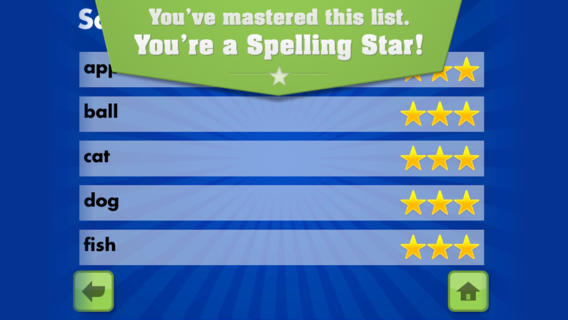
FREE for  limited time – Spelling Star, an educational app for practicing spelling lists. The app is simple to use – just type in and record the words. You may also include sentences to clarify the words’ meanings. Kids must spell each word correctly three times to become a Spelling Star.  Words are presented in random order. As kids practice, they can get a hint – a quick look at the word spelled correctly. When they spell a word without a hint, they earn a star. Spelling Star provides feedback after each word is spelled with the option to “try again” when an error is made. This educational app is great for home and/or school. Parents can use it to input spelling lists for multiple kids. Kids may enjoy inputting their own lists at the beginning of the week which would be GREAT practice! Teachers can create lists on one device and share those lists with anyone who has the Spelling Star app. Simple to use, effective, and tracks progress – what more do you need? 🙂

Download link: https://itunes.apple.com/us/app/spelling-star/id557070660?mt=8&uo=4

0

Synonym Match, Antonym Match & Homophone Match

imageFREE for a limited time – Synonym Match, Antonym Match and Homophone Match. These three educational apps each feature a classic card matching game that helps kids with vocabulary development. Each matching game can be played by one to four people. Players can choose to match twelve, sixteen, twenty, or twenty-four cards. There are three levels of difficulty – easy, medium and difficult. When a match is made, fireworks appear. These apps would be great in a shared iPad classroom setting because they support multiple players and multiple student levels. Check them out while they are FREE!!

Direct Link: https://itunes.apple.com/us/app/synonym-match/id778611894?mt=8

Direct Link: https://itunes.apple.com/us/app/antonym-match/id786868905?mt=8

Direct Link: https://itunes.apple.com/us/app/homophone-match/id794723450?mt=8

0

Sight Word Sentence Builder

sight word sentencesFREE for a limited time – Sight Word Sentence Builder. This app has kids building sentences using the Dolch sight words. Learning sight words is an important component of early reading. Being able to automatically recognize sight words improves a child’s reading fluency. Kids start by choosing one of three themes – classic, little princess, or train. The app has four levels of difficulty. Each level contains simple sentences that are constructed from sight words. After listening to a sentence, kids click and drag words to build that sentence. There is an option to have the sentence repeated if needed. There is also an option to turn off the audio so that kids can try to construct the sentences on their own. These options make the app suitable for multiple levels of kids. The app tracks a child’s levels, scores, and the amount of time played over a seven day and thirty day period of time. It does not have an option for multiple players so the app would have to be reset before using it with a second player. Check it out for your beginning reader!

Direct Link:  https://itunes.apple.com/us/app/sight-words-sentence-builder/id527718967?mt=8

0

Word Wonderland (Primary) and Word Wonderland (Elementary)

Word Wonderland

FREE for a limited time – Word Wonderland (Primary) and Word Wonderland (Elementary), games that have kids hopping, eating, and shaking their way to the end of a game board as they sort words. Children start by creating name badges – the app permits multiple children to play. In the primary (K – 2) version, kids help to guide a friendly frog through the pond as they sort words by sounds – short vowels. long vowels, r controlled vowels, blends, digraphs, and more. In the elementary (3 – 6) version, kids guide an astronaut crab through the space station as they sort more difficult words by sounds, inflectional endings, Greek/Latin roots, etc. These educational apps provide a fun way for kids to sort words but I must admit that I am a bit apprehensive about encouraging kids to shake the iPad. Check it out for yourself while the full versions are FREE.

Download links: https://itunes.apple.com/us/app/word-wonderland-primary-full/id611436564?mt=8&uo=4 and https://itunes.apple.com/us/app/word-wonderland-elementary/id634947932?mt=8&uo=4

0

Grammar Wonderland (Primary) & Grammar Wonderland (Elementary)

grammar primary

grammar

FREE for a limited time – the full versions of Grammar Wonderland (Primary) & Grammar Wonderland (Elementary). In both games kids lead their characters through different adventures as they practice nouns, verbs, adjectives, and more. The primary version is for younger children – the words are read and some levels include pictures. The app does not teach the parts of speech but it provides lots of practice for kids in a fun game-like environment. After teaching a lesson about parts of speech, teachers can have kids show what they know with this app. Practice is provided for the following: common nouns, proper, nouns, concrete nouns, abstract nouns, singular nouns, plural nouns, possessive nouns, pronouns, action verbs, present-tense verbs, past-tense verbs, future-tense verbs, linking verbs, adjectives, articles, comparative/superlative adjectives, and more! Many parts of speech are taught in both apps – perfect for differentiating your instruction for a variety of reading levels. Both also apps permit multiple player – great for the classroom!

Recommended!!  – Download them today. 🙂

Grammar Wonderland Primary       Grammar Wonderland (Primary) - McGraw-Hill School Education Group

Grammar Wonderland Elementary       Grammar Wonderland (Elementary) - McGraw-Hill School Education Group

0

Spelling Star

spelling star

FREE for  limited time – Spelling Star, an educational app for practicing spelling lists. The app is simple to use – just type in and record the words. You may also include sentences to clarify the words’ meanings. Kids must spell each word correctly three times to become a Spelling Star.  Words are presented in random order. As kids practice, they can get a hint – a quick look at the word spelled correctly. When they spell a word without a hint, they earn a star. Spelling Star provides feedback after each word is spelled with the option to “try again” when an error is made. This educational app is great for home and/or school. Parents can use it to input spelling lists for multiple kids. Kids may enjoy inputting their own lists at the beginning of the week which would be GREAT practice! Teachers can create lists on one device and share those lists with anyone who has the Spelling Star app. Simple to use and tracks progress – what more do you need? 🙂

Download link: https://itunes.apple.com/us/app/spelling-star/id557070660?mt=8&uo=4

0

Spinlight Studio Apps on sale for $.99!

WOW!! Spinlight Studio’s apps are on sale for only $.99.

Tally Tots

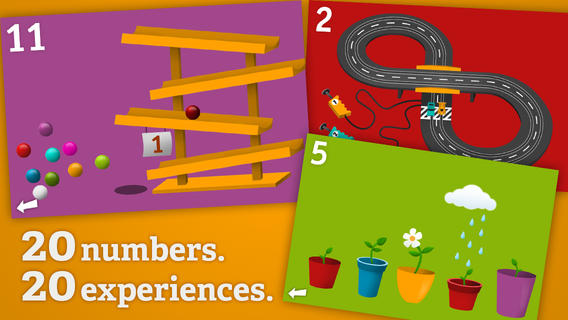
Tally Tots Counting is an educational app that teaches kids to count to 20. The app features 20 interactive mini-games that make learning numbers and counting fun. Kids race 2 cars, make bubbles in 6 colors, place 10 shapes into a puzzle, feed a chipmunk 19 acorns, etc. The app features something unique for each number with lots of positive verbal encouragement along the way. Tally Tots Counting is the perfect choice for young kids learning to count!

Download link: https://itunes.apple.com/us/app/tallytots/id424070269?mt=8&uo=4

operation mathOperation Math is a great educational app from Spinlight Studio. Kids will have fun practicing basic addition, subtraction, multiplication, & division tables in this interactive “spy” game. The object of the game is to stop Dr. Odd’s quest to eliminate the world’s even numbers. In order to do so, kids must complete 105 missions by solving equations. Missions can be selected based on a child’s skill level and/or the operation (+, -, +/-, x, ÷, x/÷ or +/-/x/÷). Of course, time is of the essence so kids have to answer problems in 60 seconds or less. By doing so, they lock doors along their escape routes. And as they complete missions, they earn the gear of a seasoned spy. What a great game – I love how the app integrates math practice into a really cool game for kids. I especially like the modes which permit kids to practice multiple operations at a time. It makes kids pay attention to operation signs and quickly switch their thinking. What a fun way for kids to practice facts and meet CCSS! No wonder Operation Math was given a 2012 Parents’ Choice Award. Get it today – kids will LOVE it!

Common Core State Standards met:

  • 1.OA.6 – Add and subtract within 20, demonstrating fluency for addition and subtraction within 10.
  • 2.OA.2 – Fluently add and subtract within 20 using mental strategies. By end of Grade 2, know from memory all sums of two one-digit numbers.
  • 3.OA.7 – Fluently multiply and divide within 100, using strategies such as the relationship between multiplication and division or properties of operations. By the end of Grade 3, know from memory all products of two one-digit numbers.

Download link: https://itunes.apple.com/us/app/operation-math/id487387270?mt=8&uo=4

Yodel

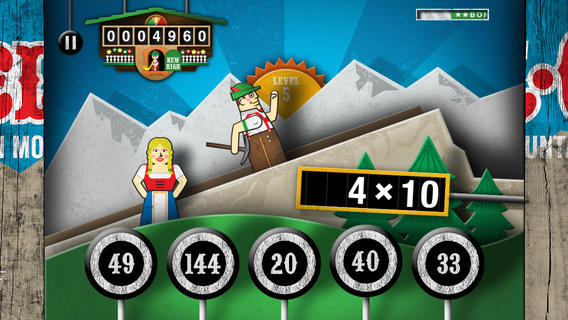
Kids will have fun learning basic addition, subtraction, multiplication, and division math tables with YodelOh™ Math Mountain. The object of the game is to score enough points to keep Hans from falling off the cliff. In order to do so, kids have to answer problems quickly and avoid the crazy charging sheep. And as kids score points, the questions get harder. The app also includes high-score charts that track the best 15 games for all 5 modes. I especially like the mode which permits kids to practice all 4 operations at a time. It makes kids pay attention to operation signs and quickly switch their thinking. What a fun way for kids to practice facts and it meets CCSS! Get it today. 🙂

Common Core State Standards met:

  • 1.OA.6 – Add and subtract within 20, demonstrating fluency for addition and subtraction within 10.
  • 2.OA.2 – Fluently add and subtract within 20 using mental strategies. By end of Grade 2, know from memory all sums of two one-digit numbers.
  • 3.OA.7 – Fluently multiply and divide within 100, using strategies such as the relationship between multiplication and division or properties of operations. By the end of Grade 3, know from memory all products of two one-digit numbers.

Download math: https://itunes.apple.com/us/app/yodeloh-math-mountain/id634946225?mt=8&uo=4
gappy learns

Gappy Learns Reading has beginning readers constructing 200+ three-letter words – 174 of the words following the cvc pattern. There are also 37 three-letter sight words included. Kids start with basic letter and sound identification then progress to making words. As they work through the app, kids earn parts to redesign Gappy’s house – with over 700 possible combinations. Parents can disable the music, change letters from upper case to lower case, and control the number of word lists used in the settings. I like that the app varies which letters (beginning, middle, end) of the words are missing in the easy levels. In the medium level, two letters are missing and in the hard level, all letters are missing. Kids are gradually learning to spell – nicely done for little readers. 🙂

Download link: https://itunes.apple.com/us/app/gappy-learns-reading/id614840334?mt=8&uo=6

Also $.99  – Gappy Learns Writing

Download link: https://itunes.apple.com/us/app/gappy-learns-writing/id691260469?mt=8&uo=6

winky

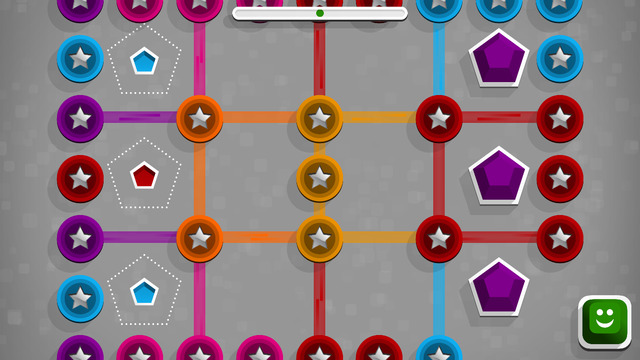
Winky Think Logic Puzzles by Spinlight Studio feature 180 different puzzles. Kids slide shapes and match colors through three levels of puzzles that become increasingly more difficult. As they play, kids must use reasoning, observation, and spacial cognition to advance to the next level. Winky Think is a fun app that makes kids think!

Download link: https://itunes.apple.com/us/app/winky-think-logic-puzzles/id923072172?mt=8&uo=4
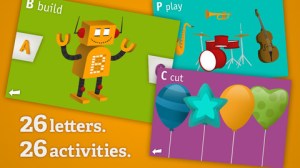
AlphaTotsAlphaTots Alphabet is a GREAT ABC app for kids! What makes this educational app unique is that it uses 26 action words to teach the alphabet. Kids are asked to complete 26 interactive tasks, for example: b – build a robot, p – play instruments, z – zap alien spaceships, etc. This app has been featured on The Today Show and has received a lot of positive press. It is a VERY fun app for toddlers/preschoolers who are learning their alphabet!!

Download link: https://itunes.apple.com/us/app/alphatots-alphabet-learning/id436142340?mt=8&uo=4

SwapsiesSwapsies Jobs is a cute educational app for toddlers. The app features 10 community helpers – baker, pilot, mail carrier, doctor, police officer, firefighter, builder, astronaut, engineer, and rancher. There are two different modes: a dress-up game and an interactive quiz. In the dress-up game mode, kids mix-and-match hats, tops, & bottoms to find the correct combination. Once the clothes are properly matched, a fun activity is unlocked for each occupation. The quiz mode is age-appropriate. Kids are asked to make connections, reason, and classify – find 3 things that fly, find 2 things that are round, find 5 things a baker uses, etc. Additional information is available in the parents’ section where you can download the Swapsies Occupations App Guide. This app was featured in Apple’s Apps for Preschool and Kindergarten. It’s also a Parents Choice Award winner. Nicely done!!

Download link: https://itunes.apple.com/us/app/swapsies-jobs/id416577459?mt=8&uo=6

Also on sale – Swapsies Sports

Download link: https://itunes.apple.com/us/app/swapsies-sports/id716848871?mt=8&uo=4

PixelAlso only $.99 – Pixel and Parker, an educational app that puts a new spin on storytelling – literally! Parker and Pixel (his cat) are best friends. One day Pixel is missing so Parker sets out to find him. Kids use a game spinner to determine the order of the story’s events in this cute tale. The story is never the same twice. The app also features 30+ activities that engage readers while advancing the plot of the story. This app would be great for a lesson on the elements of story. The characters, setting, problem, and conclusion are the same but the order of events can be changed! Cute colorful illustrations also add to the appeal of this story. Pixel and Parker is the first in a planned series of adventures. 🙂 Great idea!

Download link: https://itunes.apple.com/us/app/pixel-and-parker/id548751986?mt=8&uo=4

geographyGeography Drive USA™ is a fabulous geography app for up to 3 players. This educational app teaches kids about the 50 U.S. states – their shapes, capitals, nicknames, postal abbreviations, flags, key symbols and more. As kids travel on a cross-county adventure, they stop in each state to answer trivia questions about national rivers, mountains, parks and time zones, important trails and railroads, major U.S. cities, landmarks, and attractions. When they answer questions correctly, they unlock airports and fuel stations – essential to stay in the game. The more you know, the further you go. 🙂

Additional fun features include: a visitor center with state brochures and regional & national maps, a game-based newspaper with headlines that recognize player achievements, trophies waiting to be claimed & displayed, and the ability to customize and upgrade the players’ cars. There are also 4 bonus games included. Love this app – it’s the perfect blend of fun and learning!

2013 Gold Parents’ Choice Award, 2013 Children’s Technology Review Editor’s Choice Award, and featured on Fox News.

Download link: https://itunes.apple.com/us/app/geography-drive-usa/id579100969?mt=8&uo=4