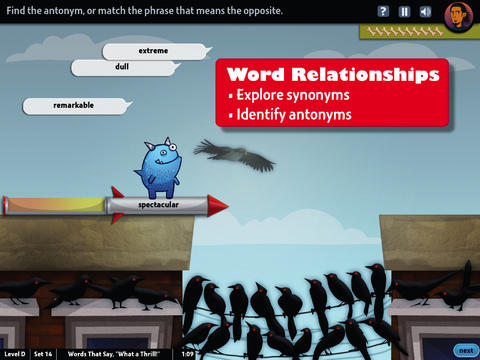
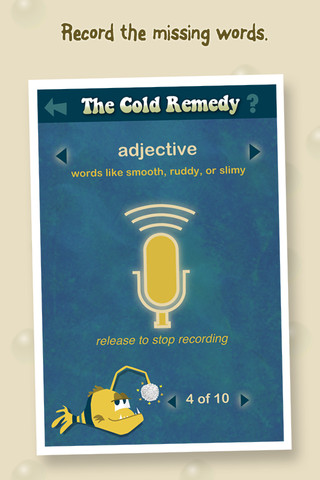
 FREE & fabulous – World’s Worst Pet-Vocabulary, an educational app for kids in grades 4 – 8. Snargg, a cute blue pet needs kids to use their vocabulary skills to get him out of trouble. The app’s four games teach context, word sorts, synonyms, & antonyms as they expose kids to over 1000 words across 5 levels: grades 4 – 8. Words are taught in sets – 10 conceptually related words per set. Kids are encouraged to replay each word set to improve their scores. Other features of the app include: clearly explained definitions with examples of how the word is used, multiple exposures to words, writing prompts, and… a really fun narrative with rewards. The app allows multiple players which makes it perfect for the classroom. Teachers can use it to differentiate instruction, as part of a center, for individual or group assignments, as homework, etc. There are so many great things about this app – meaningful content, a fun interface, and it meets CCSS. It’s fantastic, wonderful, remarkable, tremendous, amazing … 🙂
Common Core Standards met:
- 4.L.5 – Demonstrate understanding of figurative language, word relationships, and nuances in word meanings. c.Demonstrate understanding of words by relating them to their opposites (antonyms) and to words with similar but not identical meanings (synonyms).
- 5.L.5 – Demonstrate understanding of figurative language, word relationships, and nuances in word meanings. c. Use the relationship between particular words (e.g., synonyms, antonyms, homographs) to better understand each of the words.
Download link: https://itunes.apple.com/us/app/worlds-worst-pet-vocabulary/id730540095?mt=8&uo=4

Recently updated for iOS 7, Bluster is a FREE app for the iPad developed by McGraw-Hill. This educational app was designed to teach vocabulary and word development to students in grades 2 – 4. Topics covered are rhyming, prefixes & suffixes, word roots, synonyms, homophones, and adjectives. There are 3 modes of play – single, team, and versus. Team mode permits collaboration with a friend. Versus mode allows head-to-head play with the ability to disrupt your opponent by causing weather related attacks. Kids start by choosing their mode of play, grade level, and word match type. They then swipe through the list to match 3 words with the same meaning, rhyme, prefix, suffix, or word root. There are 10 groups of 3 to match in each round of play. Bluster presents 800+ vocabulary words in a fun way!
Common Core Standards met:
- 2.L.4 – Determine the meaning of the new word formed when a known prefix is added to a known word (e.g., happy/unhappy, tell/retell). Use a known root word as a clue to the meaning of an unknown word with the same root (e.g., addition, additional).
- 3.L.4 – Determine the meaning of the new word formed when a known affix is added to a known word (e.g., agreeable/disagreeable, comfortable/uncomfortable, care/careless, heat/preheat). Use a known root word as a clue to the meaning of an unknown word with the same root (e.g., company, companion).
- 4.L.4 – Use common, grade-appropriate Greek and Latin affixes and roots as clues to the meaning of a word (e.g., telegraph, photograph, autograph).
- 4.L.5. Demonstrate understanding of words by relating them to their opposites (antonyms) and to words with similar but not identical meanings (synonyms).
Download link: https://itunes.apple.com/us/app/bluster!/id416160693?mt=8&uo=4

Words to Learn By by McGraw Hill has 300 words to study. It was offered for FREE when I downloaded it but it is currently $.99. The words are grouped into 3 levels – building, expanding and advancing. Each word includes a definition, an audio pronunciation, and a synonym. There are 4 options in the quiz mode – flashcards, definitions, fill-in-the-blanks (GREAT for teaching context clues), and a synonym shuffle game. This app is not too difficult and could be used with upper elementary and junior high students.


Word a Day was offered for FREE when I downloaded it but it is currently $1.99. This app takes a fun approach to expanding your vocabulary – one day/one word at a time! This app features a new word every day – each word has a humorous illustration and a narrated audio which pronounces the word, defines it, and uses it in context. If you feature a vocabulary word of the day in your classroom, you may want to look at this app – it’s a cute one!

Vocabology – Word of the Day was offered FREE the day I downloaded it but is currently $.99. It offers words of the day from several sources on the internet: foreign language words (Spanish, Portuguese, German, Italian, French, Latin), Dictionary.com, Wiktionary, Merriam-Webster, TheFreeDictionary.com, Yahoo Education, Common SAT words, Urban Dictionary, and WordSmith.org. The app also includes a quizzes. In-app purchases are available for SAT words, Latin words, and more. BEWARE – some of the words from the urban dictionary are explicit and NOT suitable for the classroom. You have the option of disabling this word source within the app. You need to do so before you put this app in the hands of kids! I appreciate that the developer has included this option.

Currently $.99 – Cultiwords, an educational app for systematically building your vocabulary. The app comes with a 40-words set which includes definitions, anecdotes, and review questions. There are 3 additional sets of words available as in-app purchases. The app introduces each new word by posing a multiple-choice question with 3 possible answers. After you answer, it tells you if you were correct, gives the word’s definition, and provides additional clarifying information about that word. Words are then added to your personal dictionary. The review mode quizzes you on words in your dictionary. Review questions test a deeper understanding of the word – synonyms/antonyms, contextual settings, etc. Once you answer 3/3 questions about a word correctly, that word moves to the Acquired List. Well-organized and simple to use – this app would be great for kids in upper elementary and beyond. My only wish is that it had more words!!
Download link: https://itunes.apple.com/us/app/cultiwords/id585437267?mt=8&uo=4

Was FREE but now $3.99 – 3rd Grade Vocabulary Prep, an educational app designed to improve children’s vocabulary. Teachers enter an administrative password before entering their students’ names. This administrative feature permits teachers to review their students’ scores and track individual student improvement. The app also generates a “most difficult words for this student” list so teachers can see where individuals are having difficulty. Once the students’ names have been entered, kids can begin to study. There are 10 words to study at each level. Kids click on each word to hear its pronunciation, meaning, and a sample sentence. I love that the words are used in context! They can go through the lesson as often as needed to learn the words. There are 2 quizzes to take to make sure that students are making progress. If a student misses a word on one of the practice quizzes, the word goes back in the deck for further review. A test must be passed (90%) in order to move to the next level. Teachers can send emails to parents that provide specific test results or that recap the child’s progress to date. Nicely done!
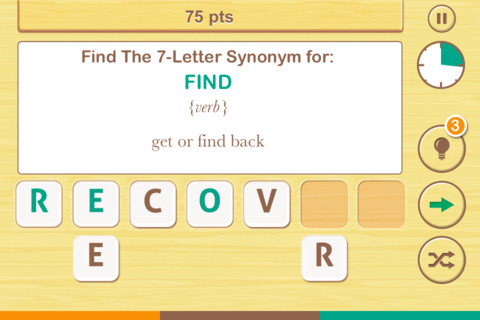
 FREE – Find the Synonym, an app designed for the iPhone/iPad. This app is listed as a game rather than an educational app but it would be great for kids in upper elementary school/junior high. A word is shown with its part of speech and definition. Kids are challenged to create a 4 – 7 letter synonym of that word using the letters provided. Points are awarded based on the length of the word, the time involved, whether clues are used, and/or if any mistakes are made. Badges are earned as the game is played. It’s simply designed – not a lot of bell & whistles but it is heavy on content. There are a total of 1600 synonyms in the app. After you find 250 of them, the antonyms are unlocked. There are 700 antonyms in the app.
I realize that this app was not necessarily designed for students but it could easily be used for educational purposes. More flexibility in the settings would make it more suitable for classroom use. I could not find a way to restart the game. The game picks up where it left off & points are cumulative, so only one person can play. Also, having access to both synonyms and antonyms would be a plus. Regardless, I am sure that teachers will come up with creative ways to use this resource. 🙂
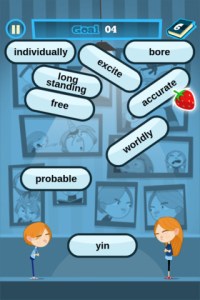 FREE again – The Opposites for the iPhone/iPad. Designed for kids 7+, this educational app requires the matching of increasingly difficult pairs of opposite words. There are two sections of the app: dictionary and play. In the dictionary section, words are listed next to their opposites. To learn the meaning, students just tap on the word and a definition appears. There are 10 levels with 100+ words per level. In the play section, words are pronounced by a boy or a girl as they appear in bubbles and float towards the top of the screen Kids are to tap pairs of opposites as they appear – which makes the words turn a color then pop. The goal is to match 12 sets of opposites – which completes the level. A bonus round then appears in which the student has 20 seconds to match up an entire board full of opposites. This app starts off simply but becomes quite challenging in the later levels. It could be used for differentiating a lesson and/or for helping students grow their understanding of antonyms.
Common Core Standards met:
- 4.L.5 – Demonstrate understanding of figurative language, word relationships, and nuances in word meanings. c.Demonstrate understanding of words by relating them to their opposites (antonyms)
and to words with similar but not identical meanings (synonyms).
- 5.L.5 – Demonstrate understanding of figurative language, word relationships, and nuances in word meanings. c. Use the relationship between particular words (e.g.,
synonyms, antonyms, homographs) to better understand each of the words.
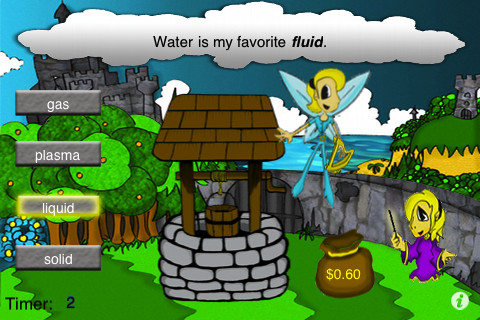
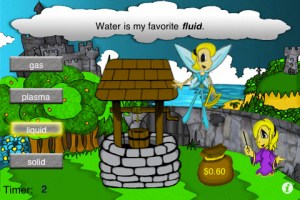 Same Meaning Magic – The day I downloaded this iPhone/ iPad app it was FREE. It is now $.99. In this word game, kids help two young magicians named Leo & Luna by choosing a synonym for the bolded word in the sentence. Kids earn coins for choosing the correct answers. At the end of each level, you are shown the number of questions answered, the amount of money collected, and a percentage score for that level. There are 5 levels of play from very easy to very hard. Although I found some overlap in the earlier levels, the difficulty of the sentences definitely increased. Lots of good practice… This game could be used in a one iPad classroom to teach using context clues. The app could also be used as an independent or buddy activity. Also available is Same Meaning Magic Part II for an additional $.99.
Common Core Standards met:
- 4.L.5 – Demonstrate understanding of figurative language, word relationships, and nuances in word meanings. c.Demonstrate understanding of words by relating them
to their opposites (antonyms) and to words with similar but not identical meanings (synonyms).
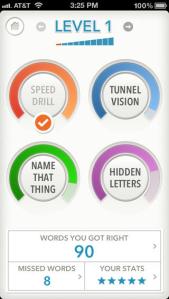
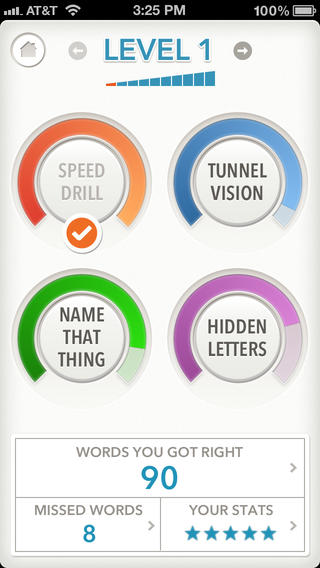
FREE (with in-app purchase to complete) – Quizzitive, a vocabulary game that helps you master “1000 Words Worth Knowing” – chosen by Merriam-Webster editors. The app has ten levels of difficulty. The first two levels (100 words each) are free. An in-app purchase of $1.99 unlocks the full game. The game features four kinds of vocabulary quizzes: Speed Drill, Name That Thing, Tunnel Vision, and Hidden Letters. After playing each game, there is the option to review your answers. You can replay each level as many times as you want – without resetting the game. The app tracks your achievements as you master the words and try to beat your personal best. It also compares your scores to other players’ scores. Try the FREE levels to see if this app is for you. 🙂
Download link: https://itunes.apple.com/us/app/quizzitive-merriam-webster/id645814720?mt=8&uo=4
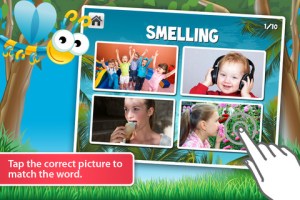
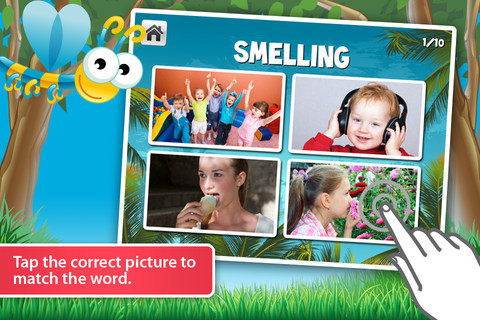
Vocabulicious Kinder for the iPhone/iPad is a flashcard app designed to help preschoolers and kindergartners increase their vocabulary. The FREE version includes 4 categories: animals, more animals, fruit, and plants. 14 additional categories are available as in-app purchases. Children earn stars by correctly tapping on the named/written object. The images on the flashcards are high quality photographs. There is an option to show either 2 or 4 cards at a time which permits adults to adjust the level to meet their child’s needs. There is also an option to set the type to be all caps or lowercase letters. The settings permit you to have up to 4 players. This app could be used with toddlers, students with language delays, or ESL students. Check out the FREE version if your child needs to work on vocabulary development.










 appydazeblog