0

My Story – Book Maker for Kids

One of my favorite writing apps – FREE for one day (Dec. 2) only.

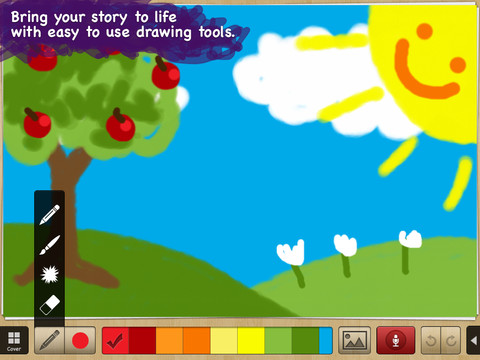
My Story – Book Maker for Kids is a great educational writing app for the iPad. The cost is normally $3.99 but it Is currently FREE. Kids can easily create an unlimited number of their own books using this app. Each page has an area for writing and an area for pictures. In the picture area kids can draw their own illustrations, take photos, or use pictures from their photo library. They can also record themselves reading their books. Finalized stories can read directly from the app, be published to iBooks, and/or shared via email with anyone who owns an iPhone or iPad.

Watch the video and learn more about this app here: My Story – Book Maker for Kids.

What a great medium for your child to share his/her life experiences with grandparents and other loved ones – take photos of your day (at the zoo, in the park, etc.) and let your child narrate the experience! The voice recordings remain intact when the book is shared. The words can be typed in after your child has provided the narration so that kids make the connection that the words in books are really just “talk written down.”

In the classroom kids can share their stories with friends through iBooks, write and present digital reports, keep ongoing vocabulary books and/or journals etc.

Highly recommended!!

My Story - Book Maker for Kids - HiDef Web Solutions

0

Scribble My Story – A Fingerprint Network App

image

FREE for a limited time – Scribble My Story, a junior version of Scribble Press (named by Time as one of the top 25 apps of 2012.) Designed for the youngest authors and artists (ages 3 – 8), Scribble My Story provides a friendly, easy-to-use platform for kids to imagine, create, and share. Included are 6 story packs (with audio for non-readers) that can be customized by the child and a recordable blank book for open-ended creations. Created books are saved in the app. Kids can go back and reread their books, edit them, or share them on the Scribble Press website. All great features except for the share button. I wish there was an option to disable it for children. In my opinion, parents/teachers need to decide & control what kids share on the internet. Using the Fingerprint email platform, parents/teachers can view created books through a browser, pdf, or iBooks. Additional story packs are available as in-app purchases. What a wonderful way to encourage kids to become writers from an early age! Highly recommended!

Also, check out my review of Scribble Press – one of my favorites 🙂  When I originally reviewed it, it was FREE. It now costs $2.99 but it is well worth its cost.

Scribble My Story – A Fingerprint Network App - Fingerprint

0

Tellagami

Telegami

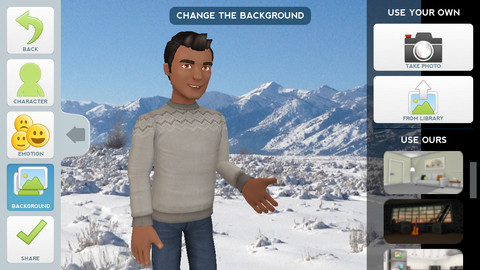
Currently FREE, Tellagami (rhymes with origami) is a unique storytelling app. Short stories called gamis are easy to create. First you select and customize a character by choosing his/her skin tone, eye color, hair color, and clothing. Then you choose an emotion – happy, sad, surprised, angry, scared, silly. Next you choose a background from the app, from your photo library, or create one by using your camera. You are now ready to create your gami. You can record your gami in you own voice or choose the text button to type in what your character will say  – the limit is 450 characters. Gamis can be shared via email, messaging, Facebook, or Twitter.

This educational app is fabulous!! Its uses are only limited by your imagination!! Kids can use gamis to introduce themselves at the beginning of the year. They can customize gamis to look like themselves and be reporters, scientists, teachers, etc. They can create the character (and setting) from a book they are reading. They can message or email a parent to explain what they are learning in class. Teachers could use gamis as interactive exit slips. The list is endless. Kids will LOVE creating gamis!

Tellagami ™ - Tellagami Inc.

0

Kids Academy · ABC Alphabet Phonics App HD

Montessori 2Montessori ABC for Kids HD

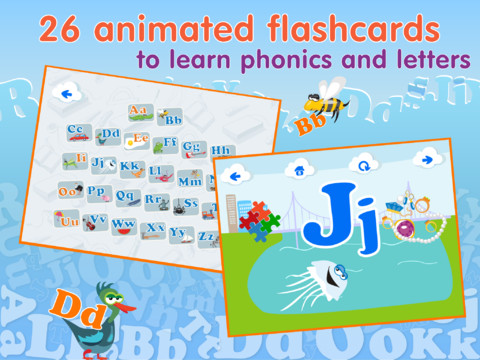
FREE for a limited time – Kids Academy · ABC Alphabet Phonics App HD. This educational app has two sections: animated flashcards (to teach kids the letters/sounds) and traceable worksheets (to teach kids how to write the letters). The flashcard section has cute animations to teach kids letters & sounds in a fun way. The writing section has two modes (right-handed and left-handed) to teach upper and lower case letters. The app is designed to have multiple users and parents can track their children’s progress. Nicely done!!

Common Core Standards met:

  • K.RF.1 – Demonstrate understanding of the organization and basic features of print. Recognize and name all upper and lowercase letters of the alphabet.

Montessori ABC for Kids HD: Learn and Trace Alphabet Letters - Kids Academy Company

0

Collins Big Cat Story Creator Apps

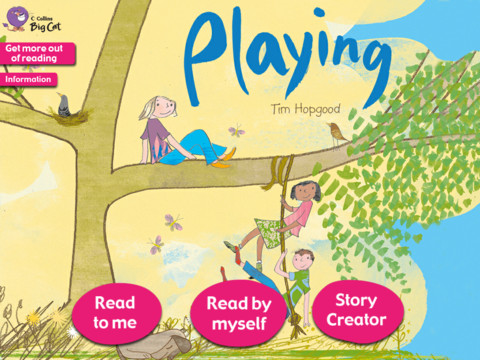
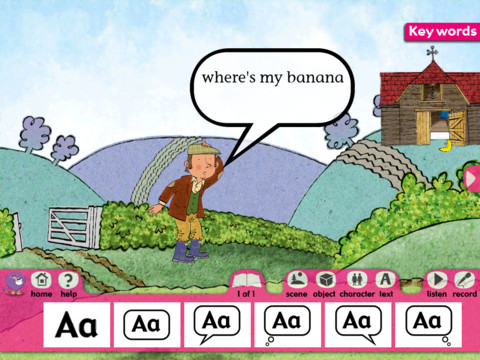
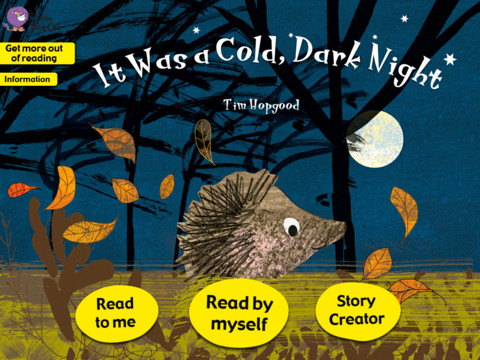
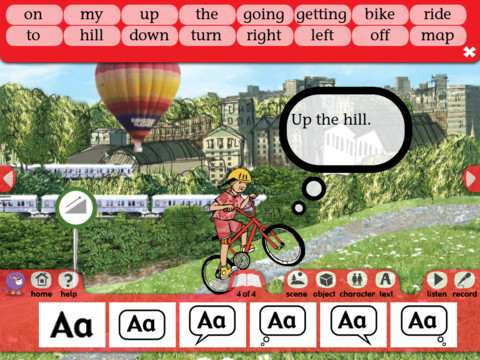
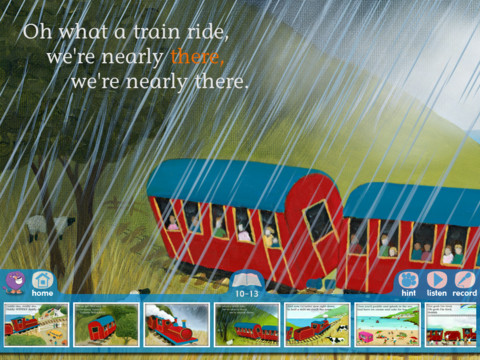
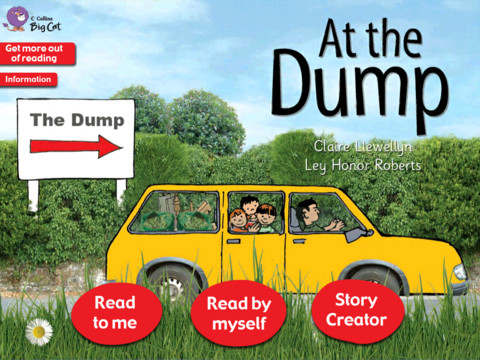
8 of Collins Big Cat Story Creator apps are currently FREE again for the iPad. Collins Big Cat is a reading series used by over 9000 schools in The United Kingdom. Titles included are: Playing Story Creator/Around the World/ Farmer’s Lunch/ In the Garden/ It Was a Cold,Dark Night/ My Bike Ride/ The Steam Train/At the Dump. These apps normally sell for $3.99 each so take advantage of this great offer if you have young readers/writers in your life.

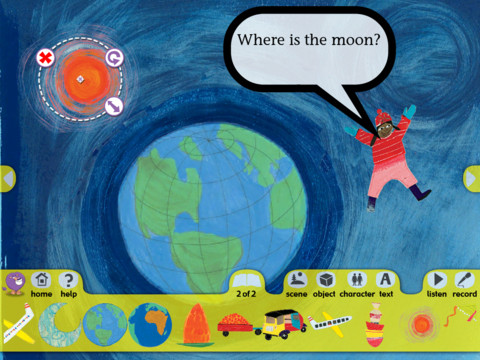
These educational apps, geared towards children ages 4+, include an animated story (with hidden surprises on every page) and a story creator. The story creator allows the child to transfer what they just read into writing. Children can create their own story using the scenes, characters, etc. from the book. There is also the option to record the child’s newly created story. Nicely done for young readers/writers!!

Highly recommended!

Playing Story Creator

Playing Story CreatorCollins Big Cat: Playing Story Creator - HarperCollins Publishers Ltd

Around the World       Collins Big Cat: Around the World Story Creator - HarperCollins Publishers Ltd

The Farmer’s Lunch       Collins Big Cat: The Farmer’s Lunch Story Creator - HarperCollins Publishers Ltd

In the Garden       Collins Big Cat In The Garden Story Creator - HarperCollins Publishers Ltd

It Was a Cold, Dark Night       Collins Big Cat: It Was a Cold, Dark Night Story Creator - HarperCollins Publishers Ltd

My Bike Ride        Collins Big Cat: My Bike Ride Story Creator - HarperCollins Publishers Ltd

The Steam Train       Collins Big Cat: The Steam Train Story Creator - HarperCollins Publishers Ltd

At the Dump

At the Dump   Collins Big Cat: At the Dump Story Creator - HarperCollins Publishers Ltd

0

Jumbled Sentences 3

Jumbled Sentences 3

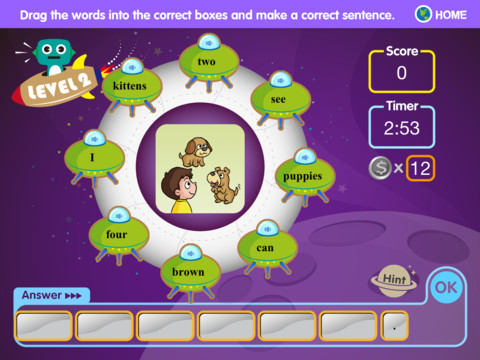
FREE again, Jumbled Sentences 3. This educational app for the iPad helps kids learn sentence word order in a fun way. Kids put words in order to form a correct sentence while earning coins for each correct answer. If they get stumped, they can use a coin to buy a hint. There are three levels. In level 1 kids rearrange words to form a sentence – picture clues are given. In level 2 there are more words than needed. Kids must choose and arrange the proper words to construct a sentence that goes with the picture. In level 3, kids have to make sentences without picture clues. If the sentence submitted is wrong, the app keeps the correctly placed words and removes the others so kids can try again. The app is simple to use with a cute alien/space theme. It is definitely worth downloading. 🙂

Jumbled Sentences 3 - Innovative Net Learning Limited

0

Trading Cards

trading cards

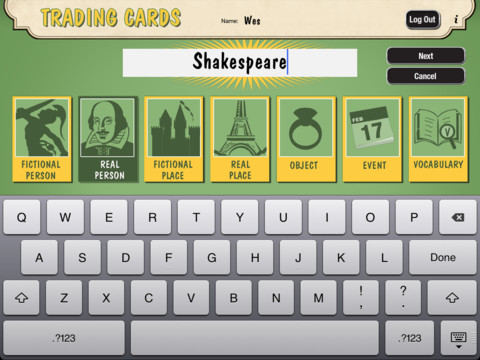
Fabulous educational app!!! ReadWriteThink’s Trading Cards is powerful FREE app developed by the International Reading Association. This educational app provides a unique way for kids to share their understanding of topics, generate their own study aids, create a fictional world to use in their writing, make their own trading cards, and more. There are 7 categories of cards available within the app: fictional person, real person, fictional place, real place, object, event, and vocabulary. Kids start by choosing a category and typing in the title of the card. Each category has specific questions which help kids create information-rich trading cards. Images can be added by using the device’s camera or by accessing pictures in the photo library. Kids can also sort their cards into collections such as characters from a book, heroes or villains, landmarks, the 50 states, vocabulary by subject, etc. The possibilities are endless! Cards can be shared via email, saved to the photo library, or printed on a wireless printer. And… the kid appeal is tremendous. Kids will LOVE trading their cards with their classmates 🙂

Highly recommended!!

Trading Cards - International Reading Association

0

Kids Academy · ABC Alphabet Phonics App HD

Montessori 2Montessori ABC for Kids HD

FREE for a limited time – Kids Academy · ABC Alphabet Phonics App HD. This educational app has two sections: animated flashcards (to teach kids the letters/sounds) and traceable worksheets (to teach kids how to write the letters). The flashcard section has cute animations to teach kids letters & sounds in a fun way. The writing section has two modes (right-handed and left-handed) to teach upper and lower case letters. The app is designed to have multiple users and parents can track their children’s progress. Nicely done!!

Common Core Standards met:

  • K.RF.1 – Demonstrate understanding of the organization and basic features of print. Recognize and name all upper and lowercase letters of the alphabet.

Montessori ABC for Kids HD: Learn and Trace Alphabet Letters - Kids Academy Company

0

My Story – Book Maker for Kids

One of my favorite writing apps – ON SALE !!

My Story – Book Maker for Kids is a great educational writing app for the iPad. The cost is normally $1.99 but it is on sale for $.99!! Kids can easily create an unlimited number of their own books using this app. Each page has an area for writing and an area for pictures. In the picture area kids can draw their own illustrations, take photos, or use pictures from their photo library. They can also record themselves reading their books. Finalized stories can read directly from the app, be published to iBooks, and/or shared via email with anyone who owns an iPhone or iPad.

Watch the video and learn more about this app here: My Story – Book Maker for Kids.

What a great medium for your child to share his/her life experiences with grandparents and other loved ones – take photos of your day (at the zoo, in the park, etc.) and let your child narrate the experience! The voice recordings remain intact when the book is shared. The words can be typed in after your child has provided the narration so that kids make the connection that the words in books are really just “talk written down.”

In the classroom kids can share their stories with friends through iBooks, write and present digital reports, keep ongoing vocabulary books and/or journals etc.

Highly recommended!!

My Story - Book Maker for Kids - HiDef Web Solutions

0

Trading Cards

trading cards

Fabulous educational app!!! ReadWriteThink’s Trading Cards is powerful FREE app developed by the International Reading Association. This educational app provides a unique way for kids to share their understanding of topics, generate their own study aids, create a fictional world to use in their writing, make their own trading cards, and more. There are 7 categories of cards available within the app: fictional person, real person, fictional place, real place, object, event, and vocabulary. Kids start by choosing a category and typing in the title of the card. Each category has specific questions which help kids create information-rich trading cards. Images can be added by using the device’s camera or by accessing pictures in the photo library. Kids can also sort their cards into collections such as characters from a book, heroes or villains, landmarks, the 50 states, vocabulary by subject, etc. The possibilities are endless! Cards can be shared via email, saved to the photo library, or printed on a wireless printer. And… the kid appeal is tremendous. Kids will LOVE trading their cards with their classmates 🙂

Highly recommended!!

Trading Cards - International Reading Association