0

Talking Rex the Dinosaur

FREE for a limited time! If you have a child (8+) in your life that is obsessed with dinosaurs (and won’t be frightened), you may want to download this app. Talk to Rex and he repeats your words in his deep dinosaur voice. Touch his tail and he will try to bite you. Poke Rex repeatedly and he will roar at you. Pet him – he enjoys that. Press buttons to make Rex fight with another T-rex, eat a steak, or fetch a bone. All of this can be recorded, saved to your library, sent as MMS or email, and/or uploaded to YouTube & Facebook. Rex can act kind of scary so check this one out before you give it to your child. Personally, I would NOT use this with younger kids.

I usually don’t include entertainment apps on my blog but I know too many kids that LOVE dinosaurs.And as for its educational value… kids can teach Rex the words on this week’s spelling list, math facts, state capitals, etc. He will repeat them all back in his dinosaur voice 🙂

Talking Rex the Dinosaur for iPad - Out Fit 7 Ltd.

0

Problem Solving – choosing the correct operation

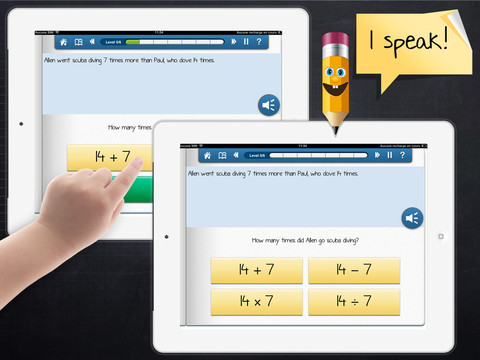
This iPad app (for kids in grade 3+) was FREE the day that I downloaded it but usually costs $1.99. Kids read/listen to word problems then have to choose the correct operation – addition, subtraction, multiplication, division. The problem is written but there is also the option of having it read aloud – just push the sound button. Equations (all containing the same numbers) are written beneath the problem and the child chooses the one that uses the correct operation. If the correct equation is chosen, it turns green. The answers are not a part of the equation and the child is not required to do the computation. Kids have to get 6 problems correct in a level before advancing to the next level. There are a total of 6 levels. Problems involving money are written in British pounds. The app’s language can easily be changed from English to French or Spanish.

This app provides practice in a much-needed area. Too many word problems are missed simply because the wrong operation is chosen. I wish this app would highlight clue words such as total, more, less, fewer, etc. Teaching kids to read and understand the question is critical. I also think that students should have to solve the problem – to meet the Common Core State Standards. Regardless, this app provides much-needed practice of a critical step in problem-solving.

Keep reading my blog to find out when apps become FREE.

Common Core Standards:

  • 2.OA.1 Use addition and subtraction within 100 to solve one- and two-step word problems involving situations of adding to, taking from, putting together, taking apart, and comparing, with unknowns in all positions
  • 3.OS.3 Use multiplication and division within 100 to solve word problems in situations involving equal groups.

Problem solving: choosing the correct operation - myBlee - MyBlee

0

ABC House

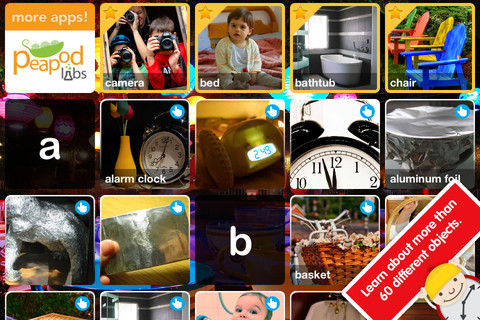
FREE until November 12, ABC House for the iPhone/iPad introduces your toddler (3 – 5) to 60+ everyday things through sight, sound, and touch. The app opens to a grid arranged in ABC order. Kids can tap on a letter to find objects that begin with that letter or they can tap on a specific object to learn about it. As an object’s photo appears, a child’s voice says the initial letter then reads the name of the object (which appears in writing at the bottom of the screen). A little cartoon person drops down on the left hand side of the screen with a link to a video clip or an interactive scene where kids may iron a shirt, clean with a duster, open drawers, etc. The child can scroll to the left for additional pictures and videos about each object.

This app needs an internet connection to work because the 100+ videos are actually links from You Tube. They are chosen by Peapod Labs and checked to be interesting and safe for kids. Kids cannot link from this app into other You Tube content. This app is nicely done  – great for building vocabulary and beginning to read/spell words.

Also check out my July 29th review of ABC Wildlife by the same developers 🙂

Recommended!

ABC House - everyday objects with pictures, sounds and videos for kids - Peapod Labs LLC

0

Draw and Show

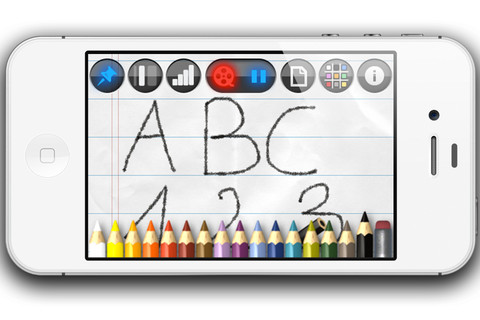
FREE for a limited time – Draw and Show for the Phone/iPad. With this app you can draw, sketch, take notes, etc. and have your work saved step by step into a time-lapsed video. First choose your background – plain, graph, or lined paper in 9 different colors. The choose a colored pencil – 35 colors available. You can vary the thickness of the lines and darkness of the colors. While you are drawing on the screen, the app instantly video encodes your actions so that you can share them when you are finished. The videos are available through your camera roll to be played & replayed. You can also send them to YouTube or in an email attachment.

LOTS of educational uses here – show kids how to print, write in cursive, draw a diagram, solve a math problem, etc. It can be played & replayed if needed. Have kids be the teacher – record their drawings, etc. to share with a friend. Awesome tool!

Recommended!

Draw and Show - Anton Gregorn

0

My Monster Mayhem

My Monster Mayhem is an interactive e-book for the iPhone/iPad. I downloaded it on a FREE day but it normally sells for $4.99. It is the story of a little girl and all of the monsters in her house (imagination) that prevent her from doing what her mother asks her to do – turn off lights, not waste dental floss, etc. What her mother doesn’t seem to understand is that she is really a hero! Cute story with animation and interactivity found on almost every page – kids pop bubbles from the bathtub, play tug of war with the Broncus Dentus, etc. Kids also collect hidden monsters on almost every page to unlock puzzles at the end of the story. The reality of the monsters is left open for discussion/interpretation which might not be understood by younger kids. I think this book would be great for kids that are a bit older!

Recommended!

My Monster Mayhem - Digital Leaf

0

Let’s Color

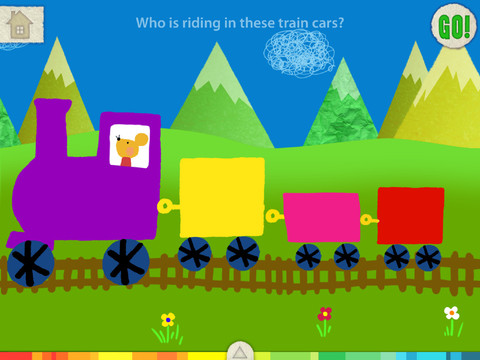
This FREE app for the iPad is from the makers of Squiggles (see Oct. 10 review) and it too is very cute & very creative. The app includes an animated short in which the characters – Bobu, the monkey  & Miku, the rabbit use their imaginations to turn triangles into a strawberry, a dog, a mountain, etc. Then kids are encouraged to color different things to complete a page: what is coming out of a hose, who is riding in the train, etc. Once the coloring is completed, they press GO and the drawings come alive. There are 17 coloring pages as well as a blank page for your child to create his/her own pictures. Additional coloring pages can be purchased within the app. Tools included are stickers, markers, paint, chalk, a ketchup bottle, as well as 10 colors & a mystery color wheel. Work can be saved into the gallery of the parents’ section by pressing the piggy bank. This app is super cute!! Just like Squiggles, it encourages children to be imaginative & creative 🙂

Highly recommended!

Let's Color! - Lazoo Worldwide, Inc

0

Kids Shop

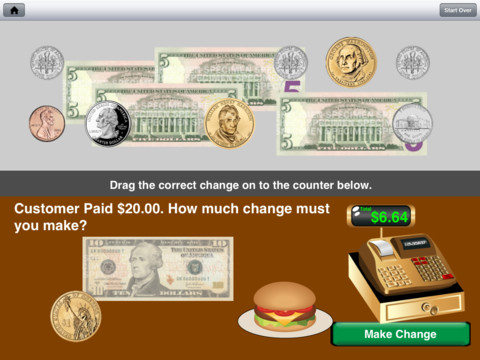
FREE for this weekend only! Kids Shop is another money app for the iPad from the developers of Coin Math – see my previous review. Kids Shop takes off where Coin Math left off by including bills (ones, fives, tens, & twenties) when asking kids to pay for items or make change. 5 levels of shopping and 5 levels of making change make this app suitable for multiple ages. There are hints and voiced instructions for younger learners. Coins can be tapped & turned so that kids can see both the fronts & backs. Kids can also tap and drag coins into groups for easier counting. The only thing that could make this app better is if it kept track a child’s/children’s progress. This app is well done and provides a lot of great practice. Download it today!

Common Core Standard:

  • 2.MD.8 – Solve word problems involving dollar bills, quarters, dimes, nickels, and pennies, using $ and ¢ symbols appropriately.

Highly recommended!

Kids Shop - Recession Apps LLC

0

Coin Math

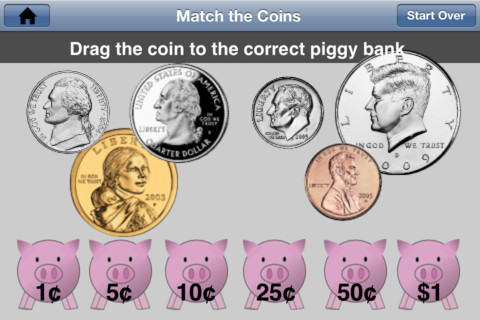
FREE this weekend only – Coin Math for the iPhone/iPad is the best coin app that I have reviewed to date. It teaches kids to recognize, count, add, and make change with U.S. coins. Kids learn to recognize pennies, nickels, dimes, quarters, half dollars & dollar coins – both front and back. They match the front of coins to their backs. They also match coins to their values. After learning the value of the coins, kids practice counting combinations of coins – two levels. Once kids have learned to count the coins, they learn how to pay for items – 3 levels. Finally, kids learn how to make change –  3 levels. This app is well thought out and teaches about coins in a logical & sequential way. It can be used by kids in grades K – 3 because it has so many levels. The only thing that could make this app better is if it kept track a child’s/children’s progress. Teachers and parents, take note – if you have kids that need to learn/practice using coins, download this app today!

Common Core Standard:

  • 2.MD.8 – Solve word problems involving dollar bills, quarters, dimes, nickels, and pennies, using $ and ¢ symbols appropriately.

Highly recommended!

Coin Math - Recession Apps LLC

0

Cursive Writing HD

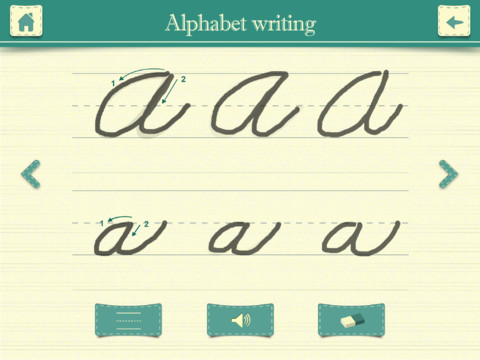
This iPad app normally sells for $.99 but I was able to download on a FREE day. It shows kids how to write in cursive utilizing three modes. In the abc mode, both upper case and lower case letters are taught. Kids are shown how to trace each letter using the proper stroke sequence. This section of the app is very well-done. In the word mode, kids are shown how letters combine to form 234 words. In the sentence mode, kids can practice writing one of the 3 sentences provided or they can type in their own sentence which is converted to cursive. What a great idea! Unfortunately, the writing style (in both the word mode and the sentence mode) is not consistent with the writing style of the abc mode. For example, the lower case o and b become very loopy. Many upper case letters are formed in completely different way. Words are not started on the base line. After teaching cursive writing for 30 years, I know that the biggest challenge is teaching kids to properly connect the letters. This app does a nice job of teaching the individual letters in the abc mode but I would not recommend/use the word or sentence mode.

Cursive Writing HD - Jiwoo Studio

0

Marble Math Junior

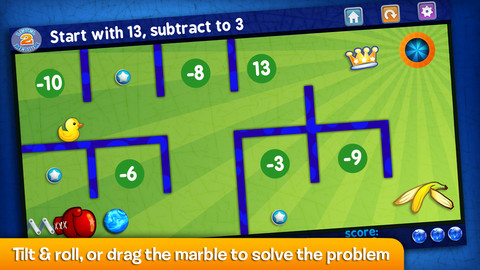
FREE for one day, November 2, 2012  – Marble Math Junior for the iPhone/iPad. Kids solve a variety of math problems as they roll marbles through a series of mazes. There are three levels. Level 1 covers addition to 10, equivalent numbers, sequencing of ordinal and cardinal numbers, and shape recognition. Level 2 covers adding coins to $1.00, addition/subtraction to 20, time to the hour, and comparing/sequencing numbers to 100. Level 3 covers money to $2.00, telling time by 15 min. intervals, fractions (1/2, 1/3, 1/4), multiples (2,3,5,10), addition to 100, and sequencing to 1000. Currency can be customized 5 ways: Australian dollar, Canadian dollar, Euro, British pound, & U.S. dollar. Not only does the game supports multiple players but it also allows you to customize specific skills for each player to practice – what a great option! Another great thing about this app  – when a player answers incorrectly, he/she can choose of 3 options: try again, show me, or next problem. Kids earn marbles as they answer correctly and high scores are recorded. Worth downloading!

Common Core Standards met:

  • K.OA.2  – Add and subtract within 10, e.g., by using objects or drawings to represent the problem.
  • K.CC.2 – Correctly name shapes regardless of their orientations or overall size.
  • 1.OA.6 – Add and subtract within 20, demonstrating fluency for addition and subtraction within 10.
  • 1.MD.3 – Tell and write time in hours and half-hours using analog and digital clocks.
  • 2.MD.8 – Solve word problems involving dollar bills, quarters, dimes, nickels, and pennies, using $ and ¢ symbols appropriately.
  • 2.OA.1 -Use addition and subtraction within 100

Recommended!

Marble Math Junior - Artgig Studio