0

Photo Touch Sight Words

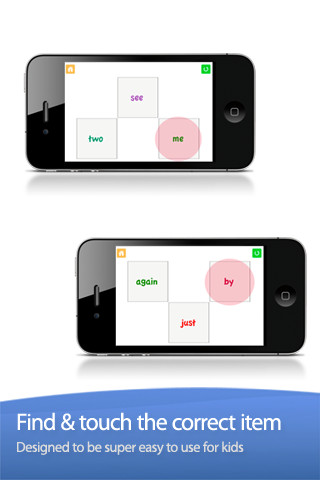
Photo Touch Sight Words is another FREE app for iPhone/iPad from Grasshopper Apps (see August 3 Rhyming Words review). At its simplest level, it allows you to choose grade level sight words for your child to practice (preschool – grade 3). Kids must touch the word that is read – it starts with 3 word choices and increases in difficulty to 10. What makes this app stand out is the ability to customize it to your child’s needs. You can turn on/off individual words. You can select multiple lists. You edit the words to be read in your child’s voice. There is the ability to add additional cards –  but, making the cards match the programmed cards seems to be a challenge. I emailed customer support to ask about this option and about the source of their sight words lists. I will update this post as I receive more information 🙂

Recommended.

Sight Words by Photo Touch - GrasshopperApps.com

0

Virtual Manipulatives

FREE for the iPad, this app contains math manipulatives for teaching fractions, decimals, and percents. Included are tiles/circles divided into halves, thirds, fourth, fifths, sixths, eighths, tenths, and twelveths AND their corresponding decimals and percentages! The manipulatives are color coded across the settings so that 1/2 is blue as is .50 and 50%. Kids drag tile pieces onto the work area to compare fractions/decimals/percentages. In the settings you can change from tiles to circles, make the pieces transparent, and hide the numbers on the pieces. Completed work can be easily saved to photos. Finding equivalent fractions has never been so slick – WOW!!

Common Core Standards met:

  • 3.NF.3 – Explain equivalence of fractions in special cases, and compare fractions by reasoning about their size. Understand two fractions as equivalent (equal) if they are the same size, or the same point on a number line.
  • 4.NF.1 – Explain why a fraction a/b is equivalent to a fraction (n × a)/(n × b) by using visual fraction models, with attention to how the number and size of the parts differ even though the two fractions themselves are the same size. Use this principle to recognize and generate equivalent fractions.

Highly Recommended!

Virtual Manipulatives! - ABCya.com

1

Chalkboard Math

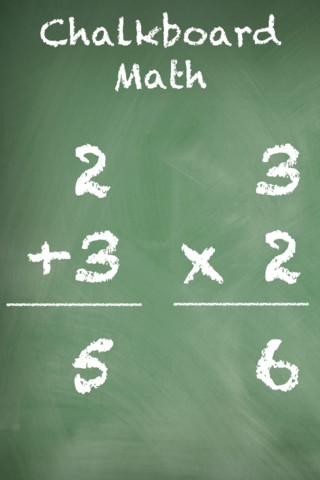
This FREE app for iPhone/iPad Helps kids practice their basic facts for addition, subtraction, multiplication, and division. First kids choose numbers (1-12) to work with, then the math operation/operations. The app generates practice in 2 modes: answer mode (enter the answers & get feedback) or flashcard mode (answer verbally then check). The game has no built-in sounds but there is positive reinforcement written at the top of the page. If a child misses a problem, it shows the correct answer. What I really like about this app is the ability to choose specific numbers to work on. Facts can be practiced in the order they are taught. I also like the ability to choose more than one operation to practice – it makes kids pay attention to the signs of operation and see the relationships between operations. This app is simple but effective – if you loaded this app on your iPhone, kids could easily practice flashcards on their way to after school lessons 🙂

Common Core Standards met:

  • 1.OA.6 – Add and subtract within 20, demonstrating fluency for addition and subtraction within 10.
  • 2.OA.2 – Fluently add and subtract within 20 using mental strategies. By end of Grade 2, know from memory all sums of two one-digit numbers.
  • 3.OA.7 – Fluently multiply and divide within 100, using strategies such as the relationship between multiplication and division or properties of operations. By the end of Grade 3, know from memory all products of two one-digit numbers.

Recommended!

Chalkboard Math - 22nd Century Software LLC

0

Princess Piano

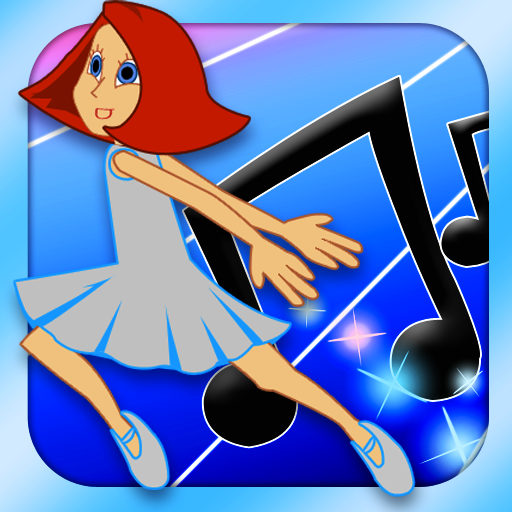
FREE today, this app for the iPhone/iPad usually costs $1.99. Kids help Princess Piano dance her way back to the Cloud Kingdom by playing the songs on the piano as well as they can. The app introduces musical notation one note at a time (starting with c,d,e….) as well as the timing of notes (quarter notes, half notes). Kids are given practice as each new note/concept is taught. There are three modes of difficulty: beginner (keys flash, key/notes are labeled, 60% or better to advance), advanced (keys labeled, 80% or better to advance) and virtuoso (90% or better to advance). As kids advance through the levels they unlock outfits for Princess Piano – which they can use in “Dressing Room.” There is also a “Song Maker” tool for kids to compose their own music. This app is a great introduction to reading music!

Highly Recommended!

Princess Piano - Dented Pixel

0

Farm School

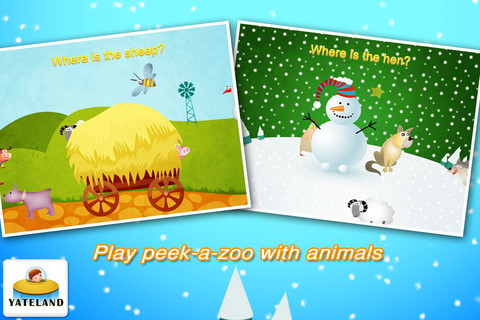
FREE today – Farm School for the iPhone/iPad. Toddlers will learn to identify 12 different animals: pig, cow, sheep, goat, hen, rooster, duck, goose, dog, hedgehog, bee, & wolf. Kids are asked to choose the correct animal (5 choices). If they choose correctly, they get to hear the animal’s sound and see the word written. After getting three correct, kids match animals to their shadows. Another activities in the app include: finding hidden animals, counting cakes, catching apples, & touching wolves to protect the sheep. Simple to use for young learners!

Farm School - Yateland

0

Easy Board

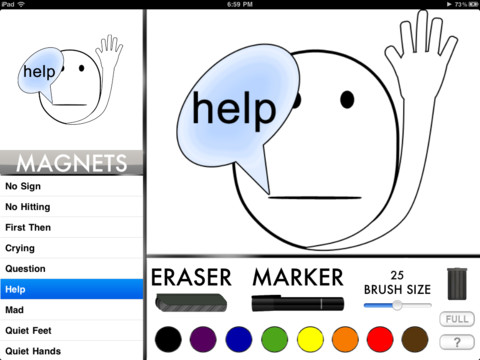
This iPad app is currently FREE but usually sells for $.99. It turns your iPad into a whiteboard with 8 colored markers. Kids can show their work without the messiness of mini-whiteboards, markers, & erasers. Also included are 35 “magnets” offering visual supports with phrases like: help, question, sit down, thirsty, restroom, list, write, etc.  This app could be very useful in any classroom – especially with special needs kids who could benefit from the structure and visual supports. It would be even better if kids could save their work to share with others AND if teachers/students could create/customize their own magnets.

Recommended!

Easy Board - Red Ape Mobile

0

Jake’s Never Land Pirate School

Ahoy Matey! This app for the iPhone/iPad is FREE from Disney. Kids 3+  join Jake and his crew (from Never Land Pirates TV) for pirate classes which include sailing, pirate band, map & spyglass, and pixie dust. In pirate school, kids practice listening & following directions, counting, tracing shapes, and more. You can import your child’s picture and create a pirate – very cute!  Kids can keep track of the levels they have completed and the badges they have earned in the Captain’s Log. This is a fun app  – especially for young fans of the show!

Recommended!

Jake's Never Land Pirate School - Disney

0

Love to Count by Pirate Trio

This iPhone/iPad app is FREE today. Designed for 4 – 7 years olds, it introduces math concepts (such as counting, ordering, addition, subtraction, shapes) using a pirate theme. Kids earn and collect rewards for their treasure chest as they progress through the 700 math tasks included in this app. More than one child can be added to the program and parents or teachers can monitor their children’s progress. The statistics section shows what tasks have been completed and which were completely correctly on the first attempt. Nicely done app!

Common Core Standards met:

  • K.CC.2 – Correctly name shapes regardless of their orientations or overall size.
  • K.CC.4 – Understand the relationship between numbers and quantities; connect counting to cardinality.
  • K.OA.1 – Represent addition and subtraction with objects, fingers, mental images, drawings, sounds (e.g., claps), acting out situations, verbal explanations, expressions, or equations.
  • K.G.2.  – Correctly name shapes regardless of their orientations or overall size.

Recommended!

Love to Count by Pirate Trio - Next is Great

0

Millie and the Lost Key

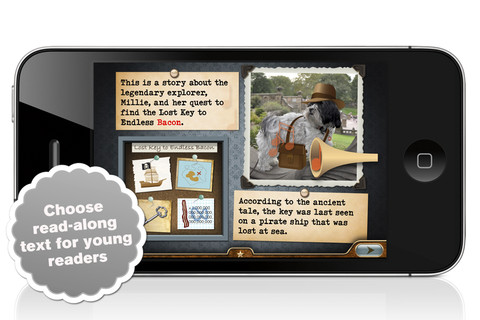
Since this is my 100th review, I wanted to write about an app that I love. Millie and the Lost Key is the second book in the Millie Was Here series for the iPhone/iPad. I was able to download it on a FREE day but it normally sells for $1.99. Millie, the adorable adventure-seeking dog, travels (by cab) to a dark and mysterious island (Central Park) in a quest to find the ultimate treasure – the key to endless bacon. The story was not adapted from an already existing book. The interactivity on every page was built into the story as it was written. There are also hidden stickers throughout the story for kids to collect. The Millie series is now available in 11 languages. Languages can be changed in the setting of your device. This is a great app for preschool and primary-aged kids.

I also loved Millie Was Here (review posted on June 24, 2012) – can’t wait for more adventures of Millie.

Highly Recommended!

Millie & The Lost Key - Millie Was Here, Book 2 - Megapops LLC

0

Giggle Ghosts

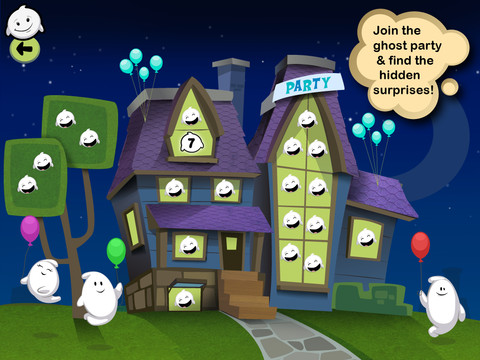
This counting iPad app for toddlers costs $.99 but I was able to download it on a day that it was FREE. The giggle ghosts are very cute – kids will love to hear them laugh. Kids help 20 ghosts get the party by bouncing them across rooftops. In the first level the sky is clear and they have to bounce 5 ghosts. The app counts to 5 and shows the written numbers. The second level is the same but there are leaves blowing in the sky. The third level is the same but  there are clouds in the sky. And in the fourth level it is raining, but the counting task remains the same. At the end the app counts all 20 ghosts at the party. I was hoping that the 4 levels would count:1 – 5, then 6 – 10, then 11 – 15, and 16 – 20 rather than all be the same. Cute and simply done – it might be fun for Halloween!

Keep reading my blog to find out when apps are offered for FREE!

Giggle Ghosts - by Busy Bee Studios - Busy Bee Studios