0

Toddlers First Words: 6 in 1

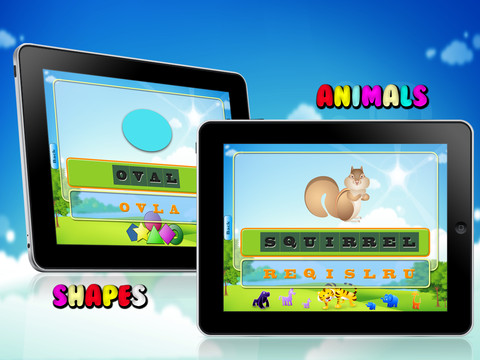
This FREE app for the iPad has toddlers/young learners making 200+ words for objects in 6 different categories – animals, colors, shapes, vehicles, vegetable & fruits, and common words. A picture is show with the word spelled under it (in black). Under the black spelled word are all the letters that make up that word (in orange) but they are scrambled. The child is supposed to drag the orange letters onto the black letters to spell the word (the correct order is not required). As he/she does, each letter is named. When the entire word is complete the word is spelled and named. Nice features: If the child touches the picture, the word is spelled then pronounced. If the child touched a black letter, that letter is named and the corresponding orange letter below twists. I wish the app required the child to spell the words in order – that would help emphasize that words are written from left to right. Lots of letter practice is built into this app but I wish developers would also include lower case letters when creating an app for kids.

Worth downloading to see if this app is something your child would enjoy but the Common Core Standards for kindergarten require recognition and naming of all upper and lower case letters.

Toddlers First Words : 6 in 1 - Deepak Demiwal

0

Super Shapes

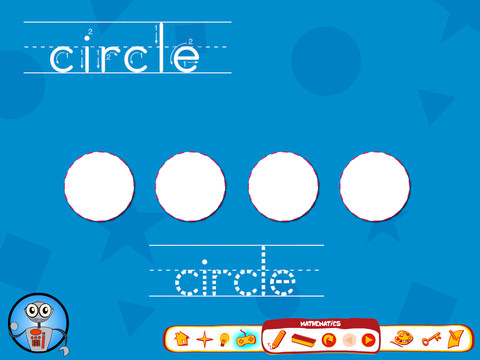
This FREE app for the iPad teaches 5 shapes – circle, square, triangle, rectangle, and star. In the first activity, it tells the name of each shape and gives one attribute of it. Then it asks the child to list objects that are that shape but there are no follow-up examples given after this request. The next activity has the child tracing the shape words and the shapes. Lastly, the child is supposed to spin a spinner and draw the shape that it lands on. Again there is no follow-up so that the child can check if he/she is correct. There is just not enough to this app that I feel that I can recommend it.

0

Letter School Lite

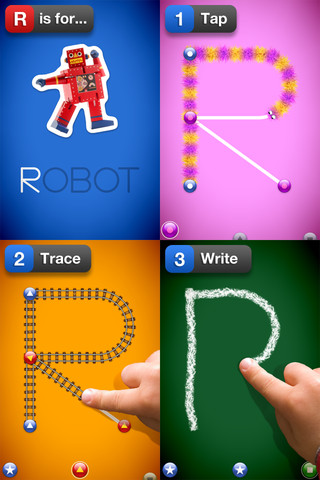
This letter writing app for the iPhone/iPad has a FREE lite version (a – e) that you can preview before you decided if  you want to purchase full version for $2.99.  It is designed to teach 4 – 6 year olds how to write upper & lower case letters and numbers. It starts by showing the shape of the letter, naming it, giving its sound and a word that starts with that sound. The child learns where to start and end the letter. Then the child traces the letter. Finally, the child tries to write the letter from memory. At the end of these three exercises for each letter, there are fireworks. The graphics are simply done but very appealing. I like the size of the letters  – nice and big for little hands. The app has 3 typefaces (Zaner-Bloser, HWT, D’Nealian) in the settings. This app is nicely done and from what I see in this lite version, I am assuming that the full version is worth $2.99.

Common Core Standards met:

  • K.RF.1 – Recognize and name all upper and lowercase letters of the alphabet.

Recommended!

LetterSchool Lite - Boreaal

0

Cozmo’s Day Off Lite

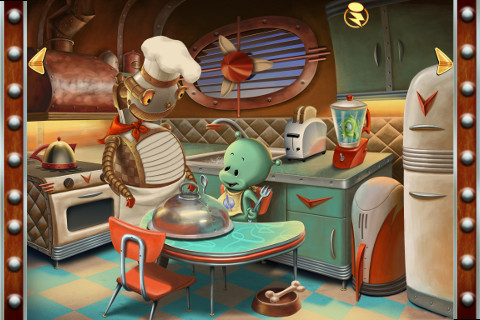
This interactive storybook for the iPhone/iPad has a FREE lite version that you can preview before you decided if  you want to purchase the more interactive version for $3.99.  In the lite version the menu page and the first page are fully interactive. Purchasing the full version unlocks every page – totaling over 100 interactions. This app tells a cute story about a little green alien’s day in read-along rhyme. The pitch of the narrator’s voice can be changed  – which is a fun feature. There is also a record option which allows kids to record themselves reading the book. After recoding, the pitch of their voices can be changed. They can slow their voice way down (making it deeper) or speed it up (making it higher) – both make them sound like aliens. I think kids would LOVE this feature and it would provide quite the incentive to read the book on their own.I can hear the giggles now 🙂

Recommended!

Cozmo's Day Off Lite - Children's Interactive Storybook - Ayars Animation Inc.

0

Amazing Coin (USD) Free

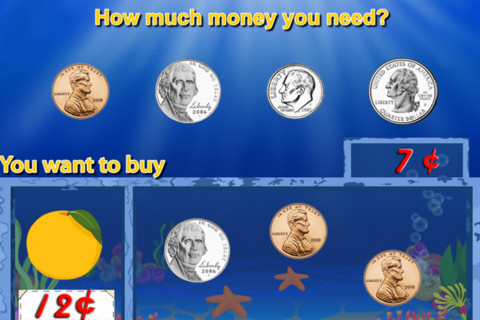
I downloaded the FREE version of this coin app for the iPhone/iPad. The iTunes preview says that it has 8 games included but there are only 4 – patterns, greatest value or least value, match the coins, and pay for items (see above). The screen shots featured in the iTunes preview show 4 out of 5 games that are NOT included in the FREE version. It’s disappointing to see such a disconnect between how this version of the app is presented on the iTunes Preview page and what you actually get to try in the free download.

Before I would recommend this app, I would have to see more of it.

0

PBS KIDS Photo Factory

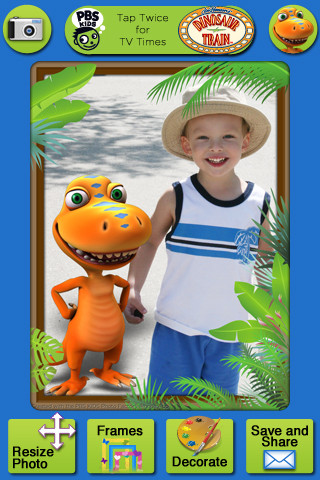
Very cute FREE app for the iPhone/iPad from PBS KIDS. Add your favorite PBS character to your child’s picture in 3 easy steps. First take a picture or choose one from your photo library. The edit it as needed – zoom, rotate, or resize. Lastly frame it and decorate it by adding your favorite PBS characters. You can share the results on Facebook, Twitter, via email or save them into your photo library.

There are lots of fun ways to use this app. Take pictures of kids with the characters at a themed party based on one of the shows. Take pictures of students with Curious George, Arthur, or Clifford after reading books featuring those characters. Pull those pictures into a story writing app to create a new adventure of the PBS character and the student. Add the characters to settings – pictures of the school playground, pictures of the classroom etc. – use your pictorial creations as  springboards to creative writing. Pull your pictures into TellPic (see review July 31) and have the child explain. Fun !!

Recommended!

PBS KIDS Photo Factory - PBS KIDS

0

123 Color, International Edition

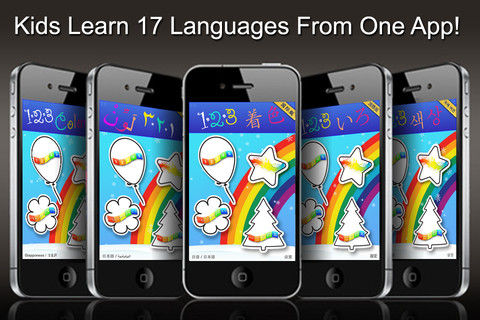
123 Color, International Edition Talking Coloring Book, With Words Spoken in 17 Languages for the iPhone/iPad is FREE today. It names numbers, letters, & colors and shows the spelling of numbers & colors (in 17 different languages). In the settings you can choose a primary & secondary language so each number, letter, and color will be spoken/spelled in both languages. Or, you can disable the secondary language option and choose only one language. Kids start by choosing 1 of 4 areas to practice – numbers, colors, upper case letters, or lower case letters. Then they can choose one of the 11 themed sets of coloring pages, photo painting, stationery, letter writing, or number writing. There are two color palettes available – 10 colors or 30 colors. The photo painting and stationery pages can be framed. All artwork can be printed, emailed or saved to photos.

This nicely done app was featured in Women’s Day and New York Times.

Recommended!

123 Color, International Edition Talking Coloring Book, With Words Spoken in 17 Languages - Steve Glinberg

0

Counting Money

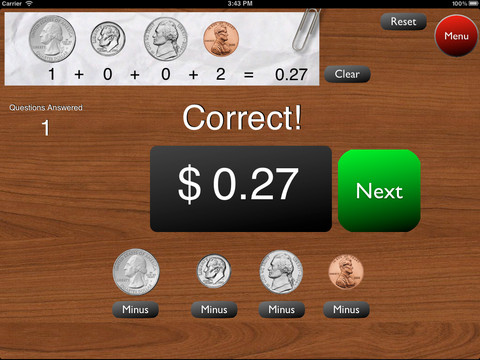
This is a great FREE app for the iPad to give kids practice counting coins. It has two modes: practice and quiz. In the practice mode, the child must answer the question correctly to proceed. In the quiz mode, 10 questions are generated with only one chance to answer correctly. There are two levels of difficulty: beginner (up to $2.00) and normal (up to $4.00). Users can select the number of questions (10, 20, 30 or 40) and decide if they would like to be graded (based on percentage). As the children count coins to reach a specified total, the app can be set to total the coins as they are being counted (if you wish). This app is easy to use with a lot of flexibility.

Common Core Standards met:

  • 2.MD.8 – Solve word problems involving dollar bills, quarters, dimes, nickels, and pennies, using $ and ¢ symbols appropriately.

Highly recommended!

Counting Money - King's Apps

0

Fold Cam

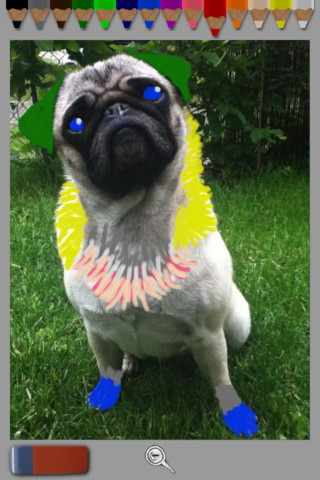
As an introductory special, this app if FREE for iPhone/iPad. It’s simple to use  – just take a picture then decorate it with the colored pencils that appear at the top of the screen. The magnifying glass allows you to zoom in close to add details. The eraser makes it easy to fix. When you are finished enhancing your picture, you can share via Facebook, Twitter or email – easy & fun.

I could get this app to work on my iPhone but not on my iPad (even although I have all of the requirements listed for it to work properly). I tried reinstalling the app but had the same results – it went to a blank white screen a second after the title screen came up. Hmm…..

Kids would have fun with this app. Who wouldn’t like decorating the family pet? 🙂

Fold-Cam - Cribster

0

Verb Mayhem Free

There are 3 levels of this app available for FREE for the iPad. Level 1 is for 7 year olds. Level 2 is for 8 – 9 year olds. Level 3 is for 10 – 12 year olds. Each FREE version gives you one level of play but you can continue to practice (at that level) by pressing the menu button in the upper right hand corner. That button will take you back to the start of the game and the app will generate more practice in a different scene.

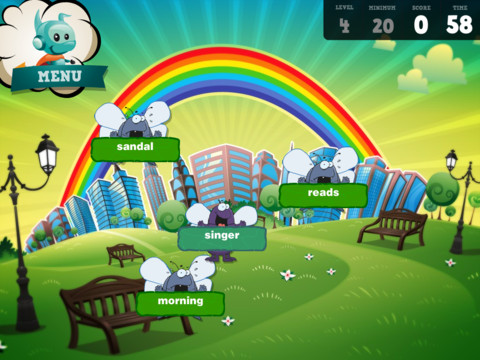
The object of the game is simple – just tap to eliminate any word that is NOT a verb. The game is fast paced and would be fun played with a partner. It provides good practice for recognizing verbs.

Common Core Standards met:

  • 2.L.1 – Form and use the past tense of frequently occurring irregular verbs (e.g., sat, hid, told).
  • 3.L.1 – Form and use regular and irregular verbs.AND Form and use the simple (e.g., I walked; I walk; I will walk) verb tenses.

Recommended!

Verb Mayhem HD Level 2 FREE - Generate Learning