0

PBS KIDS Video

PBS KIDS Video is a FREE app for the iPhone/iPad allows kids to watch video clips/some full episodes of their favorite PBS Kids television series from anywhere in the U.S. that has a 3G or Wifi connection. The app features more than 1,000 videos from over a dozen of the top PBS KIDS series – Fetch, Thomas & Friends, Sid the Science Guy, Word World, and more!  Every week there is a “Weekly Pick” – a set of fun educational videos based around that theme. For example, this week’s theme is “Do It Yourself Projects” from Design Squad. In the Parent Information section, parents can learn about the TV series – the intended ages & learning goals. What’s not to love? PBS KIDS Video provides quality programming in a safe, child-friendly environment.

PBS KIDS Video - PBS KIDS

0

That’s Baloney! Kids Quiz Game

That's Baloney

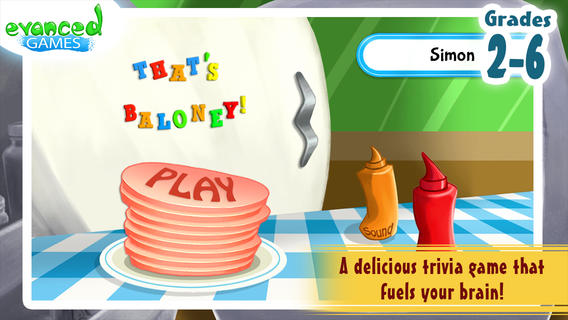
FREE for a limited time – That’s Baloney! Kids Quiz Game, an app based on the best-selling card game by Edupress™. This educational app features almost 2,500 quiz statements for grades 2 – 6. Kids show off their trivia skills by determining whether the statements are true or baloney. The game can be set to 5 different categories: language arts, math, science, social studies, or mystery meat. Each snack round features 10 questions. Sandwich rounds can be set for 20 or 40 questions. Some examples of the facts/trivia included are: 8 is an ordinal number; An average American has about 20 square feet of skin, weighing about 8 pounds; The zip code 55555 belongs to Young America, Minnesota. Kids must answer carefully because the game is over if they lose 4 or 5 pickles along the way. This app is cutely deigned and appealing to kids – a fun educational app!

Teachers, this app would be a great time-filler for your classroom – perfect for the end of the day, right before lunch, while your waiting to be called to an assembly, etc.

Download link: https://itunes.apple.com/us/app/thats-baloney!-kids-quiz-game/id674156832?mt=8&uo=4

0

Scanner Pro

scanner

Get digitally organized in the new year!

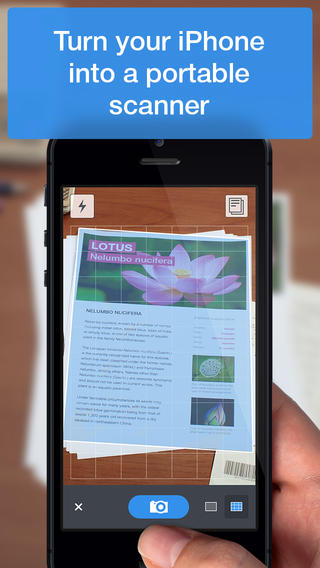
Apple’s App of the Week and FREE for a limited time – Scanner Pro by Readdle. This easy-to-use app turns your iPhone/iPad into a portable scanner. You can scan documents, sketches, whiteboards, receipts, etc. The app uses edge detection and image processing to scan items quickly and save them as PDF files. Once your digital file has been created, it can be uploaded to Dropbox, Evernote, or Google Drive. You can also save, print, or email your scanned documents. There are so many uses for this app especially when you use it with other apps/software. Get it while it is FREE because it is normally listed at $6.99.

Teachers could use this app to digitize student files then upload the files into Evernote to create digital student portfolios. Whoohoo – how organized is that!?

Download link: https://itunes.apple.com/us/app/scanner-pro-by-readdle/id333710667?mt=8&uo=4

0

ClassDojo

ClassDojo is a FREE & fabulous tool that helps improve classroom behaviors. Rewarding good behavior in real-time is easy – all it takes is a click. To use ClassDojo, you only need one device (computer, smartphone, a laptop, or a tablet) and an internet connection. It is very easy to set up. Each student on your class list is assigned a cute, monster-like avatar. Kids earn points for positive behaviors and lose points for negative behaviors. ClassDojo is also fully customizable so you can delete behaviors from the original list and/or add your own behaviors. As you use it, it automatically logs any data that you input. This data can be used to generate behavior reports to share with parents and administrators. How awesome is that? You can go into a meeting/conference with reports in hand! And now, parents can check online to see what kind of day their child is having.

If I were still in the classroom, I would enter my class list twice – once for data on work/study habits and the other for data on behaviors. I would make my habits/behaviors match exactly what was on my report cards. Then as I used the app, I would also be gathering data for my report cards. At the end of the grading period, I would just print out the date and enter it on the report cards – how easy!  I would also have the data (in a printed report) to be able to back up any grade on the card.  “As you can see Mrs. Doe, Jane only turned in her homework 56% of the time.”  Instant data would also be available for the RTI process, IEPs or any other team meeting on a child. What a powerful tool for teachers! An educational app that has the ability to positively impact the learning environment – LOVE it!!

Check out the website for more information: www.classdojo.com

Highly recommended !!

ClassDojo - Class Twist Inc

0

Sago Mini Doodlecast

FREE for a limited time – Sago Mini Doodlecast, an adorable drawing app for kids. This educational app is unique in several ways. First of all, it features 30+ open-ended drawing prompts that inspire creativity. Kids draw pictures to answer questions such as: Who lives on this planet? What is wet? What makes you happy? As your child draws, short videos of the entire drawing process are created, with accompanying audio. The app encourages parent/child play as it records every one of your child’s strokes, every word of your conversation, and every giggle that you share. And, the app supports more than 14 languages. Parents can use the app as a teaching tool or to encourage kids to express their feelings. Finished videos can be shared with friends and family – perfect for grandparents who live far away! Super sweet app!!

Download link: https://itunes.apple.com/us/app/sago-mini-doodlecast/id469487373?mt=8&uo=4

0

Teacher Clicker – Socrative / Student Clicker – Socrative

Still FREE and now even better – Socrative, an app that turns any device with a web browser into a student response clicker.

Socrative has added two additional quiz features: # 1 – Teachers can now add images to their questions. #2 – The system can now grade short answer questions. Teachers just input the acceptable answers and the system does the rest. 🙂

This website and app are unbelievably cool – they turn any device with a web browser (iPhone, iPad, laptops) into a student response clicker. If a teacher has access to any kind of wireless lab, he/she can engage the entire class in a game or quiz and watch the results in real-time. Teachers begin by using their teacher app or logging into t.socrative.com with their email and password. Once logged in, teachers are assigned a room number to share with their students. Students log in using their student app or at m.socrative.com and enter the “virtual room number” provided by the teacher. Teachers initiate an activity and students respond on their devices. Multiple choice and short answer quizzes are easy to create – types of questions can be mixed. Teachers can also choose to run the quiz as a Space Race game. The students’ responses are visible to the teacher in real-time. Teachers can see what each child answered individually as well as what the group answered collectively. And the best part is… the app grades, graphs the results, and generates a report as an Excel spreadsheet or an email.

What a powerful tool for teachers – a short quiz at the end of a lesson can pinpoint what students understand and what needs to be reviewed. Hours of grading and analyzing test results are done immediately. Every student is involved – wow!

Highly recommended!

Teacher app Teacher Clicker - Socrative - Socrative           Student app Student Clicker - Socrative - Socrative

0

iReward Chart: Reward Tracker Behavior Chore Chart for Parents

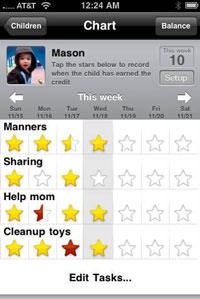
FREE today – iReward Chart, an app that tracks your child’s behaviors & responsibilities. This app was featured on the Today Show, CNN-Money, the CNET Top 5, and AOL ParentDish Top 10. It is very simple to set up. Just type in your child’s name and check the behaviors/tasks you would like on the chart. Or, you can customize the chart by adding your own behaviors, tasks, healthy habits, responsibilities, etc. Then just tap a star for each day to reward that behavior. As the week progresses, the app keeps track of cumulative points. If you press balance, there is an option to payout the points. The app suggests rewards or you can create your own custom rewards. It also has sync services so that parents can share their charts across devices. The developers seem to have thought of everything. 🙂

What do I love about this app? I love that kids get double points for manners. I love that parents can customize the behaviors/responsibilities that they want to reinforce. I love that the rewards and the points to earn those rewards can be customized. Your child can work towards earning something he/she really wants. If you are looking for a method to keep track of your child’s behaviors, look no further. Try this basic version today.

The basic version of the app supports one child with 4 behaviors/tasks per week. There is a premium version available for $3.99 ( in-app purchase) that allows unlimited children and tasks.

Download link: https://itunes.apple.com/us/app/irewardchart-reward-tracker/id580042542?mt=8&uo=4

0

Path On – Swipe to Type

Path On

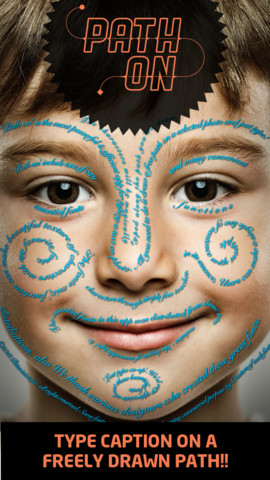
FREE today – Path On, a must-have app with many creative uses!! What does Path On do? It permits you to put text in a path across photos from your albums or taken with your device’s camera. It’s extremely simple to use. Text can be typed in a free path, square, circle, paragraph or spiral. You can also change font styles, colors, and effects. Path On is classified as a photo & video app but there are so many possibilities for using this app in education. Kids could type descriptions of themselves on their pictures, write poetry to go with an image, take photos then point out geometric shapes found in their environment, write a thank you note on a picture of them with the gift, create a timeline by using a series of pictures, create a travel log of the family vacation, and on and on and on. Creations can be saved and shared via Facebook, Instagram, Flickr, Twitter & email. WOW – what a fabulous tool!!

Path on - Peta Vision

0

Math Magician

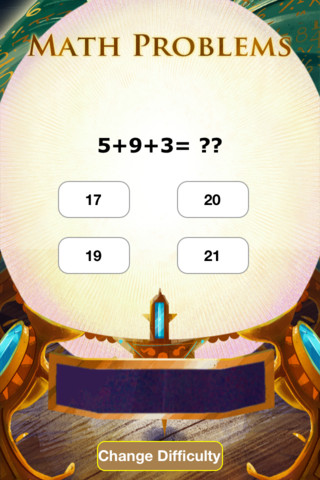
FREE for a limited time – Math Magician, an educational math app for elementary students developed by abc teach.com and VLinks Media. Recently updated, the app now has 4 levels – beginning, easy, medium, and hard. Several math concepts are covered within each level. The easy level covers counting 1-120, skip counting by 2 & 5, addition 1-20, subtraction 1-20, and greater/less than 0-20. The medium level covers: skip counting (10 and 100), addition 0-100, subtraction 0-100, add/subtract by 10, greater/less than 0-100, multiplication 1-10, and division 1-10. The hard level covers: addition 100-500, subtraction 50-200, multiplication facts 0-12 and division facts, 0-12. There are 35,000 multiple choice questions in all.

The object of the game is to use the power of numbers to help the magician regain his treasures. Kids do so by solving problems that appear in the Magic Crystal Ball. As they solve the problems, their progress is shown on the Magic Meter Bar. Once they have correctly answered about 20 problems, they unlock one of the treasures. This app provides lots of good math practice wrapped in a magical theme.

Common Core Standards met:

  • 1.OA.6 – Add and subtract within 20, demonstrating fluency for addition and subtraction within 10.
  • 2.OA.2 – Fluently add and subtract within 20 using mental strategies. By end of Grade 2, know from memory all sums of two one-digit numbers.
  • 3.OA.7 – Fluently multiply and divide within 100, using strategies such as the relationship between multiplication and division or properties of operations. By the end of Grade 3, know from memory all products of two one-digit numbers.

Keep reading my blog to find out when apps are offered for FREE.

Math Magician - abcteach

0

La Luna: The Story Project

FREE for a limited time – La Luna, an educational app based on Pixar’s Oscar-nominated short film. This app was selected as “Innovative Kids App” in the U.S. for the App Store’s Best of 2013! It includes the full theatrical release of the short film.

La Luna is a beautifully told fable of a young boy coming to age. It features the original artwork of Enrico Casarosa, the film’s director. The app includes 3 ways to enjoy the interactive story – as a short film, an interactive video, or a storybook. Also included is a fascinating “Behind the Scenes” section which explores the process of creation from storyboard to screen. Kids will learn about storyboards, turntables, sound design, visual design, and progression reel. They will love getting a glimpse of the process that Pixar uses to create its movies. And, the story is absolutely magical!

Highly recommended – do not miss this extraordinary app!!