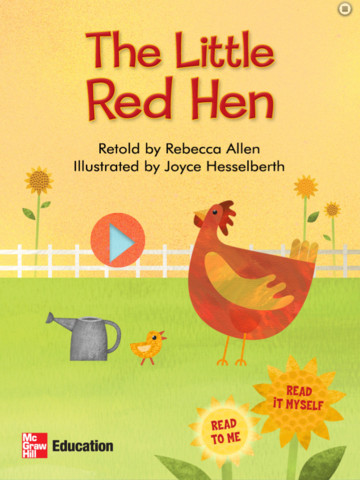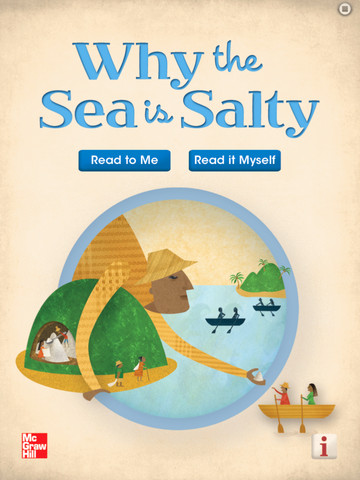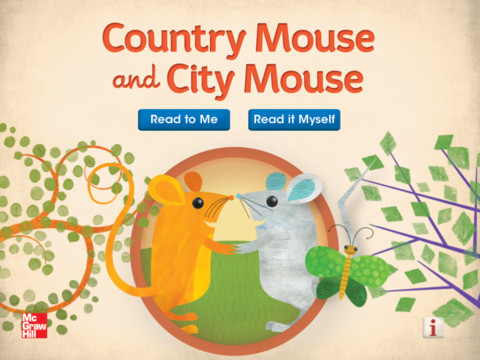
FREE again – five interactive readers for your iPad from McGraw Hill. All of these titles usually sell for $1.99. These classic children’s tales can be read in two ways: read aloud or read to myself. All five books are nicely illustrated and have animations/interactivity on each page. Sound effects and music are also included – both of these features can be turned on or off. The stories are all great but I especially enjoyed the Little Red Hen. Download them today – there is no reason to pass these up. 🙂
Space Cakes
Space Cakes (an educational app) is FREE – thanks to the support of Eli’s Cheesecake in Chicago. Kids use number sense and early math skills to complete intergalactic baking missions. They find themselves in a bakery filled with alien ingredients. They must follow a recipe to add the correct amount of each ingredient. Then they choose a 3D shape for their levitating batter and bake it. Next a topper, frosting, and sprinkles are added to finish their creations. Time for delivery – they steer the cake delivery spaceship back to Earth. Finally they celebrate their safe arrival with starburst, fireworks, and colorful confetti! Kids can snap a photo of their creations to share them via email, save them in a gallery, or use them to inspire creative writing – descriptive paragraphs using math terms, a story about an intergalactic cake baking contest, etc. There is a section for parents/teachers which explains the educational value of the app and how it meets the CCSS. This app provides a fun way to work with math concepts AND a wonderful springboard for creative writing.
Cutie Mini Monsters
FREE again for a limited time – Cutie Mini Monsters, an iPhone/iPad app for preschoolers. This educational app introduces kids to number recognition and counting. Kids meet Blushy, Toothy, Golly, Taily, Blobby, Growly, and Snouty. They count the monsters’ body parts – tails, eyes, feet, spikes, etc. The app also includes 9 simple jigsaw puzzles featuring the same characters. Cute for little fans of monsters!
Scribble My Story – A Fingerprint Network App
FREE for a limited time – Scribble My Story, a junior version of Scribble Press (named by Time as one of the top 25 apps of 2012.) Designed for the youngest authors and artists (ages 3 – 8), Scribble My Story provides a friendly, easy-to-use platform for kids to imagine, create, and share. Included are 6 story packs (with audio for non-readers) that can be customized by the child and a recordable blank book for open-ended creations. Created books are saved in the app. Kids can go back and reread their books, edit them, or share them on the Scribble Press website. All great features except for the share button. I wish there was an option to disable it for children. In my opinion, parents/teachers need to decide & control what kids share on the internet. Using the Fingerprint email platform, parents/teachers can view created books through a browser, pdf, or iBooks. Additional story packs are available as in-app purchases. What a wonderful way to encourage kids to become writers from an early age! Highly recommended!
Also, check out my review of Scribble Press – one of my favorites 🙂 When I originally reviewed it, it was FREE. It now costs $2.99 but it is well worth its cost.
Look Out Larry & Lost Larry
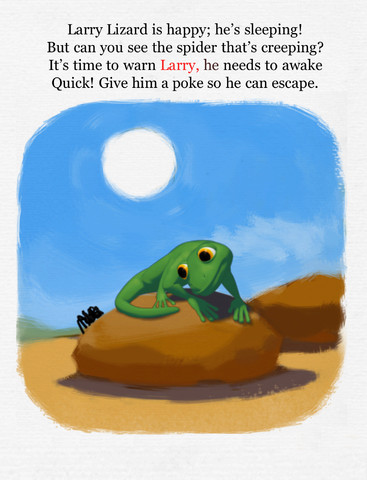
FREE for a limited time – 2 interactive books from Wasabi: Look Out Larry & Lost Larry. Larry is an adorable green lizard and the main character in these two adventures for 2 – 6 year olds.
In Look Out Larry, kids help Larry stay safe and find a cozy place to sleep by helping to protect him from the dangers of the Australian bush – a spider, a snake, a brush fire, etc. At the end, there is an alternative version of the story called Larry’s Dream. Larry dreams of defending himself against the dangers of the bush in some cute & clever ways. The educational app also includes a matching game.
In Lost Larry, kids help Larry find his way home across rivers, over canyons, over a rickety bridge, etc. This is Larry’s third and most ambitious adventure! Kids will love helping Larry make it home. They pet his little green head to put him to sleep once he gets there! Cute educational app!!
Wubbzy’s Night Before Christmas
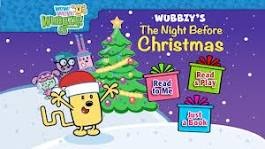
Start your holidays with this cute Christmas app. FREE for Thanksgiving weekend – Wubbzy’s Night Before Christmas, a storybook app featuring Wubbzy and friends. This educational app was developed by Cupcake Digital in partnership with the producers of the Emmy® Award-winning Nick Jr. TV series, Wow! Wow! Wubbzy!®. Kids read along with Wubbzy and his pals in a special version of a holiday classic. Along the way kids will discover animations & interactivity on every page! The app also has educational games and sing-along music videos. The Grown Up’s Corner has 2 sets of questions about the story. The questions address literal understanding of the story (thin questions) as well as extended meaning (fat questions). Also included in the Grown-Up Corner is information about the Common Core Standards addressed by the app. Print-outs and activities to supplement the story are available online at cupcakedigital.com. What is not to love about this educational app? – Cute story packed with interactivity, educational games, sing-along videos, standards-based, and a guide for adults!
Download link: https://itunes.apple.com/us/app/wubbzys-night-before-christmas/id581701393?mt=8&uo=4
Learn with Homer
Released in August and listed as “New & Noteworthy” – Learn with Homer is an educational reading app for kids 3 – 6. The FREE download includes 30 stories and lessons (18 Learn to Read lessons/stories, 12 Discover the World lessons) as well as access to Homer’s Clubhouse and parent tools. Additional content is available through in-app purchases. BUT… For a limited time, you can go to the shopping cart section of this app and download additional lessons for FREE!!
Homer, a gray pigeon, resides in an interactive world designed to help kids learn to read. The fun starts in the Hat Shop where kids have photos taken in the “thinking caps” of their choice. From there, kids can proceed to Story Time, Learn to Read, Discover The World, or Homer’s Clubhouse. The Story Time section includes 9 free stories representing 4 genres (rhymes, poetry, folktales, folk songs) as well as Homer stories. The Learn to Read section teaches the phonemes (sounds) in sequence. Lessons start with sounds & letters, then move to words, and then to sentences. Discover The World is a series of adventures in science, history, art, etc. designed to increase kids’ basic knowledge and vocabularies. Finally, kids can go to Homer’s Clubhouse to draw and record what they have learned. And if that wasn’t enough… there is also a parent website to track your child’s progress and/or download printables & book recommendations. This educational app seems to have it all – a well designed, comprehensive approach to learning to read with real kid appeal!!
For more information go to Homer: Parent Resources.
Download link: https://itunes.apple.com/us/app/learn-with-homer/id601437586?mt=8&uo=4
3 FREE Virtual Math Manipulatives
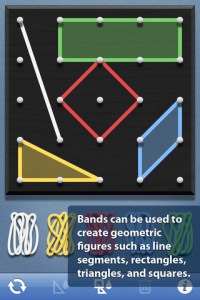
Geoboard by The Math Learning Center (a nonprofit organization dedicated to K – 12 education) is a FREE app that turns your iPhone/iPad into a virtual geoboard. Geoboards can be used as tools to teach mathematical concepts such as polygons, perimeter, area, line segments, angles, congruent shapes, symmetry, fractions, etc. Shapes are created by stretching bands on the geoboard’s pegs. There are 5 colors of bands in the iPhone version and 8 in the iPad version. There is also a tool to fill in shapes. On the iPad version, you can switch from the standard 25 peg board to a 150 peg board to create more complex shapes. This is a great app with the potential to be used in so many ways.
FREE for the iPad, Virtual Manipulatives contains math manipulatives for teaching fractions, decimals, and percents. Included are tiles/circles divided into halves, thirds, fourth, fifths, sixths, eighths, tenths, and 12ths AND their corresponding decimals and percentages! The manipulatives are color coded across the settings so that 1/2 is blue as is .50 and 50%. Kids drag tile pieces onto the work area to compare fractions/decimals/percentages. In the settings you can change from tiles to circles, make the pieces transparent, and hide the numbers on the pieces. Completed work can be easily saved to photos. Finding equivalent fractions has never been so slick – WOW!!
Common Core Standards
- 3.NF.3 – Explain equivalence of fractions in special cases, and compare fractions by reasoning about their size. Understand two fractions as equivalent (equal) if they are the same size, or the same point on a number line.
- 4.NF.1 – Explain why a fraction a/b is equivalent to a fraction (n × a)/(n × b) by using visual fraction models, with attention to how the number and size of the parts differ even though the two fractions themselves are the same size. Use this principle to recognize and generate equivalent fractions.
Highly Recommended!
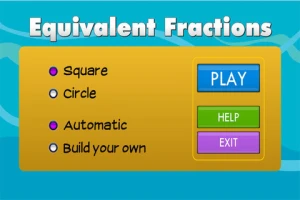
From the National Council of Teachers of Mathematics comes a FREE app called Equivalent Fractions. Kids create equivalent fractions by dividing and shading squares or circles. Circles can be divided into 24ths. Squares can be divided into 144ths. In the play mode, a fraction is shown and kids must create 2 additional fractions that are equivalent. All 3 fractions must have different denominators. The app also places the fractions on a number line – a great visual for comparing! There is also a “build your own” mode which would be fabulous to use for guided exploration & practice. Kids could also use this section as a virtual manipulative when working independently. This app is an excellent resource for the classroom !!
Common Core Standards met:
- 3.NF.3 – Explain equivalence of fractions and compare fractions by reasoning about their size. Understand two fractions as equivalent (equal) if they are the same size, or the same point on a number line. Recognize and generate simple equivalent fractions, e.g., 1/2 = 2/4, 4/6 = 2/3). Explain why the fractions are equivalent, e.g., by using a visual fraction model.
Highly Recommended!
Toca Builders
FREE again for a limited time – Toca Builders, another wonderfully creative app from Toca Boca. Kids (ages 5+) create things with the help of 6 builder friends: Blox, Cooper, Vex, Stretch, Connie, and Jum-Jum. Each builder has unique skills which kids can control with simple gestures. The builders help move, stack, drop, spray, smash, paint, & lift blocks as kids create/construct new objects.The educational app also has a snapshot feature and an autosave feature to share & save the world that your child has created. If your child can imagine it, he/she can build it with the help of the Toca Builders – creative fun for your budding engineer/builder!
Download link: https://itunes.apple.com/us/app/toca-builders/id652077009?mt=8&uo=4
Disney Princess Story Theater

FREE app for your little prince or princess – Disney Princess Story Theater. Kids learn about elements of a story when using the Story Play section of this app. First they choose a princess. Belle is included with the app – others are available as in-app purchases. Then they choose one of 3 settings – father’s workshop, forest, or town square. Next kids choose a surprise event – Gaston, a puppy, or a schoolgirl. Finally they choose a prop add more action into the storyline. Kids help build the story by moving the characters and adding voice/sounds. All of the actions and your child’s voice are recorded. Kids then choose a title for their story and list themselves as the director – a cute touch. Finalized stories can be saved. The app also has a Free Play section for kids to create their own quick stories. They can choose their own characters, props, and music to create their own unique story. All in all, a cute app which will be a favorite of kids who love the Disney princesses.
Download link: https://itunes.apple.com/us/app/disney-princess-story-theater/id611045270?mt=8&uo=4