0

Toca Kitchen

toca kitchen

FREE for a limited time – Toca Kitchen, another fun educational app from Toca Boca. Kids take to the kitchen to cook for four lovable characters. In the frig they will find 12 different foods that they can prepare 180 different ways. They can slice, blend, boil, fry, microwave, and/or mix the foods together. They can also add seasoning to the food; but they need to be careful not to add too much. Once the food is prepared they plate it up, serve it to the character, and wait for a reaction. Kids will learn which foods each character prefers in a fun creative way. I love the questions and conversations that Toca Boca apps inspire. It’s no wonder that this app was a Gold Winner of the Parent’s Choice Awards in 2012.

Teachers – use this app to inspire creative writing. Write stories or poems about being a cook and the preferences of your consumers. Or, you could have kids compare and contrast the food preferences of the different characters on a graphic organizer. This app also inspires conversation about healthy eating. There are lots of possibilities for learning while having fun!

Download link: https://itunes.apple.com/us/app/toca-kitchen/id476553281?mt=8&uo=4

0

gFlash+ Flashcards & Tests

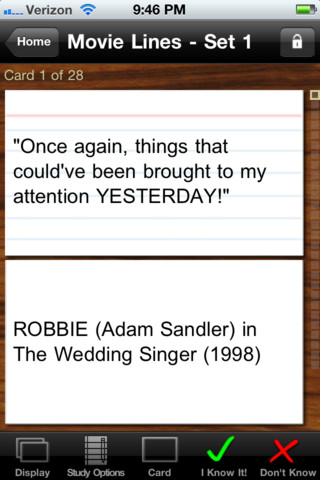
GFlash+ Flashcards & Tests is currently FREE. This educational app allows you to create, download, and manipulate flashcards for everything that you can imagine. You can create your cards in a Google docs spreadsheet and download it into the app or you can create your cards within the app. There is no limit on how many card sets you can have. Card sets created by leading educational publishers (Kaplan, Barron’s, McGraw-Hill, Wiley Publishing, etc.) are available as in-app purchases. You can also download and share sets from the gWhiz catalog. You must have an active wireless connection to download card sets or to use card sets with videos.

Once you have your cards ready, studying becomes simple. First choose box configuration or classic configuration. Both configurations keep track of the cards that are known & unknown. The box configuration has an unknown box, a known box, and a mastered box. As you go through the cards, the app keeps track of how many cards are in each box. In the classic mode, there is line of small cards on the right side of the screen. If you know a card, the little card turns green and if you do not know it, it turns read. It’s a nice visual for younger kids. A study score (percentage) is also given. Teachers of younger students could create the cards in Google docs for kids to download and study. This app is such a valuable tool for students of all ages to use in so many ways. I wish it would have been available when my kids were studying for the SAT and GRE. 🙂

Highly recommended!

gFlash+ Flashcards & Tests - gWhiz, LLC

1

Resources for Computer Science Education Week: Dec. 9 – 15

There is a lot of excitement building up about Computer Science Education week which begins tomorrow. Check out the csedweek website @ The Hour of Code 2013 | The Hour of Code 2013 for lots of ideas.

The purpose of this week is to show kids the importance of computer science by getting them involved in an Hour of Code. Learning to code can turn anyone into a creator or innovator. How? Start by watching this video for inspiration – The Hour of Code is coming – YouTube. Try coding yourself. Then try it with your students. We are living in creative, exciting times – be part of it!! 🙂

Here are two fabulous resources to use:

Hopscotch HD

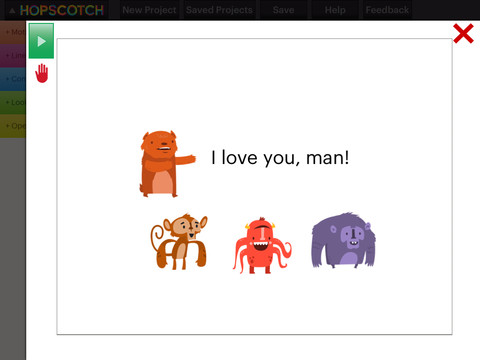
Hopscotch HD is an educational app that teaches kids how to program their own games and animations! Introduce kids to computer science with this app. 🙂 Kids drag and drop “method blocks” into scripts. When they are done, they can press play to see their code in action! Why teach kids coding? According to the developer – there will be about 1.4 million computer jobs by 2020 and only 400,000 computer science students. Many coders first fell in love with coding when they were  8-12 year old children. Hopscotch is based on a visual programming language named Scratch which was developed by MIT. It promotes STEM education (science, technology, engineering and math) in a fun way – by making coding kid-friendly!  LOVE it!!

Hopscotch HD - Hopscotch Technologies


Khan 2

Khan Academy has a special activity for Hour of Code. Here is the link: Welcome to our Hour of Code! | Hour of Code | Khan Academy

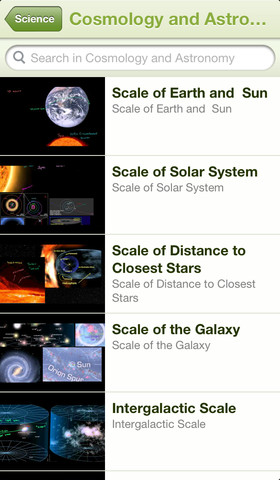
Khan Academy – an amazing FREE educational app! Whoever said the best things in life are FREE was absolutely correct. With Khan Academy you can learn almost anything and the app is completely FREE! It has a library of over 4,100 videos which covers a wide range of subjects such as K – 12 math, biology, chemistry, the humanities, and more. You can use the app to review a subject that you have already studied or to learn something completely new! You can watch the videos online or you can download  them to watch offline at your own pace. The videos are subtitled so that you can read along, skip ahead, or go back. If you log in with your Khan Academy account, you can track your progress. The app gives you credit for watching the videos and allows you to see your achievements. Badges and points are earned for learning. Teachers can access their students’ data – as a class or individually. Khan Academy is an incredible resource for all kinds of learners – students, teachers, principals, home-schoolers, adults returning to school, and anyone committed to be a lifelong learner. It is truly one of the best educational apps available – at any price!

Khan Academy - Khan Academy


0

Lullaby Piano Book

lullaby

FREE for a limited time – Lullaby Piano Book, an educational app for your budding pianist! The app’s keyboard has 13 sounds. There is a learn mode and a play mode. In the learn mode, kids are guided (note by note) through the songs. In the play mode, the notes are provided but kids are on their own. I wish the app also included an autoplay so kids could hear the song before attempting to play it. The app features cute cartoon characters and 6 songs that kids love – Hickory Dickory Dock, Mary Had A Little Lamb, It’s Raining, It’s Pouring, Eensy Weensy Spider, Three Blind Mice, and  Do Re Mi. This educational app is designed for both iPhone and iPad. 

Lullaby Piano Book - BelugaBloo

0

Multiplications with Math Matthews

Math Mathews

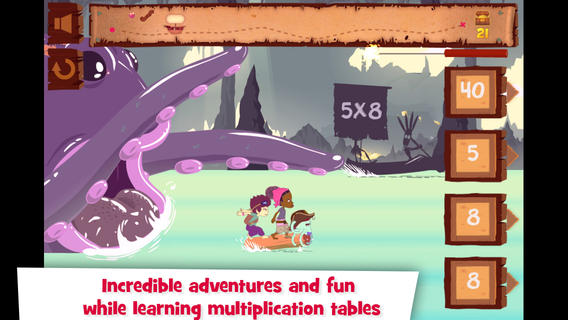
FREE today only – Multiplications with Math Matthews, a great new app for studying multiplication facts. Kids join Math Mathews and his crew on a high seas adventure to find treasure and break the curse that turned him into an octopus. There are so many great things about this app that make it perfect for the classroom. The app includes a diary (ship’s log) that gives the back story to this adventure that kids are about to join. I envision teachers using this narrative as a group activity to get kids excited about joining the crew. Then the app is divided into 3 mini-games with each game using a different method of practice. Kids earn badges and collect gold as they practice facts. The app allows you to set which facts it will review. This feature makes this game particularly valuable in the classroom. Teachers can start with ones & twos, add fives, then three & fours – adapting their students’ practice to their teaching. And…the app can be used with 7 different players – perfect for small group practice, centers, etc. It keeps track of the progress for each individual – another plus for teachers. If I was still teaching, I would definitely use this educational app in my third grade classroom  – it meet a CCSS for third grade multiplication. What a fabulous & fun learning tool for kids!!

Common Core State Standards met:

  • 3.OA.7 – By the end of Grade 3, know from memory all products of two one-digit numbers.

Download link: https://itunes.apple.com/us/app/multiplications-math-mathews/id611130011?mt=8&uo=4

0

Tiny Dentist

Tiny Dentist

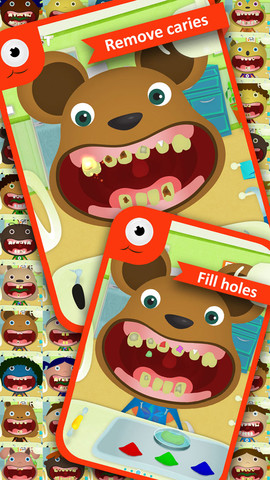
FREE again – Tiny Dentist. Kids get to be a dentist for a day with this educational app that teaches about dental treatments and instruments. Dozens of patients with dental problems need fixed. The “dentist” has the tools to: remove cavities & fill in the hole, remove plaque, use water & air sprays, remove decayed teeth, put on braces, and more! The app was developed to alleviate children’s fear of the dentist. Visual instructions for using the different tools are found in the grown-ups section. Another fun feature of the app is the ability to take before and after pictures of the patient. 🙂 Check it out!!

Tiny Dentist - fantastoonic

0

Petting Zoo

Petting

FREE again – Petting Zoo, an adorable app for kids and adults who are kids at heart. 🙂 This educational app combines the charm of Christoph Niemann’s humorous animations with state of the art technology as one scene morphs into the next. The app is simple to use – just swipe and tap the 21 animals to see how they react. The results are delightfully surprising! Kids will discover what an elephant would do in the bathroom, if a dog can breakdance, how monkeys play soccer, and more. This app is suitable for kids of all languages because there are no spoken words. It’s perfect for discussion and predicting what will happen next. It would also be great for story writing. A really fun storybook app – creative, silly, and sure to delight!

Download link: https://itunes.apple.com/us/app/petting-zoo-animal-animations/id602773895?mt=8&uo=4

0

Fun & FREE Christmas Apps

toca

From the developers of Toca Boca apps comes this FREE gift for the holidays: Toca Hair Salon – Christmas Gift. Kids can go into the salon to groom Santa and/or his favorite Christmas tree, Topzy. They can use the tools in the salon to style their hair – cut it, comb it, make it grow, shave it, color it, and drag decorations into it. Great sound effects are also included in this fun app. Kids or parents can take a photo of the finished creation and save it to their camera roll. If parents wish, creations may be posted on the Toca Boca Facebook page. The developers have also built-in options to turn off sounds, pictures, and news. What a great springboard for creative writing – give Santa a whole new look and write a story to go with it. Thanks to the developers for a gift that inspires kids to be creative. 🙂

Toca Hair Salon - Christmas Gift - Toca Boca AB

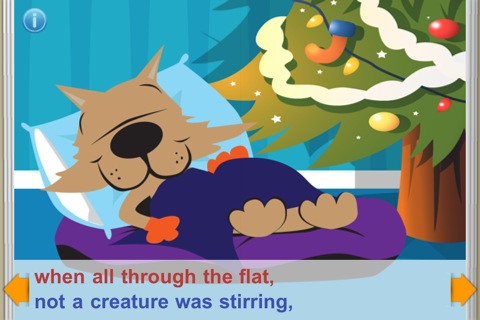
‘Twas the Night Before Jasper’s Christmas is FREE e-book for the iPhone/iPad. Jasper the dog and Smiley the cat are the stars of the classic tale. Kids can read the book to themselves or read along as it is narrated. In the read along mode, chimes let kids know when to advance to the next page. Background music (We wish You a Merry Christmas) can be turned off or on. The pages are not interactive but they are cutely & colorfully illustrated – appealing to kids. And, at the end of the story is a matching game. Beware – there are ads at the top of each page that are easy to click and will take your child to the app store. Cute FREE book – worth downloading. 🙂

Twas The Night Before Jasper's Christmas (FREE) StoryChimes - Siena Entertainment, LLC

friendly Christmas

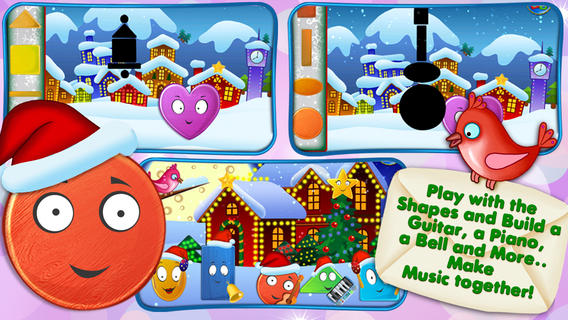
FREE – Friendly Christmas from the developers of Friendly Shapes. Preschoolers will enjoy meeting Oval, Heart, Triangle, Rectangle, & Square in this cute Christmas story. Kids use shapes to help build a snowman, build musical instruments, help elves in Santa’s workshop, and more. There are three modes: auto-play, read-it-to-myself and play. The app also has puzzles, coloring pages and games. So how can it be FREE? Well, this app has ads placed at the bottom of each page between the backward and the forward arrows. For $.99 you have the option of removing the ads.There are also options to purchase additional puzzles and coloring pages – $1.99 per pack. All in all, this is a nicely done app for little ones to learn shapes, colors, left/right, etc.

Download link: https://itunes.apple.com/us/app/friendly-christmas-funny-shape/id562847602?mt=8&uo=4
gingerbread

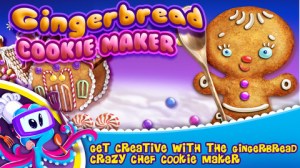
Gingerbread  Crazy Chef Cookie Maker  – Kids can virtually bake and decorate their own gingerbread cookies. An in-app purchase of the full version is available. There are also ads along the bottom. TabTale Books has several other free holiday titles that you can download when you open this app if you are comfortable with their model of delivery – ads, upgrades, etc.   Gingerbread Crazy Chef - Cookie Maker - TabTale LTD

boo

Boo, Where Are You?  –  a darling e-book for toddlers about a dog named Sammy and his friend, Boo the cat. Kids tap-the flaps in the story to try to find Boo. Really cute – read on your own story. 🙂 Boo, where are you? - Fleur van Zuilen

Where is Santa Lite – Santa Tracker is FREE for the iPhone/iPad. The app keeps track of where Santa is and how long it will be before he arrives at your home. When using the “Where is Santa” page, it scans the world every 60 seconds to locate Santa and report on his activities. For instance, “Santa is in the North Pole and he is helping Mrs. Claus in the kitchen.” When using the “My Home” tab, it shows the location of your house and tells how many days, hours, minutes, and seconds it will be before Santa arrives. Beware – there are ads at the bottom of this app that are easy to click and will take your child to the app store. Teachers could use the app to make up math problems with the information given. Have kids convert days into weeks, days into hours, figure out the exact time he is scheduled to arrive, etc. Kids could write a story about what Santa is doing on a particular day, illustrate a timeline of what Santa has been doing for a week, etc. – lots of cute possibilities. Parents can use this app with kids to check on Santa daily – cute way to count down the days to Christmas!

Where is Santa Lite - Santa Tracker - Super Kiddo Studio

Ho, ho, ho – “Did That Crazy Santa Claus” and 7 more fun tunes!! FREE for a limited time – Santa’s Merry Band, from the creators of Mibblio. Just like Mibblio, this app is an interactive musical/storybook app for kids. Children read the illustrated story-songs called “mibblets” as they listen to the catchy songs. They can also jam along on a wide variety of instruments. The app has a keyboard along the bottom of the screen with a choice of 8 different instruments. They can also use a tambourine or cowbell to tap along to the beat of the song. Kids will enjoy the 8 different Christmas “mibblets” included in this app. Fun for the holidays!!

Download link: https://itunes.apple.com/us/app/santas-merry-band/id738881884?mt=8&uo=4

Elf

FREE for a limited time – Elf Dance by Jib Jab. This app is incredibly easy to use. Just upload up to 5 pictures of yourself, family, or friends from your device’s camera roll or Facebook. They’ll be transformed into dancing elves in no time and results are super cute! Videos can be shared via email with family and friends. When I was teaching I turned my students into elves and played the videos as class motivators. The kids LOVED them!! Last year, I made the family dog into a dancing elf. 🙂 Spread some fun holiday cheer!!

Santa's home
“He sees you when you’re sleeping. He knows when you’re awake.”  Now you can see what Santa is doing with Santa’s Home, a FREE app. The app is a “LIVE” feed of Santa’s house – the bedroom, the kitchen, the living room, his office/workshop, and the outside grounds. I checked in on Santa a little after 11 PM and he was already in bed snoring. The app even displays the date and time to make it seem more realistic. The app also gives adults the option of can subscribing to Santa’s newsletter. Adults can also help kids send Santa one of their drawings that he will display in his workshop. CUTE!!
Teachers – This would be a fun one to use for creative writing!! It would also be fun for teaching prediction. 🙂
0

Sago Mini – Forest Flyer

Sago Mini Forest Flyer

FREE for  limited time – Sago Mini Forest Flyer. Young children guide Robin on an adventure through the forest. The fun begins at Robin’s birdhouse where kids ring the doorbell inviting Robin out to play. From there they fly though the forest looking for the yellow markers that trigger 20+ animations. Along the way Robin dances, sings, and plays. Kids can make up stories to go with Robin’s travels. A small caution – one of the animations is the little bird burping after drinking from the pond. Parents can use this scene to have a dialog about using good manners. All in all, the educational app is very cute and fun for little ones!

Sago Mini Forest Flyer - Sago Sago

0

EyePaint Animals

Eye Paint Animals

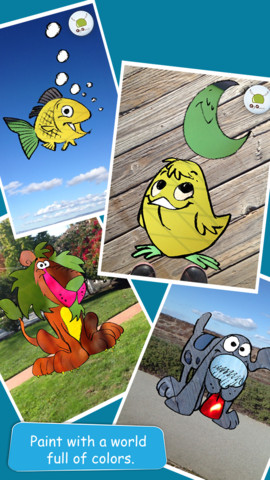
EyePaint Animals is FREE again for a limited time. This educational app let your child paint illustrations from Japanese artist, Mitsue Haya, in a very unique way. Kids “paint” using their cameras to capture the colors, textures, patterns around them. To begin, a child chooses one of the 10 included illustrations. He/she taps to select the area to be filled in and the creativity begins! Work can be saved to the photo library for sharing or printing. Easy, fun, and very creative!!

Eye Paint Animals - Curious Hat