Even though I am a retired teacher, I still find myself thinking in themes. 🙂 Here is a list of some FREE (with a few exceptions) educational Halloween apps that you may want to download for your kids.
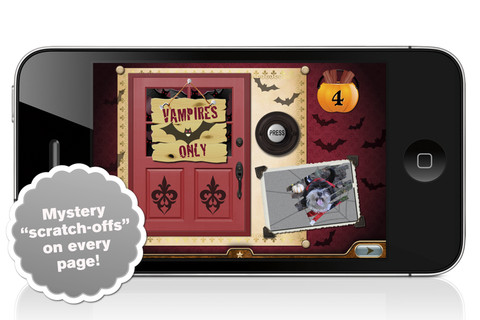
 I am going to start with one of the exceptions – Millie’s Book of Tricks and Treats is currently $.99. The Millie books feature a very cute, lovable dog and kids LOVE them! If you own some of Millie’s other books: Meet Millie and Millie and the Lost Key, you will want this one too. This book presents a series of silly tricks and treats featuring Millie – nothing scary for little ones. Every time you read it, the randomly generated video clips change so the book is always different.There is also scratch-off picture & hidden sticker on every page. Love this series!

Currently FREE is the sequel – Millie’s Book of Tricks and Treats, Volume 2, featuring more doggy tricks or doggy treats. LOVE these books!
Download link: https://itunes.apple.com/us/app/millies-book-tricks-treats/id569720229?mt=8&uo=4

FREE just in time for Halloween – Toca Kitchen Monsters, another fun educational app from Toca Boca. Kids take to the kitchen to cook for two lovable monsters. In the frig they will find 8 different foods that they can slice, blend, boil, fry, or microwave. They can also add seasoning to the food but they need to be careful not to add too much. Once the food is prepared they plate it up, serve it to the monster and wait for a reaction. Kids will learn which foods each monster prefers – fun creative play!!
Teachers – use this app to inspire creative writing. Write stories or poems about each monster. It would also be fun to compare and contrast the food preferences of the monsters on a graphic organizer. Fun learning activities for Halloween!
Download link: https://itunes.apple.com/us/app/toca-kitchen-monsters/id510301841?mt=8&uo=4
 Carve-a-Pumpkin from Parents Magazine is FREE for the iPhone/iPad. Kids first choose one of 5 pumpkins (orange, white, orange with green, black or orange & bumpy). They can “cut” it by hand or use premade eyes, noses, mouths, and faces. Instead of cutting the pumpkins, kids can choose to decorate them with stickers. In either mode, kids can manipulate the size and orientation of the objects that they add. There is an undo and redo button to change things easily. Once the pumpkins is complete, kids choose a background. The final project can be shared on Facebook. Twitter, & emailed, or saved as a photo. This app would be fun for kids to use as a planning tool for real pumpkin carving.
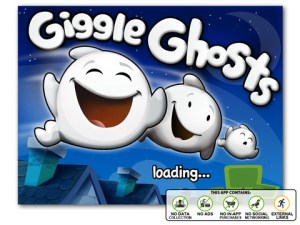
Giggle Ghosts, a counting app for toddlers is FREE today – just in time for Halloween! The giggle ghosts are very cute – kids will love to hear them laugh. Kids help 20 ghosts get the party by bouncing them across rooftops. In the first level the sky is clear and they have to bounce 5 ghosts. The app counts to 5 and shows the written numbers. The second level is the same but there are leaves blowing in the sky. In the third level there are clouds in the sky and in the fourth level it is raining – both provide additional practice counting from 1- 5. At the end, all 20 ghosts at the party are counted. This educational app is great for little ones at Halloween – nothing scary, just fun & friendly ghosts going to a party 🙂

FREE for a limited time – Monsters: Videos, Games, Photos, Books & Interactive Activities for Kids by Playrific. This digital activity pack features monster-themed books, songs, and activities for kids – just in time for Halloween! Read Where the Wild Things Are, sing songs with the Happy Monster Band, make monster cupcakes, watch monster cartoons. All content has been prescreened by the developer.
Download link: https://itunes.apple.com/us/app/monsters-videos-games-photos/id667015095?mt=8&uo=4

Just in time for Halloween – Math vs Zombies is FREE for a limited time. Kids become highly trained scientists with the mission of saving the world from zombies. Using their math skills, they transform the zombies back into humans. The app has four worlds – addition, subtraction, multiplication, and division. Each world has 7 levels which can be set to easy, medium, or hard – making this app suitable for multiple grade levels. Kids will love the “spooky” music, howling wind, and “scary” zombies. The combination turns math practice into a Halloween treat!
Download link: https://itunes.apple.com/us/app/math-vs-zombies-math-games/id470896560?mt=8&uo=4

My Beastly ABCs (featured in USA Today’s Top 10 iPad Apps for Kids) was FREE last week but is now $2.99. Kids join a young boy (who is reluctant to get out of bed) on a magical adventure through a not-so-ordinary day! Told in rhyme, the story recounts the boy’s day as he encounters 26 friendly monsters (one for each letter of the alphabet) from all over the world. Kids join in this interactive tale as they play hide & seek with a Boogey Monster, learn how to floss from a Vampire, uproot a Mandrake family, and much more. The app is narrated by Jim Dale with whimsical background music & great sound effects. It has 3 play modes: with narration, without narration, or auto-play. Everything about this educational app is top quality – beautifully illustrated with the perfect amount of animation & interactivity. There is also an index that gives kids monster facts & descriptions. Kids can read and learn about each of the beasts’ unique characteristics and place of origin. Lots of fun!!
Download link: https://itunes.apple.com/us/app/my-beastly-abcs/id578158826?mt=8&uo=4
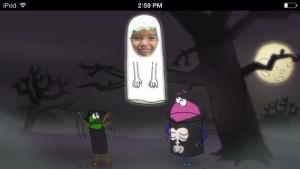
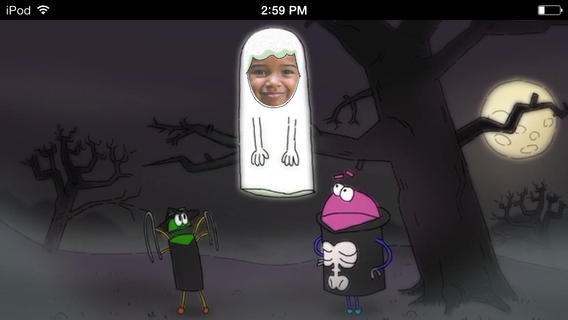
A StoryBots Halloween is currently FREE! Cast up to 5 members of your family in this cute & catchy animated Starring You® Video. It’s easy to cast your family members as a vampire, a ghost, a werewolf, a mummy, or Frankenstein’s monster. Just take or upload a photo, position the face, then name your character. In no time you and your kids will be dancing with the StoryBots like the “Boogie” Man! If you’d like, you may share your final creation via email, Facebook or Twitter. VERY cute and fun!
Download link: https://itunes.apple.com/us/app/storybots-halloween-starring/id701184040?mt=8&uo=4
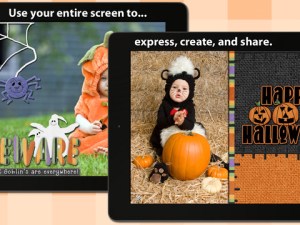 FREE again – Scrap It: Halloween HD for the iPad. You (or your child) can add a Halloween touch to your photos with this app. First take a photo or use an existing one. Using the photo editor, you can crop it and/or add an effect (about 40 filters available). Then its time to get creative – add stickers, change the papers & tiles, add letters & numbers/ribbons/word art, and add & manipulate text using the text editor. Items can be resized, shadowed, sent to the back, sent to the front, etc. Creations are saved in My Scrap Pages. They can also be shared on Facebook, Twitter, Tumblr, via email. They can be saved to your camera roll or printed. I think kids would love decorating pictures of themselves, their family & friends, and the family pet 🙂 You could also create an electronic postcard or invitation with this app. Lots of possibilities!!

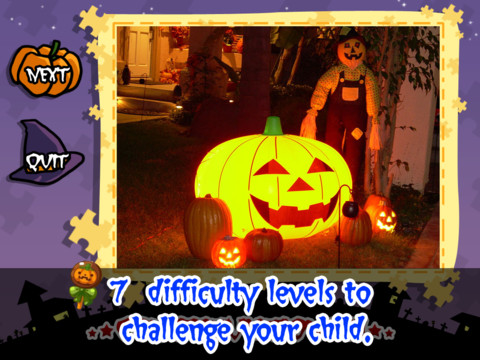
Halloween Jigsaw Puzzles is FREE for the iPad. It includes 18 puzzles with the option to purchase more. There are 7 levels of difficulty ranging from 4 to 49 pieces per puzzle. Most puzzle images are appropriate for younger kids but there are a few that are a bit iffy: scary-faced pumpkins, a few skeletons, and a witch in questionable attire. So if your child loves puzzles, check it out and be selective if your child scares easily.
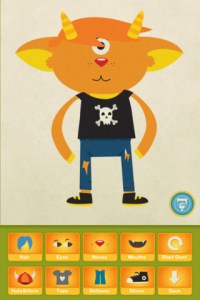
Dibu’s Monster Maker Lite is FREE for the iPhone/iPad. Dibu is a little boy who loves monsters so he created a machine to build them – I think this is how Dr. Frankenstein got started 🙂 The Monster Maker has hundreds of combinations of monsters waiting to be made. The lite version has 2 bodies to choose for the base.Then kids add hair, eyes, noses, mouths, hats & horns, tops, bottoms, and shoes. There is also a random monster generator which creates a monster with one tap. Finished monsters can be named then saved, printed, made into a puzzle, or emailed. This app also has a child lock that hides all promotional buttons and disables printing & emailing. And… there is a “parents only” button which gives written instructions for access to the app store. The developer does not want young children to end up there accidentally – how refreshing!
This app would be great to use with elementary aged kids. They could create a monster then write a descriptive paragraph about it. They could create two monsters and do a Venn diagram comparing and contrasting the monsters. Lots of possibilities!
 Pi’ikea educational apps are FREE this weekend!
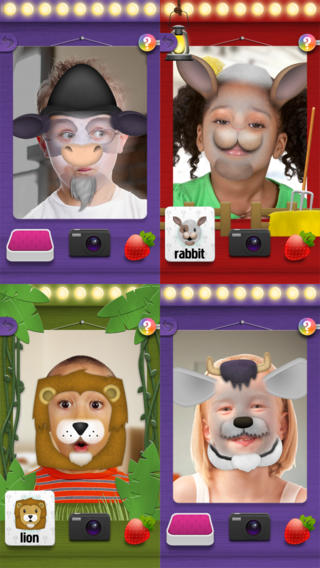
Mask Jumbled Animals is a fun educational game for kids. It turns their faces into animal faces! Kids look into the app’s mirror and animal parts will appear on their faces. They tap to match the ears, nose, chin, and hair in order to complete 1 of 20 different animal masks. When the mask is complete, kids catch strawberries in their mouths to unlock a new mask. The mask puzzles are really cute for preschoolers who will be delighted to be an elephant, a lion, a panda, etc. But… the best part of this app is the ability to take pictures of kids in their masks which makes this app a fabulous resource for creative writing! Pull those pictures into a story writing app and off you go. 
Download link: https://itunes.apple.com/us/app/mask-jumble-animals/id548763608?mt=8&uo=4

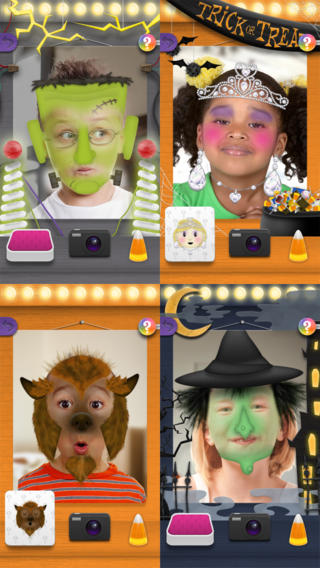
$.99 from the same developer – Mask Jumble Halloween. This app works just like Mask Jumbled Animals. 🙂










 appydazeblog