0

Compare a Twist

Compare a Twist

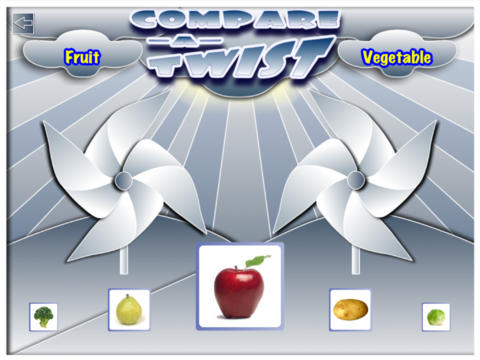
FREE for a limited time – Compare a Twist, an educational app. This easy-to-use app allows teachers and/or students to create lessons that compare/contrast or categorize items. The app supports the use of text and images making it useable for multiple levels of students. Compare/contrast or categorizing lessons can be created across the curriculum: Language Arts – long/short vowel sound, synonyms & antonyms, characteristics of the main characters; Math – factors of numbers, equivalent fractions, characteristics of geometric shapes; Science – living or nonliving, characteristics of animals. The possibilities are endless. The app gives students get instant feedback when they have completed the activity. Teachers can also use that information to check students’ understanding.

They say that the best way to learn something is to teach it… I think kids would really enjoy creating quizzes to share with their peers.

Download link: https://itunes.apple.com/us/app/compare-a-twist/id510922341?mt=8&uo=4

1

Shadow Puppet

Shadow Puppet

FREE for a limited time – Shadow Puppet, a photography app currently featured as one of the “Best New Apps” by Apple. Using this app, it’s easy to create “puppets” – recorded explanations of your photos. First you choose your photos and put them in the order. Then you talk about your pictures. Everything is recorded. Finished “puppets” can be shared via email, SMS, Facebook and/or Twitter. There are so many ways for everyone to use Shadow Puppet: to teach something new, to share adventures with friends, to record children talking about their experiences, to tell the story behind old family photos, etc.

And… the classroom uses for this app are only limited by your imagination: Take pictures of a child’s work and have him/her explain it to parents. Send pictures and voice recordings of the class field trip. Have kids give a step-by-step explanation of what happened in a science experiment. Draw & sequence pictures to retell a story. Make a “talking timeline” by sequencing photos of historical events. Have kids use it to present mini reports on any subject. Have virtual “pet day” – kids bring in pictures/recordings of their pets. Because you can use anything saved to your photo library, you can explain photos from the web, artwork created in other apps, and so much more. The possibilities for using this educational app are endless. What a fabulous resource!!

Download link: https://itunes.apple.com/us/app/shadow-puppet/id700902833?mt=8&uo=4

0

Princess Piano

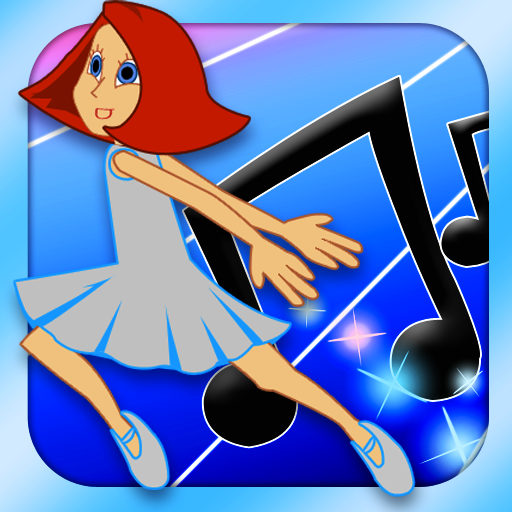
FREE today, this app for the iPhone/iPad usually costs $1.99. Kids help Princess Piano dance her way back to the Cloud Kingdom by playing the songs on the piano as well as they can. The app introduces musical notation one note at a time (starting with c,d,e….) as well as the timing of notes (quarter notes, half notes). Kids are given practice as each new note/concept is taught. There are three modes of difficulty: beginner (keys flash, key/notes are labeled, 60% or better to advance), advanced (keys labeled, 80% or better to advance) and virtuoso (90% or better to advance). As kids advance through the levels they unlock outfits for Princess Piano – which they can use in “Dressing Room.” There is also a “Song Maker” tool for kids to compose their own music. This app is a great introduction to reading music!

Highly Recommended!

Princess Piano - Dented Pixel

0

Homework+

Homework+

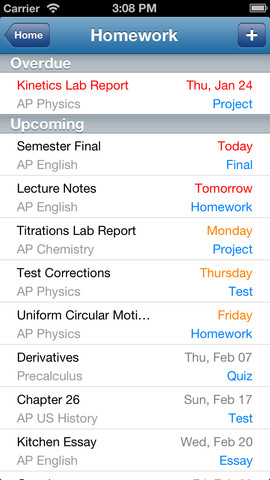
FREE again, for a limited time – Homework+, a simple to use homework/test planner. This educational app is geared towards older students who are taking multiple classes. It could also be used with younger kids as an electronic assignment book. It’s never too early to teach kids how to be organized. 🙂

To set up the app, first edit the subject list & category lists to reflect what you are studying. After that, it is very easy to add assignments to the calendar – just give the assignment a title, choose the subject & category, put in the due date, choose a level of priority, and save. As you finish an assignment, mark it as complete and the app moves it to the finished list. App badges show you how many assignments you have and how many you have finished. Notifications can be set (1 or 2 days before) to remind you of an upcoming assignment. The app also keeps track of overdue assignments. Very slick and intuitive – great for teaching kids to be organized!!

Homework+ - Chijang Huang

0

Cloudy With a Chance of Meatballs Movie Storybook

Cloudy

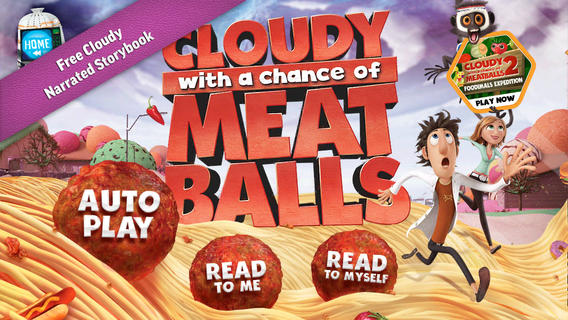
FREE for a limited time – Cloudy With a Chance of Meatballs Movie Storybook, a narrated educational app based on the book/movie of the same name. Kids join Flint Lockwood & friends in this educational app. Flint invents a machine that turns water into food to help turn the town into a thriving “food tourism” destination. Eventually the food mutates until a tornado formed of spaghetti and meatballs threatens the town! The app also includes an activity book – available for only $.99 as an in-app purchase. Nicely done!!

Download link: https://itunes.apple.com/us/app/cloudy-chance-meatballs-movie/id703020863?mt=8&uo=4

0

Halloween Apps

Even though I am a retired teacher, I still find myself thinking in themes. 🙂 Here is a list of some FREE (with a few exceptions) educational Halloween apps that you may want to download for your kids.

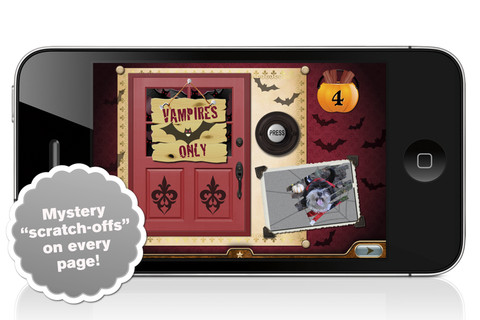
I am going to start with the exceptions – Millie’s Book of Tricks and Treats is currently $.99. The Millie books feature a very cute, lovable dog and kids LOVE them! If you own some of Millie’s other books: Meet Millie and Millie and the Lost Key, you will want this one too. This book presents a series of silly tricks and treats featuring Millie – nothing scary for little ones. Every time you read it, the randomly generated video clips change so the book is always different.There is also scratch-off picture & hidden sticker on every page. Love this series!

Millie's Book of Tricks and Treats - Megapops LLC

Also available for $.99 is the sequel – Millie’s Book of Tricks and Treats, Volume 2, featuring more doggy tricks or doggy treats. LOVE these books!Download link: https://itunes.apple.com/us/app/millies-book-tricks-treats/id569720229?mt=8&uo=4

Carve-a-Pumpkin from Parents Magazine is FREE for the iPhone/iPad. Kids first choose one of 5 pumpkins (orange, white, orange with green, black or orange & bumpy). They can “cut” it by hand or use premade eyes, noses, mouths, and faces. Instead of cutting the pumpkins, kids can choose to decorate them with stickers. In either mode, kids can manipulate the size and orientation of the objects that they add. There is an undo and redo button to change things easily. Once the pumpkins is complete, kids choose a background. The final project can be shared on Facebook. Twitter, & emailed, or saved as a photo. This app would be fun for kids to use as a planning tool for real pumpkin carving.
Carve-a-Pumpkin from Parents magazine - Resolute Digital, LLC

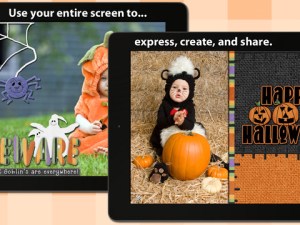
FREE again – Scrap It: Halloween HD for the iPad. You (or your child) can add a Halloween touch to your photos with this app. First take a photo or use an existing one. Using the photo editor, you can crop it and/or add an effect (about 40 filters available). Then its time to get creative – add stickers, change the papers & tiles, add letters & numbers/ribbons/word art, and add & manipulate text using the text editor. Items can be resized, shadowed, sent to the back, sent to the front, etc. Creations are saved in My Scrap Pages. They can also be shared on Facebook, Twitter, Tumblr, via email. They can be saved to your camera roll or printed. I think kids would love decorating pictures of themselves, their family & friends, and the family pet 🙂 You could also create an electronic postcard or invitation with this app. Lots of possibilities!!

Scrap It: Halloween HD - Dirk Bost

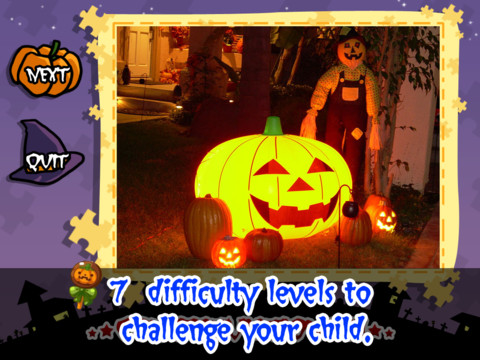
Halloween Jigsaw Puzzles is FREE for the iPad. It includes 18 puzzles with the option to purchase more. There are 7 levels of difficulty ranging from 4 to 49 pieces per puzzle. Most puzzle images are appropriate for younger kids but there are a few that are a bit iffy: scary-faced pumpkins, a few skeletons, and a witch in questionable attire. So if your child loves puzzles, check it out and be selective if your child scares easily.
Halloween Jigsaw Puzzles! - Toy Box

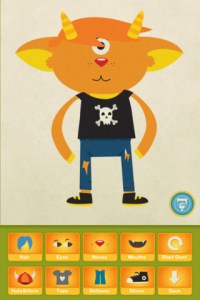
Dibu’s Monster Maker Lite is FREE for the iPhone/iPad. Dibu is a little boy who loves monsters so he created a machine to build them – I think this is how Dr. Frankenstein got started 🙂 The Monster Maker has hundreds of combinations of monsters waiting to be made. The lite version has 2 bodies to choose for the base.Then kids add hair, eyes, noses, mouths, hats & horns, tops, bottoms, and shoes. There is also a random monster generator which creates a monster with one tap. Finished monsters can be named then saved, printed, made into a puzzle, or emailed. This app also has a child lock that hides all promotional buttons and disables printing & emailing. And… there is a “parents only” button which gives written instructions for access to the app store. The developer does not want young children to end up there accidentally – how refreshing!

This app would be great to use with elementary aged kids. They could create a monster then write a descriptive paragraph about it. They could create two monsters and do a Venn diagram comparing and contrasting the monsters. Lots of possibilities!

Dibu's Monster Maker Lite - Playtend Apps LLP

0

Miku’s Picnic and Squiggles – apps by Lazoo

Miku's Picnic

FREE again for a limited time – Miku’s Picnic, an adorable interactive story designed to to support creative thinking. Kids join Bobu, the monkey & Miku, the rabbit on a chase after some jumping beans. The two need help capturing the beans before they bounce away! Along the way kids learn about using their imaginations and creative problem solving as the Bobu & Moku use “Squiggles” to… make a car go faster, make springs to get to the top of a tree, make binoculars to look for the beans, make a rocket zoom to the moon, and more. This educational app has 2 reading modes – “Read to Me” and “Read it Myself” as well as an option to record your own voice as the narrator. The story ends with a link to the FREE Squiggles app for kids so kids can “take a turn” drawing. Super creative and super cute!

Download link for Miku’s Picnichttps://itunes.apple.com/us/app/lazoo-mikus-picnic/id652945863?mt=8&uo=4

squiggles

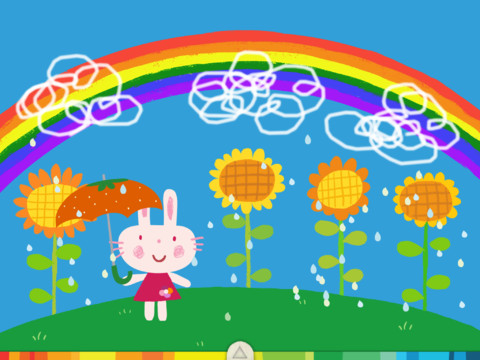
Squiggles – This FREE educational app for the iPad is adorable! Kids are encourages to draw squiggles to create: rain clouds (to water flowers), waves (to help fish swim), wool on sheep, cotton candy, etc. Once the squiggles are drawn, they press GO and the drawings come alive. The app includes an interactive storybook and an animated short which introduces the characters – Bobu, the monkey  & Miku, the rabbit. It also includes 14 drawing pages (just add the squiggles) as well as a blank page for your child to create his/her own pictures. Tools included are stickers, markers, paint, chalk, a ketchup bottle, as well as 10 colors & a mystery color wheel. Work can be saved into the gallery of the parents’ section by pressing the piggy bank. This app is super cute!! It encourages children to be imaginative & creative – one of my favorites. 🙂

Highly recommended!

Squiggles! - Lazoo Worldwide, Inc

0

KIDS DISCOVER – Sun

Sun

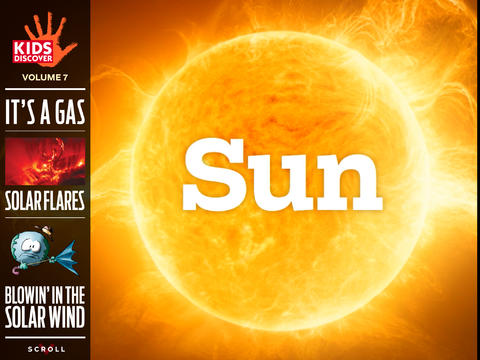
Selected New & Noteworthy in Education by Apple in April 2013 – Sun by KIDS DISCOVER is FREE for a limited time! The Sun is very important life on Earth. Without it, Earth would be a frozen rock traveling in space. This educational app helps kids learn about the Sun and how it affects our food, energy, seasons, weather, and more. KIDS DISCOVER has been creating award-winning content for kids for over 20 years. Get the interactive, digital version of this book for FREE. 🙂

Download link: https://itunes.apple.com/us/app/sun-by-kids-discover/id630607047?mt=8&uo=4

0

Let’s Color

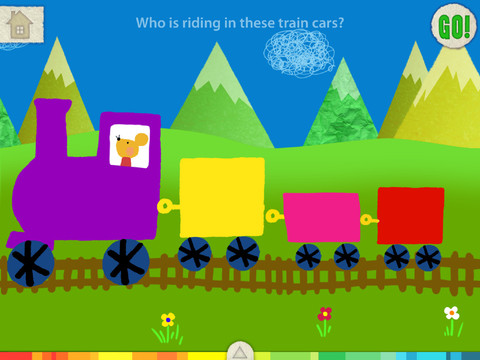
FREE again for a limited time – Let’s Color, another educational app from the makers of Squiggles. And just like Squiggles, Let’s Color encourages creativity! The app includes an animated short in which the characters – Bobu, the monkey  & Miku, the rabbit use their imaginations to turn triangles into a strawberry, a dog, a mountain, etc. Then kids are encouraged to color different things to complete a page: what is coming out of a hose, who is riding in the train, etc. Once the coloring is completed, they press GO and the drawings come alive. There are 17 coloring pages as well as a blank page for your child to create his/her own pictures. Additional coloring pages can be purchased within the app. Tools included are stickers, markers, paint, chalk, a ketchup bottle, as well as 10 colors & a mystery color wheel. Work can be saved into the gallery of the parents’ section by pressing the piggy bank. This app is super cute!! Just like Squiggles, it encourages children to be imaginative & creative 🙂

Highly recommended!

Let's Color! - Lazoo Worldwide, Inc

0

BrainPOP and BrainPOP Jr.

BrainPOP has been around for more than a decade as an educational website. The site features short animated movies – 750+ lessons covering science, social studies, math, art & music, etc. The content is geared for grades 4 and above but I found that many movies were also suitable for third graders. When I was in the classroom, it was one of my favorite online resources.

Now you can download the BrainPOP Featured Movie, the educational app for FREE! Your child can learn something new every day. After watching the daily movie there is a short interactive quiz. And… if your child can’t get enough of this app, there are two subscription options: $1.99 per month/ 4 movies & quizzes a day OR $6.99 per month/full access.

Teachers could add the BrainPOP movie of the day to their daily routine. Watch it at a transition time – right before lunch, after lunch, while waiting for buses to called, etc. Interesting and educational!!

Highly Recommended!

BrainPOP Featured Movie - BrainPOP®

Also available for FREE is BrainPOP Jr. Movie of the Week, another educational app. Every week Annie and Moby (two lovable characters) help 5 to 9 year olds learn about a different subject. There is also a quiz and activities to accompany each animated movie. BrainPOP Jr. has been on the web since 2006 delivering content for younger students in science, social studies, reading, writing, math, and more.

Again, teachers could add the BrainPOP Jr. Movie of the Week to their routine. Start your Monday off with the “Movie of the Week” or use it on Friday. BrainPOP gives teachers another way spark kids interest in learning!

Highly recommended!

BrainPOP Jr. Movie of the Week - BrainPOP®