0

Buildo Museum

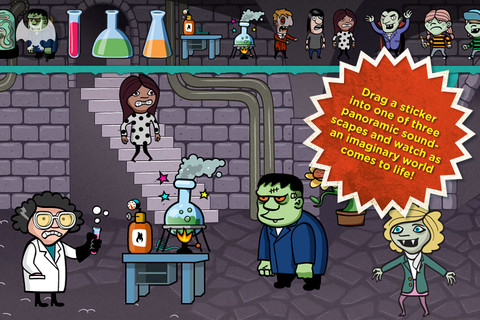
Download now for Halloween  – Buildo Museum is a spooky sticker book for kids. The goal of the Buildo series is to get  kids to thinking about creative story telling. Included in the app are 3 scenes inspired by ancient museums with 100 + stickers. Kids can scale, rotate and flip stickers to create a scene for their oral stories. This iPhone/iPad app is FREE for a limited time.

Buildo Museum Sticker Book - JAJDO AB

Also FREE for a limited time is Buildo History Sticker Book from the same series.

Buildo History Sticker Book - JAJDO AB

0

Spelling – Learning Words & Vocabulary

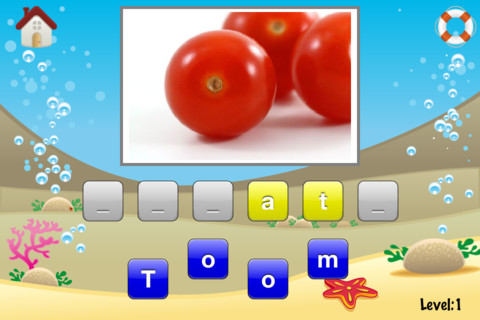
This iPhone/iPad app is FREE for 24 hours. It normally costs $2.99. This spelling app has 3 levels with more than 200 words. Children are shown a picture of the word that they are to spell. The letters of the word are on tiles – some tiles are placed in the word and the other tiles are under it. The child’s task is to properly place all the tiles in the word. In level one, some of the words are sea, milk, wolf, house, street, fire, fox, koala…. no particular spelling pattern is emphasized. Generally, children’s spelling lists have something in common – short a words, words with ee or ea, adverbs ending in ly, etc. This app presents words in no sequence that would help children generalize about how to spell other similarly sounding words. Another issue I have with the app is that it capitalizes the first letter of every word. Children need to be taught that only proper nouns or words at the start of a sentence should be capitalized. I wish this app presented words more systematically because there is a value to making children think about how to properly place sounds in order to spell a word. Perhaps this app would provide useful practice for older ESL students.

Spelling - Learning Words and Vocabulary - Interface Consult GmbH

0

Bubbling Math

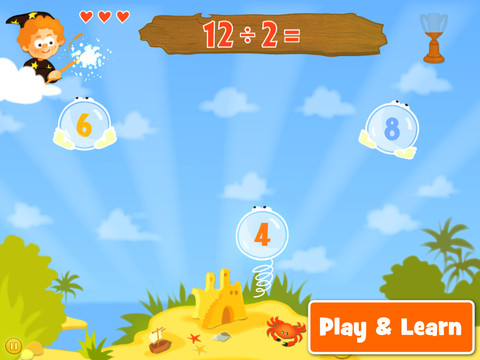
Bubbling Math for the iPad helps students in grades 1 – 4 become proficient in basic math skills – addition, subtraction, multiplication, division. In the Task Configuration section of the app, parents/teachers choose the operations & the levels of difficulty (easy, medium, hard, expert). Descriptions tell specifically what kinds of problems are included in each level. The ability to customize what a child needs to practice makes this app very powerful. Another plus is that the levels can be set differently for each operation. The other powerful section of this app is the “parents section” where a child’s progress is reported by the date, the operations and levels practiced, the number right & wrong, the specific problems missed, and percent correct.

As for the actual game – there are 9 levels that unlock as the child makes progress. There are trophies awarded for doing well. The graphics and music are nicely done. The speed of the game can be adjusted  – slow, normal, fast. But…what makes this app stand out is the ability to truly personalize it. Unfortunately, I don’t think the app tracks more than one child’s data. The data can be reset but the results for the first child would be lost. Regardless, this app is great!

Common Core Standards met:

  • 1.OA.6 – Add and subtract within 20, demonstrating fluency for addition and subtraction within 10.
  • 2.OA.2 – Fluently add and subtract within 20 using mental strategies. By end of Grade 2, know from memory all sums of two one-digit numbers.
  • 3.OA.7 – Fluently multiply and divide within 100, using strategies such as the relationship between multiplication and division or properties of operations. By the end of Grade 3, know from memory all products of two one-digit numbers.

This app was FREE last week but is currently selling for $.99. Keep watching my blog to find out when apps are offered for free.

Highly Recommended!

Bubbling Math - TappyTaps s.r.o.

0

Jack and the Beanstalk by Mindshapes

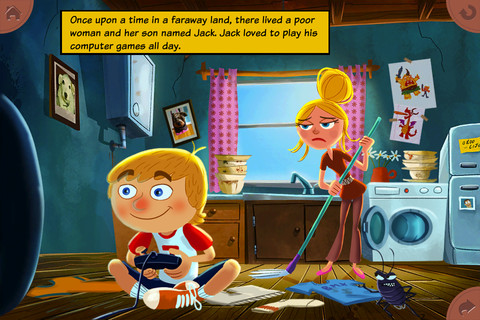
FREE app for the iPhone/iPad – this interactive read-along is a humorous, modern version of a classic tale. The animations & illustrations are delightful with interactivity on every page – really cute and definitely worth downloading!!

Recommended!

Jack and the Beanstalk by Mindshapes - Mindshapes Limited

0

i Learn With Boing: Savannah Adventures

For a limited time, all i Learn With Boing apps are being offered for $.99 and i Learn With Boing: Savannah Adventures is FREE.  These apps are geared towards 3 – 6 year olds. All i Learn With apps have the option for children to register so that they can earn rewards to play with on Planet Boing (a FREE central app that goes with the i Learn With series). Parents can also track their child’s progress if the child registers.

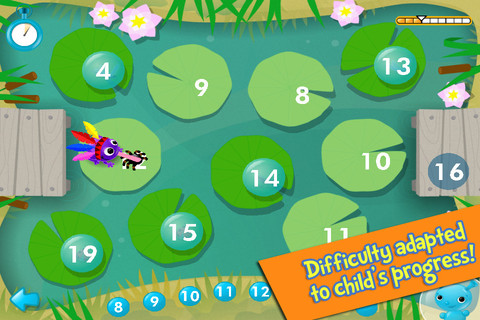
i Learn With Boing: Savannah Adventures has three math games: counting, ordering, and calculating. In the counting game, kids are asked to help the meerkat make soup by matching the pictured amount of ingredients with the written numeral (1 – 20). If kids touch any of the items, the total is named. Instead, I wish app counted the items (for kids who still need that) with the option to disable. In the ordering game, kids guide a frog across the pond by choosing the next number (1 – 20). The ordering doesn’t always start at 1 and there is variety in this game. Numbers may be ascending, descending or in a simple pattern (by 2’s or 10’s). In the calculating game, kids add the correct number of ostriches to a truck to reach a total. This game can be played alone or with a friend. Overall, this app is cute and nicely done. It would be fun for young kids who already know their numbers and are ready for some beginning math skills. The i Learn With program is brought to you by the developers of PBS KIDS PLAY and CBC Wonderworld online learning programs.

Common Core Standards met:

  • K.OA.2  – Add and subtract within 10, e.g., by using objects or drawings to represent the problem.
  • 1.OA.6 – Add and subtract within 20, demonstrating fluency for addition and subtraction within 10.

Recommended.

i Learn With Boing: Savannah Adventures! - Tribal Nova

0

The Opposites

The Opposites is currently FREE for the iPhone/iPad. Designed for kids 7+, this app requires the matching of increasingly difficult pairs of opposite words. There are two sections of the app: dictionary and play. In the dictionary section, words are listed next to their opposites. To learn the meaning, students just tap on the word and a definition appears. There are 10 levels with 100+ words per level. In the play section, words are pronounced by a boy or a girl as they appear in bubbles and float towards the top of the screen  Kids are to tap pairs of opposites as they appear – which makes the words turn a color then pop. The goal is to match 12 sets of opposites  – which completes the level. A bonus round then appears in which the student has 20 seconds to match up an entire  board full of opposites. This app starts off simply but becomes quite challenging in the later levels. It could be used for differentiating a lesson and/or for helping students grow their understanding of antonyms.

Common Core Standards met:

  • 4.L.5 – Demonstrate understanding of figurative language, word relationships, and nuances in word meanings. c.Demonstrate understanding of words by relating them to their opposites (antonyms) and to words with similar but not identical meanings (synonyms).
  • 5.L.5 – Demonstrate understanding of figurative language, word relationships, and nuances in word meanings. c. Use the relationship between particular words (e.g., synonyms, antonyms, homographs) to better understand each of the words.

Recommended!

The Opposites - Mindshapes Limited

1

Avatar Books: Cinderella, PeterPan, Alice in Wonderland,

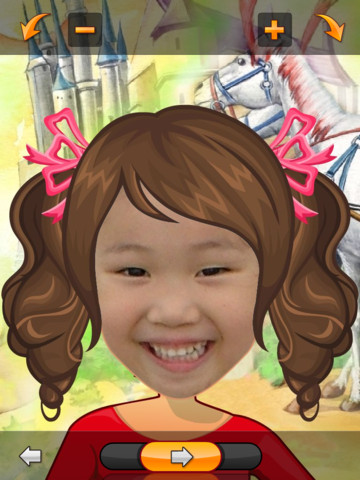
These three books from Avatar Book collection for the iPad are currently FREE: Alice in Wonderland, PeterPan, Cinderella. Using these apps, it is really simple to make your child the star of a fairy tale. Just take your child’s picture/use an existing photo, adjust the photo to fit the face line, then watch as your child’s avatar becomes the main character of the fairy tale. The brightly illustrated story is read aloud by a narrator. Because there is no option to read it on your own, it feels more like a movie than a book. The narration is fine but the words are not highlighted for kids to follow along. The appeal of this app is that your child becomes the main character. If you think your child would enjoy that….try one!

AvatarBook Cinderella - JDF Cinderella

AvatarBook PeterPan - JDF PeterPan

AvatarBook Alice in Wonderland - JDF Alice in Wonderland

0

Curious George at the Zoo

Curious George at the Zoo is currently FREE for iPhone/iPad. Designed for preschoolers, this app has kids helping Curious George wake, clean, and feed animals in the zoo. Introduced by the Man with the Yellow Hat (of course), the app then asks your child where he/she would like to go. But, buyer beware  –  there is only one section of zoo (Sunny Safari) included with the initial purchase of the app – normally $.99.

There are 5 animals for kids to learn about in this app – the hippo. giraffe, lion, parrot, and elephant. First they wake the animal up, then they clean it and feed it – fairly simple activities. Also included are age-appropriate video clips about each animal. Kids can play a game (Safari Showers) and collect stickers.

I have always loved Curious George books – the stories are timeless and can be enjoyed by kids from preschool through first/second grade. The simplicity of this app makes it most appropriate for Curious George’s youngest fans (2 – 3 year olds). I am disappointed that kids are given “a choice” of where they would like go in the app when there is only one area available without additional purchases. Choices are presented in a cute pop-up book but 3 out of 4 pages are covered by a huge “tap here to purchase” button. It feels similar to having the candy in the checkout line of the grocery story. That being said, if you have 2 – 3 year old that loves Curious George, you may want to download this app.

Curious George at the Zoo for iPad - Houghton Mifflin Harcourt

0

Collins Big Cat Story Creator Apps

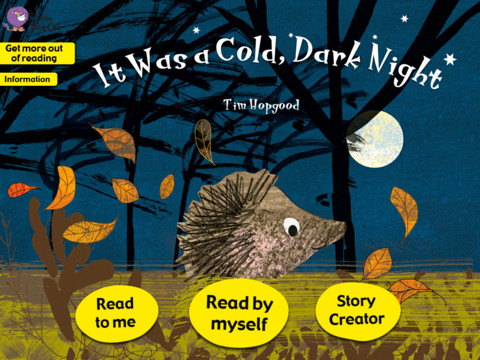
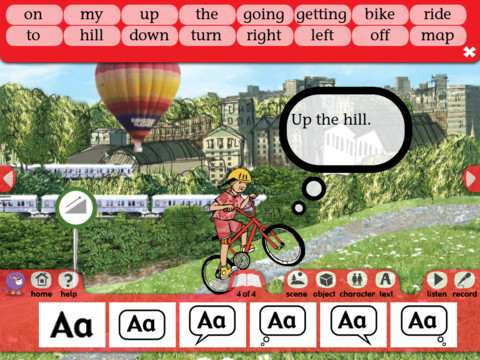
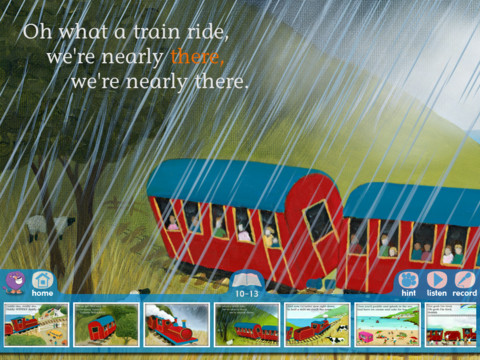
6 of Collins Big Cat Story Creator apps are currently FREE (for a limited time) for the iPad. Collins Big Cat is a reading series used by over 9000 schools in The United Kingdom. Titles included are: Around the World/ Farmer’s Lunch/ In the Garden/ It Was a Cold,Dark Night/ My Bike Ride/ The Steam Train. These apps normally sell for $3.99 each so take advantage of this great offer if you have young readers/writers in your life.

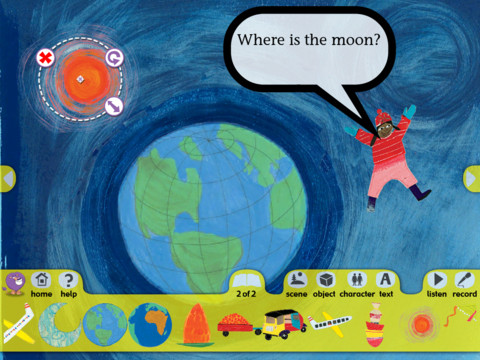
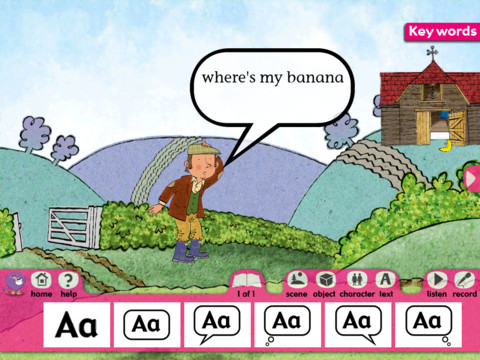
These apps, geared towards children ages 4+, include an animated story (with hidden surprises on every page) and a story creator. The story creator allows the child to transfer what they just read into writing. Children can create their own story using the scenes, characters, etc. from the book. There is also the option to record the child’s newly created story. Nicely done for young readers/writers!!

Highly recommended!

Around the World       Collins Big Cat: Around the World Story Creator - HarperCollins Publishers Ltd

The Farmer’s Lunch       Collins Big Cat: The Farmer’s Lunch Story Creator - HarperCollins Publishers Ltd

In the Garden       Collins Big Cat In The Garden Story Creator - HarperCollins Publishers Ltd

It Was a Cold, Dark Night       Collins Big Cat: It Was a Cold, Dark Night Story Creator - HarperCollins Publishers Ltd

My Bike Ride        Collins Big Cat: My Bike Ride Story Creator - HarperCollins Publishers Ltd

The Steam Train       Collins Big Cat: The Steam Train Story Creator - HarperCollins Publishers Ltd

0

Smash Your Food

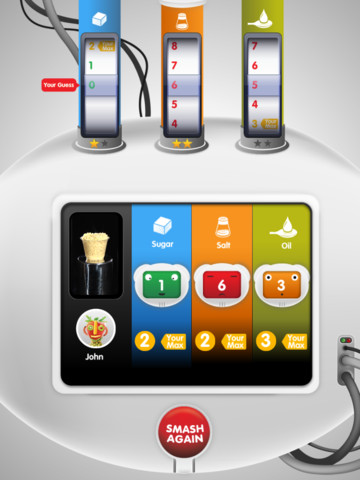
Smash Your Food for the iPad is available until September 5 for $1.99 but I was able to get it on a FREE day. This game makes kids, ages 5 – 12, and parents aware of the sugar, salt, and oil content of common foods  – in a fun way. Kids can choose 40 different foods to smash in the 5 levels of the game. A child starts by entering his/her name, gender, age, and activity level. The app then generates the maximum amount of sugar, salt, and oil that child should have per day. A food is put into the “smasher” and the child guesses how much sugar, salt, and oil are in that food. Then the food is literally smashed (sound effects included) and points are awarded based on how close the guesses are to the actual content. As the child progresses through the levels, his/her parents are emailed personalized nutrition tips and advice.

This app has received a lot of press. It was chosen as one of the winners in the “Michelle Obama’s Apps for Healthy Kids” competition. It was featured on the Today Show. Here is link to an article about it from CBS News: “Smash your food” app breaks down sugar, salt and oil content of kids’ meals – HealthPop – CBS News. This app helps make kids aware of what’s in the food that they are eating – a step in the right direction towards making our kids healthier!

Highly recommended!

Smash Your Food HD - Food N' Me