FREE again for a limited time – Speech Journal. Parents, teachers, and speech pathologists will love this customizable voice recorder that allows recorded messages to be paired with imported images. The app is very easy to use. First the child creates a profile to store and save recordings. Then he/she chooses an image – by using the device’s camera or from the photo library. Next the voice recording is added. When completed, the child may listen to the recording, erase and rerecord it, or save the recording. Additional recordings can be added to create a slideshow. Recordings can be shared with other teachers, parents, grandparents, etc. via email. Suggested uses for Speech Journal include: customized picture sequences, expressive language exercises, articulation drills, multi-step directions, picture schedules, family picture albums, and more! A fabulous resource with so many uses 🙂
Tag Archives: educational apps for kids
EyePaint MyDairy
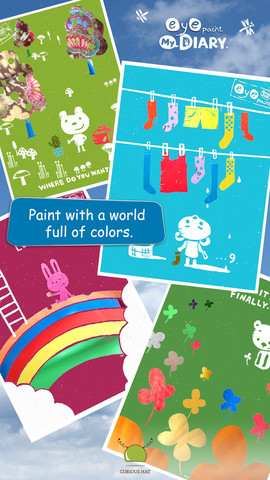
Eye Paint MyDairy is FREE again for a limited time for iPhone/iPad. This app lets your child paint illustrations from Japanese artist, Mitsue Haya, in a very unique way. Kids”paint” using their cameras to capture the colors, textures, patterns around them. To begin, a child chooses one of the 10 included illustrations. He/she taps to select the area to be filled in and the creativity begins! Work can be saved to the photo library for sharing or printing. Easy, fun, and very creative!!
Also available from this developer are EyePaint Animals and EyePaint Monsters. EyePaint Monsters is also FREE right now. EyePaint Animals is $.99.
Penelope HD
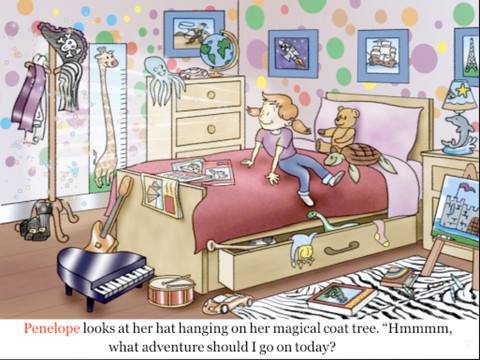
FREE for a limited time – Penelope HD, a delightful story for 4 – 8 year olds. It’s Penelope’s nap time but instead of napping she puts on a pirate hat and a magical thing happens. Her bedroom is transformed into a gigantic pirate ship and she becomes Penelope the Purple Pirate! She goes in search of treasure with her three friends: Daphne the dolphin, Teddy the sea turtle, and Oliver the octopus. This cute story also has a nice message about sharing. 🙂 After reading, there are 13 questions for discussion or to test your child’s recall. There are also suggested activities for the classroom/home. Ideas such as – have a treasure hunt or make a treasure test. The app also included fun facts about the featured animals and pirates. Nicely done!
Alphabet Dots
Alphabet Dots from Ellie’s Games was FREE earlier this week but it is now $.99. This app uses bright colors and a simple interface to teach young children to recognize the alphabet from A to Z. Kids learn to recognize both upper and lower case letters by popping colorful dots in order. The app has three levels of difficulty – choosing from 4 letters, 9 letters, or 16 letters. Kids can work on all upper case letters, all lower case letters or a mixed letters. There are also settings for sound, hinting, and enabling vibrations (iPhone only). This simple but visually appealing game is sure to help your little one learn the ABCs.
Keep reading my blog to find out when apps like this one become FREE again!
Montessori Numbers – Math Activities for Kids
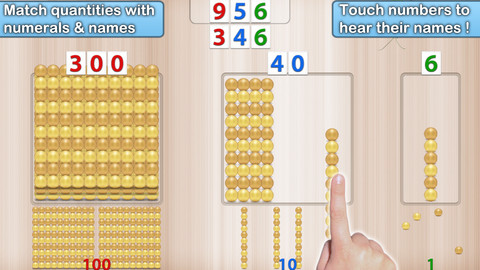
FREE for a limited time – Montessori Numbers – Math Activities for Kids. Designed for children 3 – 6, this app helps to build a mathematical foundation by helping kids: learn the numerals & their names, associate quantities with numerals/numbers, understand place value, and learn to trace numbers. The app has 5 activities – 1 to 20, quantity, numerals, and numerals from quantity, and tracing. The activities are based on the Montessori method – teaching kids to see the relationship between numbers and the quantity they stand for. In the 1 – 20 activity, kids are introduced to the numbers. In the quantity activity, kids associate quantities to numbers by manipulating units, bars of 10, and squares of 100 to match a given number which is pronounced/displayed. In the numerals activity, kids build numerals after hearing the number name pronounced. In the numerals from quantity activity, kids build the number that matches the quantity displayed. Each activity has 3 levels of difficulty and a game mode. Great app for building early number concepts and place value!
Wee Sing & Learn ABC
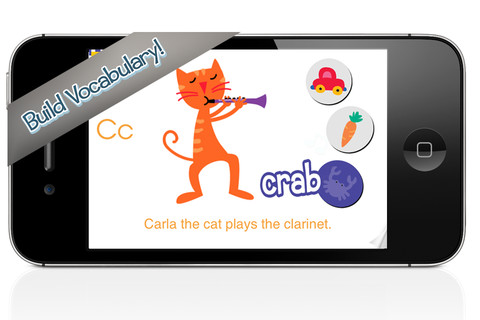
FREE again today (May 8, 2013), Wee Sing & Learn ABC for the iPhone/iPad normally sells for $2.99. Wee Sing has been around for over 30 years. When my children were small, we always had a Wee Sing tape in our car. This app teaches toddlers the alphabet in a musically fun way. Every letter has a page with its own song featuring an animal with an instrument (both beginning with that letter). There are also three additional words for each letter which are pronounced and spelled. The real sound of every animal and each instrument are also included in the app. This app is well done with great attention to detail – a must have for every toddler 🙂
Highly recommended!!
Space Cakes
Space Cakes was released on April 25 and it is FREE – thanks to the support of Eli’s Cheesecake in Chicago. Kids use number sense and early math skills to complete intergalactic baking missions. They find themselves in a bakery filled with alien ingredients. They must follow a recipe to add the correct amount of each ingredient. Then they choose a 3D shape for their levitating batter and bake it. Next a topper, frosting, and sprinkles are added to finish their creations. Time for delivery – they steer the cake delivery spaceship back to Earth. Finally they celebrate their safe arrival with starburst, fireworks, and colorful confetti! Kids can snap a photo of their creations to share them via email, save them in a gallery, or use them to inspire creative writing – descriptive paragraphs using math terms, a story about an intergalactic cake baking contest, etc. There is a section for parents/teachers which explains the educational value of the app and how it meets the CCSS. This app provides a fun way to work with math concepts AND a wonderful springboard for creative writing.
Hi Mom
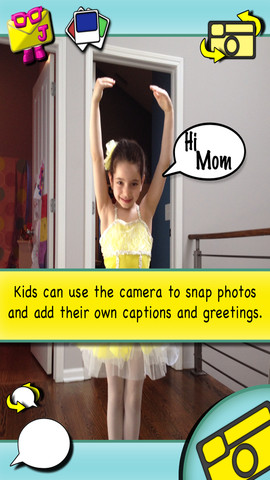
Hi Mom, a photo sharing app for kids, is FREE today. Kids can easily send a picture captioned “hi” to mom, dad, grandma, or grandpa. They can also use the keyboard to personalize a caption. Kids just point, click, save, and send. Parents can set up a Juddly account to assure safe delivery of their child’s creation or the app can be used without an account. Kids can use this app to show parents what they are doing at camp, on a field trip, etc. Parents can use this app to share their child’s day with grandparents. Teachers can use this app to show parents what their kids are doing in class. There are so many ways of using this app to share photos with your loved ones. 🙂
Snowflake Station
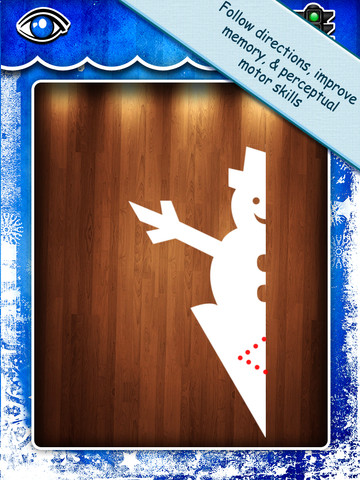
Purple glittery snowflakes !! FREE again for a limited time, Snowflake Station for the iPad helps kids discover the beauty of symmetry – a key concept in math, science, art, & architecture. The app has 3 sections: Trace a Flake, Creation Station, and Make it Snow. Trace a Flake includes step-by-step instructions for cutting 36 different snowflakes/other symmetrical shapes. In the Creation Station, kids create their own flakes/shapes. There are six different folds, 10 different colored paper, and 10 different colors of glitter to choose from. Kids make “cuts” with their fingers. The tape button works as an undo button. Kids can monitor their progress in the upper left hand corner of the cutting board. Creations can be saved to use in the Make it Snow section of the app which does exactly that! Kids use their creations to make it snow in a photo of their choosing. They can use the iPad’s camera to take a picture or use an already saved photo from the camera roll. There are also 10 winter scenes included in the app. Another option in this app is the ability to set up a Juddly (a safe, secure email) account for your child to share his/her creations with you. Very creative & very fun – all while learning about symmetry 🙂
Common Core Standards:
- 1.G.3 – Partition a shape into four equal shares, describe the shares using the words halves, fourths, and quarters, and use the phrases half of, fourth of, and quarter of. Describe the whole as two of, or four of the shares. Understand for these examples that decomposing into more equal shares creates smaller shares.
- 4.G.3. Recognize a line of symmetry for a two-dimensional figure as a line across the figure such that the figure can be folded along the line into matching parts. Identify line-symmetric figures and draw lines of symmetry.
Not only does this app meet CCSS in math, it can also be used in creative writing – The Day It Snowed Orange, Alien Invasion, etc. Awesome – highly recommended!

MyScript Calculator
Just named by Apple as 1 of 10 Apps That WOW and FREE – MyScript Calculator is an amazing app. It performs mathematical operations literally by hand! You write the problem … it solves the problem! The app is very simple to use. Just write the mathematical equation on the screen. MyScript technology converts the symbols and numbers to digital text and delivers the answers. It supports the following operations: basic operations (+, -, x, ÷, +/‒, 1/x), additional operations ( %, √, x!, |x|), powers/exponentials (ℯx, xy , x2), trigonometry, and more. Very cool!! MyScript Calculator also won the Mobile App Showdown at CES 2013!!