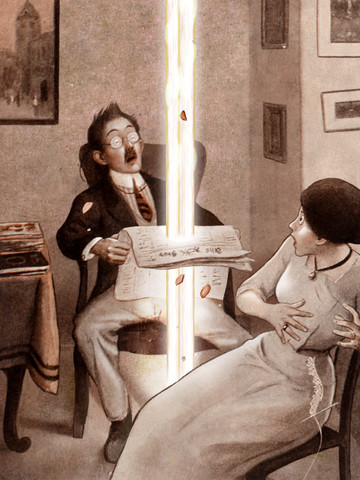
FREE for a limited time – The Rocket Book is an interactive version of a book by Peter Newell. The book was originally published in 1912 and it is written in rhyme. It tells the tale of Fritz (the janitor’s son) who lights a rocket in the basement of an apartment building. The book follows the rocket’s path as it travels upward through 20 flats causing some havoc along the way. The 3D technology used in the scenes makes the old-fashioned pictures come alive. Ragtime piano music and a great narrator add to the charm of this app. Lots of great opportunities for comparing and contrasting using this story – 1912 vs now. This book is also rich in language and would also be great for a lesson on context clues. Very cool app to use in a one iPad classroom!
Tag Archives: educational apps for kids
Vocabulary Apps
There are several good vocabulary apps on the market to use in the classroom. They can also be used for students who trying to boost their vocabularies. I wish some of them would have been around when my kids were studying for the SATs. 🙂
Words to Learn By by McGraw Hill has 300 words to study. It was offered for FREE when I downloaded it but it is currently $.99. The words are grouped into 3 levels – building, expanding and advancing. Each word includes a definition, an audio pronunciation, and a synonym. There are 4 options in the quiz mode – flashcards, definitions, fill-in-the-blanks (GREAT for teaching context clues), and a synonym shuffle game. This app is not too difficult and could be used with upper elementary and junior high students.
Word a Day was offered for FREE when I downloaded it but it is currently $1.99. This app takes a fun approach to expanding your vocabulary – one day/one word at a time! This app features a new word every day – each word has a humorous illustration and a narrated audio which pronounces the word, defines it, and uses it in context. If you feature a vocabulary word of the day in your classroom, you may want to look at this app – it’s a cute one!
Vocabology – Word of the Day was offered FREE the day I downloaded it but is currently $.99. It offers words of the day from several sources on the internet: foreign language words (Spanish, Portuguese, German, Italian, French, Latin), Dictionary.com, Wiktionary, Merriam-Webster, TheFreeDictionary.com, Yahoo Education, Common SAT words, Urban Dictionary, and WordSmith.org. The app also includes a quizzes. In-app purchases are available for SAT words, Latin words, and more. BEWARE – some of the words from the urban dictionary are explicit and NOT suitable for the classroom. You have the option of disabling this word source within the app. You need to do so before you put this app in the hands of kids! I appreciate that the developer has included this option.
Sight Words & Spelling with Pixopop HD
FREE for limited time – another sight words app, Sight Words & Spelling with Pixopop. In this app kids join Stitch Bunny and friends to learn 240 sight words arranged in 24 lists of 10. The app also permits you to create and record your own lists!
There are several things I really like about this app. 🙂 This app has 3 modes – flashcard, word challenge, and spelling.In the flashcard mode, I like that the word is shown but not immediately pronounced. This permits the child to read it then check his/her answer. In the word challenge mode, a word is pronounced and the child has to pick it from a list of 4 words. As the child picks the correct word, a character is constructed on the left side of the screen. I like that all words can be set to begin with the same letter so that the child has to look carefully. In the spelling mode, kids have to spell words using a keyboard. I like that it can be set to be arranged like a computer keyboard rather than an a – z keyboard. And the BEST thing about this app is that is keeps track of the child’s progress. It shows a score for each list, the date passed, and the time spent. AWESOME!!
Fry Words
FREE (for a limited time) app that teaches sight words from the Fry Word List. The Fry Instant Word List contains 1000 words arranged by their order of frequency in printed materials. In order to build reading fluency, it is important for early readers to recognize these words by sight. It is suggested that first graders learn the first 100 words, second graders learn the second 100 words, and third graders learn the third 100 words. The remaining words on the list should be mastered by the end of fifth grade.
The app presents the word in a manageable fashion – lists of 10 words. There is a learning mode and a quiz mode. In the learning mode, words are presented one at a time. In the quiz mode, kids have to choose the correct word from a list of 2 – 6 words. The app permits you or your child to pronounce/record the words in your own voice – a great option for kids working on articulation. This is a nice app for helping kids learn important sight words. If it only kept track of what was mastered – now THAT would be fabulous!
Phonics Genius
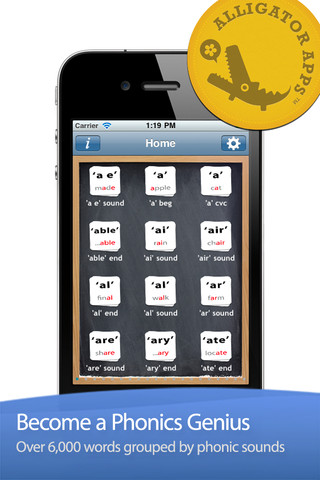
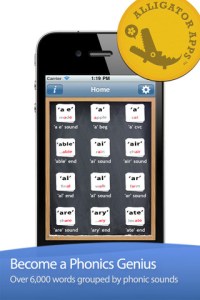
Phonics Genius is a FREE app with over 6,000 words grouped into 200+ categories. There is a learning mode and a quiz mode. In the learning mode, words are presented and pronounced one at a time. The sound that is being emphasized is in red. In the quiz mode, kids have to choose the correct word from a list that can be set to include 2 – 6 words. The app permits you to pronounce/record the words in your own voice – a great option for kids working on articulation. The app also permits you to add/delete cards.You can also combine categories.
So, here are some things to consider:
The “ing” and “ed” sounds have 3 categories based on what happens to the base word when the “ing” or “ed” is added. Does your lesson focus on the sound in the words or the structure of the words? If it’s about structure, use all 3 lists and have kids discover the rule. 🙂 Please note – skiing should be in “ing 2” since the root does not change.
Some of the categories contain more than one syllable – ary, ation, etion, ician, ible, ical, ician, ity, etc.
Some sounds (such as ff, ck, ll) are found in multiple categories only because they occupy different positions in the words. You can combine these categories if you wish.
The category “j sound of g” contains 3 words (hedgehog, gadget, garage) that also have the hard sound of g. I would delete these 3 words to avoid confusion.
The “h hat” category is labeled as “g beginning”.
The “o cvc” category has bow as the example card but the cards in the stack do follow the rule. Bow should be in the one of the “ow” categories depending on its pronunciation.
There are 2 “oi” categories – oi & oid. I would combine them since the sound is the same. I would also delete tortoise.
If you are trying to generate a list of words with specific sounds, this app could be a resource. I did not go through all 6000+ words in this app – there are probably additional tweaks that I would make depending on how I was going to use it. But, because it is customizable, you can add, delete, and combine categories to make this app work for you!

Little Writer – The Tracing App for Kids
FREE again – Little Writer is a letter writing app for the iPhone/iPad that is designed to teach 3 – 6 year olds how to write upper & lower case letters, numbers, shapes, and words. It starts by showing the shape of the letter and naming it. The child traces along lines to write the letter. Then the child is praised and told what letter, number, shape or word he/she has just written. When writing a word, the letters are presented one at a time with the full word shown in the upper right-hand corner. When the word is finished, a picture pops up with the child’s writing underneath it.
There are a lot of great things about this app. I like the size of the letters – nice and big for little hands. I also like that there are subtle dotted lines on the page. But, the best part of this app is the ability to customize it. You can turn items on or off in order to introduce letters, numbers, etc. slowly. You can record your voice or your child’s voice pronouncing the names of the letters, numbers, etc. You can add in your own pictures & words so that your child can learn to write his/her own name and names of family members or whatever you wish! You can add additional letters for foreign words so that you can use it to teach simple words in another language. SO many possibilities……
Common Core Standards met:
- K.RF.1 – Recognize and name all upper and lowercase letters of the alphabet.
Highly Recommended!
Miffy in the Garden
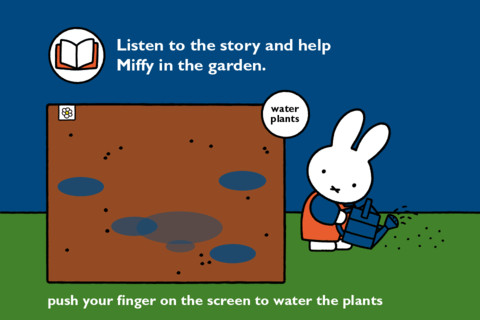
Miffy in the Garden for the iPhone/iPad is FREE for a limited time. Toddlers/preschoolers listen to the story based on the book Miffy’s Garden by Dick Bruna. As they listen, they learn what they can do to help Miffy the rabbit with her garden. They help her by raking, sowing seeds, and harvesting her carrots. The app also includes a game of counting carrots. This cute & simple app for little ones was developed in the Netherlands and can easily be switched from Dutch to English. It’s perfect for the spring season because it helps kids understand how to plant and care for vegetables!
100 Diggers and Excavators
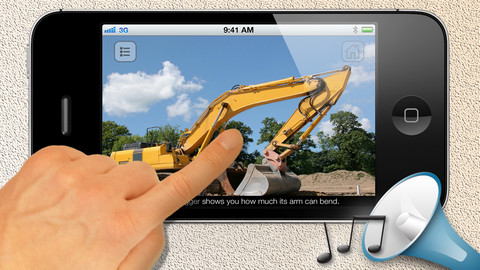
The e-book, 100 Diggers & Excavators, is FREE for a limited time for the iPhone/iPad. This book is easy to use and features over 100 HD pictures of diggers in action with sound clips! There is text on every page describing a digger or excavator, its location, or the job that it is doing. The list in the upper right hand corner can be used to preview/access individual pages in the app. The book does have not to be read in order since it is not telling a story. It is simply describing the machines pictured on each page. Also included is a video clip of a digger in action. If you have a lover of heavy machinery in your life – you may want to check out this book 🙂
DoReMi 1-2-3: Music for Kids
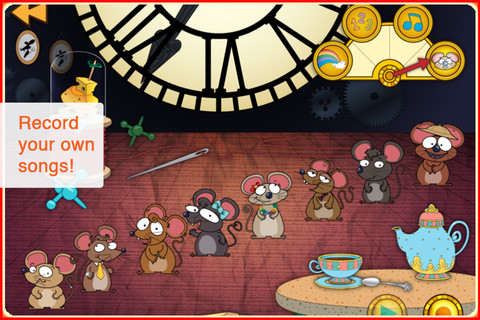
FREE again for a limited time – the FULL version of DoReMi 1-2-3: Music for Kids. Cute characters teach kids learn how to play familiar tunes. Kids learn by listening and repeating what they hear. There are two modes in this app – song mode and free mode. In song mode, kids can choose to play one of 6 different songs. In free mode, kids can create their own recordings. Very cute app with great auditory training!
Three Little Pigs – A Play
FREE again – Three Little Pigs – A Play for the iPhone/iPad for kids 4+. An updated version of the 3 Little Pigs is presented as a play starring Mitch, Clara, Ran, and Clarence Bear. The book is brightly illustrated and the characters respond when they are tapped. The background music and narration are nicely done. The book can also be read alone. The story generally follows the traditional tale – the first pig builds a house from straw, the second pig builds a house of sticks, and the third pig builds a house of bricks. All of the pigs get away (rather than the first 2 being eaten) and wolf runs away yelping in pain. The first 2 pigs learn the lesson: Take your time and do your best. The story ends with the first 2 pigs starting to rebuild their houses in the spring – this time with bricks, of course!
In my classroom I used different versions of the same fairy tale/folk tale for studying story elements as well as comparing & contrasting. This would be a good version to compare with the traditional tale since its setting is in modern times. Kids can look for evidence to prove that the story takes place in current times. They could also use Venn diagrams to compare the traditional tale to this version or other versions that they have read. Lots of possibilities to extend the use of this book as you get comprehension strategies.
Recommended!