0

Lingo Zoo

Lingo Zoo

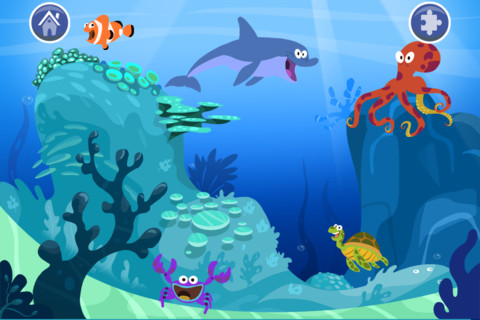
Lingo Zoo is FREE for a limited time. Kids learn animal names in English and Spanish as they complete jigsaw puzzles. They also hear the animal’s sound as a reward for completing each puzzle. The animals are presented in 7 different settings (farm, ocean, forest, jungle, etc.) so that kids become familiar with where different animals live. As a child completes the puzzles in one setting, other settings are unlocked. Nicely done puzzle app for little ones!

Lingo Zoo - Mindshapes Limited

0

MathLands – Kids Logic Game & Brain Builder for Math and Critical Thinking

MathLands

All I can say is WOW! MathLands is a completely FREE math app that makes kids THINK! Kids have to use logic, problem solving skills, and critical thinking to solve 5 levels of 5 different puzzles. Each puzzle is timed, has hints available, and has a section that tells the history of the puzzle. Kids can choose to start over. They can try again to get a better score or they can try again to get the BEST score (the app tells what is the best possible score). I love that this app challenges kids to be the best!! There is also a Math Comics section – problems are written in comic strip form. Kids solve the word problems by using the interactive manipulatives on the page. In a word full of math apps that stress practice and drill, this app is like a breath of fresh air. LOVE it !!!!

MathLands - Kids Logic Game & Brain Builder for Math and Critical Thinking - Mamanijo

0

Pick-a-Path

Pick a Path

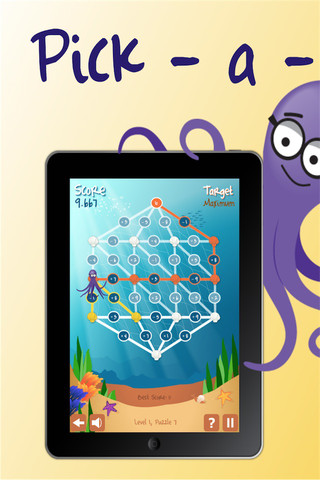
Pick-a-Path is a FREE math game from the National Council of Teachers of Mathematics. Kids help Okta the octopus reach a target number by choosing the best path from the top maze to the bottom of a maze. There are 7 different levels with 7 puzzles in each level. The puzzles start with basic operations then move to fractions, negative numbers, decimals, and other more difficult skills. Kids have to plan out a strategy to reach the target which can be a specific value, a minimum value, or a maximum value. This app provides a lot of good skills practice. And… as an extra added bonus, kids have to think of a strategy!

Pick-a-Path - National Council of Teachers of Mathematics

0

Prancing Dancing Lily

Prancing Dancing Lily

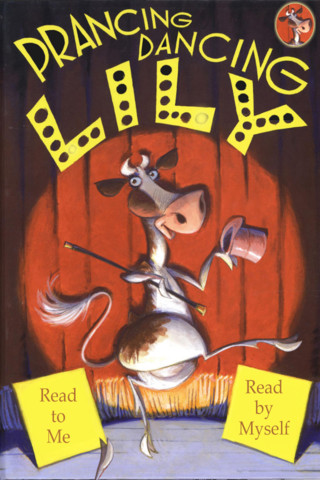
FREE for a limited time – Prancing Dancing Lily, an interactive story about a cow who doesn’t quite fit into her herd in Wisconsin. Lily loves to dance so she decides to travel the world looking for a dance that fits her perfectly. She eventually returns home and inspires her herd to dance in a conga line. Lily becomes the next lead bell cow – following in the hoofsteps of her Grandmoo and Mamoo. Very cute story!

Prancing Dancing Lily - Fat Red Couch, Inc.

0

TED – TED conferences and TEDiSUB – Enjoy TED videos with Subtitles!

Parents/Teachers – here is an app for you (and the kids)!

TED started in 1984 as a conference bringing together people from three worlds: Technology, Entertainment, and Design. It is now a nonprofit devoted to ideas worth spreading. Here is information on 2 apps that will bring the world of TED to the device of your choice!

TED - original

Riveting talks by remarkable people, FREE to the world. Connect with the official TED app for iPhone/iPad to more than 1,400 talk videos with more added every week! Subtitled in more than 90 languages. A fabulous resource for lifelong learners!!

TED - TED Conferences

Ted

FREE for one day only – TEDiSUB – Enjoy TED videos with Subtitles!  This app enhances the TED experience with added control features. It also allows you to see two subtitles at once – great for a language classes. 

TEDiSUB - Enjoy TED videos with Subtitles! - semix2

0

DIY Nano

DIY Nano

FREE – a newly released app called DIY Nano that teaches kids (and their adults) about the nanoscale. Funded by the National Science Foundation and developed by Berkeley’s Lawrence Science Hall, this app provides a series of activities and videos about nanoscale science, engineering, and technology. There are 12 hands-on activities in this app. Each one starts with a summary which gives an overview of the activity, the time it will take to complete (prep – clean-up), and the suggested age group. Next, there is a materials list. All items are inexpensive and widely available. Then there is a series of step-by-step directions – with pictures. Finally, there is an explanation of “what’s going on” in the activity. Related videos are at the bottom of the page so that your child can learn more. This app is very well-organized, easy to use, and provides a wonderful introduction to the world of nanoscale science. The best part about the app is that it gives kids and adults the opportunity to learn something new together and how exciting is that?!?

DIY Nano HD - The Lawrence Hall of Science

0

Sakura Quick Math

Sakura Quick Math

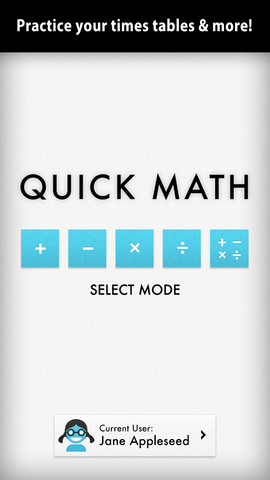
FREE today – Sakura Quick Math. Kids practice basic math (addition, subtraction, multiplication, division, and mixed operations) while racing against the clock. Three problems appear on the screen. Kids use their fingers to write the answers as quickly as they can. The app uses handwriting recognition to check the answers – very slick! If the number is not written neatly, the app does not recognize it and in my opinion that is a bonus. I spent 30+ years telling kids that part of their job was to write legible answers :). This app helps to reinforce that message! As a child’s skills grow, the app can be made more challenging because there are 3 levels of difficulty. You can create multiple users in this app and the app keeps track of each user’s progress in bar graph form. Very cool way for kids to practice their facts!

Common Core Standards met:

  • 1.OA.6 – Add and subtract within 20, demonstrating fluency for addition and subtraction within 10.
  • 2.OA.2 – Fluently add and subtract within 20 using mental strategies. By end of Grade 2, know from memory all sums of two one-digit numbers.
  • 3.OA.7 – Fluently multiply and divide within 100, using strategies such as the relationship between multiplication and division or properties of operations. By the end of Grade 3, know from memory all products of two one-digit numbers.

Sakura Quick Math - Shiny Things

0

3 FREE Virtual Math Manipulatives

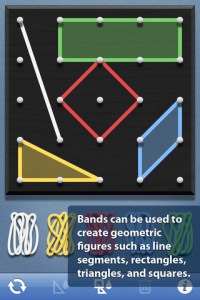
Geoboard by The Math Learning Center (a nonprofit organization dedicated to K – 12 education) is a FREE app that turns your iPhone/iPad into a virtual geoboard. Geoboards can be used as tools to teach mathematical concepts such as polygons, perimeter, area, line segments, angles, congruent shapes, symmetry, fractions, etc. Shapes are created by stretching bands on the geoboard’s pegs. There are 5 colors of bands in the iPhone version and 8 in the iPad version. There is also a tool to fill in shapes. On the iPad version, you can switch from the standard 25 peg board to a 150 peg board to create more complex shapes. This is a great app with the potential to be used in so many ways.

Highly recommended for your virtual math tool kit!

Geoboard, by The Math Learning Center - Clarity Innovations

FREE for the iPad, Virtual Manipulatives contains math manipulatives for teaching fractions, decimals, and percents. Included are tiles/circles divided into halves, thirds, fourth, fifths, sixths, eighths, tenths, and 12ths AND their corresponding decimals and percentages! The manipulatives are color coded across the settings so that 1/2 is blue as is .50 and 50%. Kids drag tile pieces onto the work area to compare fractions/decimals/percentages. In the settings you can change from tiles to circles, make the pieces transparent, and hide the numbers on the pieces. Completed work can be easily saved to photos. Finding equivalent fractions has never been so slick – WOW!!

Common Core Standards

  • 3.NF.3 – Explain equivalence of fractions in special cases, and compare fractions by reasoning about their size. Understand two fractions as equivalent (equal) if they are the same size, or the same point on a number line.
  • 4.NF.1 – Explain why a fraction a/b is equivalent to a fraction (n × a)/(n × b) by using visual fraction models, with attention to how the number and size of the parts differ even though the two fractions themselves are the same size. Use this principle to recognize and generate equivalent fractions.

Highly Recommended!
Virtual Manipulatives! - ABCya.com

equivalent fractions

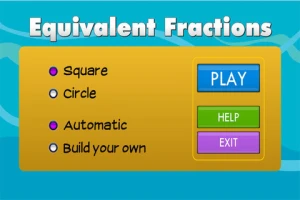
From the National Council of Teachers of Mathematics comes a FREE app called Equivalent Fractions. Kids create equivalent fractions by dividing and shading squares or circles. Circles can be divided into 24ths. Squares can be divided into 144ths. In the play mode, a fraction is shown and kids must create 2 additional fractions that are equivalent. All 3 fractions must have different denominators. The app also places the fractions on a number line – a great visual for comparing! There is also a “build your own” mode which would be fabulous to use for guided exploration & practice. Kids could also use this section as a virtual manipulative when working independently. This app is an excellent resource for the classroom !!

Common Core Standards met:

  • 3.NF.3 – Explain equivalence of fractions and compare fractions by reasoning about their size. Understand two fractions as equivalent (equal) if they are the same size, or the same point on a number line. Recognize and generate simple equivalent fractions, e.g., 1/2 = 2/4, 4/6 = 2/3). Explain why the fractions are equivalent, e.g., by using a visual fraction model.

Highly Recommended!

Equivalent Fractions - National Council of Teachers of Mathematics

0

SimpleSort

SimpleSort

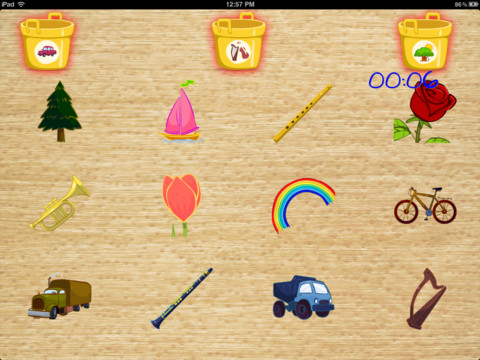
FREE today – SimpleSort for the iPad. The Clever Clouds have knocked over buckets full of items and everything is mixed up! Kids return the items to the correct bucket in this simple game that teaches kids the beginning math skills of sorting & categorizing. The game can be made more difficult (by adding more buckets) as a young child’s skills improve. It can be played in 2 languages – English or Spanish. So… it could also be used as a tool to teach older kids vocabulary in a second language. Check it out while it is FREE  🙂

SimpleSort - KidsAndBeyond, LLC.

0

Agnitus – Games for Learning

Agnitus

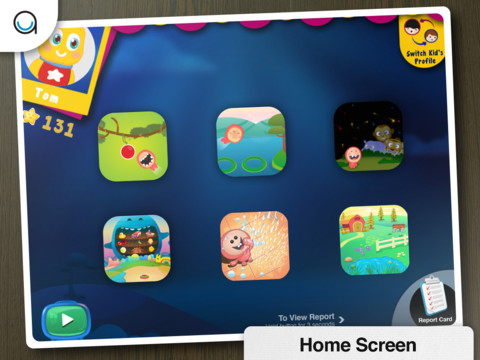
Agnitus – Games for Learning is a FREE app for 2 – 5 year olds. In-app purchases are available to extend the skills introduced in the FREE version. Kids will enjoy helping to feed Icky – a lovable little character who eats the answers. The app has 9 game choices which help to develop skills such counting, color recognition, shape recognition, number  recognition, matching, etc. One of the nicest things about this app is the “report card”. Parents can see what skills their child has mastered in areas such as colors, food, 2-D shapes. They can also see the performance level of their child in areas such as memory, size comparison, visual scanning. Nicely done for little ones!!

Agnitus - Games For Learning - Agnitus