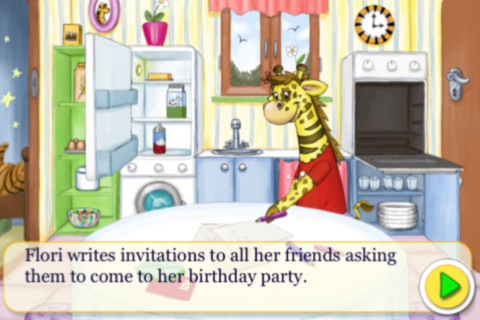
FREE today a cute, interactive e-book for iPhone/iPad – Flori’s Birthday. Flori, the giraffe, is having a birthday and getting ready to celebrate with her friends. Kids 4+ can interact with this book in several ways: They can help to bake & decorate the birthday cake. They can set the table. They can take pictures of Flori & her friends. They can sing & record a birthday song for Flori. Pictures and songs created within the app can be emailed to family and/or friends. This colorfully illustrated story has a “read alone” or “read-to-me mode” narrated in English or German. I love how the interactivity in this book is an integral part of the story. Kids will enjoy being able to help Flori prepare for her special day 🙂
Tag Archives: educational apps for kids
Wee Sing & Learn ABC
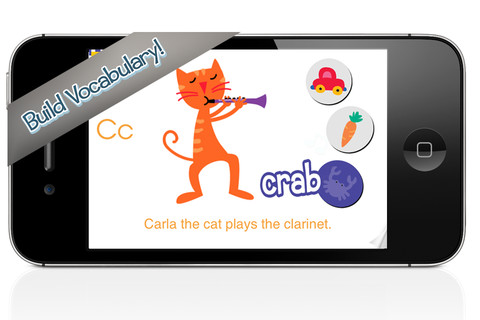
FREE again today (November 9, 2012), this app for the iPhone/iPad normally sells for $2.99. Wee Sing has been around for over 30 years. When my children were small, we always had a Wee Sing tape in our car. This app teaches toddlers the alphabet in a musically fun way. Every letter has a page with its own song featuring an animal with an instrument (both beginning with that letter). There are also three additional words for each letter which are pronounced and spelled. The real sound of every animal and each instrument are also included in the app. This app is well done with great attention to detail – a must have for every toddler 🙂
Highly recommended!!
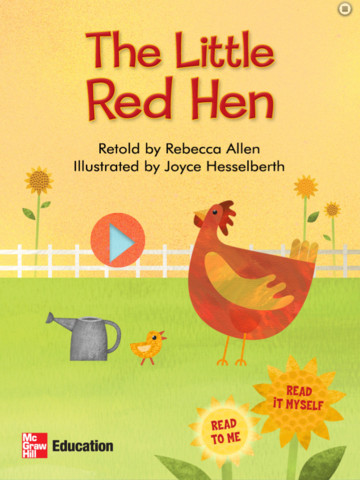
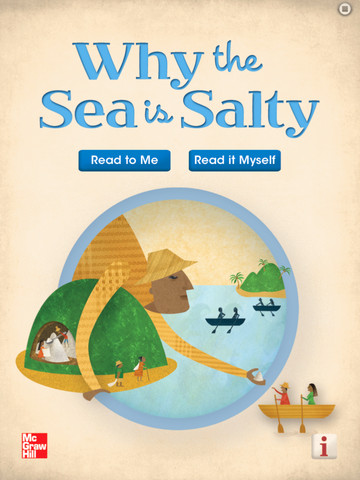
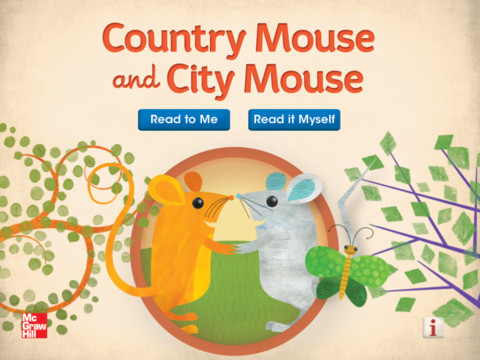
McGraw Hill books: Little Red Hen, Jack & the Beanstalk, Why the Sea is Salty, Country Mouse & City Mouse, Little Red Riding Hood
FREE for your iPad – five interactive readers from McGraw Hill. All of these titles usually sell for $1.99. These classic children’s tales can be read in two ways: read aloud or read to myself. All five books are nicely illustrated and have animations/interactivity on each page. Sound effects and music are also included – which can be turned on or off. The stories are all great but I especially liked the Little Red Hen. Download them today – there is no reason to pass these up 🙂
SketchTime – Quick Sketching and Photo Tracing
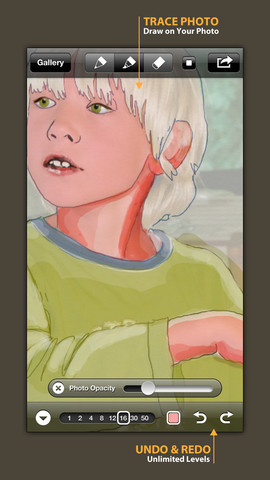
FREE today! SketchTime for the iPhone/iPad makes sketching and tracing simple – as they should be! Just open the sketch pad, pick your gel-like pen or marker, and go. This app is very simple to use with all the tools right at your fingertips. It’s also very quick to change from pen to marker and to change sizes & colors. Photos can be imported in color or black and white and the adjustable transparency makes them easy to trace. Finished sketches can be locked to prevent deleting/editing. There is also a playback option.
This app would be awesome to have in a classroom. Students could sketch out answers to math problems, sketch what they visualize as they read, illustrate the meanings of words, sketch to explain a concept in science, etc. The possibilities are endless. When a sketch is complete, it can easily be saved, emailed, tweeted, and/or duplicated. Kids would love having their sketches featured and as they explain their thinking to others. Great app that can be used across the curriculum with all ages – this one is a keeper!
Highly recommended!
Stop Math
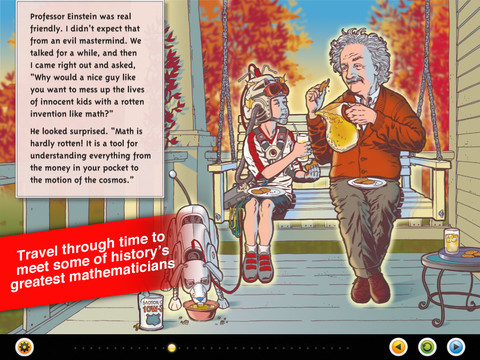
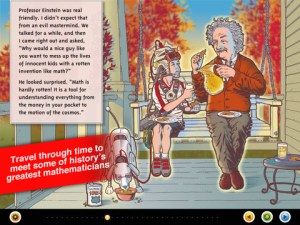
Stop Math is an interactive e-book for the iPad for 8 – 12 year-old kids. It was FREE the day that I downloaded it is currently $3.99. Written and illustrated by Jeff Weigel, Stop Math is the story of a boy from the future who hates math and wants to stop it forever. He and his robotic dog travel back in time to find the “evil” genius who invented math to drive kids crazy. Along the way they meet Albert Einstein, Isaac Newton and others and the boy ultimately realizes that math is key to understanding our world.
Here’s a quote from the author: “The iPad’s amazing capabilities are a perfect fit for this book,” says Weigel. “It gave me the opportunity to tell kids about the history of math, relativity and gravity in a way that’s entertaining—the animation and interactivity make it fun to read. Kids even enjoy the parts where they have to do some calculations to move the story forward.”
This e-book is fabulous! The story is funny and engaging – perfect for the third grade+. Kids will love the realistic artwork that is done in the comic-like style found in graphic novels. There are also interactive animations throughout the story. Stop Math connects math to history & science in a way that kids will enjoy. Important mathematical & scientific concepts are introduced within the story. This book would be a perfect to use with an entire class to get them more excited about math, to help them understand the history of math, to emphasize how math is connected to science, and more! Teachers could also use this app as a springboard for creating a historical math timeline, doing research reports on mathematicians/scientists, brainstorming how people use math in their jobs, etc. Wow!!
Keep reading my blog to find out when great apps like this one are offered for FREE. However, if I was still teaching, I would pay $3.99 to have this app to use in my classroom!
Highly recommended!

Problem Solving – choosing the correct operation
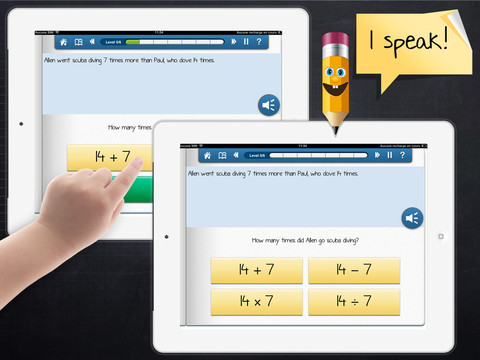
This iPad app (for kids in grade 3+) was FREE the day that I downloaded it but usually costs $1.99. Kids read/listen to word problems then have to choose the correct operation – addition, subtraction, multiplication, division. The problem is written but there is also the option of having it read aloud – just push the sound button. Equations (all containing the same numbers) are written beneath the problem and the child chooses the one that uses the correct operation. If the correct equation is chosen, it turns green. The answers are not a part of the equation and the child is not required to do the computation. Kids have to get 6 problems correct in a level before advancing to the next level. There are a total of 6 levels. Problems involving money are written in British pounds. The app’s language can easily be changed from English to French or Spanish.
This app provides practice in a much-needed area. Too many word problems are missed simply because the wrong operation is chosen. I wish this app would highlight clue words such as total, more, less, fewer, etc. Teaching kids to read and understand the question is critical. I also think that students should have to solve the problem – to meet the Common Core State Standards. Regardless, this app provides much-needed practice of a critical step in problem-solving.
Keep reading my blog to find out when apps become FREE.
Common Core Standards:
- 2.OA.1 Use addition and subtraction within 100
to solveone-and two-step word problems involving situations of adding to, taking from, putting together, taking apart, and comparing, with unknowns in all positions - 3.OS.3 Use multiplication and division within 100
to solveword problems in situations involving equal groups.
ABC House
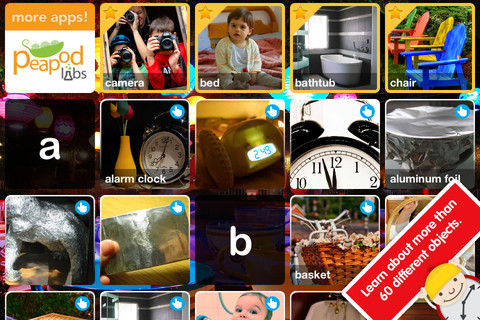
FREE until November 12, ABC House for the iPhone/iPad introduces your toddler (3 – 5) to 60+ everyday things through sight, sound, and touch. The app opens to a grid arranged in ABC order. Kids can tap on a letter to find objects that begin with that letter or they can tap on a specific object to learn about it. As an object’s photo appears, a child’s voice says the initial letter then reads the name of the object (which appears in writing at the bottom of the screen). A little cartoon person drops down on the left hand side of the screen with a link to a video clip or an interactive scene where kids may iron a shirt, clean with a duster, open drawers, etc. The child can scroll to the left for additional pictures and videos about each object.
This app needs an internet connection to work because the 100+ videos are actually links from You Tube. They are chosen by Peapod Labs and checked to be interesting and safe for kids. Kids cannot link from this app into other You Tube content. This app is nicely done – great for building vocabulary and beginning to read/spell words.
Also check out my July 29th review of ABC Wildlife by the same developers 🙂
Recommended!
Draw and Show
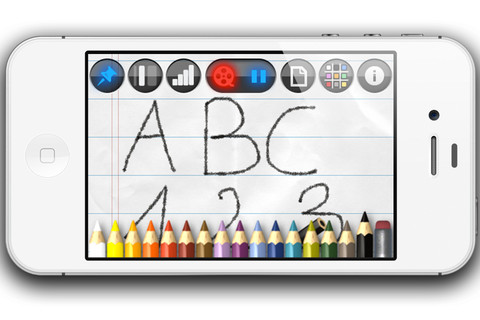
FREE for a limited time – Draw and Show for the Phone/iPad. With this app you can draw, sketch, take notes, etc. and have your work saved step by step into a time-lapsed video. First choose your background – plain, graph, or lined paper in 9 different colors. The choose a colored pencil – 35 colors available. You can vary the thickness of the lines and darkness of the colors. While you are drawing on the screen, the app instantly video encodes your actions so that you can share them when you are finished. The videos are available through your camera roll to be played & replayed. You can also send them to YouTube or in an email attachment.
LOTS of educational uses here – show kids how to print, write in cursive, draw a diagram, solve a math problem, etc. It can be played & replayed if needed. Have kids be the teacher – record their drawings, etc. to share with a friend. Awesome tool!
Recommended!
My Monster Mayhem
My Monster Mayhem is an interactive e-book for the iPhone/iPad. I downloaded it on a FREE day but it normally sells for $4.99. It is the story of a little girl and all of the monsters in her house (imagination) that prevent her from doing what her mother asks her to do – turn off lights, not waste dental floss, etc. What her mother doesn’t seem to understand is that she is really a hero! Cute story with animation and interactivity found on almost every page – kids pop bubbles from the bathtub, play tug of war with the Broncus Dentus, etc. Kids also collect hidden monsters on almost every page to unlock puzzles at the end of the story. The reality of the monsters is left open for discussion/interpretation which might not be understood by younger kids. I think this book would be great for kids that are a bit older!
Recommended!
Let’s Color
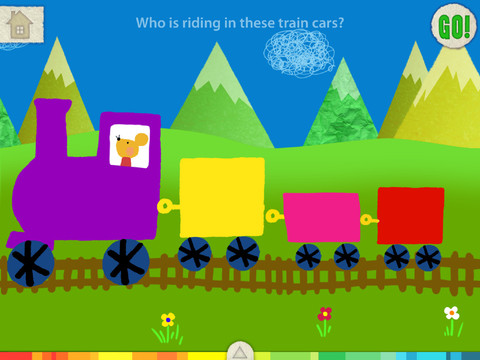
This FREE app for the iPad is from the makers of Squiggles (see Oct. 10 review) and it too is very cute & very creative. The app includes an animated short in which the characters – Bobu, the monkey & Miku, the rabbit use their imaginations to turn triangles into a strawberry, a dog, a mountain, etc. Then kids are encouraged to color different things to complete a page: what is coming out of a hose, who is riding in the train, etc. Once the coloring is completed, they press GO and the drawings come alive. There are 17 coloring pages as well as a blank page for your child to create his/her own pictures. Additional coloring pages can be purchased within the app. Tools included are stickers, markers, paint, chalk, a ketchup bottle, as well as 10 colors & a mystery color wheel. Work can be saved into the gallery of the parents’ section by pressing the piggy bank. This app is super cute!! Just like Squiggles, it encourages children to be imaginative & creative 🙂
Highly recommended!