0

6 FREE Apps to Encourage Lifelong Learning

Try adding one or more of these apps to your daily routine this year. Students will love learning something new each day!

This Day in HistoryOne of my favorite FREE resources… WORLD BOOK  – This Day in History for iPad is a great FREE resource for the classroom. Historical events for the day are displayed on a calendar page. You can click on links to related media such as articles, photos/illustrations, music, speeches and more! When I was teaching, I had students  do “morning work” (correct punctuation, capitalization, & spelling in two sentences) while I took attendance, did lunch count, etc. This educational app would have been perfect for that daily assignment because I always used information about something interesting that happened that day. After correcting the sentences, the kids and I would discuss the history of that day. I was always amazed at how well kids retained what we had discussed during the opening minutes of every day. Throughout the year they would often remark, “We learned about that in our morning work.” You may want to try making this educational app part of your classroom’s morning routine. 🙂

WORLD BOOK - This Day in History for iPad - Software MacKiev

WonderopolisFREE – Wonderopolis, a fabulous educational app. Explore Wonderopolis (the website) with your mobile device.

Wonderopolis (Wonderopolis | Where the Wonders of Learning Never Cease) is a fantastic website that provides a daily Wonder of the Day®.  A fun & intriguing question is featured every day. The website/app includes a written explanation of the answer, vocabulary words, and a gallery of images & videos – all to foster learning and inspire curiosity about the Wonder of the Day®. Other daily features include a “Try It Out” section which suggests activities based on the day’s question, a “Still Wondering” section which gives additional/related information, and a quiz. There is even a section for teachers/parents called the “Educator Sandbox” with additional resources and opportunities to connect with the Wonderopolis community. It’s such a fascinating and wonderful resource – I enjoy reading it myself!

Using this website/app would be a fabulous addition to a daily classroom routine. Kids could read (or listen to) the daily Wonder of the Day® as part of their independent work time. They could journal about what they learned and/or what they are still wondering about. A class discussion could be scheduled for later. What a great way to encourage THINKING! Wonderopolis is a fabulous resource to ignite the natural curiosity and imagination of kids!

Download link: https://itunes.apple.com/us/app/wonderopolis/id505247028?mt=8&uo=4

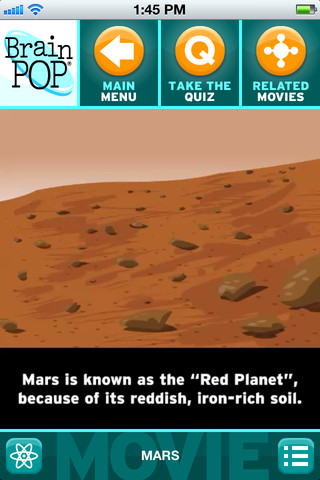
BrainPOP has been around for more than a decade as an educational website. The site features short animated movies – 750+ lessons covering science, social studies, math, art & music, etc. The content is geared for grades 4 and above but I found that many movies were also suitable for third graders. When I was in the classroom, it was one of my favorite online resources.

Now you can download the BrainPOP Featured Movie, the educational app for FREE! Your child can learn something new every day. After watching the daily movie there is a short interactive quiz. And… if your child can’t get enough of this app, there are two subscription options: $1.99 per month/ 4 movies & quizzes a day OR $6.99 per month/full access.

Teachers could add the BrainPOP movie of the day to their daily routine. Watch it at a transition time – right before lunch, after lunch, while waiting for buses to called, etc. Interesting and educational!!

BrainPOP Featured Movie - BrainPOP®

Also available for FREE is BrainPOP Jr. Movie of the Week, another educational app. Every week Annie and Moby (two lovable characters) help 5 to 9 year olds learn about a different subject. There is also a quiz and activities to accompany each animated movie. BrainPOP Jr. has been on the web since 2006 delivering content for younger students in science, social studies, reading, writing, math, and more.

Again, teachers could add the BrainPOP Jr. Movie of the Week to their routine. Start your Monday off with the “Movie of the Week” or use it on Friday. BrainPOP gives teachers another way spark kids interest in learning!

BrainPOP Jr. Movie of the Week - BrainPOP®

weirdDid you know that hippo’s lips are about two feet wide? Get ready to learn all sorts of wacky facts with this app. Just updated and FREE – Weird But True, an e-book from National Geographic Kids. Over 625 kid-friendly, wacky facts are presented in a fun & interactive way. Kids can swipe to move from fact to fact or shake their device to generate a random fact. Sound effects and surprises add to the fun! There is a fact finder which kids can use to locates facts by subject – animals, weather, space, etc. The app also includes a “Weird-O-Meter” which kids can use to rate the level of weirdness for each fact. Additional fact packs are available as in-app purchases –  $.99 each. This app won the Spring 2012 Parents’ Choice Award and was chosen as New & Noteworthy, What’s Hot, & Staff Favorites by Apple. Kids will LOVE this app. :

Weird But True - National Geographic Society

newsCheck out a FREE trial of News-o-Matic, an educational newspaper app for kids 7 – 11 years old. A new edition is published every Monday through Friday. Each edition features 5 articles from the news – sports, science, world news, wacky events, etc. The articles are kid-friendly and age-appropriate. Kids can read on their own or have the articles read to them. Important vocabulary words are underlined and linked to their definitions. The articles also include fun facts, a map for locating where the news is happening, videos, and games. Once registered, kids can connect to the News Room to draw pictures, express opinions, or ask questions about the news. This app helps kids become informed citizens of the world!

The FREE trial lasts for 2 weeks. After that, you must subscribe: yearly – $19.99. monthly – $1.99, or weekly – $0.99. If you subscribe before the end of your free trial, you get a special rate. Teachers, there is also a News-o-Matic School Edition. It comes with a teacher’s guide which includes discussion prompts, comprehension questions, Lexile reading levels, and more. And, it’s a great resource for non-fiction reading!

Download link: https://itunes.apple.com/us/app/news-o-matic-daily-reading/id578023255?mt=8&uo=4

1

3 FREE Apps from the National Council of Teachers of Mathematics

equivalent fractionsFrom the National Council of Teachers of Mathematics comes a FREE app called Equivalent Fractions. Kids create equivalent fractions by dividing and shading squares or circles. Circles can be divided into 24ths. Squares can be divided into 144ths. In the play mode, a fraction is shown and kids must create 2 additional fractions that are equivalent. All 3 fractions must have different denominators. The app also places the fractions on a number line – a great visual for comparing! There is also a “build your own” mode which would be fabulous to use for guided exploration & practice. Kids could also use this section as a virtual manipulative when working independently. This app is an excellent resource for the classroom!

Common Core Standards met:

  • 3.NF.3 – Explain equivalence of fractions and compare fractions by reasoning about their size. Understand two fractions as equivalent (equal) if they are the same size, or the same point on a number line. Recognize and generate simple equivalent fractions, e.g., 1/2 = 2/4, 4/6 = 2/3). Explain why the fractions are equivalent, e.g., by using a visual fraction model.

Equivalent Fractions - National Council of Teachers of Mathematics

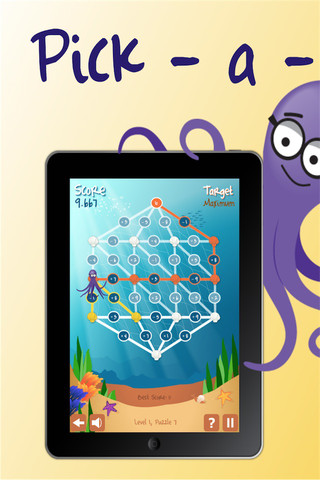
Pick a PathPick-a-Path is another FREE math game from the National Council of Teachers of Mathematics. Kids help Okta the octopus reach a target number by choosing the best path from the top maze to the bottom of a maze. There are 7 different levels with 7 puzzles in each level. The puzzles start with basic operations then move to fractions, negative numbers, decimals, and other more difficult skills. Kids have to plan out a strategy to reach the target which can be a specific value, a minimum value, or a maximum value. This app provides a lot of good skills practice. And… as an extra added bonus, kids have to think of a strategy!

Pick-a-Path - National Council of Teachers of Mathematics

Math concentration

Math Concentration was developed by the National Council of Teachers of Mathematics for students from preschool through fifth grade. It’s a classic matching game that can be played by one or two players. There are six levels of play – numbers 1- 6, numbers 1 – 10, shapes, multiplication, fractions, and percentages & fractions. In all levels, numbers are represented in different ways – written names, digits, pictures, etc. The game also has two modes – a transparent board (for younger students) or a fully covered board. The game is simple to play and kids earn socks for completing all of the matches on the board. 🙂

Download link: https://itunes.apple.com/us/app/math-concentration/id458437534?mt=8&uo=4

0

Popboardz

Popboardz

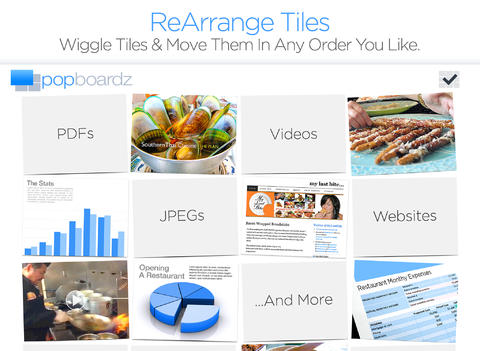
FREE again for a limited time – Popboardz, a productivity tool that normally sells for $4.99.  Popboardz makes it easy to organize, store, and present information. Each board is a grid with 16 spaces for content so that all of your PDFs, images, videos, websites, can be arranged on one screen. Unlike other presentation tools, Popboardz makes it easy to customize your presentation to meet the needs of your group. Just click on the grid space that contains the example, information, or link that you would like present next! It’s easy to skip around. This app would be fabulous to use in the classroom. A teacher could organize all his/her digital resources for a unit on one board. That board can be saved so it is always ready to present! It is also easy to edit and/or rearrange boards so that lessons can be tweaked as new resources become available. Students could also use Popboardz – to organize information, to present projects, to give reports, and more. What a great educational app!

Download link: https://itunes.apple.com/us/app/popboardz/id563989511?mt=8&uo=4

0

Super Readers – A Dolch Sight Words Based Story Book App That Will Help Turn Your Child Into a Super Reader!

super readers

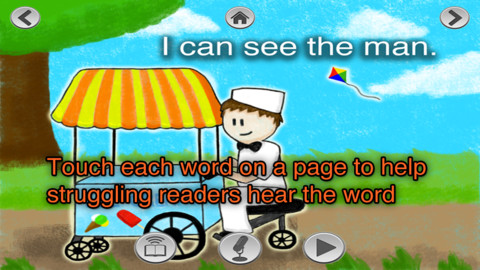
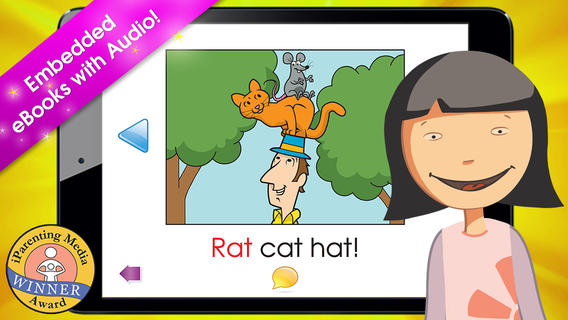
FREE again for a limited time – Super Readers, an animated storybook app for early readers! This educational app uses the Dolch sight words in 10 vocabulary controlled stories at 5 different reading levels: kindergarten, beginning first, middle first, end of first, and beginning second. Kids can choose to have the stories read to them with automatic text highlighting or they can touch individual words to have them read. Another great feature  – kids can record themselves reading the book and then play it back. What a wonderful confidence builder for little ones trying to build their fluency!!

Common Core Standards met:

K.RF.3 – Know and apply grade-level phonics and word analysis skills in decoding words. c. Read common high-frequency words by sight (e.g., the, of, to, you, she, my, is, are, do, does).

Super Readers - A Dolch Sight Words Based Story Book App That Will Help Turn Your Child Into a Super Reader! - Jorge Sanchez

0

Math Evolve

Math Evolve

FREE for  limited time – the full version of Math Evolve, an app that combines math practice (addition, subtraction, multiplication, division) with an arcade-style game that kids will enjoy playing. Math Evolve has 12 levels, 19 different enemies, and 6 challenging bosses that can be played on 3 difficulty settings. The app has 2 modes: practice mode and story mode. In practice mode, a parent or teacher can choose which math facts to practice and monitor a child’s progress. In the story mode, kids embark on math adventure across three environments: microscopic, ocean, and space. The difficulty of the math and the difficulty of the game can be set independently which makes the game fun for all ages. The app supports up to 5 players. Statistics are kept in the player history section so parent/teachers can evaluate how kids are progressing. This app would be great for independent practice in a classroom. It has customizable practice built into a fun game AND it collects statistical data – awesome!

For more information go to http://mathevolve.com.

Common Core Standards met:

  • 1.OA.6 – Add and subtract within 20, demonstrating fluency for addition and subtraction within 10.
  • 2.OA.2 – Fluently add and subtract within 20 using mental strategies. By end of Grade 2, know from memory all sums of two one-digit numbers.
  • 3.OA.7 – Fluently multiply and divide within 100, using strategies such as the relationship between multiplication and division or properties of operations. By the end of Grade 3, know from memory all products of two one-digit numbers.

Math Evolve: A Fun Math Game - Zephyr Games

1

MyScript Calculator

myscript

Named by Apple as 1 of  10 Apps That WOW and FREE  – MyScript Calculator is an amazing app. It performs mathematical operations literally by hand! You write the problem … it solves the problem! The app is very simple to use. Just write the mathematical equation on the screen. MyScript technology converts the symbols and numbers to digital text and delivers the answers. It supports the following operations: basic operations (+, -, x, ÷, +/‒, 1/x), additional operations ( %, √, x!, |x|), powers/exponentials (ℯx, xy , x2), trigonometry, and more. Winner of the Mobile App Showdown at CES 2013, MyScript Calculator has been redesigned to work with iOS7. The update also allows automatic calculation to be disabled and replaced by a “calculate” button. Love this app – numbers have to be written somewhat legibly for it to work. 🙂

MyScript Calculator - Vision Objects

1

10 FREE Science Apps for Kids

sunFREE science app – DIY Sun Science teaches kids about the science of the sun. Funded by the NASA and developed by Berkeley’s Lawrence Science Hall, this educational app is the second in a series of FREE science apps. It includes 12+ hands-on activities, live images of the sun from NASA’s satellite, videos of the sun, and more. Each activity starts with a summary which gives an overview of the activity, the time it will take to complete (prep – clean-up), and the suggested age group. Next, there is a materials list. All items are inexpensive and widely available. Then there is a series of step-by-step directions – with pictures. Finally, there is an explanation of “what’s going on” in the activity. Related videos are at the bottom of the page so that your child can learn more. This app is very well-organized, easy to use, and provides a wonderful introduction to sun science. The best part about the app is that it gives kids and adults the opportunity to learn something new together which is fabulous!

Download link: https://itunes.apple.com/us/app/diy-sun-science/id836712493?mt=8&uo=4

DIY Nano

Recently updated to include 3 new hands-on activities and 8 new nanotechnology videos is another FREE science app – DIY Nano.  This educational app teaches kids (and their adults) about the nanoscale. Funded by the National Science Foundation and developed by Berkeley’s Lawrence Science Hall, this educational app provides a series of activities and videos about nanoscale science, engineering, and technology. There are 12 hands-on activities in this app. Each one starts with a summary which gives an overview of the activity, the time it will take to complete (prep – clean-up), and the suggested age group. Next, there is a materials list. All items are inexpensive and widely available. Then there is a series of step-by-step directions – with pictures. Finally, there is an explanation of “what’s going on” in the activity. Related videos are at the bottom of the page so that your child can learn more. This app is very well-organized, easy to use, and provides a wonderful introduction to the world of nanoscale science. The best part about the app is that it gives kids and adults the opportunity to learn something new together. How exciting is that?!?

DIY Nano HD - The Lawrence Hall of Science

Science 360FREE from the National Science Foundation comes Science 360 for iPad – scientific images and videos from around the world. This educational app covers a range of topics and breaking news from NSF-funded institutions. New content is added weekly. Users can browse the app’s unique 360 display board to learn about something new or they can find specific content by searching keywords. It’s easy to save images and videos for later use right within the app – perfect for teachers who are gathering resources for a unit. The quality of the images is spectacular and they are available in HD for download to your iPad. Keep abreast of the latest scientific discoveries with this app – a great resource!!

Download link: https://itunes.apple.com/us/app/science360-for-ipad/id439928181?mt=8&uo=4

Bill Nye The Science GuyGreat FREE educational app – Bill Nye The Science Guy. 2013 was Bill Nye’s 20th Anniversary and Disney celebrated with the release of this educational app. Kids scan their thumbs to gain entrance to Nye Labs – a scientifically fascinating place. There they can play games, watch clips from their favorite shows, try some experiments, and more. When I was still teaching, I frequently used Bill Nye’s materials. My students loved his energetic, fun videos and often begged to watch them again! It’s no wonder he is the winner of 38 Emmys. This app takes kids to a place where science rules!!

Download link: https://itunes.apple.com/us/app/bill-nye-the-science-guy/id652548755?mt=8&uo=4

Color UncoveredTwo FABULOUS & FREE educational apps from the Exploratorium!! Both interactive books contain illusions, articles, and videos. These apps make science fun by answering questions like – What color is a whisper? Are there secret messages in music played backward? Kids will love the illusions and you won’t believe these apps are FREE! Very interesting – for kids AND their parents/teachers.

Color Uncovered: https://itunes.apple.com/us/app/color-uncovered/id470299591?mt=8&uo=4

Sound Uncovered: https://itunes.apple.com/us/app/sound-uncovered/id598835017?mt=8&uo=4

brain popBrainPOP has been around for more than a decade as an educational website. The site features short animated movies – 750+ lessons covering science, social studies, math, art & music, etc. The content is geared for grades 4 and above but I found that many movies were also suitable for third graders. When I was in the classroom, it was one of my favorite online resources.

Now you can download the BrainPOP Featured Movie, the educational app for FREE! Your child can learn something new every day. After watching the daily movie there is a short interactive quiz. And… if your child can’t get enough of this app, there are two subscription options: $1.99 per month/ 4 movies & quizzes a day OR $6.99 per month/full access.

Teachers could add the BrainPOP movie of the day to their daily routine. Watch it at a transition time – right before lunch, after lunch, while waiting for buses to called, etc. Interesting and educational!!

Download link: https://itunes.apple.com/us/app/brainpop-featured-movie/id364894352?mt=8&uo=4

brain pop jr

Also available for FREE is BrainPOP Jr. Movie of the Week, another educational app. Every week Annie and Moby (two lovable characters) help 5 to 9 year olds learn about a different subject. There is also a quiz and activities to accompany each animated movie. BrainPOP Jr. has been on the web since 2006 delivering content for younger students in science, social studies, reading, writing, math, and more.

Again, teachers could add the BrainPOP Jr. Movie of the Week to their routine. Start your Monday off with the “Movie of the Week” or use it on Friday. BrainPOP gives teachers another way spark kids interest in learning!

Download link: https://itunes.apple.com/us/app/brainpop-jr.-movie-of-the-week/id536371867?mt=8&uo=4

Zachy the RobotFREE again for limited time – Zachy the Robot: The Leaning Tower of Robocity, episode 1 of an interactive cartoon series for kids ages 3-7. The series was developed and tested in cooperation with Carnegie Mellon University Children’s School. It introduces basic STEM (science, technology, engineering, math) concepts to kids. In this first episode, kids are introduces to basic engineering concepts when Zachy and his friends, the Repairbots, are called in to fix a skyscraper that is leaning. Kids will love watching this animated adventure and helping the Repairbots solve the problem. This educational app was a winner of a Parents’ Choice Recommended Award in 2011 – a well-deserved honor! It exposes kids to STEM concepts in a fun & engaging way!

Download link: https://itunes.apple.com/us/app/zachy-robot-leaning-tower/id441107189?mt=8&uo=4

Robots for iPadWho doesn’t love robots? Robots for iPad is FREE for a limited time. This educational app was listed as “New & Noteworthy” by Apple. It was also reviewed or mentioned in the NY Times, Mashable, Wired, CNET and more! Kids (and adults) can explore real-world robots with this fun app which is chock full of interactivity, animations, photos, videos, & articles. The app introduces over 150 robots from 19 countries. Kids can swipe each robot for a 360° view then tap the robot to interact with it. There are also hundreds of videos and 500+ pictures. The app has information about all kinds of robots (drones, androids, etc.) as well as information about some famous robots – Honda’s humanoid Asimo, a NASA Mars rover, and Google’s self-driving car. VERY cool and very informative!

Teachers, there are lots of possibilities for using this app in your classroom. After exploring, use it for writing activities – descriptive paragraphs, write about a robot you would invent, pick a robot and write a story, etc. The app’s ratings section could be used for graphing activities. There is also a great timeline included as well as a section on how to get started in robotics. I can see how kids will love this app. 🙂

Download link: https://itunes.apple.com/us/app/robots-for-ipad/id566581906?mt=8&uo=4


0

Hooked on Phonics Learn to Read Classroom Edition

phonics

On sale for only $.99 – Hooked on Phonics Learn to Read Classroom Edition. This app is normally $49.99. The classroom edition comes with 12 units and 36 e-books. The 36 e-books have controlled vocabulary – 100% decodable for students who have completed the lessons. Each lesson has music videos that teach the phonemes for that lesson. They feature catchy tunes that teach each letter’s sound & examples of words starting with the letter – great for beginning readers. Kids then practice blending & building words. Finally they read 3 stories featuring the words they just practiced. Students earn trophies and points as they move through the lessons. Check out this app for beginning and/or struggling readers while it’s on sale!

Download link: https://itunes.apple.com/us/app/hooked-on-phonics-learn-to/id806401149?mt=8&uo=4

0

Hanx Writer

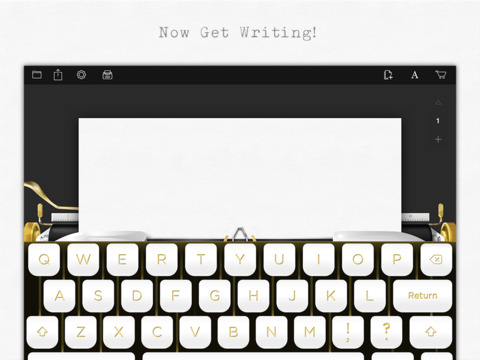
hanxLooking for a fun way to get your students to write? Try Hanx Writer, a FREE app created by Tom Hanks. Hanx Writer recreates the experience of typing on a manual typewriter – without the hassle! Students can enjoy the look, feel, and sound of a good old-fashioned typewriter coupled with the ease and speed of an iPad. Created documents can be messaged, emailed or printed. This app would also be great for teaching students how to keyboard. With in-app purchases, you can add ribbon colors, background colors, and more. Check out the FREE version. If you grew up using a typewriter, you’ll feel quite nostalgic as you “type” your documents. 🙂

Download link: https://itunes.apple.com/us/app/hanx-writer/id868326899?mt=8&uo=4

0

Mr. Sandman

mr sandmanFREE for a limited time – Mr. Sandman is a beautiful, interactive bedtime story for the iPad/iPhone. The story does a nice job of addressing a common fear of childhood. It is about a young boy who is afraid of the dark. The sandman appears and the boy drifts off to sleep. In his dream, he meets an owl who shows him wonderful & magical things about the dark. The app features incredibly beautiful artwork and dreamy music – perfect to set the mood for the story. But the most wonderful thing about this app is the way that it transitions from page to page. Kids move the story forward in a variety of unique ways. They help the sandman sprinkle the sand, say “Shhh” to calm the frogs, scratch the owl’s belly, touch the moon, and more. Each page transitions to the next page in a uniquely delightful way. And, the app can be switched different languages – nine in all. Mr. Sandman is wonderful – don’t miss it! 🙂

Download link: https://itunes.apple.com/us/app/mr.-sandman/id511273529?mt=8&uo=4