0

Summertime Apps

Apps for fun in the sun – some FREE, some were free but are now regular price. Follow my blog and find out when great apps are offered for FREE. 🙂
sand drawing

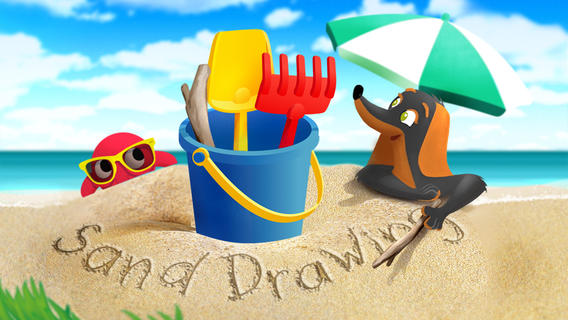
Sand Drawing by Timbuktu is currently $2.99. It was FREE when I downloaded it. Kids can relax on the virtual beach by drawing in the sand. The app comes with 3 drawing tools and 12 decorations that kids can choose to use. Decorations can easily be mixed, rotated, and resized. Waves clear the beach so to make way for new creations. Simple to use and fun!

I wish the app had a save feature built-in – perhaps that will be an option in an updated version. The good news is that you can save your child’s sand drawing by taking a screen shot of your iPad. Here’s how: 1. Have your child’s creation open. 2. Find your Sleep/Wake button (top right of the iPad). 3. Find your home button (centered on the bottom your iPad’s screen). 4. Hold down both buttons together – it only takes a second. 5. Release them and you should hear a camera shutter sound and see a white screen. 6. Check your Camera Roll – the image should be there!

Now the fun begins… use your creations to as illustrations in story apps, as backgrounds for photo albums of your vacation, as postcards to grandma & grandpa, etc. Get creative!!

Sand Drawing - by Timbuktu - Timbuktu Labs, Inc.

Ice Cream Truck Game

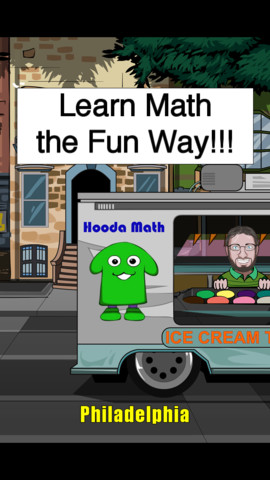
A cute educational app that was FREE but is currently $1.99 – Ice Cream Truck Game. Kids utilize their math skills while operating an ice cream truck in this game. They begin by purchasing the right amount of ingredients (cones, ice cream, and toppings) for each day. All ingredients are sold in metric measurement – liters or grams. Then, kids choose a cone size  and set a price for the treats. Sales are affected by price and by the popularity of the treats. At the end of each day, the child sees a graph of liquid assets and a graph of customer satisfaction. They can assess what is working or not working and make the necessary adjustments for the next day. Kids have 10 days in each city. The goal is to make enough money to move to the next city (level). The levels get progressively more difficult. Lots of math skills are woven into this game – money, measurement, estimating, reading a graph, etc. I could see third, fourth, & fifth graders having fun with this one!

Ice Cream Truck Game - Hooda Math

PH Summer Reading

PH Summer Reading from One More Story is currently FREE. One More Story is an online library high quality children’s picture books that are professionally narrated and with music/sound effects. Benjamin D. Bookworm is the host for the stories – kids can listen and follow the highlighted text or read the book themselves. Right now, the app is FREE. You will need internet access to use it because it streams large multimedia files. This educational app currently has one book  – How I Became a Pirate by Melinda Long and illustrated by David Shannon. I love this book – it is one of my favorites! It is about a young boy named Jeremy Jacob who learns the finer points of pirate life from Captain Braid Beard and his crew. Very cute story – a perfect summer read!

PH Summer Reading - One More Story, Inc

I Like Summer

Another FREEBIE – Preschool Books – I Like Summer from Grasshopper Apps. Written for preschoolers, this book is 1 of 20 books in the “I Like” series. Kids will enjoy listening to the story that highlights the joys of summer. They will also love looking at story’s photos. The best part of this educational app is that it can be customized. You can record the existing story in your child’s voice (or your voice). Or… you can completely change the text and record the new story in your child’s voice/your voice. How fun  – have your child make up a story to go with the pictures!

Preschool Books - I Like Summer - GrasshopperApps.com

Mount Rushmore 2 FREE interactive books about U.S.Landmarks – ABC Mouse Search & Explore: Mount Rushmore & ABC Mouse Search & Explore: The Grand Canyon. Both books can be read in 3 modes – read to me, read with pause, or read myself. Geared towards young children, these books present fun facts about their respective locations. If you are planning a trip to either place this summer, you may want to take a look at these apps.

Mount Rushmore link: https://itunes.apple.com/us/app/abcmouse.com-mt.-rushmore/id605640045?mt=8&uo=4

Grand Canyon link: https://itunes.apple.com/us/app/abcmouse.com-grand-canyon/id409716293?mt=8&uo=4

Stella adn Sam Storypack

4 out of 5 of these stories are about summer!

Now only $3.99 – Stella and Sam Story Pack, a wonderful educational app that was selling for $6.99. The story pack contains 5 Stella and Sam apps (Into the Snow We Go, Rainy Days and Rainbows, Backyard at Twilight, Go There Square, and Cocoons & Caterpillars). They are also sold individually for $1.99 each. Stella and Sam apps are based on the television show and book series by Marie-Louise Gay. The Stella and Sam books have been translated into 15 languages and have sold over a million copies. All Stella and Sam apps are also supported in French.

I love how all of the stories focus on getting kids outside to enjoy the beauty of nature. They are beautifully animated, creatively presented, and such fun for preschoolers!

Into the Snow We Go: In this adventure, kids join Stella and Sam to make pictures in the snow, decorate a snowman, and discover what’s hidden under the snow.

Rainy Days and Rainbows: Once again, kids join Stella, Sam and their dog Fred. They paint with Fred, dig through leaves looking for treasures, and have a pine cone race across Puddle Lake.

Backyard at Twilight: In this adventure, kids play along with Stella, Sam, and their dog Fred as they spend the night camping out in the backyard. They look for bugs, learn about shapes from fireflies, and discover the constellations.

Go There Square: Stella and Sam find magical places with the help of their go-there-square. Kids go along to pop musical bubbles, collect dandelions and build a bridge out of flowers.

Cocoons & Caterpillars: In this adventure, kids play along with Stella, Sam, and their dog Fred to discover the joys of nature – butterflies, birds, and clouds.

Download link: https://itunes.apple.com/us/app/stella-and-sam-story-pack/id441939700?mt=8&uo=4

torii

Now $1.99 – Torii’s Summer Adventure, a cute interactive book written by an elementary school teacher. Torii is a lovable & curious golden retriever who loves exploring – especially when her family takes her to the lake! Kids will enjoy reading about her adventures. They will have fun discovering the interactivity & sound effects on every page. The book has “read to me” or “read by myself” options. It also has a choice of reading levels – a very cool feature. Kids can search for Torii’s bone throughout the story and the app keeps track along the way. The app also includes additional activity/coloring pages at the end of the story. Who wouldn’t love a dog in pink sunglasses? 🙂

Download link: https://itunes.apple.com/us/app/toriis-summer-adventure-interactive/id579935507?mt=8&uo=4

0

Toddler Tap!

FREE from June 30 to July 6 – Toddler Tap!, an educational app for your youngest iPad user. The app is very simple to use. Kids tap an object and the object is named. There are 8 categories of words – colors, numbers, shapes, letters, vegetables, fruits, pets, vehicles, instruments, and home. The app is visually appealing – uncluttered pages of simple and colorful drawings. The voice can be turned on/off and the language can be switched from English to Spanish. There is also the option to print the pictures. Parents/teachers can create magnets or stickers for sorting and classifying activities. Check it out while it is FREE. 🙂

Download link: https://itunes.apple.com/us/app/toddler-tap!/id579523195?mt=8&uo=4

0

Musical Paint

Musical Paint

FREE for a limited time – Musical Paint a creative, multi-sensory app for the iPhone/iPad. Kids are welcomed into an art museum by a friendly blue walrus with a French accent. There is also an ensemble of  lively musicians (underwater animals) at the museum. Kids are invited to paint a picture on a canvas. Each color is a musical tone so when the kids paint, they are painting music! If the child chooses to save his/her painting, it is hung in the museum – a very cute feature. They even get to sign their work. Kids can also share their paintings via email. What fun it would be for kids to send Grandma a picture of their masterpiece that is in a museum!! The app also has a lesson plan section for teachers & parents. Nicely done app for younger kids!!

Musical Paint - Building Blocks Media LLC

0

Water Cycle HD

water cycle

FREE today only – Water Cycle HD, the 2014 winner of American Association of School Librarians Best Apps for Teaching & Learning in the STEM Category. If your child ever wonders about clouds, this is the educational app for him/her! It explores the 4 main stages of the water cycle through readings, photos, and videos. The videos are excellent. They were chosen from a variety of well-respected sources – Disney(Bill Nye), NASA, Carnegie Institution, and more. There is also a “Did You Know?” section which is full of fun facts such as… The heaviest hailstones weigh about 1.1 pounds. And, fog is a type of stratus cloud. The app can be used with different levels of kids. Older students can read & explore on their own. Younger students can turn on text narration with the “Read to Me” button. There is also a game for kids to play that tests their knowledge of the water cycle. This app is nicely done – great to add to your science collection!

Download link: https://itunes.apple.com/us/app/water-cycle-hd/id574353460?mt=8&uo=4

0

My Incredible Body – A Kid’s App to Learn about the Human Body

my incredible body

FREE again for a limited time – My Incredible Body – A Kid’s App to Learn about the Human Body. This educational app takes kids inside the body to see how everything works. Kids start by choosing an area to explore – brain & nerves, digestion, lungs & air, skeleton, kidneys & urine, senses, muscles, or circulation. Each of the 8 content areas provides information in a variety of engaging ways. Kids can watch short movies & animations that explain the different functions of the body. 3D models can be rotated or zoomed to allow kids to see inside the body and discover how body parts work together. Kids will spend hours reading and listening to all sorts of fun facts about their bodies. For example: extraocular muscles control eye movements and are the busiest muscles in the body. This app is fabulous – it’s easy to use, visually appealing, engaging, and full of information. Kids will LOVE it!

Download link: https://itunes.apple.com/us/app/my-incredible-body-kids-app/id853953105?mt=8&uo=4

0

Solar Walk – 3D Solar System Model

6 million users can’t be wrong!

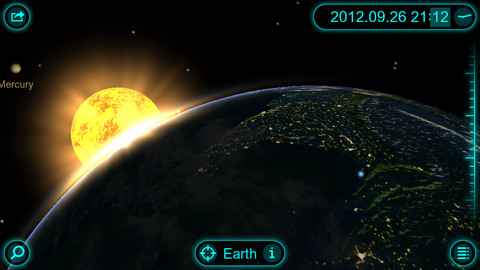
FREE again, today only – Solar Walk – 3D Solar System Model for the iPhone/iPad. This educational app has you zooming through space to learn about our solar system and the Milky Way galaxy. Winner of a Parent’s Choice Gold Award and chosen by Apple as one of the Best Apps for 3 years in a row, this 3D model of the solar system will fascinate kids of all ages. This app features information about each of our planets (general information, figures, internal structure, & science missions), the planets’ moons (general information & figures), comets, dwarf planets and asteroids. Information and pictures of 8 satellites (such the Hubble Telescope and the ISS) are also included. 8 movies to explain some of Earth’s phenomena are included: Size Comparison, Earth’s Cycles, Solar Eclipse, Moon Phases, Tidal Phenomena, Major Circles of Latitude, Constellations, and Cassini-Huygens. The app permits you to zoom in for a close up view of each planet, moon, etc. or zoom out to get a view of our entire galaxy. If it’s in our solar system, you are going to be able to view it and learn about it with this app! Beautifully done. 🙂

Solar Walk - 3D Solar System model - Vito Technology Inc.

0

MeeGenius

meegeniusThis summer MeeGenius is partnering with the PBS KIDS Summer Learning Project to offer free weekly e-books all summer long (from 5/25 to 8/24)! Kids can join the weekly book challenge on the website: http://www.meegenius.com/pbslearning. Then they click on the book of the week and start reading/listening. Your child can check off his/her completed books on the free progress report and at the end of the summer, a certificate can be printed out to celebrate your child’s achievement. Check it out!!

Also… If you have the latest version of the FREE MeeGenius app, you can access a free book of the day – every day this summer! With the app you can also join the MeeGenius Reading Club which gives you access an 700+ title library of new and classic audio e-books for children. The full reading club subscription is $4.99/month but you can try it FREE for 30 days. After you download it, you register with your email address. Books can be read to you or read on your own. Words are highlighted as the narrator reads them in the read-along version. The books are nicely done – colorful, cutely illustrated, and age-appropriate.

Check out these two great opportunities to access FREE e-books and encourage daily reading. 🙂

MeeGenius! Kids' Books - MeeGenius!

1

Spelling Star

spelling star

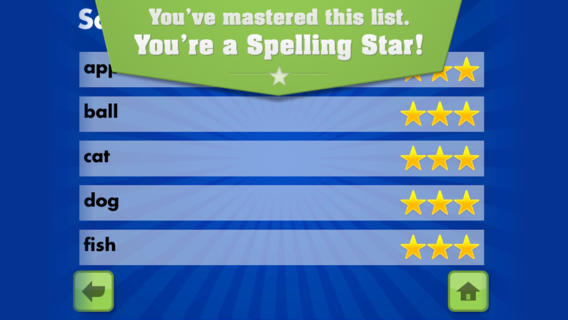
FREE for  limited time – Spelling Star, an educational app for practicing spelling lists. The app is simple to use – just type in and record the words. You may also include sentences to clarify the words’ meanings. Kids must spell each word correctly three times to become a Spelling Star.  Words are presented in random order. As kids practice, they can get a hint – a quick look at the word spelled correctly. When they spell a word without a hint, they earn a star. Spelling Star provides feedback after each word is spelled with the option to “try again” when an error is made. This educational app is great for home and/or school. Parents can use it to input spelling lists for multiple kids. Kids may enjoy inputting their own lists at the beginning of the week which would be GREAT practice! Teachers can create lists on one device and share those lists with anyone who has the Spelling Star app. Simple to use, effective, and tracks progress – what more do you need? 🙂

Download link: https://itunes.apple.com/us/app/spelling-star/id557070660?mt=8&uo=4

0

Shadow Puppet Edu and Shadow Puppet

show puppet edu

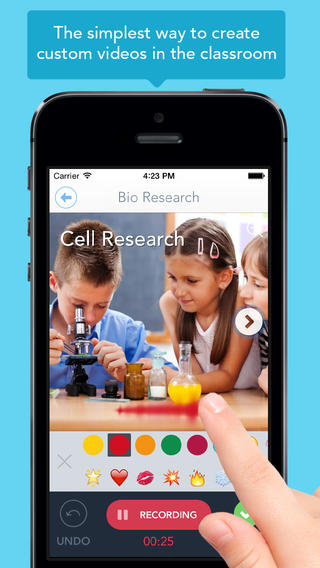
Just released yesterday – Shadow Puppet Edu, a FREE educational version of Shadow Puppet. Even kindergarten/first graders can create videos with this app which is very intuitive and easy to use. This educational version has a built-in, safe search that allows kids to search the Library of Congress, NASA Flickr Creative Commons, Yahoo Images, and Animated GIFs for images to add to their projects. And… it automatically adds the image credits to the end of the video. How cool as that? Kids can also add any photos that have been saved to their camera rolls. The possibilities for using this app are absolutely endless. Students can use it to create videos to: tell digital stories, explain concepts, present a project, describe an experience, show what they know, and more!! Teachers can create mini-lessons, share examples, enhance their lessons with imagery, etc. What a fabulous classroom tool!

Download link: https://itunes.apple.com/us/app/shadow-puppet-edu/id888504640?mt=8&uo=4

Shadow Puppet

Recently updated and still FREE – Shadow Puppet, a photography app which has been featured by Apple as one of the “Best New Apps” for over 6 months! Using this app, it’s easy to create “puppets” – recorded explanations of your photos. First you choose your photos and put them in the order. Then you talk about your pictures. Everything is recorded. Finished “puppets” can be shared via email, SMS, Facebook and/or Twitter. There are so many ways for everyone to use Shadow Puppet: to teach something new, to share adventures with friends, to record children talking about their experiences, to tell the story behind old family photos, etc.

The update has many new features. Now you can include video clips, add music, search the web for images, overlay text/stickers, and more! The FREE version of the app permits you to include up to 10 photos/video clips. For $1.99 you can get Puppet Essentials which allows you to add up to 100 items to each video and have access to more drawing & decorating tools. The update made this great app even better!

The classroom uses for this app are only limited by your imagination: Take pictures of a child’s work and have him/her explain it to parents. Send pictures and voice recordings of the class field trip. Have kids give a step-by-step explanation of what happened in a science experiment. Draw & sequence pictures to retell a story. Make a “talking timeline” by sequencing photos of historical events. Have kids use it to present mini reports on any subject. Have virtual “pet day” – kids bring in pictures/recordings of their pets. Because you can use anything saved to your photo library, you can explain photos from the web, artwork created in other apps, and so much more. The possibilities for using this educational app are endless. For more suggestions go to http://get-puppet.com/education. What a fabulous resource!!

Download link: https://itunes.apple.com/us/app/shadow-puppet/id700902833?mt=8&uo=4

0

3rd Grade Vocabulary Prep

vocab

FREE for a limited time – 3rd Grade Vocabulary Prep, an educational app designed to improve children’s vocabulary. Here’s how it works… Before entering students’ names, teachers are asked to enter an administrative password. The administrative feature permits teachers to review their students’ scores and track individual student improvement. The app also generates a “most difficult words for this student” list so teachers can see where individuals are having difficulty. Once the student names have been entered, kids can begin to study. There are 10 words to study at each level. Kids click on each word to hear its pronunciation, meaning, and a sample sentence. I love that the words are used in context! They can go through the lesson as often as needed to learn the words. There are 2 quizzes to take to make sure that students are making progress. If a student misses a word on one of the practice quizzes, the word goes back in the deck for further review. A test must be passed (90%) in order to move to the next level. Teachers can send emails to parents that provide specific test results or that recap the child’s progress to date. Check it out while it is free. 🙂

Download link: https://itunes.apple.com/us/app/3rd-grade-vocabulary-prep/id416481779?mt=8&uo=4