PBS KIDS Video is a FREE app for the iPhone/iPad allows kids to watch video clips/some full episodes of their favorite PBS Kids television series from anywhere in the U.S. that has a 3G or Wifi connection. The app features more than 1,000 videos from over a dozen of the top PBS KIDS series – Fetch, Thomas & Friends, Sid the Science Guy, Word World, and more! Every week there is a “Weekly Pick” – a set of fun educational videos based around that theme. For example, this week’s theme is “Do It Yourself Projects” from Design Squad. In the Parent Information section, parents can learn about the TV series – the intended ages & learning goals. What’s not to love? PBS KIDS Video provides quality programming in a safe, child-friendly environment.
Tag Archives: educational apps for kids
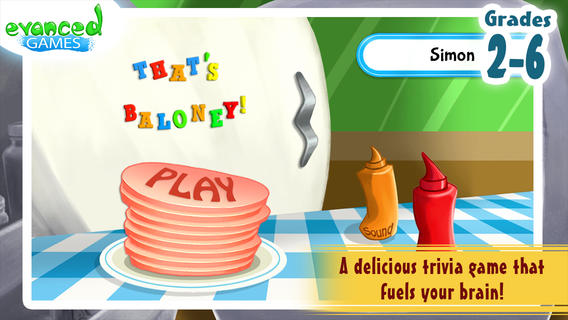
That’s Baloney! Kids Quiz Game
FREE for a limited time – That’s Baloney! Kids Quiz Game, an app based on the best-selling card game by Edupress™. This educational app features almost 2,500 quiz statements for grades 2 – 6. Kids show off their trivia skills by determining whether the statements are true or baloney. The game can be set to 5 different categories: language arts, math, science, social studies, or mystery meat. Each snack round features 10 questions. Sandwich rounds can be set for 20 or 40 questions. Some examples of the facts/trivia included are: 8 is an ordinal number; An average American has about 20 square feet of skin, weighing about 8 pounds; The zip code 55555 belongs to Young America, Minnesota. Kids must answer carefully because the game is over if they lose 4 or 5 pickles along the way. This app is cutely deigned and appealing to kids – a fun educational app!
Teachers, this app would be a great time-filler for your classroom – perfect for the end of the day, right before lunch, while your waiting to be called to an assembly, etc.
Download link: https://itunes.apple.com/us/app/thats-baloney!-kids-quiz-game/id674156832?mt=8&uo=4
ClassDojo
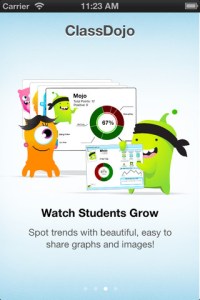
ClassDojo is a FREE & fabulous tool that helps improve classroom behaviors. Rewarding good behavior in real-time is easy – all it takes is a click. To use ClassDojo, you only need one device (computer, smartphone, a laptop, or a tablet) and an internet connection. It is very easy to set up. Each student on your class list is assigned a cute, monster-like avatar. Kids earn points for positive behaviors and lose points for negative behaviors. ClassDojo is also fully customizable so you can delete behaviors from the original list and/or add your own behaviors. As you use it, it automatically logs any data that you input. This data can be used to generate behavior reports to share with parents and administrators. How awesome is that? You can go into a meeting/conference with reports in hand! And now, parents can check online to see what kind of day their child is having.
If I were still in the classroom, I would enter my class list twice – once for data on work/study habits and the other for data on behaviors. I would make my habits/behaviors match exactly what was on my report cards. Then as I used the app, I would also be gathering data for my report cards. At the end of the grading period, I would just print out the date and enter it on the report cards – how easy! I would also have the data (in a printed report) to be able to back up any grade on the card. “As you can see Mrs. Doe, Jane only turned in her homework 56% of the time.” Instant data would also be available for the RTI process, IEPs or any other team meeting on a child. What a powerful tool for teachers! An educational app that has the ability to positively impact the learning environment – LOVE it!!
Check out the website for more information: www.classdojo.com
Highly recommended !!

Teacher Clicker – Socrative / Student Clicker – Socrative
Still FREE and now even better – Socrative, an app that turns any device with a web browser into a student response clicker.
Socrative has added two additional quiz features: # 1 – Teachers can now add images to their questions. #2 – The system can now grade short answer questions. Teachers just input the acceptable answers and the system does the rest. 🙂
This website and app are unbelievably cool – they turn any device with a web browser (iPhone, iPad, laptops) into a student response clicker. If a teacher has access to any kind of wireless lab, he/she can engage the entire class in a game or quiz and watch the results in real-time. Teachers begin by using their teacher app or logging into t.socrative.com with their email and password. Once logged in, teachers are assigned a room number to share with their students. Students log in using their student app or at m.socrative.com and enter the “virtual room number” provided by the teacher. Teachers initiate an activity and students respond on their devices. Multiple choice and short answer quizzes are easy to create – types of questions can be mixed. Teachers can also choose to run the quiz as a Space Race game. The students’ responses are visible to the teacher in real-time. Teachers can see what each child answered individually as well as what the group answered collectively. And the best part is… the app grades, graphs the results, and generates a report as an Excel spreadsheet or an email.
What a powerful tool for teachers – a short quiz at the end of a lesson can pinpoint what students understand and what needs to be reviewed. Hours of grading and analyzing test results are done immediately. Every student is involved – wow!
Highly recommended!
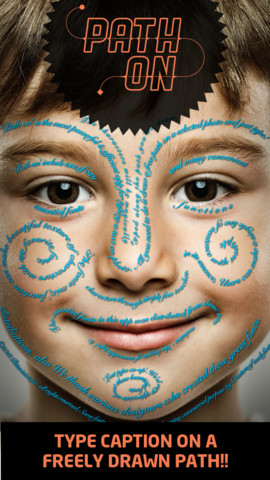
Path On – Swipe to Type
FREE today – Path On, a must-have app with many creative uses!! What does Path On do? It permits you to put text in a path across photos from your albums or taken with your device’s camera. It’s extremely simple to use. Text can be typed in a free path, square, circle, paragraph or spiral. You can also change font styles, colors, and effects. Path On is classified as a photo & video app but there are so many possibilities for using this app in education. Kids could type descriptions of themselves on their pictures, write poetry to go with an image, take photos then point out geometric shapes found in their environment, write a thank you note on a picture of them with the gift, create a timeline by using a series of pictures, create a travel log of the family vacation, and on and on and on. Creations can be saved and shared via Facebook, Instagram, Flickr, Twitter & email. WOW – what a fabulous tool!!
La Luna: The Story Project

FREE for a limited time – La Luna, an educational app based on Pixar’s Oscar-nominated short film. This app was selected as “Innovative Kids App” in the U.S. for the App Store’s Best of 2013! It includes the full theatrical release of the short film.
La Luna is a beautifully told fable of a young boy coming to age. It features the original artwork of Enrico Casarosa, the film’s director. The app includes 3 ways to enjoy the interactive story – as a short film, an interactive video, or a storybook. Also included is a fascinating “Behind the Scenes” section which explores the process of creation from storyboard to screen. Kids will learn about storyboards, turntables, sound design, visual design, and progression reel. They will love getting a glimpse of the process that Pixar uses to create its movies. And, the story is absolutely magical!
Highly recommended – do not miss this extraordinary app!!
Hopscotch HD
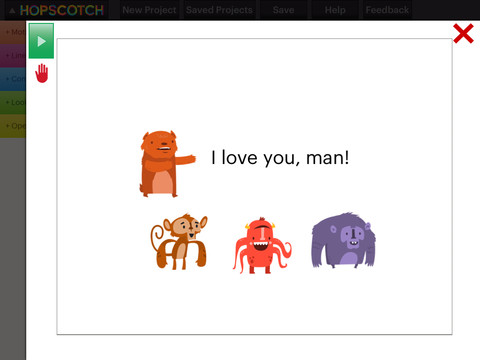
FREE for a limited time – Hopscotch HD, an educational app that teaches kids how to program their own games and animations! Introduce kids to computer science with this app. 🙂 Kids drag and drop “method blocks” into scripts. When they are done, they can press play to see their code in action! Why teach kids coding? According to the developer – there will be about 1.4 million computer jobs by 2020 and only 400,000 computer science students. Many coders first fell in love with coding when they were 8-12 year old children. Hopscotch is based on a visual programming language named Scratch which was developed by MIT. It promotes STEM education (science, technology, engineering and math) in a fun way – by making coding kid-friendly! LOVE it!!
Moose and Zebra. Africa – Magazine for Kids

FREE – the first issue of a new interactive magazine for young children, Moose and Zebra Africa. Kids join Moose and Zebra on a trip to Zebra’s homeland to learn facts about the region. This educational app includes 14 activities that reinforce skills such as counting, spotting differences, completing a pattern, sequencing, and more. There is also a hint mode for kids who need extra help. As kids complete each activity they are rewarded with a stamp. Cute characters and great pencil-drawn illustrations add to the appeal of the app. If your kids fall in love with Moose and Zebra, Moose and Zebra Sweden (issue 2) is available for $.99.
Download link: https://itunes.apple.com/us/app/moose-zebra.-africa-magazine/id709195913?mt=8&uo=4
Math Splat
FREE again for a limited time – Math Splat, a really fun mental math game. Kids are challenged to answer 21 math questions as fast as they can. A colorful paint splat covers each correct answer. Each game is timed and limited to 3 incorrect answers. Each incorrect answer adds a 3 second penalty to the final time. Kids will love trying to beat their best time! The student can choose between easy, medium, and hard questions which makes this game great for differentiating instruction. Have kids graph their scores so that they can see themselves improve and in the process they will also learn to collect data. This educational app is perfect for getting kids to practice their facts in a fun way!
Common Core Standards met:
- 1.OA.6 – Add and subtract within 20, demonstrating fluency for addition and subtraction within 10.
- 2.OA.2 – Fluently add and subtract within 20 using mental strategies. By end of Grade 2, know from memory all sums of two one-digit numbers.
- 3.OA.7 – Fluently multiply and divide within 100, using strategies such as the relationship between multiplication and division or properties of operations. By the end of Grade 3, know from memory all products of two one-digit numbers.
Download link: https://itunes.apple.com/us/app/math-splat/id495477324?mt=8&uo=4
Smart White Board HD
FREE – Smart White Board HD, an educational app that is super simple to use! One finger writes, 2 fingers erase, 3 fingers clears all. Press the save button or shake your device to save an image. Writing can be done in black, blue, or red with 3 Width choices. The app also includes a simple voice recorder. Just press record, talk, stop & name your file, and it is saved to a list. You can then email your recording if you wish to share it. Teachers can get rid of their classroom whiteboards, markers, and erasers! Have kids show their work, explain their thoughts, etc. with this simple educational app!