0

3 FREE Virtual Math Manipulatives

Geoboard by The Math Learning Center (a nonprofit organization dedicated to K – 12 education) is a FREE app that turns your iPhone/iPad into a virtual geoboard. Geoboards can be used as tools to teach mathematical concepts such as polygons, perimeter, area, line segments, angles, congruent shapes, symmetry, fractions, etc. Shapes are created by stretching bands on the geoboard’s pegs. There are 5 colors of bands in the iPhone version and 8 in the iPad version. There is also a tool to fill in shapes. On the iPad version, you can switch from the standard 25 peg board to a 150 peg board to create more complex shapes. This is a great app with the potential to be used in so many ways.

Highly recommended for your virtual math tool kit!

Geoboard, by The Math Learning Center - Clarity Innovations

FREE for the iPad, Virtual Manipulatives contains math manipulatives for teaching fractions, decimals, and percents. Included are tiles/circles divided into halves, thirds, fourth, fifths, sixths, eighths, tenths, and 12ths AND their corresponding decimals and percentages! The manipulatives are color coded across the settings so that 1/2 is blue as is .50 and 50%. Kids drag tile pieces onto the work area to compare fractions/decimals/percentages. In the settings you can change from tiles to circles, make the pieces transparent, and hide the numbers on the pieces. Completed work can be easily saved to photos. Finding equivalent fractions has never been so slick – WOW!!

Common Core Standards

  • 3.NF.3 – Explain equivalence of fractions in special cases, and compare fractions by reasoning about their size. Understand two fractions as equivalent (equal) if they are the same size, or the same point on a number line.
  • 4.NF.1 – Explain why a fraction a/b is equivalent to a fraction (n × a)/(n × b) by using visual fraction models, with attention to how the number and size of the parts differ even though the two fractions themselves are the same size. Use this principle to recognize and generate equivalent fractions.

Highly Recommended!

Virtual Manipulatives! - ABCya.com

equivalent fractions

From the National Council of Teachers of Mathematics comes a FREE app called Equivalent Fractions. Kids create equivalent fractions by dividing and shading squares or circles. Circles can be divided into 24ths. Squares can be divided into 144ths. In the play mode, a fraction is shown and kids must create 2 additional fractions that are equivalent. All 3 fractions must have different denominators. The app also places the fractions on a number line – a great visual for comparing! There is also a “build your own” mode which would be fabulous to use for guided exploration & practice. Kids could also use this section as a virtual manipulative when working independently. This app is an excellent resource for the classroom !!

Common Core Standards met:

  • 3.NF.3 – Explain equivalence of fractions and compare fractions by reasoning about their size. Understand two fractions as equivalent (equal) if they are the same size, or the same point on a number line. Recognize and generate simple equivalent fractions, e.g., 1/2 = 2/4, 4/6 = 2/3). Explain why the fractions are equivalent, e.g., by using a visual fraction model.

Highly Recommended!

Equivalent Fractions - National Council of Teachers of Mathematics

0

Toca Builders

Toca Builders

FREE again for a limited time – Toca Builders, another wonderfully creative app from Toca Boca. Kids (ages 5+) create things with the help of 6 builder friends: Blox, Cooper, Vex, Stretch, Connie, and Jum-Jum. Each builder has unique skills which kids can control with simple gestures. The builders help move, stack, drop, spray, smash, paint, & lift blocks as kids create/construct new objects.The educational app also has a snapshot feature and an autosave feature to share & save the world that your child has created. If your child can imagine it, he/she can build it with the help of the Toca Builders – creative fun for your budding engineer/builder!

Download link: https://itunes.apple.com/us/app/toca-builders/id652077009?mt=8&uo=4

0

Toca Tailor Fairy Tales

image

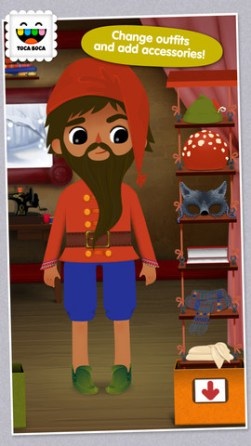
FREE again for iPhone/iPad, Toca Tailor Fairy Tales has kids designing and tailoring clothes for two fairy tale characters. With a tap, the style of clothing can be changed. The length of the sleeves, pants, etc. is easily adjusted with a swipe. Kids then choose different colors & prints of fabric or they can create their own fabric using the built-in fabric camera. They can also access and use pictures from the camera roll. There are trims to add – buttons, pockets, etc. Finally, kids choose accessories – hats, scarves, shoes, etc. Kids can take a picture of their finished creations like they can in so many apps. BUT…. in this educational app you can use your own room as a background – how unique! Kids could create their own little elf, take pictures of it all over the house, and write their own “elf-on-a-shelf” story. The possibilities for creative writing using this feature are endless – LOVE it!! Very open-ended & creative for hours of fun!

Highly recommended!!

Toca Tailor Fairy Tales - Toca Boca AB

0

Even Monsters Get Sick

This interactive story for the iPad is FREE again. Even Monsters Get Sick is a story written for kids 5+ about a boy and his pet monster. Kids can follow along or read on their own as Harry tries to discover what is wrong with his monster. The artwork is appealing and there are animations on every page. It is a nicely done story with a positive message told by Harry, the boy. Perfect 🙂

Recommended!

Even Monsters Get Sick - Busy Bee Studios

0

American History Time Line

FREE again for a limited time from McGraw Hill – American History Timeline. Kids can navigate the timeline to read about the hundreds of important people, places, and events that have shaped American history. When kids tap on a thumbnail photo, this educational app brings up a larger image and an explanation of the person, place, or event. The majority  of the drawings/photos used are from Library of Congress. There are 7 categories (such as women, inventors, constitution, etc.) that can be turned on and off so kids can see figures and/or events specific to that category. World events are also included on a parallel timeline. Two games are included: Time Line Scramble and Memory. Kids sequence events in the correct order with the Time Line Scramble Game. In the Memory Game, they match the correct date with the correct event or person.

I really like the design of the app – the ability to customize what categories you want to look at, the authenticity of the drawings/photos, the parallel world history timeline for comparison. It would be great for teaching kids read or create timelines.

American History Time Line - McGraw-Hill School Education Group

0

The Purple Frog

Purple Frog2Purple Frog

The Purple Frog is FREE again today. This educational app is a beautiful story about friendship and acceptance. No one wants to play with Purple Frog because he is purple. He is sad until a little green frog becomes his friend. Kids can choose to read the story on their own or have the story read to them. They can also tap individual words in the story to have the word read and spelled for them. The app is nicely done – a beautifully illustrated tale story with an important message!

The Purple Frog - i4software

0

Reading Rainbow

Reading Rainbow is a library of over 200 books and videos for kids ages 3 – 9. This educational app is FREE to download but requires a subscription ($9.99 per month or $29.99 for 6 months) for full access. Once you subscribe, your children (up to 5 per family) will have unlimited access to the interactive books and video trips. This app is similar to the award-winning Reading Rainbow television series that was on PBS from 1983 – 2006. It even features the same host – Grammy winner, LeVar Burton. In less than a year, over 2.5 million books/video field trips have been viewed with this app!

After installing the app, kids fill out their profile (name, age, kinds of stories they like to read) and may choose one free book from one of the 6 themed island in the sky. The books are professionally read and feature “Read to Me” or “Read on My Own” options. They are lightly animated and include interactive activities that add to the story. A sticker rewards program motivates kids to read. There is also an individualized tracking system so parents can see books selected and minutes read for each child.

I must admit, I downloaded this app because of nostalgia. My kids grew up watching Reading Rainbow and we all loved it. I am happy to say that the appeal of Reading Rainbow today is the same as it was almost 30 years ago – Reading Rainbow provides kids with quality authentic literature. If I had a child/ grandchild (ages 3-9) or if I were still in the classroom, I would subscribe without hesitation. What a fabulous resource!

Highly Recommended!

Reading Rainbow - Reading Rainbow

0

ABC Go

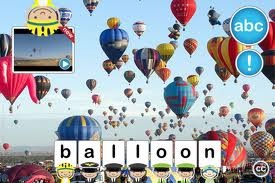
image FREE for a limited time – ABC Go for the iPhone/iPad introduces your toddler (3 – 5) to 60+ things that go through sight, sound, and touch. The app opens to a grid arranged in ABC order. Kids can tap on a letter to find objects that begin with that letter or they can tap on a specific object to learn about it. As an object’s photo appears, a child’s voice says the initial letter then reads the name of the object (which appears in writing at the bottom of the screen). A little cartoon person drops down on  the left hand side of the screen with a link to a video clip or an interactive scene. The child can scroll to the left for additional pictures and videos about each object.

This app needs an internet connection to work because the 100+ videos are actually links from You Tube. They are chosen by Peapod Labs and checked to be interesting and safe for kids. Kids cannot link from this app into other You Tube content. This app is nicely done  – great for building vocabulary and beginning to read/spell words. Recommended!

Download link: https://itunes.apple.com/us/app/abc-go/id410111251?mt=8&uo=4

0

Guess How Much I Love You – Interactive Episodes

Guess How Much I Love You

FREE a limited time – Guess How Much I Love You – Interactive Episodes. From Australia comes this wonderful app based on the book Guess How Much I Love You by Sam McBratney and inspired by the animated TV series created by SLR Productions Pty Ltd. The book is beautiful – one of my all time favorites. Originally published in 1994 in the UK, it has sold more than 20 million copies in 37 languages. It is truly a book not to be missed!! That being said, this app conveys the same sweetness that makes the original story so special.

Kids join Little Nutbrown Hare in 2 interactive episodes – Can You Touch the Stars and Snow White Hare. Designed for 3 – 5 year children to explore with their parents, the episodes are integrated with simple games & puzzles. At the end of each episode, Big NutBrown Hare and Little NutBrown Hare express their love for each other. Don’t miss this one – it is SO sweet!

Guess How Much I Love You - Interactive Episodes - SLR Productions Pty Ltd

0

Little Fox Music Box

Old MacDonald

Mr. Fox’s Sound Studio

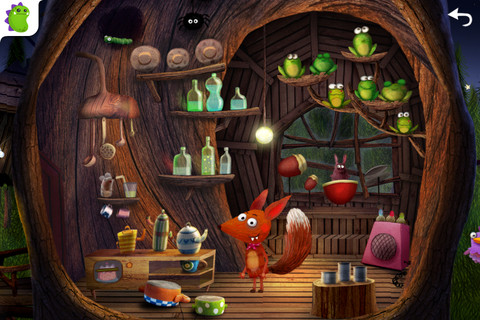
The winter version of Little Fox Music Box, an educational app for 2 – 6 year olds, is currently FREE. The app has been downloaded over a million times and was featured as Apple’s App of the Week. The artwork design is from Heidi Wittlinger, an Oscar nominated artist. The app includes 3 children’s songs: Old MacDonald, London Bridge, and Evening Song. Kids can also visit Mr. Fox’s sound studio which is full of 100+ interactive  surprises. The app includes a Karaoke mode and it can be switched from English to German. Kids will be delighted with this adorable app!

Highly recommended!

Little Fox Music Box – Kids songs – Sing along - Shape Minds and Moving Images GmbH