0

Toontastic, Toontastic Jr. Shrek, and Toontastic Jr. Pirates

toontastic

If you haven’t tried the original Toontastic, do yourself a favor and check it out….
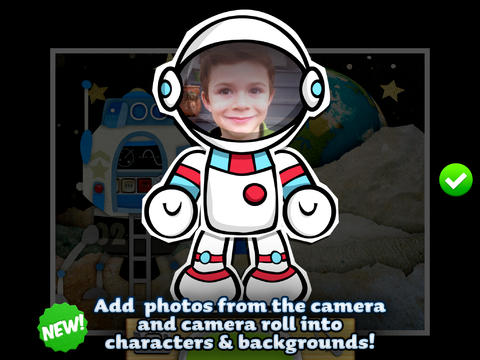
Parents and teachers love Toontastic and kids can’t stop creating! Named by the NY Times as one of Top Ten iPad educational apps of 2011, Toontastic is a fabulously creative FREE app for kids. This app allows kids to draw, animate and share their own cartoons AND it teaches them the elements of a story! Kids are able to use backgrounds and characters from the app or create their own with the drawing tools that are provided. The basic app is FREE but there are several in-app purchases available. Final creations can be shared online via ToonTube, Toontastic’s global storytelling network. Over 2 million cartoons have been created in over 150 countries. Unleash your child’s creativity with this great educational app!!

Here is a link to more information: Toontastic: Play, Create, Learn on the iPad!.

Not only are the possibilities for using this app are endless but a child’s work can be shared with parents, grandparents, other classes, etc.

Toontastic - Launchpad Toys

Shrek

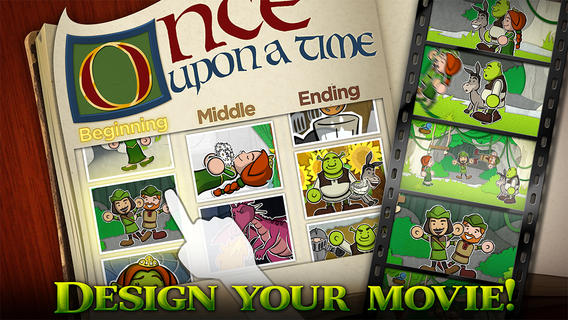
Toontastic Jr. Shrek is FREE again for a limited time. This storytelling app, from the creators of Toontastic, has kids creating their own Shrek cartoons. They start by choosing a beginning, middle, and ending. Then they animate the story by moving the characters and recording their voices at the same time. The educational app features 12 classic Shrek scenes and a cast of characters to get kids started. If kids would like to create a story with friends or family, they can utilize StoryShare, a new feature in Toontastic Jr. which is very cool! It enables kids to talk & create stories with friends or family anywhere in the world!

Download link: https://itunes.apple.com/us/app/toontastic-jr.-shrek/id632359329?mt=8&uo=4

Toontastic Jr. PiratesToontastic Jr. Pirates is also FREE again for a limited time. This storytelling app, from the creators of Toontastic, has kids creating their own pirate cartoons. They start by choosing a beginning, middle, and ending. Then they animate the story by moving the characters and recording their voices at the same time. The educational app features 12 story starter videos and a cast of characters to get kids started. If kids would like to create a story with friends or family, they can utilize StoryShare, a new feature in Toontastic Jr. which is very cool! It enables kids to talk & create stories with friends or family anywhere in the world! Yo ho ho – how fun is that??
Toontastic Jr. Pirates - for iPad - Launchpad Toys

0

Sago Mini Bug Builder

bug buider

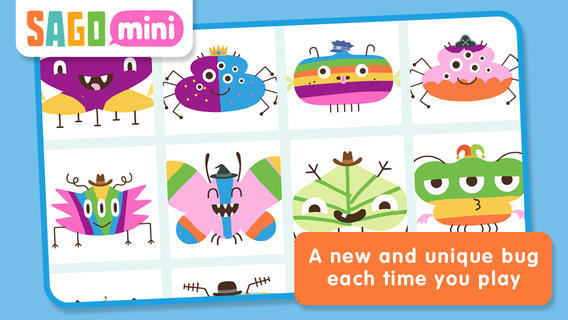
FREE again for a limited time – Sago Mini Bug Builder, an educational app for toddlers/preschoolers. Kids create, hatch, and play with cute little critters. They can transform 1 of 8 shapes into a colorful bug, add some color, then bring it to life. They can also add a funny hat, feed it a snack, clean up its mess, and take its picture. Kids can make unlimited number of unique bugs using this app – very cute & creative!

Download link: https://itunes.apple.com/us/app/sago-mini-bug-builder/id657821775?mt=8&uo=4

0

Animal Photobook 1

FREE for a limited time for the iPhone/iPad – This educational app (for 3 – 12 year olds) contains beautiful pictures and fascinating facts about 12 animals. Each page poses a question about an animal such as: Is it true that snakes smell with their tongues? How do chameleons change color? etc. The answer can be read independently or read aloud by a narrator. The narrator’s voice can be set to US English or UK English. There are lots of interesting facts in this app – the kind of things kids love to learn. One minor caution – The question about the wolf asks: Are wolves really evil?  We actually addressed this issue in my third grade class when we our fairy tale/folk tale unit because the wolf was always the villain. Their answer gives a good explanation of how wolves ended up with bad reputation – no problem there. My concern is the line: You shouldn’t be afraid of wolves because they are neither evil or dangerous. I agree that wolves are not evil but I think kids need to know that any wild animal is somewhat dangerous. Other than that, this app is great.

Animal Photobook - CYBERLINE

0

Comic Book

Comic Book

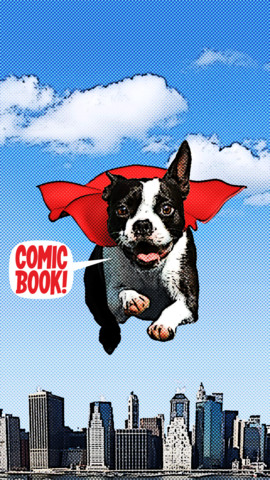
On sale for only $.99 – Comic Book. This app was named Best Photo App of 2011 and was the App of the Week in 12 different countries! Using the app’s selection of image filters, comic fonts, customizable captions, classic comic graphics and page layouts, you can easily change your photos into comics. So many creative uses for the classroom!! Download now, brainstorm uses for this educational app later!!

ComicBook! - 3DTOPO Inc.

0

Cool Writer

Cool Writer

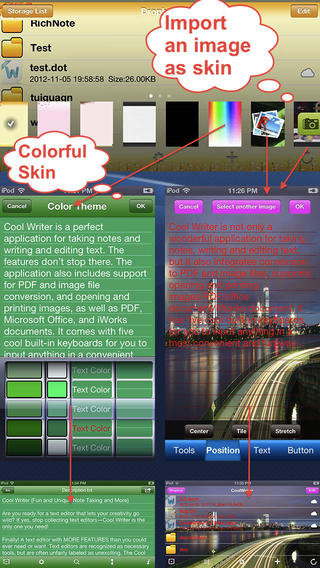
Free today – Cool Writer – Awesome Writing & Note Taking App and that it is! This educational app comes with 5 built-in keyboards to make writing and note taking fun. They are: Special Characters Keyboard with 2000 special characters, Emoji Keyboard with 471 emoticons, Article Keyboard with 400 popular characters/emoji article pictures, Crazy Text Keyboard with fun features like ‘upside-down’ letters, and Shortcut Keyboard that you can personalize. The app has 12 themes or you can create your own theme using images from your photo album. With it you can create, rename, delete, copy, and move your notes. You can also sort them by name, size, type, or time. There is even as search option. This app also converts text files to PDF or image format.

I visualize using this app as a digital version of the 5-subject notebook – kids could keep track of their class notes for all subjects in their device. It syncs with Dropbox so they can also access class notes at home. Teachers could share notes with students and vice versa. This app could be used to write exit slips at the end of a lesson and emailed to the teacher. Or, a teacher could assign reading/note taking for homework then have kids email the completed notes. Lots of possibilities here and slick enough that kids would probably enjoy using it – VERY cool!

Download link: https://itunes.apple.com/us/app/cool-writer-awesome-writing/id477698296?mt=8&uo=4

0

Compare a Twist

Compare a Twist

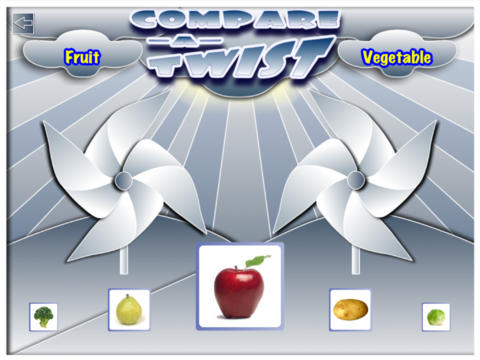
FREE for a limited time – Compare a Twist, an educational app. This easy-to-use app allows teachers and/or students to create lessons that compare/contrast or categorize items. The app supports the use of text and images making it useable for multiple levels of students. Compare/contrast or categorizing lessons can be created across the curriculum: Language Arts – long/short vowel sound, synonyms & antonyms, characteristics of the main characters; Math – factors of numbers, equivalent fractions, characteristics of geometric shapes; Science – living or nonliving, characteristics of animals. The possibilities are endless. The app gives students get instant feedback when they have completed the activity. Teachers can also use that information to check students’ understanding.

They say that the best way to learn something is to teach it… I think kids would really enjoy creating quizzes to share with their peers.

Download link: https://itunes.apple.com/us/app/compare-a-twist/id510922341?mt=8&uo=4

1

Shadow Puppet

Shadow Puppet

FREE for a limited time – Shadow Puppet, a photography app currently featured as one of the “Best New Apps” by Apple. Using this app, it’s easy to create “puppets” – recorded explanations of your photos. First you choose your photos and put them in the order. Then you talk about your pictures. Everything is recorded. Finished “puppets” can be shared via email, SMS, Facebook and/or Twitter. There are so many ways for everyone to use Shadow Puppet: to teach something new, to share adventures with friends, to record children talking about their experiences, to tell the story behind old family photos, etc.

And… the classroom uses for this app are only limited by your imagination: Take pictures of a child’s work and have him/her explain it to parents. Send pictures and voice recordings of the class field trip. Have kids give a step-by-step explanation of what happened in a science experiment. Draw & sequence pictures to retell a story. Make a “talking timeline” by sequencing photos of historical events. Have kids use it to present mini reports on any subject. Have virtual “pet day” – kids bring in pictures/recordings of their pets. Because you can use anything saved to your photo library, you can explain photos from the web, artwork created in other apps, and so much more. The possibilities for using this educational app are endless. What a fabulous resource!!

Download link: https://itunes.apple.com/us/app/shadow-puppet/id700902833?mt=8&uo=4

0

Draw Along with Stella and Sam for iPad

FREE for a limited time – Draw Along with Stella & Sam, an adorable & educational app for preschoolers. This app is based on the television show and book series by Marie-Louise Gay. The Stella and Sam books have been translated into 15 languages and have sold over a million copies. Disney Junior Canada sponsored a Draw Along Contest using this app last summer. Winners were featured on a special Stella and Sam event. What a cool opportunity for kids!

Kids choose one of 10 shapes to color, stamp, and/or add pictures to. Finalized creations can be shared with family and friends as images or animated videos clips. Here is a link to a You Tube video showing how this app works: Draw Along with Stella and Sam for iPad – YouTube.

5 other Stella and Sam Adventures are available on iTunes and are sold for $2.99 each: Into the Snow We Go, Rainy Days and Rainbows, Backyard at Twilight, Go There Square, Cocoons and Caterpillars. OR… you can purchase all 5 titles for $6.99  in the Stella and Sam Story Pack. These apps are also supported in French. Don’t miss this one!!

Highly Recommended for preschoolers.

Draw Along with Stella and Sam - zinc Roe

0

Classic Tales: 3 Little Pigs

Classic Tlaes- 3 Little Pigs

FREE for  limited time – Classic Tales: 3 Little Pigs. From Italian developer, Jekolab Srl, comes a cute & colorful, interactive version of the classic tale  – 3 Little Pigs. Kids can choose to have the story read to them or they can read it one their own. This educational app can easily be switched to 4 different languages: English, French, Italian, or Spanish  – making it great resource for a foreign language class! Nicely done with a happy ending – the pigs all get away!

Classical tales: 3 little pigs - Jekolab Srl

0

Homework+

Homework+

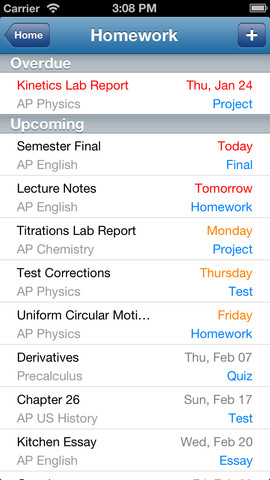
FREE again, for a limited time – Homework+, a simple to use homework/test planner. This educational app is geared towards older students who are taking multiple classes. It could also be used with younger kids as an electronic assignment book. It’s never too early to teach kids how to be organized. 🙂

To set up the app, first edit the subject list & category lists to reflect what you are studying. After that, it is very easy to add assignments to the calendar – just give the assignment a title, choose the subject & category, put in the due date, choose a level of priority, and save. As you finish an assignment, mark it as complete and the app moves it to the finished list. App badges show you how many assignments you have and how many you have finished. Notifications can be set (1 or 2 days before) to remind you of an upcoming assignment. The app also keeps track of overdue assignments. Very slick and intuitive – great for teaching kids to be organized!!

Homework+ - Chijang Huang