0

Cultiwords

Cultiwords

FREE for a limited time – Cultiwords, an educational app for systematically building your vocabulary. The app comes with a 40-words set which includes definitions, anecdotes, and review questions. There are 3 additional sets of words available as in-app purchases. The app introduces each new word by posing a multiple-choice question with 3 possible answers. After you answer, it tells you if you were correct, gives the word’s definition, and provides additional clarifying information about that word. Words are then added to your personal dictionary. The review mode quizzes you on words in your dictionary. Review questions test a deeper understanding of the word – synonyms/antonyms, contextual settings, etc. Once you answer 3/3 questions about a word correctly, that word moves to the Acquired List. Well-organized and simple to use – this app would be great for kids in upper elementary and beyond. My only wish is that it had more words!!

Download link: https://itunes.apple.com/us/app/cultiwords/id585437267?mt=8&uo=4
0

Tellagami

Telegami

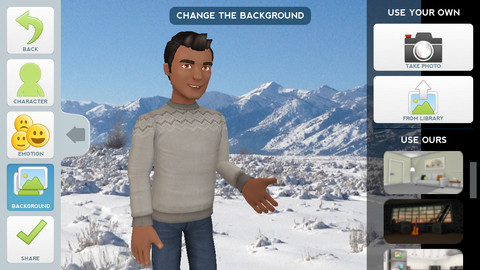
Currently FREE, Tellagami (rhymes with origami) is a unique storytelling app. Short stories called gamis are easy to create. First you select and customize a character by choosing his/her skin tone, eye color, hair color, and clothing. Then you choose an emotion – happy, sad, surprised, angry, scared, silly. Next you choose a background from the app, from your photo library, or create one by using your camera. You are now ready to create your gami. You can record your gami in you own voice or choose the text button to type in what your character will say  – the limit is 450 characters. Gamis can be shared via email, messaging, Facebook, or Twitter.

This educational app is fabulous!! Its uses are only limited by your imagination!! Kids can use gamis to introduce themselves at the beginning of the year. They can customize gamis to look like themselves and be reporters, scientists, teachers, etc. They can create the character (and setting) from a book they are reading. They can message or email a parent to explain what they are learning in class. Teachers could use gamis as interactive exit slips. The list is endless. Kids will LOVE creating gamis!

Tellagami ™ - Tellagami Inc.

0

Monster Coloring Book

Monster Coloring Book

FREE for a limited time – Monster Coloring Book. Kids can paint 175 different monsters with no clean-up necessary! As they paint, they listen to classical music by Rachmaninov, Bach, Beethoven, and Brahms. Kids can paint with their fingers or use the “touch and fill” option. Enhancements include: stickers to accessorize the monsters and patterns to make the monsters unique. Once kids have designed their monster images, they can save them to their gallery. There they can turn their monster into a puzzle for use with Monster Puzzles – available in the App Store for $1.99. Creations can also be shared via email or they can be printed. This educational coloring app is well-designed!

Teachers – use this app to inspire creative writing! Kids could create their own monsters for a variety of language arts activities – a lesson on adjectives followed by descriptive paragraphs, conversation between two monsters, compare & contrast two monsters using Venn diagrams, creative stories, etc.

Download link: https://itunes.apple.com/us/app/monster-coloring-book/id435676573?mt=8&uo=4

0

TypeDrawing

TypeDrawing

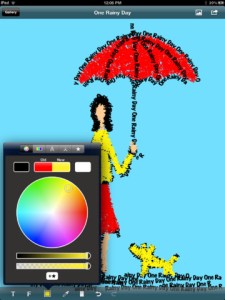
FREE for a limited time – a VERY cool educational app that permits you to draw in type!

TypeDrawing is super easy to use and perfect for creating typography art. The app allows you to input whatever text you want. Then you can use those words to draw a  shape in any color you wish. You can also change the font and the size of the text. This educational app would be perfect for writing concrete poetry. Kids could write a tornado poem in the shape of a tornado, a cloud poem in the shape of a cloud, etc.

Creations can be saved to a photo gallery. So from there the sky is the limit – you can email works of art/poetry to parents or grandparents, bring them into another program to create a book, etc. Wonderfully creative!

Highly recommended!

TypeDrawing for iPad V3.0 - Hansol Huh

0

Speech Journal

Speech Journal

FREE again for a limited time – Speech Journal. Parents, teachers, and speech pathologists will love this customizable voice recorder that allows recorded messages to be paired with imported images. This educational app is very easy to use. First the child creates a profile to store and save recordings. Then he/she chooses an image – by using the device’s camera or from the photo library. Next the voice recording is added. When completed, the child may listen to the recording, erase and rerecord it, or save the recording. Additional recordings can be added to create a slideshow. Recordings can be shared with other teachers, parents, grandparents, etc. via email. Suggested uses for Speech Journal include: customized picture sequences, expressive language exercises, articulation drills, multi-step directions, picture schedules, family picture albums, and more! A fabulous resource with so many uses. 🙂

Speech Journal - Mobile Education Store LLC

0

Kids Zoo

FREE again – Kids Zoo, an educational app that introduces your child to 45 different animals from 4 different categories: wild, farm, birds, and water. It is very easy to use – just tap. First tap the category you want to explore, then tap an animal. A photo of the animal appears. You can tap the photo for another photo of the same animal. Tap the speaker next to the animal’s name and it is pronounced. Tap the sound icons to hear the sound that the animal makes. There are two sound icons for each animal (one blue and one pink) but no explanation of the difference. The most interesting thing about this app is that there are connections to 30 LIVE webcams at zoos all around the world. You can see the polar bear at the San Diego Zoo, the tiger at the London Zoo, etc. if you connect at the right time. Since these zoos are all over the world, the animals may be sleeping, the time zones may not match up, etc. Another potential issue is the speed/quality of your connection. I was able to connect to several webcams but was not fortunate enough to see any real action. Interesting to explore – if you have a great connection!

This app for the iPhone/iPad is FREE for a limited time.

Kids Zoo - Zhan Tian

0

Oscar Goes to the Zoo

Oscar Goes to the Zoo

Educational app, FREE for a limited time – Oscar Goes to the Zoo, a “You Tell Me” story. In this story, a cute little dachshund goes to the zoo and wonders what it might be like to be the different animals that he sees there. In the end he discovers that he likes being himself. Cute story!

“You Tell Me” stories are designed with some special features: 1. They incorporate WordWinks into the story. WordWinks are questions and comments written in red italics. To maximize children’s understanding of the story, teachers often add comments/questions as they read aloud. WordWinks are meant to model that teacher voice. 2. They have a “Retell, Record & Share” section. Kids are asked to order 4 scenes from the story then record their own version of the story to share with grandparents or friends. 3. If you register, you can receive a FREE Oscar Goes to the Zoo activity book by email.

If you have a preschooler or early reader, check out this e-book. I love that it emphasizes “thinking about reading.”

Download link: https://itunes.apple.com/us/app/oscar-goes-to-the-zoo/id587648796?mt=8&uo=4

0

Popboardz

Popboardz

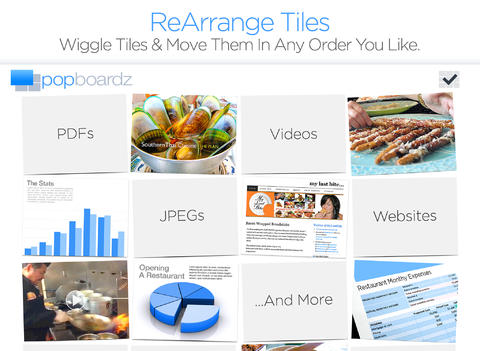
Recently updated and FREE for a limited time – Popboardz, a productivity tool that normally sells for $4.99.  Popboardz makes it easy to organize, store, and present information. Each board is a grid with 16 spaces for content so that all of your PDFs, images, videos, websites, can be arranged on one screen. Unlike other presentation tools, Popboardz makes it easy to customize your presentation to meet the needs of your group. Just click on the grid space that contains the example, information, or link that you would like present next! It’s easy to skip around. This app would be fabulous to use in the classroom. A teacher could organize all his/her digital resources for a unit on one board. That board can be saved so it is always ready to present! It is also easy to edit and/or rearrange boards so that lessons can be tweaked as new resources become available. Students could also use Popboardz – to organize information, to present projects, to give reports, and more. What a great educational app!

Download link: https://itunes.apple.com/us/app/popboardz/id563989511?mt=8&uo=4

0

Ten Giggly Gorillas

Ten Giggly Gorillas

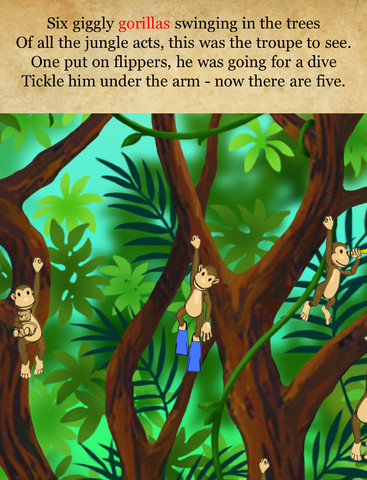
FREE again for a limited time – Ten Giggly Gorillas, a cute book to share with 2 – 6 year olds. There are 10 giggly gorillas swinging in the trees. Kids must listen to the story to know which gorilla to tickle under the arm. When tickled, that gorilla giggles until it lose its grip and there is one less gorilla swinging in the tree. The story continues until there is only one gorilla left to tickle. At the end there is a cute surprise! With over 100 interactions plus a hidden toucan on every page, this story is sure to delight your little ones! The educational app also includes a monkey memory game.

Ten Giggly Gorillas story book for children - Wasabi Productions - Wasabi Productions

0

KId in Story Book Maker

Kid in Story

Missed a good one! I went out-of-town for the day and did not get to look at yesterday’s FREE educational apps until this morning. Now $6.99 (but FREE yesterday) – Kid in Story Book Maker, a great app for creating personalized stories that support your child’s learning and social monitoring. It’s easy to make your child the star of the story with this app. One-of-a-kind technology (Locolens™ image detection ) makes it easy to superimpose your child onto the story backgrounds – similar to “green screening.” The app includes 8 story templates for you to customize with your own images, text, and narration. You can also create your own original stories by using the “Blank Story” template. Story templates included are – Faces I Make, Let’s Get a Haircut, Are Monsters Hiding in My Room?, A Day at the Movies, At the Playground, What Will I See in San Francisco?, and When Is It Time to Wash My Hands? The app also makes it super easy to share your creations via email and/or Dropbox. Parents, teachers, and/or language therapists – this app would be fabulous to support early literacy, establish routines, model social behaviors & emotions, and more! Most kids love being the star of their own story!

Download link: https://itunes.apple.com/us/app/kid-in-story-book-maker/id594403164?mt=8&uo=4