To celebrate the 5th anniversary of the App Store, Barefoot World Atlas is FREE for a limited time. This educational app features a 3D interactive globe that invites children to explore and learn about the countries and regions of our world. The app is beautifully designed with wonderful animated illustrations by artist David Dean. The narration is done by geographer Nick Crane from BBC television. In addition to learning about the continents and oceans, kids will learn about Earth’s people, wildlife, landmarks, natural features, famous buildings, and other interesting things. This app is very engaging – there is so much to discover & learn! Kids of all ages will get lost for hours as they spin, zoom, and fly around the globe to learn about our planet. VERY cool!!
Tag Archives: educational apps for kids
SpellingCity
Spelling City – a FREE educational app for the iPhone/iPad! I LOVE Spelling City. It is a phenomenal website where teachers can input their weekly spelling lists so kids can go online to practice their spelling in so many fun ways – hang mouse, match it, which word, sentence unscramble, etc. I used Spelling City in my classroom for the last several years and the kids & parents loved it. The app has several preloaded lists and the best part…..kids can access the their teacher’s list (providing that he/she uses Spelling City, of course) by using their zip code, school name, and teacher’s name. Practice spelling in the car on a way to a soccer game or while waiting in the dentist’s office. AWESOME!!
Common Core Standards met:
- K.RF.3 – Distinguish between similarly spelled words by identifying the sounds of the letters that differ.
- 1.RF.3 – Recognize and read grade-appropriate irregularly spelled words.
- 2.RF.3 – Identify words with inconsistent but common spelling-sound correspondences. AND Recognize and read grade-appropriate irregularly spelled words.
- 3.RF.3 – Read grade-appropriate irregularly spelled words.
- 4.RF.3 – Use combined knowledge of all letter-sound correspondences, syllabication patterns, and morphology (e.g., roots and affixes) to read accurately unfamiliar multisyllabic words in context and out of context.
- 5.RF.3 – Use combined knowledge of all letter-sound correspondences, syllabication patterns, and morphology (e.g., roots and affixes) to read accurately unfamiliar multisyllabic words in context and out of context.
Highly recommended!
Kindergarten Subtraction
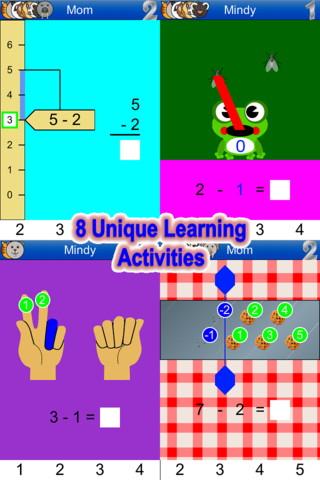
FREE for a limited time – Kindergarten Subtraction. This educational app uses 8 different visual learning activities help kids understand the process of subtracting numbers 0-10. To start, create a profile for each child. Pictures can be added from your camera roll – making it easy for kids to find their files. The app narrates (in English or Spanish) and visually demonstrates how to use the interactive elements of each activity. Then the app uses those 8 different activities to give kids LOTS of practice subtracting. The app provides progress screens for parents or teachers to see how their kids are doing – a great feature. The app is organized so that kids go through the activities in a specific order. If kids already know subtraction -1 they still have to go through all of those activities before they get to subtraction -2. Perhaps an update could make the app a bit more customizable. That being said, the app shows kids how subtraction works in a variety of ways!
Bogga Vacation
Art ABC
FREE again, Art ABC for the iPhone/iPad. Like all alphabet books, this educational app teaches kids the names & sounds of each letter. What makes it unique is that it also incorporates famous works of art. Each letter of the alphabet is presented on a fine art background. There is also a hidden object (with the featured letter) in the background. Kids explore the page by tapping to reveal each object – each in a different way! The app also contains a list of all the famous art included in the app – titles, artists, nationality, medium used, year, and location of the painting. This app could also be used with older students in art class. Nicely done!!
Polk Street Press
If you are not familiar with this developer, do yourself a favor and get acquainted 🙂 Here are two GREAT story apps – sweet stories with beautiful illustrations. The interactivity is purposeful. It adds to the story rather than just being there so that the developer claim that the app is interactive. And… they are currently FREE! Thank you, Polk Street Press! Check out these great educational apps today.
FREE for the iPhone/iPad, Goodnight Safari is a sweet interactive story for bedtime. Kids (ages 2-4) help the animals of the savannah complete their evening activities in 7 different scenes – a giraffe eating dinner, a monkey climbing into bed, a hippo taking a bath, etc. Optional counting & color activities are available as an in-app purchase. Very sweet story for a peaceful end to your child’s day – highly recommended!
Spatter and Spark is another cute interactive book for iPhone 4 /iPad 2 and later models. Spatter (an artistic porcupine) and Spark (an inventive fox) team up to figure out how to get a look at Hubert, the baby crow, so that Spatter can paint Hubert’s picture. Kids are invited to help as Spatter & Spark problem solve their way through the story. There are 10 interactive scenes within the app. Each scene is beautifully illustrated by Luciana Navarro Powell, the illustrator of Goodnight Safari. The story (for 4 – 6 year olds) is very cute with purposeful interactivity that adds to the story. Spatter and Spark could also be used with elementary students to encourage them to think & write about their own inventions. I would have used it with my third graders when I was teaching 🙂 An activity pack (with 4 additional activities) is available as an in-app purchase. Nicely done and highly recommended!
Toca Band
Rock on… with Toca Band – FREE today! This educational app for the iPhone/iPad encourages kids to explore music as they mix beats & sounds together to produce a hit song. The 16 characters in this app each have their own sound and rhythm. Kids drag different combinations of performers on stage to create their own musical band. How a character plays depends on where he/she is placed on the stage. Characters can also be chosen to give a solo performance. Even the names of the characters are fun: Bang Bang Chef on the drums, Dancy Nancy on the piano, Shaky McBones on the maracas,etc. Another great app from a developer that makes learning what it should be – fun, creative, and joyful!
Highly recommended!
ClassDojo
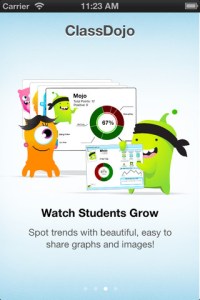
Recently updated, ClassDojo is a FREE & fabulous tool that helps improve classroom behaviors. Teachers are using it in different ways: to give feedback in real-time, to track behavior, and to generate reports. Reward good behavior in real-time – all it takes is a click. You need one device (computer, smartphone, a laptop, or a tablet) and an internet connection. It is very easy to set up with your class list. Each student is assigned a cute, monster-like avatar. Kids earn points for positive behaviors and lose points for negative behaviors. ClassDojo is also fully customizable so you can delete behaviors from the original list and/or add your own behaviors. As you use it, it automatically logs any data that you input. This data can be used to generate behavior reports to share with parents and administrators. How awesome is that? You can go into a meeting/conference with reports in hand!
If I were still in the classroom, I would enter my class list twice – once for data on work/study habits and the other for data on behaviors. I would make my habits/behaviors match exactly what was on my report cards. Then as I used the app, I would also be gathering data for my report cards. At the end of the grading period, I would just print out the date and enter it on the report cards – how easy! I would also have the data (in a printed report) to be able to back up any grade on the card. “As you can see Mrs. Doe, Jane only turned in her homework 56% of the time.” Instant data would also be available for the RTI process, IEPs or any other team meeting on a child. Wow – a fabulous educational app!!!!
Check out the website for more information: www.classdojo.com
Highly recommended !!

Pick-a-Path
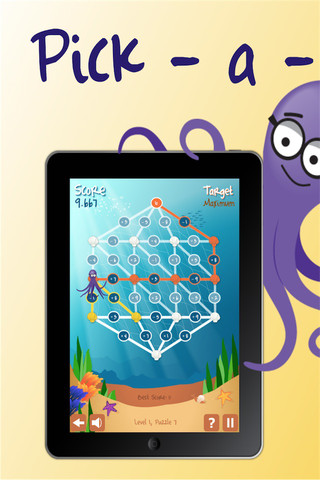
Pick-a-Path is a FREE math game from the National Council of Teachers of Mathematics. Kids help Okta the octopus reach a target number by choosing the best path from the top maze to the bottom of a maze in this educational app. There are 7 different levels with 7 puzzles in each level. The puzzles start with basic operations then move to fractions, negative numbers, decimals, and other more difficult skills. Kids have to plan out a strategy to reach the target which can be a specific value, a minimum value, or a maximum value. This app provides a lot of good skills practice. And… as an extra added bonus, kids have to think of a strategy!
MathLands – Kids Logic Game & Brain Builder for Math and Critical Thinking
All I can say is WOW! MathLands is a completely FREE educational math app that makes kids THINK! Kids have to use logic, problem solving skills, and critical thinking to solve 5 levels of 5 different puzzles. Each puzzle is timed, has hints available, and has a section that tells the history of the puzzle. Kids can choose to start over. They can try again to get a better score or they can try again to get the BEST score (the app tells what is the best possible score). I love that this app challenges kids to be the best!! There is also a Math Comics section – problems are written in comic strip form. Kids solve the word problems by using the interactive manipulatives on the page. In a word full of math apps that stress practice and drill, this app is like a breath of fresh air. LOVE it !!!!