0

Halftone 2 Comic Book Creator

halftone 2

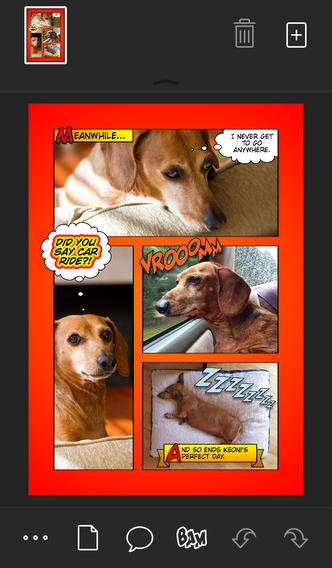
Halftone 2 – Comic Book Creator is only $.99. This app was named by Apple as a Best of 2013 winner and an Editors’ Choice. Halftone 2 – Comic Book Creator is a categorized as a photography app but it has many educational uses. This app makes it easy to turn your photos into comic book pages that your friends and family will love! The app includes a large assortment of paper styles, captions, speech bubbles, graphic stamps, and fonts for your projects. And… it’s so simple to use. First choose a page layout, then apply photo filters. Next add text by using captions and/or speech & thought bubbles. Then finish your project with some fun graphics like WHAM, BAM, or POW. You can even add a few sound effects. Your creation can be shared as an image, a multi-page document, or high-definition video. Because it is so easy to use, this app would be great for creating visuals to go with classroom projects such as stories, book reports, newsletters, etc. And… it would be really fun to use this app to create comics of your family vacation. Get started today – there are SO many creative & educational uses for this app!

Download link: https://itunes.apple.com/us/app/halftone-2-comic-book-creator/id603139024?mt=8&uo=4

0

Synonym Match and Antonym Match

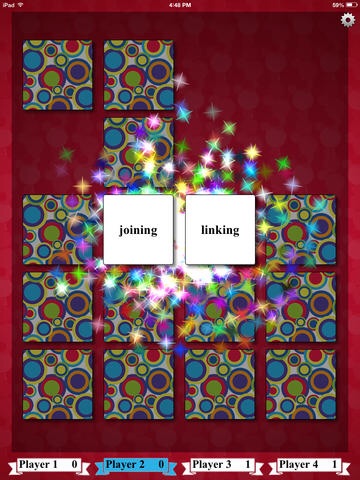
imageFREE for a limited time – Synonym Match and Antonym Match.These educational apps feature a classic card matching game that helps kids with vocabulary development. Each matching game can be played by one to four people. Players can choose to match twelve, sixteen, twenty, or twenty-four cards. There are three levels of difficulty – easy, medium and difficult. When a match is made, fireworks appear. These apps would be great in a shared iPad classroom setting because they support multiple players and multiple student levels. Check them out while they are FREE!!

Direct Link: https://itunes.apple.com/us/app/synonym-match/id778611894?mt=8

Direct Link: https://itunes.apple.com/us/app/antonym-match/id786868905?mt=8

0

Pepi Bath

Pepi Bath for the iPhone/iPad is FREE again today. This educational app is a role-playing game that teaches kids (ages 2 – 6) about personal hygiene. Kids start by choosing the boy or girl character. Then they choose one of 4 situations: brushing teeth, taking a bath, washing clothes, using the toilet. In each scene kids learn to take care of themselves and they have fun along the way – popping bubbles, playing with rubber duckie in the tub, etc. There are also some good lessons built into the app. For example – when the scissors are chosen, the character shakes his/her head no. Also, the characters are VERY polite – always saying thank you! Check it out for some good clean fun!

Pepi Bath - Pepi Play

0

iOrnament: draw creative geometry art

iOrnament

FREE again – iOrnament: draw creative geometry art. This educational app is the perfect blend of art and math! Kids draw strokes and the app repeats them according to the rules of symmetry. The result is fabulous ornaments with intricate designs. The app also contains an interactive pop-up book with drawing tips. Kids of all ages will enjoy creating with this app that makes mathematical theory come alive. Fabulous and fun!

Download link: https://itunes.apple.com/us/app/iornament-draw-creative-geometry/id534529876?mt=8&uo=4

0

Toca Builders

Toca Builders

FREE again for a limited time – Toca Builders, another wonderfully creative app from Toca Boca. Kids (ages 5+) create things with the help of 6 builder friends: Blox, Cooper, Vex, Stretch, Connie, and Jum-Jum. Each builder has unique skills which kids can control with simple gestures. The builders help move, stack, drop, spray, smash, paint, & lift blocks as kids create/construct new objects.The educational app also has a snapshot feature and an autosave feature to share & save the world that your child has created. If your child can imagine it, he/she can build it with the help of the Toca Builders – creative fun for your budding engineer/builder!

Download link: https://itunes.apple.com/us/app/toca-builders/id652077009?mt=8&uo=4

0

Hour of Code Week – 3 FREE & Fabulous Coding Apps for Kids

The Hour of Code is a global movement that reaches millions of students in 180+ countries. There are 191,016 Hour of Code events happening around the world this week, December 7 – 13.

Why teach kids to code? Coding is what makes computer software work. Understanding the basics of programming will help your child be prepared for the jobs of the future. And, in the process your child will be learning to THINK by using logic, solving problems, and having fun! Check out these apps and try coding yourself. Then try it with your students. We are living in creative, exciting times – be part of it.

Here are fabulous FREE resources to use:
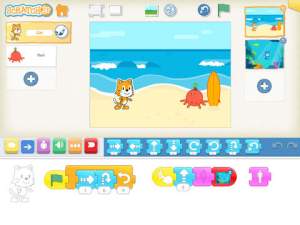
scratch jrFREE app – ScratchJr is designed to teach kids how to code their own stories and/or games. Specifically developed for younger children, ScratchJr is based on Scratch programming language (http://scratch.mit.edu) which is used by millions around the world. The app includes an introduction video and examples of sample projects. Once the add button is pressed, the app opens to a page with a friendly looking cat in a blank square surrounded by programming tools. Then the fun begins. Kids snap together programming blocks to make the cat move – forward, backward, right, left, hop, etc. They can choose to add a setting to their story/game by selecting one of the twenty-eight different backgrounds. They can add additional characters and/or objects to their scenes. They can make their character talk either by using word bubbles or by recording their own voices. They can control timing, speed, and the sequencing of events. The app can be simple but it becomes more complex as kids start to figure things out. For example, they can learn to program multiple characters to move in sequence, move together, etc. Kids can also add themselves to the story. They simply choose one of the fifteen “faceless” characters then add in their own face using the iPad’s built-in camera. How cool is that? As kids learn to program, they are also learning to problem solve, design projects, and be creative on the computer. LOVE this app!

Download link: https://itunes.apple.com/us/app/scratchjr/id895485086?mt=8&uo=4
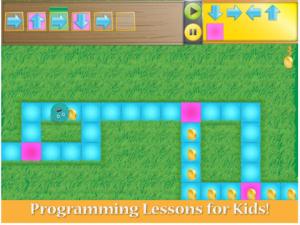
kodableFREE for iPad – Kodable, an introduction to programming for kids 5+. The fuzzFamily has crashed their spaceship on Smeeborg. Kids help the fuzzes through Smeeborg’s mazes by creating drag & drop instructions for them to follow. As they code, kids need to remember that fuzzes follow instructions exactly as they are written. After coding the instructions, kids hit play to watch the fuzzes roll through the maze. They are rewarded with stars, coins, and extra members of the fuzzFamily if they are successful. This educational app comes with 45 free levels which become progressively more difficult. Additional content is available as an in-app purchase.

Download link: https://itunes.apple.com/us/app/kodable/id577673067?mt=8&uo=4
Hopscotch HD

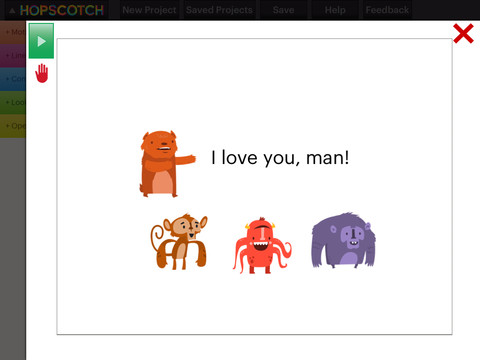
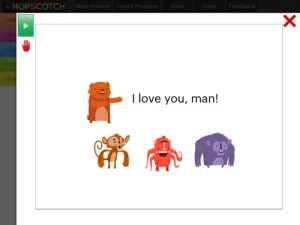
Hopscotch HD is an educational app that teaches kids how to program their own games and animations! Introduce kids to computer science with this app. 🙂 Kids drag and drop “method blocks” into scripts. When they are done, they can press play to see their code in action! Why teach kids coding? According to the developer – there will be about 1.4 million computer jobs by 2020 and only 400,000 computer science students. Many coders first fell in love with coding when they were  8-12 year old children. Hopscotch is based on a visual programming language named Scratch which was developed by MIT. It promotes STEM education (science, technology, engineering and math) in a fun way – by making coding kid-friendly!  LOVE it!!

Hopscotch HD - Hopscotch Technologies

0

Dic-Dic

Dic-Dic

FREE for a limited time – Dic-Dic. Multilingual dictation to practise spelling, writing and sound-letter matching. This educational app helps kids learn to spell common words in four different languages (English, Spanish, Russian, French) and has 3 levels of difficulty. It’s great for kids who are beginning readers/spellers in their native language and/or for kids learning a new language. All words are read by native speakers of the language. Then the child tries to spell the word by typing its letters into the blanks – great for beginning word processing. Clues can be turned on or off depending on the level of the child. If a student misspells a word, the app urges him/her to try the word again. If the word is misspelled a second time, the app spells it correctly. I love this feature – positive encouragement to try again! The app tracks the child’s progress in albums (one for each level and language) so that parents/teachers can monitor success. It also includes an extra game to reward successful players. This app is suitable for a wide range of kids – check it out while it’s free. 🙂

Download link: https://itunes.apple.com/us/app/dic-dic.-multilingual-dictation/id643656920?mt=8&uo=4

0

Toca Tailor Fairy Tales & Toca Tailor

image

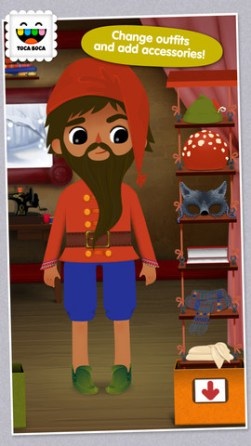
FREE again for iPhone/iPad, Toca Tailor Fairy Tales has kids designing and tailoring clothes for two fairy tale characters. With a tap, the style of clothing can be changed. The length of the sleeves, pants, etc. is easily adjusted with a swipe. Kids then choose different colors & prints of fabric or they can create their own fabric using the built-in fabric camera. They can also access and use pictures from the camera roll. There are trims to add – buttons, pockets, etc. Finally, kids choose accessories – hats, scarves, shoes, etc. Kids can take a picture of their finished creations like they can in so many apps. BUT…. in this educational app you can use your own room as a background – how unique! Kids could create their own little elf, take pictures of it all over the house, and write their own “elf-on-a-shelf” story. The possibilities for creative writing using this feature are endless – LOVE it!! Very open-ended & creative for hours of fun!

Toca Tailor Fairy Tales - Toca Boca AB

Also FREE for a limited time – Toca Tailor. Kids can create fun outfits for four additional characters with even more patterns and lots of cool accessories. This app works just like Toca Tailor Fairy Tales. It’s easy to use and lots of fun!

Direct Link: https://itunes.apple.com/us/app/toca-tailor/id556430416?mt=8

0

Toca Pet Doctor

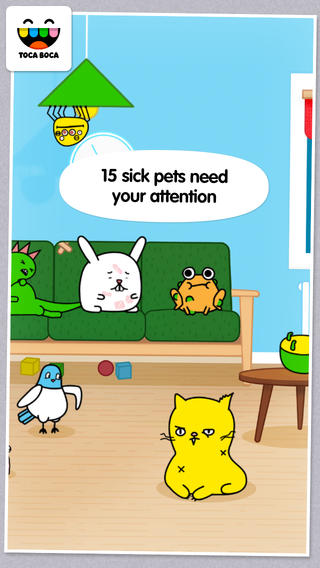
toca petOnly $.99 – Toca Pet Doctor, another creative app from Toca Boca. The app guides kids (ages 2 – 6) through activities that teach them to care and feel for animals. Fifteen animals need some tender loving care. Kids come to their rescue in a variety of ways. They help to clean & medicate Rascal’s ear, flip over Tarzan the upside down turtle, untie the knotted worm, and more. After the animals  are cured, kids feed them and they go back to sleep. If your child likes the other Toca Boca apps, you’ll want to add this one to your collection today. These apps do not go on sale or free that often. Another great app from a developer that makes learning fun. 🙂

Download link: https://itunes.apple.com/us/app/toca-pet-doctor/id808108897?mt=8&uo=4

0

ToonCamera

ToonCamera

FREE for a limited time – ToonCamera, a very cool photography app that turns photos and videos into cartoons. Using this app you can apply real-time cartoon effects to record videos, snap photos, or convert existing videos/photos. Your artistic creations can be saved or shared through email, Facebook, Twitter, Flickr, Tumblr, Instagram, and YouTube. There are multiple effects that you can apply to your photos – cartoon, pencil, stipple, & ink. Easy to use, this app would be great for creating the art to go with classroom projects – for stories, book reports, newsletters, etc. VERY COOL!!

ToonCamera - Code Organa