Monthly Archives: December 2014
Nighty Night
On sale for $.99 – a sweet bedtime app for little your little ones.
Over 3 million downloads and counting… Nighty Night is the perfect go-to-sleep app for kids 1 – 4. The app has it all – cute animals, sleepy lullaby music, great narration, and fabulous artwork. The artwork is beautifully done by Heidi Wittlinger, an Oscar nominated artist. The story is perfect for your child’s bedtime ritual. Kids help to put 7 sleepy animals to bed by clicking off the lights around the farm thus setting the mood for their own bedtime. 🙂 Six additional animals can be added to the story with in-app purchases. The story can be switched from the winter version to the summer version and it can be changed to 12 different languages – English, Dutch, French, German, Italian, Japanese, Portuguese, Russian, Chinese, Spanish, Swedish, and Turkish. This educational app is really lovely and it has been successful internationally. It won App of the Year 2011 in the “books category” in Germany & the U.S. It also reached #1 in iPad books in the US, Brazil, Spain, Denmark, Portugal, Germany, Sweden, South Africa, Australia Switzerland and Austria! Love this app!!
Fox and Sheep has just released another Nighty Night app called Nighty Night Circus. It is available for $2.99. In this app kids help put eight circus animals to bed by switching off the lights or blowing out candles. Each circus animal wants to show his tricks off before going to sleep – super cute! The app has all of the same great features as the original – cute animals, sleepy lullaby music, great narration, and fabulous artwork done by Heidi Wittlinger. It’s no wonder that Nighty Night Circus is on Apple’s Best of 2014 list!
Download link: https://itunes.apple.com/us/app/nighty-night-circus-bedtime/id931936670?mt=8&uo=4
Slice Fractions
On sale for only $.99 – Slice Fractions was recently listed as one of Apple’s Best of 2014:Apps. Kids learn about fractions as they slice through ice and lava to clear a path for a cute mammoth. Along the way they collect silly hats for the mammoth to wear. As they solve the app’s 90+ physics puzzles, they are exposed to key concepts of fractions – partitioning, equivalent fraction, numerator/denominator notation, ordering, subtracting from a whole, etc. Kids will enjoy learning about fractions in this wordless environment that seems more like a game than math lessons. I love that the app encourages kids to be problem solvers. Its replay button permits them to try each puzzle again and again until they figure it out. Hints are only given when support is needed. The end result is that kids are learning through discovery! It’s no wonder that this app has received so many accolades: Apple Editor’s Choice, Editor’s Choice for Excellence in Design: Children’s Technology Review, Winner of a Parents’ Choice Gold Award 2014, Gold Medal Winner 2014: International Serious Play Awards, and Best Family Friendly Game 2014: Indie Prize Showcase Awards.
Common Core State Standards met:
- 2.G.2. Partition a rectangle into rows and columns of same-size squares and count to find the total number of them.
- 2.G.3. Partition circles and rectangles into two, three, or four equal shares, describe the shares using the words halves, thirds, half of, a third of, etc., and describe the whole as two halves, three thirds, four fourths. Recognize that equal shares of identical wholes need not have the same shape.
- 3.NF.1. Understand a fraction 1/b as the quantity formed by 1 part when a whole is partitioned into b equal parts; understand a fraction a/b as the quantity formed by a parts of size 1/b.
- 3.NF.3 – Explain equivalence of fractions and compare fractions by reasoning about their size. Understand two fractions as equivalent (equal) if they are the same size. Recognize and generate simple equivalent fractions, e.g., 1/2 = 2/4, 4/6 = 2/3).
- 4.NF.2. Compare two fractions with different numerators and different denominators, e.g., by creating common denominators or numerators, or by comparing to a benchmark fraction such as 1/2.
- 4.NF.3b. Decompose a fraction into a sum of fractions with the same denominator in more than one way, recording each decomposition by an equation.
Download link: https://itunes.apple.com/us/app/slice-fractions/id794730213?mt=8&uo=4
Reading Rainbow
Give the gift of reading…
Reading Rainbow is a library of over 200 books and videos for kids ages 3 – 9. This educational app is FREE to download but requires a subscription ($9.99 per month or $29.99 for 6 months) for full access. Once you subscribe, your children (up to 5 per family) will have unlimited access to the interactive books and video trips. This app is similar to the award-winning Reading Rainbow television series that was on PBS from 1983 – 2006. It even features the same host – Grammy winner, LeVar Burton. In less than a year, over 2.5 million books/video field trips have been viewed with this app!
After installing the app, kids fill out their profile (name, age, kinds of stories they like to read) and may choose one free book from one of the 6 themed island in the sky. The books are professionally read and feature “Read to Me” or “Read on My Own” options. They are lightly animated and include interactive activities that add to the story. A sticker rewards program motivates kids to read. There is also an individualized tracking system so parents can see books selected and minutes read for each child.
I must admit, I downloaded this app because of nostalgia. My kids grew up watching Reading Rainbow and we all loved it.I am happy to say that the appeal of Reading Rainbow today is the same as it was almost 30 years ago – Reading Rainbow provides kids with quality authentic literature. If I had a child/ grandchild (ages 3-9) or if I were still in the classroom, I would subscribe without hesitation. What a fabulous resource!
Highly Recommended!
Hands-On Equations 1 – The Fun Way to Learn Algebra
FREE for a limited time – Hands-On Equations 1 – The Fun Way to Learn Algebra. This educational app introduces algebra to elementary and middle school students. Dr. Henry Borenson developed and received a patent for Hand-On Equations after teaching math to both low-achieving & Math Olympiad students in New York City. His Hands-On Equations program uses physical game pieces on a balance to represent algebraic equations. Hands-On Equations, Level 1 consists of 6 lessons and a review lesson. Each lesson begins with a video introduction that is followed by two examples and ten exercises. In the first lesson, students use a guess-and-check strategy to figure out the value of pawn that makes the sides balance. In lesson 2, students place the game pieces on the balance scale to represent both sides of the equation. Each lesson becomes more challenging. This method is fantastic for young students who are learning algebra as well as older students who have struggled with algebra. The visual representation of the equations will help all students understand key concepts of algebra. Check it out while it’s FREE. If you like what you see, Hands-On Equations 2 and Hands-On Equations 3 are available for $3.99 each. 🙂
Download link: https://itunes.apple.com/us/app/hands-on-equations-1-fun-way/id505948222?mt=8&uo=4
Drawing with Carl
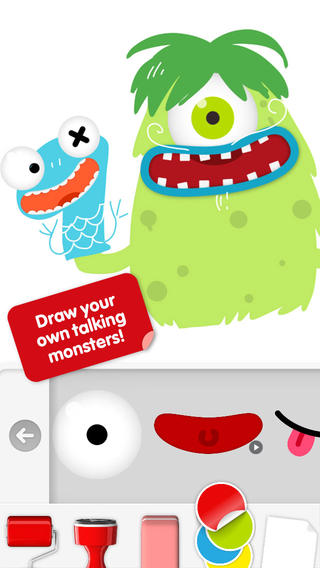
Do you have a child who LOVES to draw? FREE today – Drawing with Carl is a fantastic drawing app for kids. This educational app is very intuitive and easy to use. Kids create pictures using 8 kinds of tools – pencils, crayons, paint brushes, markers, paint tubes, rollers, stampers, erasers, and stickers. The sticker tool is particularly fun. It includes stickers of Carl and his friends, backgrounds (which includes access to your photos), facial features, the alphabet, dinosaurs, mustaches, and assorted shapes. Kids can create and play with talking stickers that repeat anything they say in a funny voice! How fun is that?? Draw a monster and add a talking mouth, import a picture and add a talking mouth, etc. The app also includes 14 colors with and the option to create new colors. Works of art can be shared – save them as photos, email them, or posted them to FB. It’s no wonder that this app has been featured by Apple. Hours of creative fun await your kids!!
The Foos
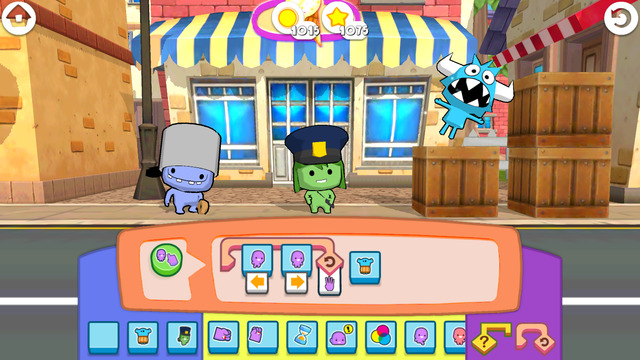
The Foos: Code for an Hour edition is a kid-friendly app that was created for Hour of Code, a nationwide initiative by Computer Science Education Week and Code.org. The purpose of Hour of Code is to introduce millions of students to one hour of computer science and computer programming. The app introduces coding to “kids” of all ages who have no experience programming, Players learn programming logic as they code their way through 24 levels of adventure. The Foos are cute little creatures (such as cops, chefs, ninjas) that encourage kids to create by programming. Coding skills taught include: how to debug programs, loops and conditionals. As kids learn programming, they will also be using core concepts such as pattern recognition, problem solving, sequencing, and visualization. The more kids play, the more persistent they will become in pursuit of solutions. I love the way they have to use patterning and logic to figure things out! The Foos is based on curriculum from MIT and Exploring Computer Science at UCLA. The app is completely FREE and available in over 135 countries. Check it out for some coding fun!
Download link: https://itunes.apple.com/us/app/foos-code-for-hour-free-girls/id923441570?mt=8&uo=4
Stick Around by Tony Vincent & MorrisCooke
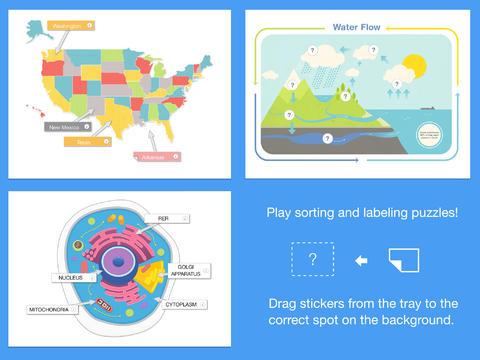
FREE today – Stick Around by Tony Vincent & MorrisCooke, an educational app that enables you to design and share your own learning puzzles. The app comes with eight puzzles: parts of speech, water cycle, rock categorizing, cell biology, states, ordering decimals, planets, and Mount Rushmore. Play with them to discover how app works. Then start thinking of how the app might be utilized for the subjects that you teach. Stick Around is open-ended & suited for all levels of learning.
Puzzles are created in 3 easy steps: make a background, add stickers with text or images, make an answer key. Audio instructions and/or a timer can also be included. The app features several templates to get your started: Venn diagram, two columns, definitions, grid, sequencing, smallest to largest, largest to smallest, and timeline. Or, you can start with a blank page and create your own background. You can also import projects made with Explain Everything™ and turn them into puzzles. Finished projects can be exported to Dropbox, GDrive, WebDAV & email for sharing. Want to see how your students did? Have them take a screen shot of their completed puzzle. The app tracks the time and number of attempts. LOVE this app – you can tell it was developed by educators. 🙂
Download link: https://itunes.apple.com/us/app/stick-around-by-tony-vincent/id557949353?mt=8&uo=4
Comic Book
FREE today only – Comic Book. This app was named Best Photo App of 2011 and was the App of the Week in 12 different countries! Using the app’s selection of image filters, comic fonts, customizable captions, classic comic graphics and page layouts, you can easily change your photos into comics. So many creative uses for the classroom!! Download now, brainstorm later – don’t miss this one.
Sharing With Duckie Deck
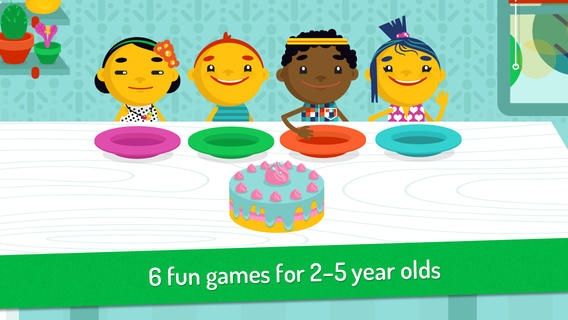
FREE for a limited time – Sharing With Duckie Deck. This happy & colorful app features six educational activities for preschoolers: food sharing, toy sharing, matching, deductive reasoning, cake decorating, and drawing. As they play the games, kids collects stickers and badges in their special drawer – adding to the fun! The games focus on the positive feelings that are associated with sharing. A cheerful, developmentally appropriate app with a great lesson on sharing – how perfect!
Download link: https://itunes.apple.com/us/app/sharing-duckie-deck-6-in-1/id574861323?mt=8&uo=4