1

Small Physics Experiments and Small Chemistry Experiments

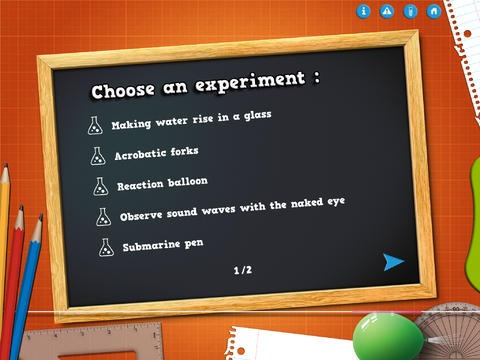
FREE for a limited time – Small Physics Experiments. This educational app features fun, easy science experiments for kids to do at home. Each experiment is written up with 4 parts: introduction, equipment, instructions, and explanation. The experiments are also demonstrated in step-by-step videos. There are a total of 10 experiments. Some examples are: turn a tea bag into a rocket, reaction balloon, instant can crushing. As you can tell from the titles, these experiments need to be done under the supervision of an adult. A warning to that effect is included in the app. The app also includes a quiz with a limited number of multiple choice questions such as: Who invented the first electric battery? and What was the first name of Einstein? Personally, I would skip the quiz. I think kids would benefit more from journaling about their experiments such as what they observed, what they learned, etc. Check it out for your budding scientist!

Download link:. https://itunes.apple.com/us/app/small-physics-experiments/id849032980?mt=8&uo=4

Also FREE – Small Chemistry Experiments HD. This educational app features more fun & easy experiments for kids to do at home. Just like Small Science Experiments HD, each experiment in this app is written up with 4 parts: introduction, equipment, instructions, and explanation. The experiments are also demonstrated in step-by-step videos. There are a total of 10 experiments. Some examples are: making magic ink, dissolving an eggshell, making a soap powered boat. These experiments are also meant to be done under the supervision of an adult. This app also includes a short quiz. Again, I would recommend that kids journal about their experiments rather than take the quiz. I love that these apps encourage adults and kids to do the experiments together – how fun! 🙂

Download link: https://itunes.apple.com/us/app/small-chemistry-experiments/id689598627?mt=8&uo=4

0

Shiny Kids Preschool Learning Pack

On sale for only $1.99 – Shiny Kids Preschool Learning Pack. This bundle has three great apps for preschoolers which can also purchased individually for $.99.

bakery

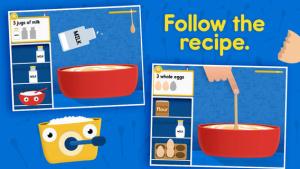
Shiny Bakery is an educational app for 2 – 5 year olds. Kids help Alice the Zebra bake then decorate cakes & cookies in her bakery. As they help, they are developing early number sense – counting, measuring, dividing, and sequencing. There is a lot of educational content packed into this fun little app. 1. Math: Kids learns to count as they add ingredients to the bowl. 2. Following directions (recipes): Kids will develop an understanding of following step-by-step directions. 3. Cause/effect: What happens when you add fish or a shoe to the cake mix? 4. Sharing/dividing: Kids have to divide the cake/share cookies equally to keep all of the customers happy because the emotions of customers vary according to what they receive. 5. Problem solving: If kids make a mistake they can try again. Shiny Kids apps are best  experienced through co-play. Parents are encouraged to play with their child and talk about their experiences – reading customers’ emotions, solving problems, sharing equally, etc. Nicely done app!

Download link: https://itunes.apple.com/us/app/shiny-bakery/id719860179?mt=8&uo=4


Shiny Party – Shapes & Colors is a math app for preschoolers. Charlie the monkey and Alice the giraffe are getting ready for their friend’s surprise birthday party. Kids learn about basic geometric shapes as they help. They find matching shapes, do shape puzzles, build cupcakes – all within the context of the story. All activities are age appropriate. I would make one little tweak to the content… the app teaches kids that a square has 4 sides rather than 4 equal sides. This educational app is great – colorful with adorable characters. Also, you can take a picture of your child with the characters and save it to your photos – a really cute feature. Nicely done and fun for little ones!

Download link: https://itunes.apple.com/us/app/shiny-party-shapes-colors/id618658350?mt=8&uo=4


Shiny Circus is another fun app for preschoolers. Charlie, Alice, and Ralph are off on a new adventure as they go to the circus. Charlie the monkey joins the fun. Kids help by dressing the clowns, adjusting the steps, balancing the load for a unicycle, and more. As they help they are learning about math concepts – ordering, comparing, balancing, weight, mass, and more. The app has two modes: story mode and game mode. Check out this fun learning app from Shiny Things!

Download link: https://itunes.apple.com/us/app/shiny-circus/id719860199?mt=8&uo=4

0

Peekaboo You™ Baby – Barn Animals


Adorable and currently FREE – Peekaboo You™ Baby – Barn Animals. Your baby/toddler becomes a farmer (the main character) in this cute game of peekaboo. Cute farm animals are hidden in 4 different scenes. Kids are given audio & visual clues to help them find the animals. They learn the names and the sounds of animals. They will also learn to predict which animal is hiding in each scene since they hear its sound first. After finding twelve animals, the suns goes down and it’s time to go to sleep. Super cute fun for your little ones!!

Download link: https://itunes.apple.com/us/app/peekaboo-you-baby-barn-animals/id848246553?mt=8&uo=4

0

13 Alphabet Apps :)

Here are thirteen of my favorite ABC apps. They vary in style but they are all nicely done. All thirteen were free when I downloaded them but only four are currently free. Sign up to receive my blog via email so that you don’t miss out on good FREE apps! I only write about apps that I would recommend. Enjoy!!

endless

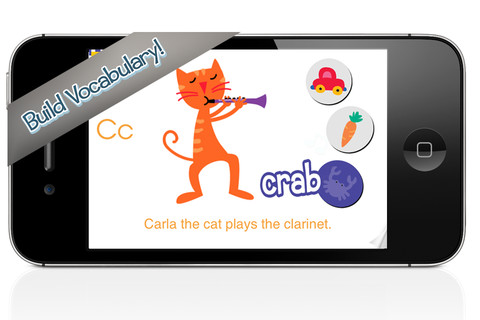
Once named an Editor’s Choice in the app store, Endless Alphabet is currently $6.99 but it occasionally goes on sale. This adorable interactive app combines learning letters & their sounds with learning vocabulary. There are currently 26 words featured in this educational app – one for each letter of the alphabet. But the app promises to be truly endless with new words to be added.

Kids tap a letter and its word appears of the screen. Then silly monsters come by and knock it over. Kids work to reconstruct the word with animated, talking letters. To teach the meaning of the word, there is also a short animation included. Words featured include: bellow, cooperate, gargantuan, portrait, quarrel – clearly not words found in the average ABC book. The vocabulary development in this app makes it appropriate for a wide range of kids.

Love this app – it’s silly, fun, and educational. My friend’s grandson learned all the letters and sounds of the alphabet because he loved this app so much. 🙂 It’s super cute!!

Endless Alphabet - Callaway Digital Arts Inc.

AlphaTotsCurrently $2.99 – AlphaTots Alphabet, a GREAT ABC app for kids! What makes this educational app unique is that it uses 26 action words to teach the alphabet. Kids are asked to complete 26 interactive tasks, for example: b – build a robot, p – play instruments, z – zap alien spaceships, etc. This app has been featured on The Today Showand has received a lot of positive press. It is a VERY fun app for toddlers/preschoolers who are learning their alphabet!!

Download link: https://itunes.apple.com/us/app/alphatots-alphabet-learning/id436142340?mt=8&uo=4

word wizard

Currently $2.99 – Word Wizard – Talking Movable Alphabet. This educational app features advanced text to speech capabilities to help kids with reading and spelling. Emergent readers can utilize the phonics movable alphabet to explore and play with words and sentences. As they do so, the app pronounces and spell-checks their work. Consonant letters are blue and vowels are red – helping kids to become aware of the differences. The short pronunciation of the vowels is featured as the letters are moved onto the board. Once a word is spelled, the app changes the vowel’s pronunciation for that word if necessary. If a word is not recognized by the app, it is still pronounced (according to the rules of phonics) but it is highlighted in red. How cool is that?!

Word Wizard can also be used for spelling practice. The app features lists of words – more than 1,400 words in all. I love that it includes the 1000 most frequently used words. Learning to recognize these words is important to a child’s overall reading fluency. The app also lets you add your own word lists. Teachers can add in their weekly spelling list and track the progress of their students. Reports can be emailed from teacher to parent or from parent to teacher. There are lots of possibilities for using this app – teach letter sounds, explore word patterns, small group word building, spelling practice, the list goes on… It’s no wonder that this app was featured in the New York Times, featured by Apple as “New and Noteworthy” and named a winner of a Parents’ Choice Award.

Download link: https://itunes.apple.com/us/app/word-wizard-talking-movable/id447312716?mt=8&uo=4

Montessori ABC for Kids HD

Currently $3.99  – Kids Academy · ABC Alphabet Phonics App HD. This educational app has two sections: animated flashcards (to teach kids the letters/sounds) and traceable worksheets (to teach kids how to write the letters). The flashcard section has cute animations to teach kids letters & sounds in a fun way. The writing section has two modes (right-handed and left-handed) to teach upper and lower case letters. The app is designed to have multiple users and parents can track their children’s progress. Nicely done!!

Common Core Standards met:

  • K.RF.1 – Demonstrate understanding of the organization and basic features of print. Recognize and name all upper and lowercase letters of the alphabet.

Montessori ABC for Kids HD: Learn and Trace Alphabet Letters - Kids Academy Company

Interactive Alphabet ABCs

Currently $2.99  – Interactive Alphabet is one of the best alphabet apps that I have seen for babies, toddlers, & preschoolers. It’s so cute and well designed! To start you choose an accent (American or British) and a mode. It has 3 modes for your developing child – baby, explore, and trace. The baby mode takes your child on a guided, touchable tour of the alphabet. The explore mode lets children discover the sights & sounds of the alphabet at their own pace. It features fun activities that kids will want to explore multiple times. In the trace mode, kids learn to properly trace letters (lower case, upper case, or mixed) and words. The app keeps track of your child’s progress by starring the letters & words that are traced most often. The app can also be personalized by adding your own words and pictures. Your child can learn to trace his/her own name as well as the names of other family members, family pets, etc. This educational app truly lays the foundation for reading and spelling! Fabulous – this developer seems to have thought of everything!

Download link: https://itunes.apple.com/us/app/interactive-alphabet-abcs/id383967580?mt=8&uo=4

FREE again – Little Writer is a letter writing app for the iPhone/iPad that is designed to teach 3 – 6 year olds how to write upper & lower case letters, numbers, shapes, and words. It starts by showing the shape of the letter and naming it. The child traces along lines to write the letter. Then the child is praised and told what letter, number, shape or word he/she has just written. When writing a word, the letters are presented one at a time with the full word shown in the upper right-hand corner. When the word is finished, a picture pops up with the child’s writing underneath it.

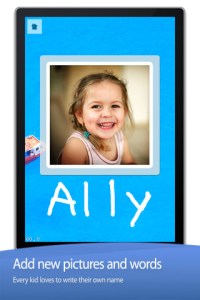
There are a lot of great things about this app. I like the size of the letters  – nice and big for little hands. I also like that there are subtle dotted lines on the page. But, the best part of this app is the ability to customize it. You can turn items on or off in order to introduce letters, numbers, etc. slowly. You can record your voice or your child’s voice pronouncing the names of the letters, numbers, etc. You can add in your own pictures & words so that your child can learn to write his/her own name and names of family members or whatever you wish! You can add additional letters for foreign words so that you can use it to teach simple words in another language. SO many possibilities……

Common Core Standards met:

  • K.RF.1 – Recognize and name all upper and lowercase letters of the alphabet.

Little Writer - The Tracing App for Kids - Innovative Mobile Apps

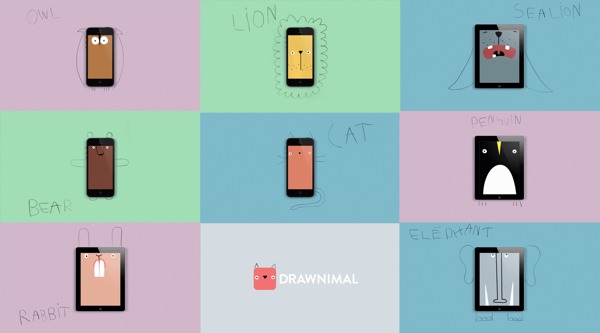
Currently $1.99 – Drawnimal, an ABC app for kids that has them thinking (and drawing) outside the box. Kids begin by placing the device on a piece of paper or other drawing surface. Then they draw around the device (as shown above) to complete the drawing of an animal. When they press play, the app identifies the animal. Finally, they tap the animal for a delightful surprise! Kids will love the animal animations that they helped to create. It’s the perfect combination of an alphabet app and a drawing app for little ones. And, it’s in 5 languages – English, Spanish, Dutch, Italian, and French. It’s super cute and super fun!

Download link: https://itunes.apple.com/us/app/drawnimal/id586239095?mt=8&uo=4

My A - Z 2FREE again – My A – Z, a fully customizable alphabet app. Using this educational app, you can easily create alphabet flashcards for your kids with personal pictures and personal recordings of up to 30 seconds! The app comes with words & pictures for each letter of the alphabet but you have the ability to edit those and/or add your own. Just use already existing photos from your photo albums or use your device’s camera to take new photos. Easy!!

There are so many fun uses for this app. You can help kids make alphabet cards of their family, friends, or a family vacation. They can include recorded greetings from the people pictured! The app can also be used to make alphabet cards for another language, to teach math terms, or make holiday editions of alphabet cards. Obviously, the audience for this app is not just limited to toddlers. It would be fun for older kids to create their own ABC flashcards in any subject area. The possibilities are endless!

My A-Z - Night & Day Studios, Inc.

a to zFREE – A to Z Music Videos. This educational app has 26 animated videos  – one for each letter of the alphabet. As kids watch the videos, they earn tickets to unlock other videos. There is also an option to purchase tickets to unlock videos more quickly. The videos are top-notch! They help children learn letter names and sounds AND develop vocabulary. Every video is produced in a different musical style, so kids are also introduced to a wide variety of musical genres. This app is a must-have for preschool, kindergarten, and first grade teachers – a perfect introduction to the letters of the alphabet!

Common Core Standards met:

  • K. RF.3 – Know and apply grade-level phonics and word analysis skills in decoding words. Demonstrate basic knowledge of one-to-one letter-sound correspondences by producing the primary sound or many of the most frequent sounds for each consonant. Associate the short sounds with common spellings (graphemes) for the five major vowels.

ABCmouse.com 26 A-Z Music Videos - Age of Learning, Inc.

My Beastly ABCs

Currently $2.99 – My Beastly ABCs, an educational app featured in USA Today’s Top 10 iPad Apps for Kids. Kids join a young boy (who is reluctant to get out of bed) on a magical adventure through a not-so-ordinary day! Told in rhyme, the story recounts the boy’s day as he encounters 26 friendly monsters (one for each letter of the alphabet) from all over the world. Kids join in this interactive tale as they play hide & seek with a Boogey Monster, learn how to floss from a Vampire, uproot a Mandrake family, and much more. The app is narrated by Jim Dale with whimsical background music & great sound effects. It has 3 play modes: with narration, without narration, or auto-play. Everything about this app is top quality – beautifully illustrated with the perfect amount of animation & interactivity. There is also an index that gives kids monster facts & descriptions. Kids can read and learn about each of the beasts’ unique characteristics and place of origin. Lots of fun!!

Download link: https://itunes.apple.com/us/app/my-beastly-abcs/id578158826?mt=8&uo=4
art abc

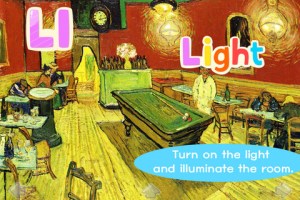
FREE again, Art ABC for the iPhone/iPad. Like all alphabet books, this educational app teaches kids the names & sounds of each letter. What makes it unique is that it also incorporates famous works of art. Each letter of the alphabet is presented on a fine art background. There is also a hidden object (with the featured letter) in the background. Kids explore the page by tapping to reveal each object – each in a different way! The app also contains a list of all the famous art included in the app – titles, artists, nationality, medium used, year, and location of the painting. This educational app could also be used with older students in art class. Nicely done!!

ART ABC - hwa pyung song

Currently $2.99 – Wee Sing & Learn ABC for the iPhone/iPad normally sells for $2.99. Wee Sing has been around for over 30 years. When my children were small, we always had a Wee Sing tape in our car. This app teaches toddlers the alphabet in a musically fun way. Every letter has a page with its own song featuring an animal with an instrument (both beginning with that letter). There are also three additional words for each letter which are pronounced and spelled. The real sound of every animal and each instrument are also included in the app. This app is well done with great attention to detail – a must have for every toddler 🙂
Wee Sing & Learn ABC - zuuka incorporated

abc expedition

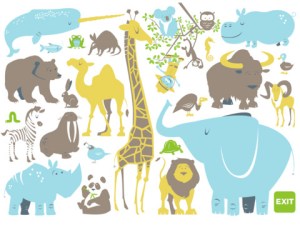
ABC Expedition is currently $2.99. Captain Wallace leads a tour of the zoo in this aesthetically pleasing alphabet app. The alphabet letters are placed on large buttons  – easy for kids to push. Each button take the child to an animated page featuring that letter. The page contains both upper & lower case letters and an animal (with its word) that begins with that letter. The animated animals are appealing and include sound effects. GRReat! Both words and letters are pronounced when the child touches them. This app is simple but well done – love the unique color scheme! What a great app for toddlers who love animals and are learning the alphabet. Use it before or after a trip to the zoo! Keep reading my blog to find out when apps are offered for FREE.

ABC Expedition - Meldmedia Inc.

0

Learning Videos by Story Bots

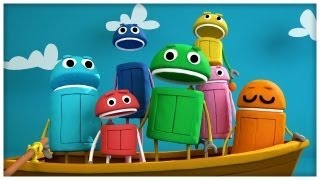
FREE for a limited time – unlimited access to the 100+ Learning Videos by Story Bots, These videos will keep young children learning for hours! They cover an assortment of subjects – songs, numbers, shapes, colors, emotions, ABCs, body, etc. All of the videos star the StoryBots, lively little singing robots. The subjects are suitable for preschool through elementary school kids. I love that the shape videos include a video on the rhombus. And, preschool and kindergarten teachers will enjoy the ABC videos. Check them out while they are FREE!!

Download link: https://itunes.apple.com/us/app/learning-videos-by-storybots/id648513923?mt=8&uo=4

0

Quick Math+ and Quick Math – Multiplication & Arithmetic Game

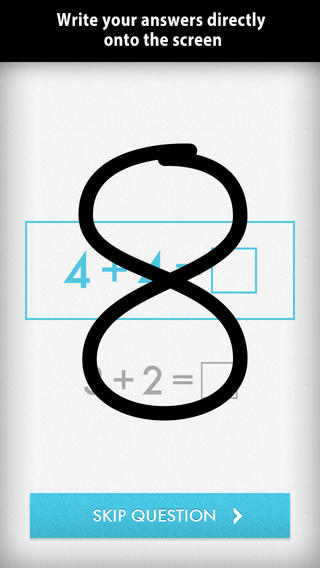
Only $.99 – Quick Math+, an educational app that encourages the development of mental math skills. Kids race against the clock to improve their scores. Handwriting recognition allows the players to write the answers directly on the screen – a very slick feature. There are 4 game modes: solve, memorize, compare, and swap. Each game has 4 levels: beginner, intermediate, advance, and extreme. At a beginning level, this app helps to develop math fluency. Once kids have mastered the basics, the app introduces order of operations & parenthesis, negatives numbers, and indices. LOTS of great practice for multiple levels of math students in this app. It can be shared among students and it tracks each student’s progress – perfect for the classroom. The math gets progressively harder as students improve their skills. I love how the app encourages self-improvement and legible writing! Teachers could assign 10 minutes of practice each day for their students. I am sure the results would be significant. What a fabulous tool for the classroom!

Download link: https://itunes.apple.com/us/app/quick-math+/id703287370?mt=8&uo=4

quick math

Also only $.99 – Quick Math – Multiplication & Arithmetic Game, an educational app that encourages math fluency in addition, subtraction, multiplication, division, & mixed operations. Kids race against the clock to improve their scores. Handwriting recognition allows the players to write the answers directly on the screen – a very slick feature. There are 4 game levels: beginner, intermediate, advance, and extreme. This app features LOTS of great practice for multiple levels of math students. It can be shared among students and it tracks each student’s progress – perfect for the classroom. The math gets progressively harder as students improve their skills. I love how the app encourages self-improvement and legible writing! Teachers could assign 10 minutes of practice each day for their students. I am sure the results would be significant. What a fabulous tool for the classroom – perfect for a daily warm-up, at a math center, or for fluency practice after completing an assignment.

Common Core Standards met:

1.OA.6 – Add and subtract within 20, demonstrating fluency for addition and subtraction within 10.
2.OA.2 – Fluently add and subtract within 20 using mental strategies. By end of Grade 2, know from memory all sums of two one-digit numbers.
3.OA.7 – Fluently multiply and divide within 100, using strategies such as the relationship between multiplication and division or properties of operations. By the end of Grade 3, know from memory all products of two one-digit numbers.
Download link: https://itunes.apple.com/us/app/quick-math-arithmetic-times/id537802071?mt=8&uo=4

0

My Monster Mayhem

FREE for a limited time – My Monster Mayhem, an interactive e-book for the iPhone/iPad which normally sells for $4.99. It is the story of a little girl and all of the monsters in her house (imagination) that prevent her from doing what her mother asks her to do – turn off lights, not waste dental floss, etc. What her mother doesn’t seem to understand is that she is really a hero!

The storyline is cute and there are animations/interactivity found on almost every page – kids pop bubbles from the bathtub, play tug of war with the Broncus Dentus, etc. Kids also collect hidden monsters on almost every page to unlock puzzles at the end of the story. The “existence” of the monsters is left open for discussion/interpretation – perfect for kids that are a bit older. Thanks for another great story, Digital Leaf!

My Monster Mayhem - Digital Leaf

0

ScratchJr

scratch jrFREE app – ScratchJr is designed to teach kids how to code their own stories and/or games. Specifically developed for younger children, ScratchJr is based on Scratch programming language (http://scratch.mit.edu) which is used by millions around the world. The app includes an introduction video and examples of sample projects. Once the add button is pressed, the app opens to a page with a friendly looking cat in a blank square surrounded by programming tools. Then the fun begins. Kids snap together programming blocks to make the cat move – forward, backward, right, left, hop, etc. They can choose to add a setting to their story/game by selecting one of the twenty-eight different backgrounds. They can add additional characters and/or objects to their scenes. They can make their character talk either by using word bubbles or by recording their own voices. They can control timing, speed, and the sequencing of events. The app can be simple but it becomes more complex as kids start to figure things out. For example, they can learn to program multiple characters to move in sequence, move together, etc. Kids can also add themselves to the story. They simply choose one of the fifteen “faceless” characters then add in their own face using the iPad’s built-in camera. How cool is that? As kids learn to program, they are also learning to problem solve, design projects, and be creative on the computer. LOVE this app!

Download link: https://itunes.apple.com/us/app/scratchjr/id895485086?mt=8&uo=4

0

Spelling Test by FunExam.com

spelling test

FREE for a limited time  – Spelling Test by FunExam.com, a cool tool for improving spelling test scores. To use this app you must create a free account by submitting your email and a password. Then you can begin creating your tests. First you name your test – short a words, days of the week, first grade/week 1, sight words/list 1, etc. I would make the name match the lesson so that your data is more meaningful. Then you type in the words – the app is case-sensitive. If you enter a proper noun, the app is going to mark it wrong without a capital letter. 🙂 Then you record the words. The app gives you enough time to also include the words’ meanings or sentences using the words – perfect for homonyms. That’s it – easy!!

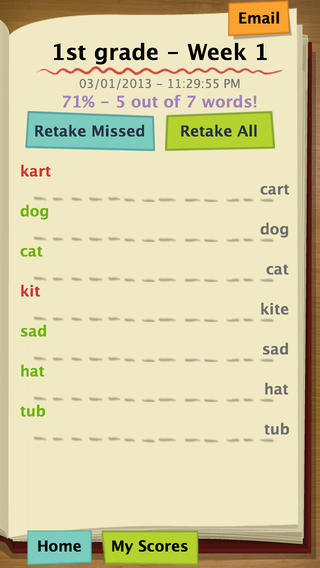
Once your test has been created, kids can practice. They simply click on the test they would like to take. The words are pronounced and the kids spell them by typing them in. The app grades the test as you go  – correct words are shown in green, incorrect words in red. The correct spelling of each word is also shown. When the test is complete, the final score is shown in two ways – 5/7 and 71%. Kids are given the option of retaking the missed words or retaking all of the words. The results can be emailed. This app is fantastic – easy to use and it tracks progress. Kids would love creating their own test at the beginning of the week. Teachers could use it for phonics lessons, to teach homonyms, and more. Older students could us this app for science vocabulary, to learn foreign language words, etc. There are lots of applications (beyond spelling) for this app. Just use a bit of imagination – LOVE it!!

Download link: https://itunes.apple.com/us/app/spelling-test-free-by-funexam.com/id426041393?mt=8&uo=4

0

6 FREE Apps to Encourage Lifelong Learning

Try adding one or more of these apps to your daily routine this year. Students will love learning something new each day!

This Day in HistoryOne of my favorite FREE resources… WORLD BOOK  – This Day in History for iPad is a great FREE resource for the classroom. Historical events for the day are displayed on a calendar page. You can click on links to related media such as articles, photos/illustrations, music, speeches and more! When I was teaching, I had students  do “morning work” (correct punctuation, capitalization, & spelling in two sentences) while I took attendance, did lunch count, etc. This educational app would have been perfect for that daily assignment because I always used information about something interesting that happened that day. After correcting the sentences, the kids and I would discuss the history of that day. I was always amazed at how well kids retained what we had discussed during the opening minutes of every day. Throughout the year they would often remark, “We learned about that in our morning work.” You may want to try making this educational app part of your classroom’s morning routine. 🙂

WORLD BOOK - This Day in History for iPad - Software MacKiev

WonderopolisFREE – Wonderopolis, a fabulous educational app. Explore Wonderopolis (the website) with your mobile device.

Wonderopolis (Wonderopolis | Where the Wonders of Learning Never Cease) is a fantastic website that provides a daily Wonder of the Day®.  A fun & intriguing question is featured every day. The website/app includes a written explanation of the answer, vocabulary words, and a gallery of images & videos – all to foster learning and inspire curiosity about the Wonder of the Day®. Other daily features include a “Try It Out” section which suggests activities based on the day’s question, a “Still Wondering” section which gives additional/related information, and a quiz. There is even a section for teachers/parents called the “Educator Sandbox” with additional resources and opportunities to connect with the Wonderopolis community. It’s such a fascinating and wonderful resource – I enjoy reading it myself!

Using this website/app would be a fabulous addition to a daily classroom routine. Kids could read (or listen to) the daily Wonder of the Day® as part of their independent work time. They could journal about what they learned and/or what they are still wondering about. A class discussion could be scheduled for later. What a great way to encourage THINKING! Wonderopolis is a fabulous resource to ignite the natural curiosity and imagination of kids!

Download link: https://itunes.apple.com/us/app/wonderopolis/id505247028?mt=8&uo=4

BrainPOP has been around for more than a decade as an educational website. The site features short animated movies – 750+ lessons covering science, social studies, math, art & music, etc. The content is geared for grades 4 and above but I found that many movies were also suitable for third graders. When I was in the classroom, it was one of my favorite online resources.

Now you can download the BrainPOP Featured Movie, the educational app for FREE! Your child can learn something new every day. After watching the daily movie there is a short interactive quiz. And… if your child can’t get enough of this app, there are two subscription options: $1.99 per month/ 4 movies & quizzes a day OR $6.99 per month/full access.

Teachers could add the BrainPOP movie of the day to their daily routine. Watch it at a transition time – right before lunch, after lunch, while waiting for buses to called, etc. Interesting and educational!!

BrainPOP Featured Movie - BrainPOP®

Also available for FREE is BrainPOP Jr. Movie of the Week, another educational app. Every week Annie and Moby (two lovable characters) help 5 to 9 year olds learn about a different subject. There is also a quiz and activities to accompany each animated movie. BrainPOP Jr. has been on the web since 2006 delivering content for younger students in science, social studies, reading, writing, math, and more.

Again, teachers could add the BrainPOP Jr. Movie of the Week to their routine. Start your Monday off with the “Movie of the Week” or use it on Friday. BrainPOP gives teachers another way spark kids interest in learning!

BrainPOP Jr. Movie of the Week - BrainPOP®

weirdDid you know that hippo’s lips are about two feet wide? Get ready to learn all sorts of wacky facts with this app. Just updated and FREE – Weird But True, an e-book from National Geographic Kids. Over 625 kid-friendly, wacky facts are presented in a fun & interactive way. Kids can swipe to move from fact to fact or shake their device to generate a random fact. Sound effects and surprises add to the fun! There is a fact finder which kids can use to locates facts by subject – animals, weather, space, etc. The app also includes a “Weird-O-Meter” which kids can use to rate the level of weirdness for each fact. Additional fact packs are available as in-app purchases –  $.99 each. This app won the Spring 2012 Parents’ Choice Award and was chosen as New & Noteworthy, What’s Hot, & Staff Favorites by Apple. Kids will LOVE this app. :

Weird But True - National Geographic Society

newsCheck out a FREE trial of News-o-Matic, an educational newspaper app for kids 7 – 11 years old. A new edition is published every Monday through Friday. Each edition features 5 articles from the news – sports, science, world news, wacky events, etc. The articles are kid-friendly and age-appropriate. Kids can read on their own or have the articles read to them. Important vocabulary words are underlined and linked to their definitions. The articles also include fun facts, a map for locating where the news is happening, videos, and games. Once registered, kids can connect to the News Room to draw pictures, express opinions, or ask questions about the news. This app helps kids become informed citizens of the world!

The FREE trial lasts for 2 weeks. After that, you must subscribe: yearly – $19.99. monthly – $1.99, or weekly – $0.99. If you subscribe before the end of your free trial, you get a special rate. Teachers, there is also a News-o-Matic School Edition. It comes with a teacher’s guide which includes discussion prompts, comprehension questions, Lexile reading levels, and more. And, it’s a great resource for non-fiction reading!

Download link: https://itunes.apple.com/us/app/news-o-matic-daily-reading/id578023255?mt=8&uo=4